A lot of SMB cloud environments look secure at first glance. The console has alerts turned on, admins use named accounts, and someone enabled basic encryption when the environment was built.
Then normal work happens.
A developer launches a VM for a short-lived test. A team lead opens broad access because a vendor needs something quickly. An old storage bucket sticks around after a migration. Nobody means to create risk, but cloud platforms make change easy, and easy change creates drift. That’s why security controls in cloud computing matter so much. They’re the guardrails that keep a fast-moving environment from slowly turning into an exposed one.
For smaller teams, the challenge isn’t understanding that security matters. It’s knowing which controls reduce risk first, which ones can wait, and how to build a usable system without hiring a large security team. The good news is that you don’t need a massive budget to get the fundamentals right. You need clear priorities, a few hard rules, and operational discipline.
Why Cloud Security Controls Are Your First Line of Defense
The most common cloud security problems rarely start with a highly skilled attacker. They start with ordinary admin work.
A server gets deployed with internet access because it speeds up troubleshooting. A temporary exception becomes permanent. Patches slip because the owner moved to another project. That one forgotten asset becomes a foothold.
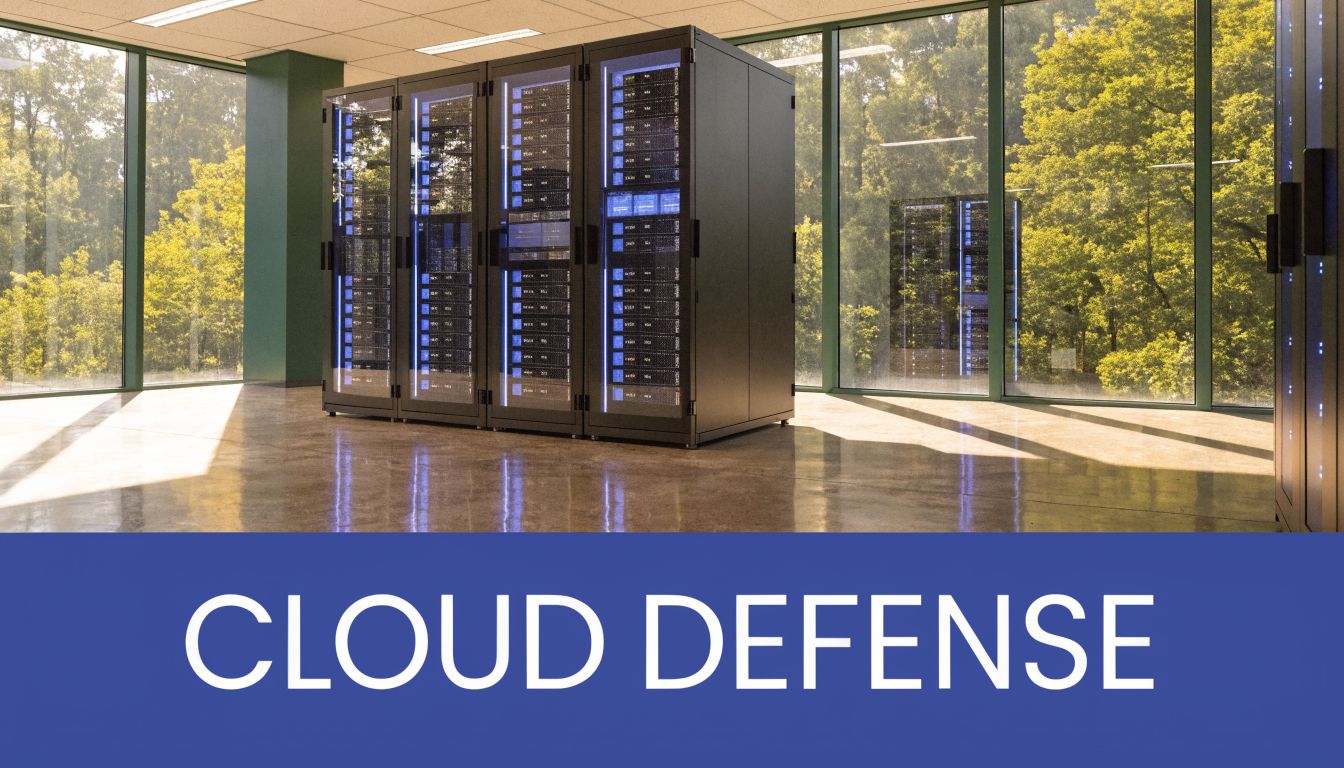
Cloud security controls exist to stop those ordinary mistakes from turning into incidents. They define who can access resources, how data is protected, which systems can talk to each other, what gets logged, and how teams catch drift before it becomes a breach.
The problem is usually operational, not theoretical
The cloud is dynamic by design. Resources appear and disappear quickly. Teams work across AWS and Azure. Permissions get granted under deadline pressure. In that kind of environment, weak controls don’t fail loudly. They fail subtly.
That matters because cloud misconfigurations drive more than 31% of all cloud breaches, public cloud breaches average $5.17 million in costs, 83% of organizations suffered at least one cloud incident in the past 18 months, and major breaches jumped 154% year over year from 2023 to 2024 according to SentinelOne’s cloud security statistics roundup.
For an SMB, that doesn’t mean you need enterprise-grade complexity. It means you need controls that are simple enough to use consistently.
Practical rule: If a control depends on perfect human memory, it will fail under workload.
What good controls actually do
Strong controls reduce decision-making in the moment. They make the secure path the default path.
That usually means:
- Identity limits: Users get only the access they need.
- Network boundaries: Workloads don’t expose services broadly unless there’s a clear reason.
- Data protection: Storage and backups stay encrypted and access is traceable.
- Monitoring: Logs, alerts, and review routines catch changes quickly.
If you need a plain-language refresher on the broader discipline, What Is Cloud Computing Security gives a useful overview before you get into implementation details.
The key point is simple. Security controls are not paperwork. They are the operating rules that keep routine cloud activity from becoming expensive, public, and hard to unwind.
Understanding the Main Types of Security Controls
Organizations frequently make cloud security harder than it needs to be because they treat every alert, feature, and policy as a separate problem. It helps to use a simpler model.
Think of your cloud environment like a modern office building.
You don’t protect that building with one lock. You use front-desk checks, room access rules, camera coverage, file cabinets, visitor logs, and building policies. Cloud security works the same way. Different controls handle different failure modes.
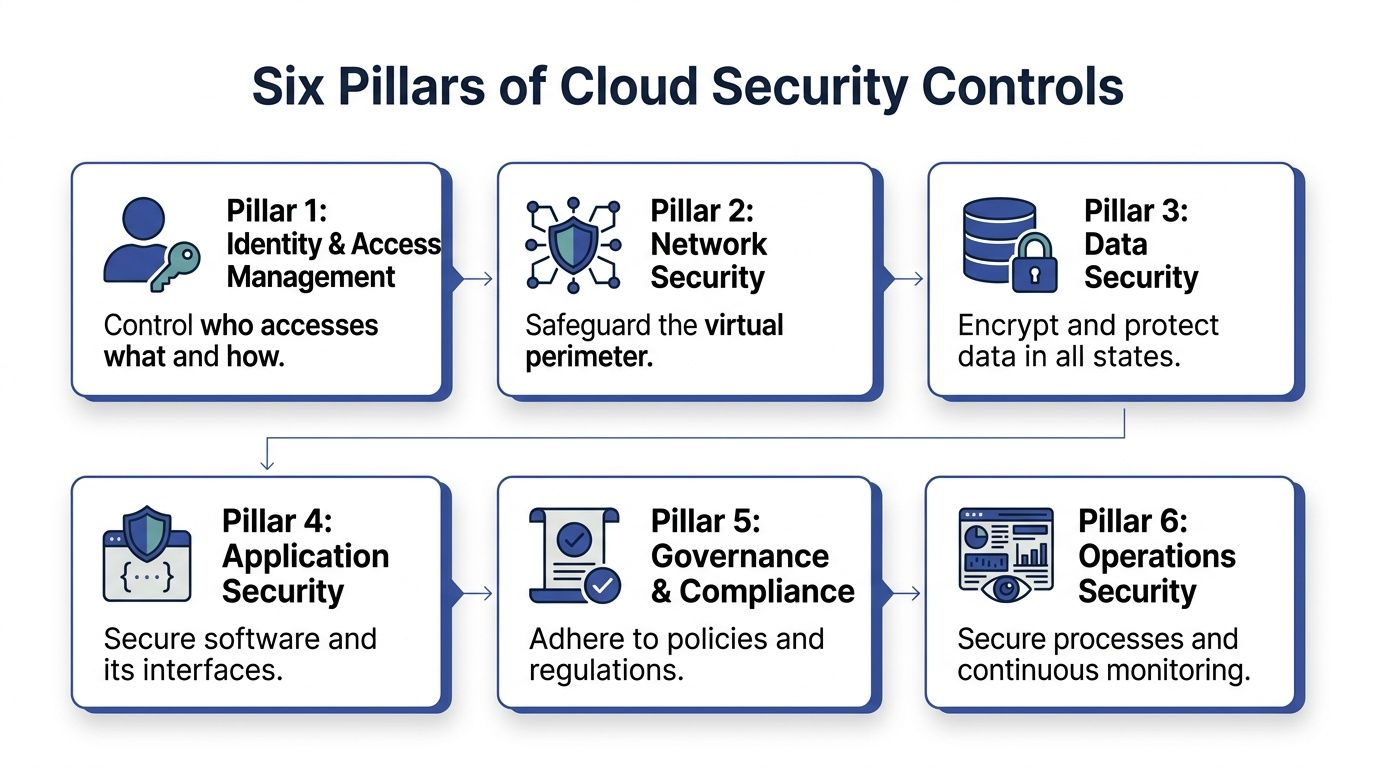
Identity is your keycard system
Identity and access management decides who gets in and what they can touch.
If a finance manager needs to review spend, that person shouldn’t also have rights to create instances or alter network settings. If a contractor needs access to one application, that account shouldn’t see the whole subscription or account. Good identity controls separate duties, reduce overreach, and create a trail when something changes.
Network controls are your doors and internal hallways
Network security defines which systems can communicate and from where.
In practice, that includes virtual networks, subnets, security groups, network security groups, private endpoints, and firewall rules. Teams often get into trouble here by allowing broad inbound access during setup and never tightening it later. The safest network rule is the one you never had to open.
Data controls protect what matters most
Data security covers encryption, access policy, backup handling, retention, and key management.
Many SMBs underestimate risk. They focus heavily on compute because servers feel tangible, but attackers often care more about the data sitting behind the application. If your storage is exposed, badly permissioned, or copied into unmanaged snapshots, you have a real problem even if the application tier looks clean.
Application controls protect the software layer
Applications create their own attack paths through APIs, secrets, dependencies, and deployment mistakes.
This pillar includes secure coding practices, secret handling, dependency review, API authorization, and testing changes before they hit production. For many teams, the fastest win is moving secrets out of code and into a managed secret store.
Governance keeps the environment coherent
Policies, approval paths, tagging standards, and exception handling sound administrative, but they prevent chaos.
Without governance, every team builds its own rules. One group exposes public endpoints by default. Another leaves orphaned resources behind. Another uses naming that makes asset ownership impossible to determine. Governance gives the environment a consistent shape.
A useful way to think about this discipline from an assurance standpoint is through formal control mapping. Teams preparing for customer reviews often benefit from guidance like mastering SOC 2 controls, because it shows how operational practices connect to audit-ready evidence.
Operations turns policy into daily behavior
Operational controls include logging, alerting, patching, access reviews, and incident response.
This is the layer that determines whether your controls are alive or only documented. A policy that says “review privileged access” means little if nobody reviews it. A patch standard means little if older images remain in rotation.
| Pillar | Office building analogy | Typical cloud examples |
|---|---|---|
| Identity | Keycards and badges | AWS IAM, Microsoft Entra ID, RBAC, MFA |
| Network | Locked doors and room access | VPCs, VNets, Security Groups, NSGs |
| Data | Safes and shredders | S3 policies, Blob access rules, KMS keys |
| Application | Secure reception desk procedures | Secrets management, API auth, dependency review |
| Governance | Building rules and visitor policy | Tagging, approval workflows, policy baselines |
| Operations | Cameras and incident logs | Cloud logs, alert review, patch cycles |
Strong cloud security rarely comes from one excellent tool. It comes from several ordinary controls working together without gaps.
Mastering Identity Your Most Critical Control Layer
If you only tighten one control layer first, make it identity.
Attackers don’t need to break through a perfectly hardened perimeter if they can log in with valid access or abuse an account that has too much permission. In real environments, identity errors are often less visible than exposed ports and much more dangerous.

Least privilege is harder than it sounds
The principle of least privilege is common among teams. Fewer teams implement it well.
The reason is operational friction. It feels easier to assign a broad admin role than to define what a person really needs. But broad access turns every account into a bigger blast radius. A billing analyst shouldn’t be able to modify production instances. A help desk user shouldn’t be able to change identity federation settings. A developer shouldn’t have persistent write access everywhere just because it avoids a ticket.
Role-based access control, or RBAC, enforces least privilege and is critical in preventing 80% of cloud breaches that involve over-privileged accounts. MFA also matters because it blocks 99.9% of account compromise attacks, according to Microsoft data in Microsoft’s guidance on securing data in cloud services.
That pair holds greater importance than often recognized. RBAC limits what an account can do. MFA makes it much harder for an attacker to hijack that account in the first place.
What this looks like in practice
In AWS, this usually means tightly scoped IAM roles and policies tied to job function. In Azure, it means using Microsoft Entra ID and Azure RBAC with clear role boundaries at the management group, subscription, resource group, or resource level.
A workable SMB pattern often looks like this:
- Admins keep separate privileged accounts: Daily email and collaboration should never happen from a privileged identity.
- Developers get environment-specific access: Development and production should not share the same convenience permissions.
- Finance or operations users get read-only cost visibility: They don’t need broad infrastructure rights to do budgeting work.
- Temporary work gets temporary privilege grants: Short-term access should expire automatically.
For a more focused look at the operational side of identity design, this guide on cloud identity management is a useful companion.
Common IAM mistakes that create avoidable risk
The failures tend to repeat:
- Shared accounts: Accountability disappears when multiple people use the same login.
- Permanent admin rights: Standing privilege becomes normal, then nobody questions it.
- Wildcard permissions: Broad actions against broad resources create room for escalation.
- MFA exceptions: The one account without MFA often becomes the one that matters most.
A simple access review catches a surprising amount of this. Ask three questions for every privileged role: Who uses it, why do they still need it, and what happens if that account is compromised?
Here’s a short explainer that shows why identity controls deserve that level of attention:
Field note: The fastest IAM improvement for most SMBs is not a new tool. It’s removing old access that nobody can justify anymore.
Identity is the layer where convenience most often fights security. The right answer isn’t to block work. It’s to design access so people can do their jobs without holding more power than they need.
Practical Implementation with AWS and Azure Services
Once identity is in better shape, the next job is mapping core controls to the services you already use. Theory must then translate into repeatable administrative work.
For most SMBs in AWS and Azure, the highest-value implementation areas are network, data, and compute. If these three are consistently managed, your baseline posture improves fast.
Network controls in AWS and Azure
Network controls should shrink exposure, not document it after the fact.
In AWS, start with VPC design, subnet separation, and tightly scoped Security Groups. Treat internet-facing resources as exceptions. If a workload doesn’t need direct public access, keep it private and reach it through managed entry points or admin paths you control carefully.
In Azure, the equivalents are Virtual Networks, subnets, and Network Security Groups. Keep rules narrow. If a team opens a broad inbound rule for troubleshooting, assign an owner and remove it when the task ends.
A useful review pattern is this:
- Public entry points: Confirm each exposed service has a business reason.
- Admin paths: Restrict management access to specific trusted workflows.
- East-west traffic: Limit how much workloads can talk to one another internally.
- Rule sprawl: Remove stale or duplicate rules that nobody owns.
Data controls you should enable early
Data protection is usually easier to improve than teams expect because both AWS and Azure give you good native building blocks.
For AWS, that often means:
- Amazon S3 encryption at rest
- Bucket policies that block unnecessary public access
- KMS-managed keys where control and auditability matter
- Versioning and backup protections for critical datasets
For Azure, the practical equivalents are:
- Azure Blob Storage encryption
- Storage account access restrictions
- Key Vault for secret and key handling
- Backup and snapshot governance
The biggest mistake here is assuming encryption alone solves the problem. It doesn’t. A storage service can be encrypted and still be exposed through weak permissions, bad sharing, or unmanaged copies.
If your team can’t quickly answer who owns a bucket, container, snapshot, or backup set, that’s not a documentation problem. It’s a security problem.
Compute controls that prevent drift
Compute is where drift accumulates. Teams launch instances and VMs quickly, but they don’t always maintain them with the same urgency.
In AWS, focus on EC2 image hygiene, vulnerability scanning, patch cadence, and minimizing direct administrative access. In Azure, the same principle applies to Azure VMs and any scale-set based workloads.
Good compute control usually includes:
| Control area | AWS example | Azure example | What to check |
|---|---|---|---|
| Hardened images | EC2 AMIs | Azure VM images | Remove unnecessary packages and services |
| Vulnerability review | Instance scanning workflows | VM scanning workflows | Review findings and assign owners |
| Patch discipline | Patch cycles for EC2 | Patch cycles for Azure VMs | Track overdue systems |
| Secrets handling | IAM roles and secret stores | Managed identities and Key Vault | Avoid embedded credentials |
One Azure-specific improvement many teams miss is reducing credential use between services. If you haven’t reviewed it lately, managed identity in Azure is worth revisiting because it helps remove application secrets from day-to-day operations.
What works for smaller teams
Large enterprises can layer many products on top of native controls. SMBs usually get better results by tightening a smaller number of things and operating them well.
That often means:
- Standardize base network patterns.
- Enforce private-by-default data access.
- Build from approved machine images.
- Review change exceptions weekly.
- Assign an owner to every exposed workload.
What doesn’t work is buying tools before ownership is clear. If nobody owns the security group, the storage policy, or the VM lifecycle, the platform won’t save you. Native controls in AWS and Azure are already strong enough to reduce a lot of risk if you use them deliberately and review them on a schedule.
How to Align Your Controls with Industry Frameworks
Teams often hear “follow a framework” and assume it means expensive consulting, audit fatigue, or a binder full of controls that don’t match day-to-day operations.
That’s the wrong way to look at it.
A framework gives you structure. It helps you check whether your cloud security controls cover the basics in a logical order. For an SMB, that’s useful because it stops security work from becoming a random list of urgent fixes.
Start with a framework that helps you prioritize
Frameworks like NIST CSF, CIS Controls, and CIS Benchmarks are practical because they push teams toward core questions.
Can you identify assets?
Can you protect access?
Can you detect issues?
Can you respond and recover consistently?
Those aren’t enterprise-only concerns. They’re operating questions every cloud team should answer.
Use CSA CCM for cloud-specific control mapping
General frameworks are useful, but cloud environments need cloud-specific detail. That’s where the Cloud Security Alliance Cloud Controls Matrix is especially valuable.
The CSA CCM comprises 197 control objectives across 17 domains and provides authoritative benchmarks for implementing controls like RBAC, which is critical in multi-cloud environments used by 78% of organizations, according to the Cloud Security Alliance Cloud Controls Matrix.
For a small team, you do not need to operationalize every control at once. You do need to use the framework to check whether your environment has blind spots.
A practical mapping approach looks like this:
- IAM issues map to identity domains: Review RBAC, privilege, MFA, and account lifecycle.
- Storage and backup issues map to data domains: Check encryption, access policy, retention, and ownership.
- Logging gaps map to operations and monitoring domains: Confirm you collect and review what matters.
- Change drift maps to governance: Define approval, tagging, and exception handling.
Frameworks help with customers too
Customers increasingly ask security questions before they sign. A framework helps you answer them cleanly.
Instead of saying “we do cloud security,” you can say:
- access is role-based
- privileged access is reviewed
- logs are retained and reviewed
- production changes follow a documented path
- storage access is restricted by policy
The real value of a framework is not compliance theater. It’s being able to prove your environment is being run intentionally.
That clarity helps during audits, vendor reviews, cyber insurance questionnaires, and internal planning. It also reduces panic when a customer sends over a long spreadsheet of security questions. If your controls are already mapped, those requests become a documentation exercise instead of a fire drill.
The Untapped Security Benefit of Cloud Scheduling
A lot of cloud security advice focuses on access, encryption, and monitoring. That’s right, but it leaves out one operational reality.
Resources that don’t need to be running still create risk when they stay online.
An idle VM can still hold old software, stale credentials, unnecessary network exposure, or forgotten admin paths. If nobody actively uses it, nobody tends to notice when it drifts. That makes idle compute one of the most underappreciated attack surfaces in the cloud.
Always-on is not a neutral choice
Teams usually keep non-production resources running because it feels easier. Developers may need them later. Nobody wants to interrupt testing. Restarting systems takes thought.
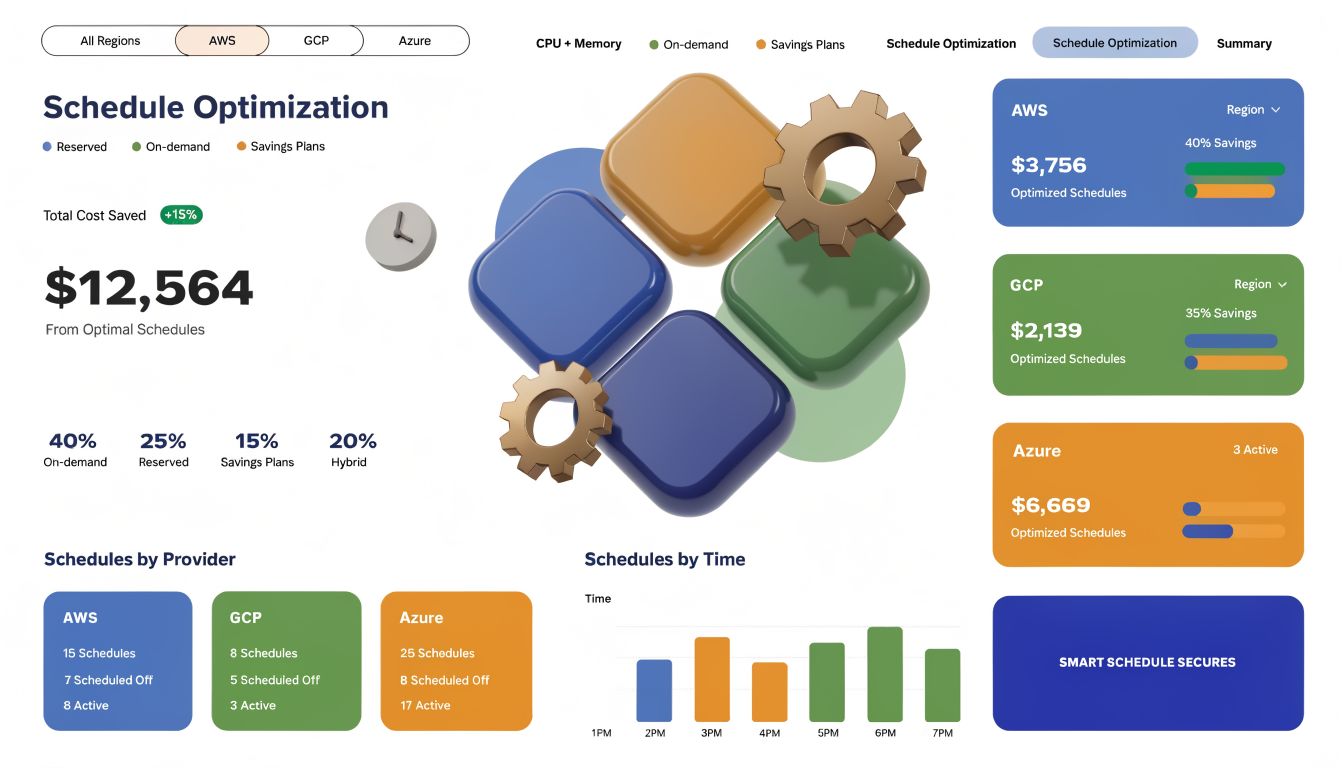
But that convenience comes with exposure. A key gap in security guidance is how to handle idle resource exposure. With 32% of cloud infrastructure sitting idle, using automated shutdown and RBAC-driven scheduling bridges the divide between cost management and security and reduces the attack surface from zombie resources, as discussed by Aqua Security’s overview of cloud security controls.
That idea deserves more attention. Shutting down unnecessary resources is not just a cost move. It’s a control.
Why scheduling belongs in your security posture
A powered-off nonessential resource:
- Presents less attack surface: It isn’t actively reachable in the same way a running system is.
- Reduces drift windows: Fewer hours online means fewer hours exposed to bad configurations and forgotten services.
- Improves review discipline: Teams must decide what actually needs to run and when.
- Creates ownership pressure: Someone has to classify workloads by business need.
If your team hasn’t operationalized this yet, start with a simple inventory and review process like the one described in what is resource scheduling.
Where teams get this wrong
The weak version of scheduling is informal. Someone remembers to stop test systems on Fridays. Nobody remembers to start questioning old dev environments. Exceptions pile up.
The stronger version is policy-driven:
- production stays up by design
- shared development resources follow approved windows
- temporary overrides are logged
- asset owners review exceptions regularly
Operational controls are strongest when they remove repeated human judgment. A schedule that reflects real business use reduces both waste and exposure.
A server that doesn’t need to be on shouldn’t be treated as harmless just because nobody is using it.
For SMBs, this is one of the rare areas where financial discipline and security discipline point in exactly the same direction. Fewer unnecessary runtime hours usually means fewer unnecessary security problems.
Your Actionable Checklist for Ongoing Cloud Security
Cloud security doesn’t stay healthy because you picked the right settings once. It stays healthy because someone checks the environment repeatedly.
That’s why the last mile matters. You need a recurring routine that keeps identity clean, drift visible, and infrastructure ownership current.
A practical operating rhythm
Use a checklist that fits your team’s size. If you have a small admin team, monthly and quarterly reviews are more realistic than daily process overhead.
A strong baseline looks like this:
- Review privileged access quarterly: Remove stale roles, shared access, and old exceptions.
- Enforce MFA consistently: Don’t leave break-glass, contractor, or service-adjacent accounts outside the rule.
- Inspect exposed resources monthly: Confirm public endpoints still have a valid business need.
- Patch critical VMs on a defined cycle: Track overdue systems and aging images.
- Verify storage permissions monthly: Check buckets, containers, backups, and snapshots for ownership and access drift.
- Review logging and alert coverage weekly: Make sure important events are collected and someone reviews them.
- Audit non-production uptime policies monthly: Confirm idle systems aren’t running by default.
- Test incident contacts and escalation paths: Make sure alerts reach real people who know what to do.
CSPM helps when your team can’t watch everything manually
As the environment grows, manual review stops scaling well. That’s where Cloud Security Posture Management, or CSPM, becomes practical rather than optional.
Implementing CSPM to automate monitoring can reduce mean time to remediate critical misconfigurations by 75%, from 30 days to under 8 hours, according to Exabeam’s explanation of cloud security controls and frameworks.
That’s not just a tooling argument. It’s an operational one. Faster remediation means less time for known bad states to sit unnoticed.
What to put into your review playbook
A lightweight playbook should answer four things:
| Review area | Key question | Owner |
|---|---|---|
| Identity | Who has elevated access and why | IT or platform lead |
| Network | What is publicly reachable right now | Cloud admin or DevOps |
| Data | Which storage assets hold sensitive data and who owns them | App owner and ops |
| Operations | Which alerts, findings, and exceptions are still open | Security or designated admin |
You don’t need a perfect program on day one. You need a routine that keeps running.
Small teams win by being consistent. A short checklist followed every month beats an ambitious policy nobody uses.
Good security controls in cloud computing are boring in the best sense. Access is predictable. Exposure is reviewed. Logs are useful. Old resources don’t linger. Exceptions are visible. That kind of environment is easier to defend and easier to operate.
If you want to reduce both cloud waste and unnecessary attack surface, CLOUD TOGGLE is worth a look. It helps teams automatically power off idle AWS and Azure servers, apply role-based access to scheduling tasks, and give non-engineering users limited control without exposing the full cloud account. That makes it easier to turn runtime discipline into a practical security habit, not just a cost-saving exercise.