The core difference between Azure and AWS boils down to one simple question: Are you building from the ground up, or extending an existing enterprise environment?
AWS offers a mature, extensive, and developer-first ecosystem, while Azure provides deep, seamless integration for businesses already running on Microsoft software. Your best choice depends entirely on whether you value the broadest possible toolkit or native compatibility with essentials like Microsoft 365 and Active Directory.
Unpacking the Cloud Giants: Azure vs. AWS
Choosing a cloud provider is a massive decision that shapes your entire tech stack. Amazon Web Services (AWS) was the first to market, and it built a commanding lead by offering a staggering array of services for nearly any technical need imaginable. This head start created a massive community and a deep well of documentation, making it the default choice for countless startups and tech-forward companies.
Microsoft Azure showed up later but used its colossal enterprise footprint to become a dominant competitor almost overnight. Its secret weapon is its tight integration with the existing Microsoft stack. For organizations running on Windows Server, Office 365, or other Microsoft products, moving to Azure feels less like a migration and more like a natural extension of their current world.
For SMBs, the decision often comes down to your team's existing skills and what your infrastructure looks like today. A company built on Microsoft tech will find Azure’s learning curve much gentler. On the other hand, a team with deep open-source roots will likely feel more at home with the sheer breadth of AWS.
The Shifting Market Landscape
The race between these two is fierce and never-ending. What was once a one-sided market has become a genuine dogfight. While AWS held its leadership position with 29% market share between 2018 and 2025, Azure grew rapidly to claim 20% of the pie.
This intense competition is great for you, the customer. Both platforms are constantly innovating and rolling out competitive pricing to win your business. You can dive deeper into the evolving cloud providers market share in our detailed analysis. This dynamic also highlights why multi-cloud strategies are becoming so important for avoiding vendor lock-in.
Azure vs AWS At a Glance for SMBs
For small and midsize businesses, the right choice isn't always obvious. This table breaks down the key differentiators that matter most when you're making a foundational platform decision.
| Attribute | Amazon Web Services (AWS) | Microsoft Azure |
|---|---|---|
| Ideal For | Startups, enterprises with diverse needs, and dev-heavy teams. | Businesses heavily invested in the Microsoft ecosystem (Windows Server, Office 365). |
| Core Strength | The broadest and deepest portfolio of services and a mature developer community. | Seamless integration with existing Microsoft enterprise software and services. |
| Market Position | Established market leader with the largest global share. | Fast-growing challenger with strong enterprise adoption. |
Ultimately, both are incredibly powerful platforms. AWS gives you the most tools in the toolbox, while Azure gives you the path of least resistance if you're already in the Microsoft world.
Comparing Core Cloud Services
The foundation of any cloud platform rests on three pillars: compute, storage, and networking. When you're weighing Azure vs. AWS, digging into the specifics of their core services is crucial for building a scalable, high-performing, and budget-friendly environment. The choices you make here will ripple through everything, from your app's responsiveness to your final monthly bill.
This side-by-side comparison lays out the fundamental DNA of each platform. AWS often plays to its strength with a massive, granular server infrastructure, while Azure shines in its deep integration with the enterprise software stack.
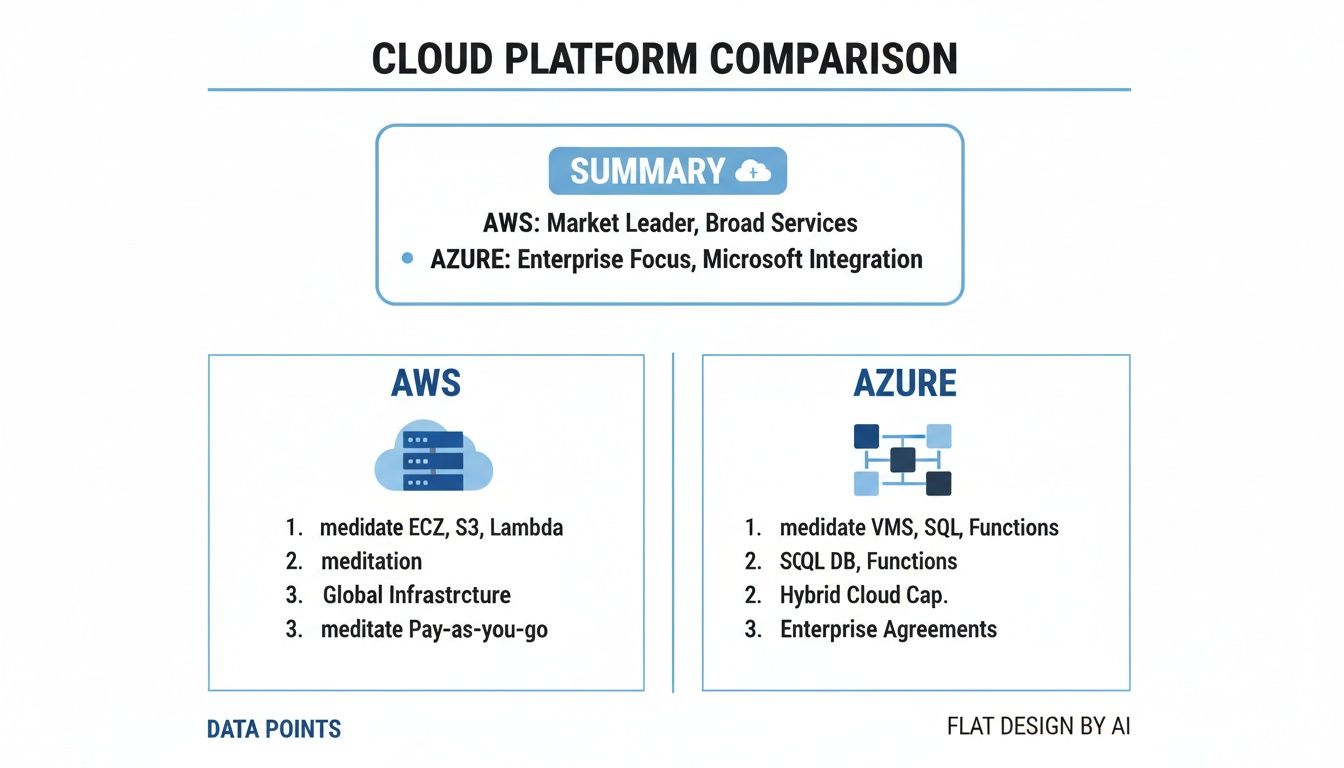
This visual really captures a central theme in the Azure vs. AWS debate: AWS typically leads with raw, component-based services you can assemble yourself, whereas Azure excels at creating a connected ecosystem, especially for businesses already running on Microsoft products.
Compute: AWS EC2 vs. Azure Virtual Machines
At the very heart of cloud computing are virtual machines (VMs). AWS gives you Elastic Compute Cloud (EC2), and Azure offers Azure Virtual Machines. Both let you rent server capacity on demand, but they differ in how they package their instance types and cater to specific workloads.
Amazon EC2 is famous for its almost overwhelming selection of instance types. They’re neatly categorized by purpose: general use, compute-optimized, memory-optimized, storage-optimized, and more. This level of granularity is a huge win for engineering teams who want to perfectly match their infrastructure to a technical need, cutting out any waste.
Azure Virtual Machines, while also offering plenty of variety, tends to simplify the choices. But the real game-changer for businesses already in the Microsoft world is the Azure Hybrid Benefit. This lets you bring your existing on-premises Windows Server and SQL Server licenses to Azure, which can lead to massive savings. It’s a powerful financial hook that AWS can’t directly counter.
For a startup building a brand-new app from the ground up, the sheer number of specialized EC2 instances might be the deciding factor. But for an established business migrating its existing Windows-based workloads, the licensing perks of Azure VMs often make it the clear economic winner.
Storage: AWS S3 vs. Azure Blob Storage
Object storage is the unsung hero for handling unstructured data like images, logs, and backups. Amazon S3 (Simple Storage Service) is the undisputed industry standard, renowned for its incredible durability, scale, and mature feature set. Its tiered storage classes, from S3 Standard for hot data to S3 Glacier Deep Archive for long-term cold storage, are well-defined and universally understood.
Azure's direct competitor is Blob Storage. It delivers similar capabilities with tiers like Hot, Cool, and Archive. One subtle difference is that Azure’s pricing for data retrieval can sometimes be simpler to predict, an area where AWS bills can occasionally catch people by surprise. That said, S3's ecosystem of third-party tools and integrations is currently much larger, simply because it’s been around longer.
Practical Cost Implications
- Frequent Access: For data being constantly read and written, both S3 Standard and Azure Hot storage are neck-and-neck on performance and cost.
- Infrequent Access: For backups or data touched less than once a month, S3 Standard-IA and Azure Cool storage drop your storage costs but charge more to retrieve the data.
- Archival: S3 Glacier and Azure Archive are incredibly cheap for storing data for years, but getting that data back can be slow and pricey. You absolutely have to model your retrieval patterns to avoid a nasty surprise on your bill.
For a deeper dive into how these platforms package their offerings, check out our guide on cloud services solutions.
Networking: AWS VPC vs. Azure VNet
Creating a private, isolated slice of the cloud is non-negotiable for security. AWS gives you Virtual Private Cloud (VPC), and Azure provides Virtual Network (VNet). Both services let you define your own private network space, set up subnets, configure route tables, and establish network gateways.
Amazon VPC is generally seen as the more powerful and flexible option, giving network engineers pinpoint control over every little detail of their network. With that power, however, comes a steeper learning curve. Building a VPC from scratch can be a complex task for teams that don't have dedicated networking experts.
Azure VNet, on the other hand, is often praised for its user-friendly interface and more straightforward setup. It integrates beautifully with other Azure services and is especially strong in hybrid cloud scenarios, a must-have for established companies connecting their on-site data centers to the cloud. This simplicity can dramatically speed up deployment time for smaller IT teams.
Understanding Pricing Models and Cost Management
Getting a handle on cloud costs is non-negotiable, especially for small and midsize businesses trying to decide between Azure and AWS. Both platforms offer a dizzying number of pricing models, and figuring out the nuances is the only way to keep your budget from spiraling out of control. Moving beyond simple on-demand rates to smarter commitment models is where the real savings kick in.
This breakdown will help you accurately forecast expenses, find savings opportunities, and put strategies in place that directly cut your cloud bill. We're going to skip the surface-level price lists and give you tangible financial insights.

Core Pricing Models Dissected
The most straightforward option on both platforms is Pay-As-You-Go (Azure) or On-Demand (AWS). You pay a fixed rate by the second or hour for what you use, with no strings attached. This gives you maximum flexibility, making it perfect for unpredictable workloads or short-term dev projects.
But let's be clear: relying only on this model is almost always the most expensive way to run a steady application. The real cost optimization starts when you can commit to usage, which unlocks some serious discounts.
Commitment-Based Savings: AWS vs. Azure
For predictable, long-term workloads, both providers reward commitment with steep discounts. AWS has its Reserved Instances (RIs) and Savings Plans, while Azure offers Reservations and Azure Savings plans for compute.
-
Reserved Instances and Reservations: Here, you commit to a specific instance type in a particular region for a one- or three-year term. This model can deliver the biggest discounts, sometimes over 70%, but it’s also the least flexible. It’s a perfect match for stable, unchanging applications.
-
Savings Plans: This is a much more flexible way to commit. Instead of locking into an instance type, you commit to a certain dollar amount of hourly spend for one or three years. You get a discount on any usage up to that commitment. It’s a great middle ground, offering substantial savings without boxing you in.
One key difference to note is that AWS offers more granular types of RIs, like Standard and Convertible, which give you different levels of flexibility. Azure’s approach is a bit simpler, bundling savings more directly into its Reservations and Savings Plans. For a deeper dive into specific pricing scenarios, check out our detailed comparison of pricing between AWS and Azure.
Microsoft Azure has seen strong growth, especially with light to moderate cloud users. A 2022 study showed that among light users, 66% used Azure compared to 65% on AWS. For moderate users, it was 70% Azure versus 68% AWS. This trend often ties back to cost challenges; these users are drawn to Azure for its Microsoft 365 integration, but a huge chunk of their spend, often 20–40%, comes from idle compute.
Capturing Massive Discounts with Ephemeral Instances
For workloads that can be interrupted, both platforms offer access to their spare capacity at massive discounts, often up to 90% off on-demand prices. AWS calls these Spot Instances, and Azure calls them Spot Virtual Machines.
These are fantastic for fault-tolerant tasks like batch processing, data analysis, or rendering farms. The catch? The cloud provider can take back this capacity with very little warning. This means your application has to be built to handle interruptions gracefully.
AWS has a more mature market for Spot Instances with sophisticated pricing dynamics and tooling. However, Azure Spot VMs are incredibly competitive and integrate smoothly within the Azure ecosystem, making them a powerful tool for cost-conscious teams.
Native Cost Management Tools
Both clouds give you powerful native tools to help monitor, manage, and optimize your spending. Knowing your way around these is the first step toward building a cost-efficient cloud environment.
AWS Cost Explorer and Budgets
- AWS Cost Explorer: A robust interface for visualizing and analyzing your costs and usage over time. You can filter by service, tags, and other dimensions to pinpoint what’s driving your bill.
- AWS Budgets: Lets you set custom cost and usage budgets that trigger alerts when you cross your defined thresholds.
Azure Cost Management + Billing
- Cost Management: Provides similar capabilities to Cost Explorer, offering detailed analysis, budget creation, and recommendations. Its integration with the Azure portal is exceptionally clean.
- Azure Advisor: This free service acts as a personalized cloud consultant, providing actionable recommendations to optimize your resources for cost, security, and performance.
While these tools are essential for visibility, they often fall short in automating one of the biggest sources of waste: idle resources. Manually shutting down non-production environments every night is inefficient and prone to human error, creating a clear need for more specialized automation.
Evaluating Management Tools and Developer Experience
The real test of a cloud platform isn't just about services and pricing; it's about the day-to-day experience of the people building, deploying, and managing applications. A platform’s management console, command-line interface (CLI), and automation tools can either be a massive accelerator or a constant source of friction for your team.
This is where the AWS vs. Azure debate gets practical. We'll look at how each ecosystem supports modern workflows, plays with third-party tools, and ultimately empowers your teams to get things done faster. Making the right call here can genuinely shorten your time to market.
Console and User Interface Experience
Your first interaction with a cloud platform is usually its management console. The AWS Management Console is legendary for its power, giving you access to an enormous portfolio of over 200 services. But with great power comes a steep learning curve. For newcomers, its sheer density can make finding a specific setting feel like a treasure hunt.
In contrast, the Azure Portal often gets points for its clean, dashboard-centric design. It does a better job of organizing resources in a visually intuitive way, which can feel much more approachable for teams just getting their feet wet. This is no accident; it’s a core part of Azure's strategy to win over enterprise IT pros who aren't necessarily cloud-native gurus.
A seasoned DevOps engineer will love the raw granularity of the AWS console, which puts every conceivable knob and dial at their fingertips. But for a smaller team or a business just moving to the cloud, the streamlined Azure Portal often provides a less intimidating and more productive starting point.
Ultimately, this often boils down to team preference: do you need comprehensive, granular control, or do you prefer a more guided, intuitive interface?
Infrastructure as Code and Automation
Modern cloud operations are built on Infrastructure as Code (IaC). It's the practice of defining and managing your entire infrastructure through code, which is critical for creating repeatable, scalable, and automated environments. Both AWS and Azure have strong native IaC solutions.
AWS CloudFormation is the veteran here. It uses YAML or JSON templates to provision and manage AWS resources, and its maturity means it has a massive library of documentation and community-built templates. It’s a reliable and predictable way to orchestrate even the most complex deployments.
Azure’s answer is Azure Resource Manager (ARM) templates. Like CloudFormation, ARM uses JSON to define resources and their dependencies. One of ARM’s killer features is the concept of "resource groups," which let you manage all the resources for a single application as one unit. This makes it incredibly simple to deploy, update, or tear down an entire application stack in a single operation.
Here’s how they stack up in practice:
- Learning Curve: CloudFormation's syntax can be verbose and a bit unwieldy. Many developers find ARM's resource group model more logical and easier to pick up.
- Third-Party Support: While both are well-supported, open-source tools like Terraform are often the go-to for multi-cloud strategies, giving you a single syntax to manage resources on both AWS and Azure.
- Integration: ARM feels deeply woven into the fabric of Azure, making it a natural extension of the platform. CloudFormation, while powerful, can sometimes feel like a separate layer sitting on top of AWS services.
Developer Tooling and CI/CD Integration
A great developer experience extends far beyond the console. It means robust APIs, powerful CLIs, and seamless integration with CI/CD pipelines. Both platforms deliver here, but they show their focus in different areas.
The AWS CLI is widely considered a powerful and incredibly complete tool, giving you command-line access to just about every AWS service imaginable. The Azure CLI is no slouch, either; it’s a modern and effective tool that integrates smoothly with the rest of the Azure ecosystem.
When it comes to CI/CD, AWS offers a suite of developer tools like CodeCommit, CodeBuild, and CodePipeline. Azure’s offering is Azure DevOps, a highly integrated and comprehensive solution covering everything from source control (Azure Repos) to CI/CD pipelines (Azure Pipelines). For companies already in the Microsoft ecosystem, Azure DevOps feels immediately familiar and incredibly powerful.
If you’re preparing for a role in one of these environments, getting a feel for the types of challenges you'll face is key. For example, you can find excellent examples in these Top Azure Interview Questions.
Security, Compliance, and Global Reach: Where Do You Place Your Trust?
Security and compliance aren't just features; they're the foundation of your entire cloud strategy. When you're deciding between Azure and AWS, you're not just picking a vendor. You're choosing a partner to protect your customer data, navigate complex regulations, and serve a global audience.
Both platforms pour immense resources into security, but their philosophies and strengths are different. Getting into the weeds of these differences is the only way to know which provider truly aligns with your industry, your existing tech stack, and your global goals.

Identity and Access: The Front Door to Your Cloud
Security starts with a simple question: who can access what? Both AWS and Azure have robust Identity and Access Management (IAM) tools, but how they connect to your existing corporate identity is a huge differentiator.
AWS IAM is a powerful, mature service that gives you incredibly detailed control over who can touch your AWS resources. It's built for flexibility and is a fantastic choice for cloud-native companies or those with a mix of different IT systems.
Azure’s big advantage here is Microsoft Entra ID (what used to be called Azure Active Directory). If your company already runs on Microsoft 365 or has on-premise Windows Server environments, this is a game-changer. Entra ID creates a single, unified identity for everything, simplifying user management and cutting down on administrative headaches.
This choice often boils down to what you already have. If you're deep in the Microsoft world, Azure's native Entra ID integration creates a seamless and familiar security model. If you're starting fresh or have a more diverse IT landscape, the standalone power of AWS IAM is hard to beat.
Built-in Defenses: Threat Detection and Data Protection
Beyond just managing access, you need tools that actively hunt for threats and protect your data.
-
AWS: Gives you tools like Amazon GuardDuty for smart threat detection and AWS Shield to fend off DDoS attacks. Data encryption is a standard feature, with AWS Key Management Service (KMS) putting you in the driver's seat for managing your encryption keys.
-
Azure: Counters with Microsoft Defender for Cloud, a massive solution for managing your security posture and protecting against threats. It doesn't just look at Azure; it provides alerts and recommendations across your hybrid and even multi-cloud setups, showing off Microsoft's deep enterprise security DNA.
Before you go too deep, it's worth getting a handle on the basic principles of cloud security. To get a good primer on protecting data and apps, it's worth reading up on these cloud security fundamentals.
Global Footprint and Keeping Data Local
Your cloud provider's physical presence around the world directly impacts user experience and your ability to comply with data sovereignty laws. This is one area where Azure and AWS have taken slightly different paths.
AWS has a massive, long-established network of Regions and Availability Zones, which provides incredible redundancy. Each Availability Zone is its own independent data center, meaning an issue in one won't take down the others. It's a proven model for resilience.
Azure, on the other hand, has been on an aggressive global expansion, often claiming to have more regions than any other provider. This focus on regional presence is a major selling point for businesses that must keep data within specific geographic borders to comply with regulations like GDPR.
The scale here is mind-boggling. As of late 2024–2025, Microsoft had built over 400 data centers in 70+ regions, giving Azure the most extensive regional footprint. By comparison, AWS operated over 150 data centers across 70+ regions. At the service level, AWS had 200+ services, while Azure listed over 600, a number that reflects its strategy of bundling Azure with its wider software ecosystem. This sprawling infrastructure highlights why tools for scheduling and powering off idle resources have to be built for multi-region management.
The World of Compliance Certifications
For any business in a regulated field like healthcare, finance, or government, compliance certifications are non-negotiable. Both Azure and AWS hold a dizzying array of certifications to meet countless international and industry standards.
Key Compliance Areas
- Healthcare: Both are fully HIPAA compliant, though Azure's long-standing ties with healthcare systems can sometimes give it a leg up.
- Finance: Both meet PCI DSS standards, which is essential for any company handling credit card information.
- Government: Both offer dedicated government cloud regions (GovCloud in the US) to satisfy strict federal security requirements.
Azure is often seen as having an edge in the enterprise and government spaces, largely thanks to Microsoft's decades-long history and trusted relationships in those sectors. That said, AWS has an equally strong compliance program. The best move is to check the specific certifications you need and make sure they are supported in the exact regions you plan to use.
Automating Cloud Savings Beyond Native Tools
Both AWS and Azure offer their own tools for managing costs, but they have a real blind spot when it comes to the biggest source of waste: idle compute resources. Native solutions like AWS Instance Scheduler and Azure Start/Stop VMs v2 offer some basic scheduling, but they come with a heavy dose of operational overhead.
Getting these tools running properly requires deep technical knowledge to configure and maintain, which often creates a bottleneck for growing teams. Worse yet, they lack the simple, user-friendly controls needed to empower non-technical staff. You’re not going to give a project manager full console access just to shut down a server. That’s a security risk nobody wants to take. This means cost control stays locked within the IT department, leading to missed savings and money down the drain.
Moving Beyond Basic Scripts
This is exactly where dedicated cost optimization platforms shine. They aren't just built to automate shutdowns; they're designed to make the process accessible, secure, and easy to scale across your entire organization. Instead of messing with complex scripts and overly broad permissions, these platforms provide intuitive, role-based interfaces.
The real game-changer is the ability to delegate control safely. Imagine empowering a QA lead to spin up a testing environment for a few hours without filing an IT ticket or needing access to sensitive cloud settings. This isn't just about efficiency; it's about building a culture of cost awareness across every team.
The goal is to shift from a reactive, IT-led cost model to a proactive, company-wide savings strategy. Specialized tools make this happen by hiding all the underlying cloud complexity.
The screenshot below shows just how much simpler scheduling becomes with a specialized platform that works across multiple cloud environments.
This single dashboard view lets you manage schedules for both Azure and AWS resources from one spot, a feature you simply won't find in the native tools.
When to Make the Switch
If you're a small team with only a handful of instances, the native schedulers can be a decent starting point. But as your infrastructure grows, you'll hit their limits pretty fast.
It’s time to look at a dedicated platform when you notice these signs:
- Rising operational overhead: Your engineers are spending more time managing and fixing scheduling scripts than on their actual jobs.
- Security becomes a headache: You need to give people scheduling permissions without handing over the keys to your entire cloud account.
- You're managing multiple clouds: You have resources on both Azure and AWS and need a single, unified way to manage schedules.
- Teams need instant overrides: Your developers or testers need to fire up a server outside its normal schedule, and they can't wait for IT to do it.
Platforms like Cloud Toggle are purpose-built to solve these exact problems, giving you a clear path to bigger savings and smoother operations as your cloud usage expands.
Frequently Asked Questions
When you're trying to choose between Azure and AWS, a few key questions always seem to pop up, especially for small and midsize businesses where every dollar and decision counts. Let's tackle some of the most common ones head-on.
Which Cloud Is Cheaper for a Startup: Azure or AWS?
Honestly, neither one is automatically cheaper. The real cost comes down to your specific needs and, crucially, what tech stack you're already using.
AWS often looks a little better on paper for raw, on-demand compute and storage. If you're building a brand-new project from the ground up with no existing ties, their pricing can be very appealing.
But, and this is a big but, if your business is already running on Microsoft products, Azure can offer some serious savings. The Azure Hybrid Benefit is a perfect example. It lets you bring your existing on-premises Windows Server licenses to the cloud, which can slash your VM costs significantly.
Takeaway: Don't rely on generic price lists. The only way to know for sure is to fire up the official pricing calculators for both platforms. Plug in realistic estimates for your workload, because your unique situation is what will ultimately determine the true cost.
How Difficult Is Migrating Between AWS and Azure?
The difficulty can range from "pretty simple" to "a complete nightmare." It all depends on how deeply you've integrated with platform-specific services.
If you're just moving basic virtual machines, the process is fairly straightforward. The real trouble starts when you're heavily reliant on proprietary services that don't have a direct equivalent on the other side.
For example, switching from AWS Lambda to Azure Functions isn't just a copy-paste job; it often requires a major re-architecture of your application. This is where vendor lock-in becomes a real headache. The best way to keep your options open is to build with portability in mind from day one. Using tools like Docker and Kubernetes for containerization makes your applications much easier to move, dramatically reducing the pain of a future migration.
Which Platform Is Better for AI and Machine Learning?
Both platforms are powerhouses in the AI/ML space, but they cater to slightly different audiences and projects. When it comes to the Azure vs. AWS debate here, the best choice really hinges on your team's skillset and what you're trying to accomplish.
-
AWS has built a stellar reputation with its comprehensive suite of tools like SageMaker. It’s a go-to for data science teams that need granular control and deep customization capabilities for building and training their machine learning models.
-
Azure shines with its user-friendly, pre-built AI services. Offerings like Cognitive Services, coupled with its deep integration with OpenAI, make it an incredible option for developers who want to embed sophisticated AI features into their apps without needing a Ph.D. in machine learning.
Stop wasting money on idle cloud resources. CLOUD TOGGLE makes it easy to automate server schedules across AWS and Azure, empowering your whole team to contribute to savings without complex tools or security risks. See how much you can save with a free 30-day trial at https://cloudtoggle.com.