Teams comparing cloudflare vs aws aren't really choosing between two versions of the same platform. They're deciding where they want their application to live, where logic should execute, how much networking they want to pay for, and how tightly they want to bind themselves to one vendor's model.
That usually shows up at a specific moment. Traffic is growing. Pages need to load faster outside your home region. Security review is getting stricter. Finance is asking why bandwidth costs are climbing faster than usage. Engineering wants better developer ergonomics, but ops wants fewer moving parts.
For a CTO, this isn't a brand comparison. It's an architecture decision. AWS gives you a broad cloud operating model built around regions, deep infrastructure services, and strong internal integration. Cloudflare starts from the opposite end. It pushes execution, caching, and security to the network edge first.
Choosing Your Cloud Stack in 2026
A lot of businesses start in AWS because it's the safest default. You can stand up compute, storage, databases, identity, messaging, and observability in one ecosystem. That makes sense when the hardest problem is getting a product online and keeping developers moving.
Then the architecture matures, and the bottleneck changes. Users are farther away from your primary region. Static assets are fine, but dynamic responses feel slower. Security controls are spread across services. Egress fees become visible. That's where Cloudflare enters the conversation, not necessarily as a replacement, but as a different operating layer.
The practical question isn't "Cloudflare or AWS?" It's usually one of these:
- Do we keep everything inside AWS? This fits teams that want one provider, deep service integration, and a familiar operational model.
- Do we put Cloudflare in front of AWS? This is often the strongest pattern when you want better edge delivery, simpler traffic protection, and tighter control over bandwidth costs.
- Do we move some workloads fully to the edge? This makes sense for lightweight APIs, personalization, request filtering, auth checks, and globally distributed web logic.
If you're still evaluating broader hosting strategy, Tricord I.T Solutions has a useful Cloud Computing vs. On-Premise Decision Guide that helps frame where cloud architecture decisions sit in the larger infrastructure picture.
A good 2026 stack decision comes down to workload placement. Put heavy backend systems where they belong. Put latency-sensitive logic as close to users as possible. Keep data movement intentional. And treat edge services, regional cloud services, and cost controls as parts of one design, not separate procurement choices.
The Edge Network vs The Centralized Cloud
| Area | Cloudflare | AWS |
|---|---|---|
| Core philosophy | Edge-first network services | Centralized regional cloud infrastructure |
| Best at | Global delivery, edge security, low-latency request handling | Full-stack infrastructure, backend systems, managed service depth |
| Network model | Anycast-driven edge presence | Regional data centers with global distribution layers |
| Typical sweet spot | Front-door traffic, CDN, WAF, edge compute, network services | Databases, analytics, internal services, complex application backends |
| Cost shape | More predictable for edge delivery and egress-sensitive designs | Granular, flexible, but can become expensive with transfer-heavy workloads |
| Common outcome | Strong as a front layer or lean edge platform | Strong as a core backend platform |
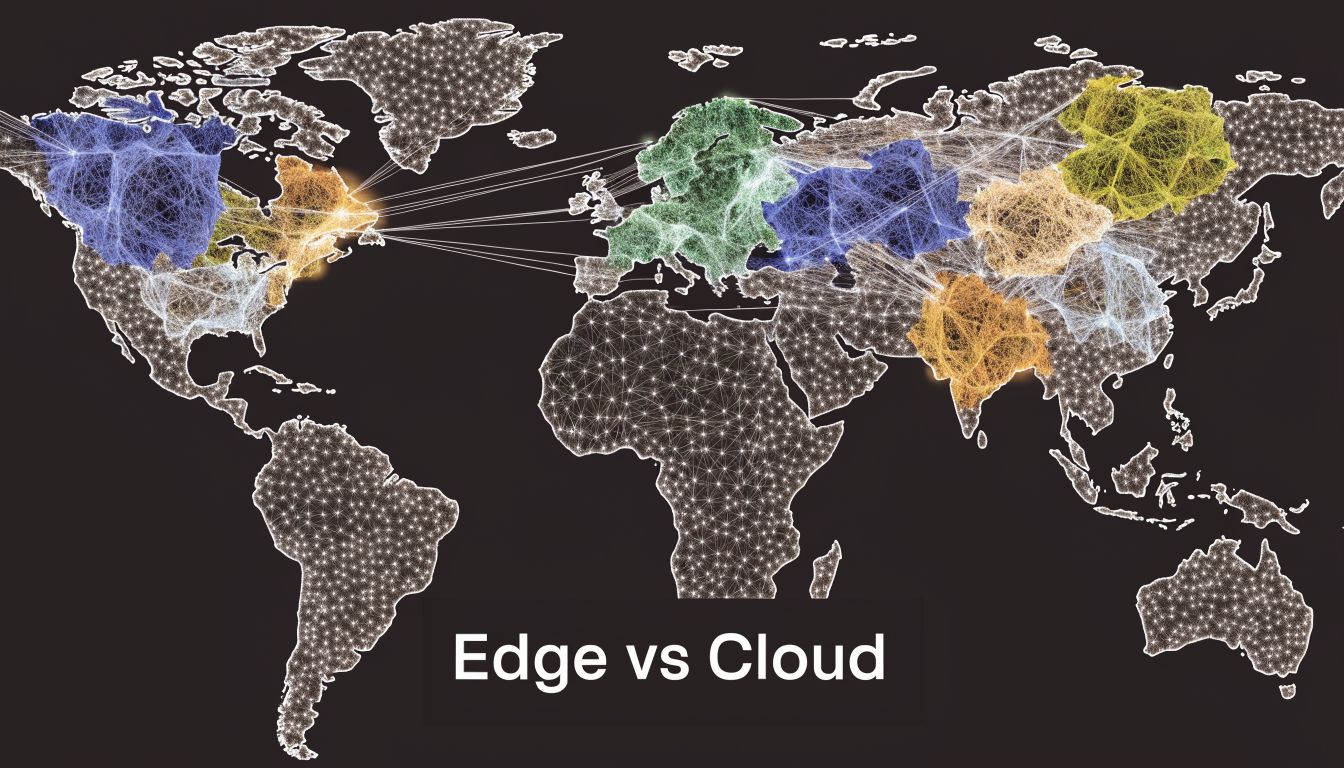
A useful way to frame cloudflare vs aws is to start with where each platform expects work to happen.
Cloudflare assumes the request should be handled close to the user whenever possible. Security inspection, caching, routing decisions, and small units of application logic run at the edge first, before traffic reaches an origin. That model reduces distance on the first hop and simplifies designs where response time and traffic filtering matter more than deep backend service catalogs.
AWS assumes the application core lives in one or more regions. Compute, databases, queues, analytics, and internal services sit in those regional environments, and AWS projects selected capabilities outward through products such as CloudFront and Lambda@Edge. According to the AWS product page, that model spans more than 200 services, which is why AWS remains the stronger fit for teams building large backend estates.
What that means in practice
For a global SaaS app, Cloudflare changes the request path at the front door. A user connects to the nearest edge location. Cloudflare can terminate TLS, apply WAF rules, challenge bots, serve cached content, and run Worker logic before the request touches AWS or any other origin. That is a meaningful architectural difference, not just a feature difference.
AWS's primary strength is the application core behind that front door. If the workload depends on relational databases, event pipelines, private networking, long-running compute, or managed data services, AWS gives DevOps teams more control over how those systems are composed and operated. The trade-off is that latency, perimeter security, and transfer costs often need extra design work.
That trade-off shows up in cost as well. Cloudflare often looks cleaner for edge delivery and bandwidth-sensitive web traffic. AWS gives fine-grained building blocks, but the final bill can be harder to predict once requests cross regions or leave AWS services. Teams comparing perimeter delivery options often review AWS CloudFront pricing and transfer cost behavior before deciding how much traffic should stay on AWS's edge versus moving to Cloudflare.
Architect's rule: Choose AWS when backend depth and service integration drive the design. Choose Cloudflare when user proximity, traffic filtering, and edge execution drive the design.
Why teams mix both
In 2026, the strongest pattern for many SMB and mid-market engineering teams is hybrid by design.
Cloudflare handles the internet-facing layer:
- Traffic termination: TLS, request inspection, bot and DDoS filtering
- Content delivery: Caching, route optimization, global request distribution
- Edge logic: Lightweight auth, redirects, personalization, API mediation
AWS runs the stateful core:
- Core application services: Compute, queues, databases, event systems
- Stateful systems: Persistent backends and internal service-to-service logic
- Managed platform depth: AI, data, and enterprise integrations
This split usually produces better placement decisions. Keep heavy compute and state in AWS. Push latency-sensitive logic and protection to Cloudflare. Then control the spend at both layers, rather than treating performance, security, and compute cost as separate problems.
Core Services and Feature Mapping
A CTO comparing Cloudflare and AWS at the service level can get misled fast. The labels look familiar. The operating assumptions are not.
Cloudflare packages internet-facing functions around a global edge. AWS builds a deep regional cloud and extends selected functions outward. That difference shows up in every service match-up, especially once teams model latency, egress, and who owns the first hop of every request.
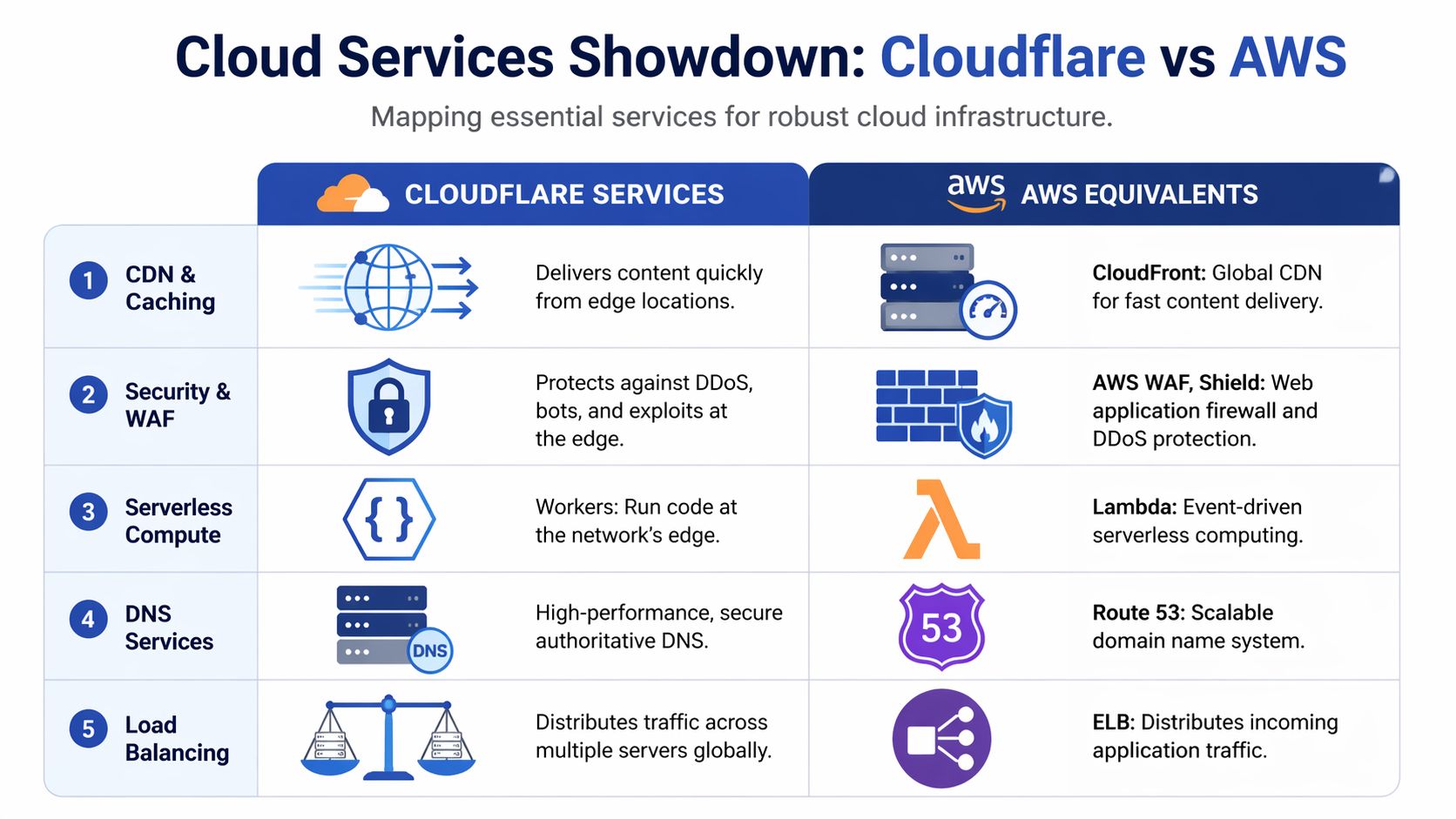
Service mapping at a glance
| Need | Cloudflare | AWS equivalent | Practical takeaway |
|---|---|---|---|
| CDN and caching | Cloudflare CDN | CloudFront | Both serve content globally. Cloudflare starts at the edge. CloudFront starts from the AWS origin model |
| WAF and traffic protection | Cloudflare WAF | AWS WAF and Shield | Cloudflare keeps filtering close to traffic ingress. AWS fits teams already standardized on AWS security tooling |
| DNS | Cloudflare DNS | Route 53 | Both are mature. The better choice usually follows where traffic policy is managed |
| Edge compute | Workers | Lambda@Edge | Workers are purpose-built for edge request handling. Lambda@Edge extends AWS into CDN paths |
| General serverless | Workers | Lambda | Lambda is stronger for event-driven AWS backends. Workers are stronger for request-path logic |
| Object storage for web delivery | R2 | S3 | Both can sit behind web apps. Cost and data transfer patterns often decide this one |
| Load balancing and routing | Cloudflare Load Balancing | Elastic Load Balancing plus routing services | Cloudflare optimizes internet entry and failover. AWS focuses on balancing traffic inside a regional application stack |
CDN and caching
Cloudflare CDN is part of a single edge layer that also handles security policy, request routing, and edge execution. For teams serving public traffic across regions, that usually means fewer control points to manage.
CloudFront is a strong fit when the application already lives inside AWS. If the origin is S3, ALB, or EC2, CloudFront keeps delivery close to the rest of the stack and aligns with existing IAM, logging, and deployment workflows. Data transfer behavior can also favor AWS-native paths for workloads that stay largely inside AWS infrastructure, as noted earlier.
The practical question is simple. Is the CDN an extension of your cloud region, or is it the platform where requests are first evaluated?
WAF and traffic filtering
Cloudflare's WAF makes the most sense when the edge is your enforcement point. Bot mitigation, rate limiting, managed rules, DDoS controls, and cache policy sit close together. That lowers friction for smaller platform teams that do not want four consoles and three policy models for one public application.
AWS WAF is better understood as part of an AWS security system. It works well with CloudFront, ALB, API Gateway, and the rest of AWS observability and identity controls. Security teams that already run centralized logging, IAM guardrails, and infrastructure-as-code inside AWS often prefer that consistency, even if the setup is more modular.
Choose the WAF your team will tune every week, not the one with the longest product page.
DNS and traffic steering
DNS is rarely an isolated decision. It usually follows the control plane.
Cloudflare DNS fits cleanly when Cloudflare is already terminating traffic, applying rules, and routing users to origins. Route 53 fits cleanly when DNS records, health checks, failover, and infrastructure changes are already managed inside AWS pipelines.
For hybrid deployments, both can work. The better choice depends on where failover logic, traffic policy, and operational ownership live.
Workers vs Lambda and Lambda@Edge
At this point, the architectural split becomes concrete for engineers.
Cloudflare Workers are designed for request-time logic at the edge. AWS Lambda is designed for general serverless execution inside the AWS ecosystem. Lambda@Edge adds code to CloudFront request and response flows, but it still inherits the operational model of a centralized cloud extending outward.
Independent testing published by Go-Cloud's AWS vs Cloudflare review found faster cold-start and global response characteristics for Workers in latency-sensitive edge scenarios. That matters for workloads where code runs on the critical path before the origin is even touched.
Good fits for Workers
- Request-time personalization: Headers, cookies, geo decisions, and lightweight content variation near the user
- Authentication checks: Token validation, redirect logic, session shaping, and pre-origin access control
- API mediation: Request transformation, response normalization, and edge-side routing between services
- Cache-aware logic: Generating small dynamic responses without sending every request back to a home region
Good fits for Lambda
Lambda is the better default when execution is triggered by AWS services and the function lives inside a broader event pipeline. S3 events, SQS, EventBridge, Step Functions, DynamoDB streams, and internal service automation all favor Lambda because the surrounding integrations are already there.
Lambda@Edge can still be useful for CloudFront-centric applications. It is less attractive for teams that want edge logic to be a primary architectural layer rather than an add-on to a CDN path.
Storage and origin behavior
Object storage is one of the clearest cost inflection points in this comparison.
Cloudflare R2 is built to work with the S3 API, which lowers migration friction for existing tooling and applications, according to Cloudflare's R2 S3 API compatibility documentation. R2 is attractive when teams serve large amounts of content to users, other clouds, or external services and want to avoid the data transfer penalties that often appear in centralized cloud designs.
AWS S3 remains the default object store for good reasons. It has broad ecosystem support, mature lifecycle controls, and deep integration with AWS analytics, eventing, and application services. If stored objects primarily feed AWS workloads, S3 is usually the operationally simpler choice.
If stored objects are distributed broadly over the public internet, cost modeling changes. In those cases, teams often place hot web assets and download-heavy content on R2 while keeping stateful application data and internal workflows on S3.
Feature depth vs execution distance
AWS has more backend surface area. Databases, analytics, queues, networking constructs, enterprise integration, and managed platform services are all deeper there.
Cloudflare is stronger at reducing the amount of work that reaches those systems. It filters, routes, transforms, and sometimes completes requests before a regional backend has to respond.
That is the decision frame that holds up in real architecture reviews. Use AWS when the application depends on rich managed infrastructure and service-to-service integration. Use Cloudflare when user proximity, traffic control, and egress-aware delivery shape the outcome. For many SMB and DevOps teams in 2026, the best answer is not Cloudflare or AWS. It is Cloudflare in front of AWS, with cost controls applied to the backend so edge gains are not erased by regional compute spend.
Performance and Latency Deep Dive
A CTO usually notices this difference during expansion. The app feels fast in Virginia or Frankfurt, then support tickets start coming in from Jakarta, São Paulo, and Sydney. Pages still load, but first interactions drag, authenticated requests take longer, and API calls feel inconsistent. That pattern usually points to architecture, not a single bad query.
Performance in cloudflare vs aws starts with where requests are handled. Cloudflare is built to accept traffic, apply policy, cache content, and run lightweight logic at the edge. AWS is built around regional infrastructure, then extended outward with services such as CloudFront and Global Accelerator. Both models can perform well. They optimize for different request paths.

Why architecture shows up in latency
For static assets, the gap can be small if CloudFront is tuned well and the cache hit ratio is high. The difference gets easier to see on mixed workloads. Login flows, cart updates, API aggregation, bot checks, redirects, and personalization all add decisions before a response is sent.
In AWS, those decisions often still depend on a home region. CloudFront can cache and accelerate delivery, but once the request needs origin logic, the round trip to that region matters again. Cloudflare changes that path by letting more of the decision-making happen near the user. Workers, edge redirects, WAF evaluation, bot controls, and cache rules can cut origin trips before the request ever reaches AWS.
That design has a direct effect on first byte time and on the consistency users feel between regions.
Where the gap tends to widen
The biggest spread usually appears in geographies that sit far from the primary AWS region or where backbone quality varies. Third-party testing from CDNPerf's global CDN performance measurements is useful here because it compares real-world responsiveness across providers rather than vendor marketing pages. In practice, Cloudflare often holds an advantage in globally mixed user bases because its anycast edge and integrated request handling reduce how often traffic has to return to a distant origin.
That does not mean AWS is slow. It means AWS performance depends more heavily on region selection, cache behavior, origin placement, and how much application logic still lives behind the CDN.
For a single-region SaaS serving one country or one coast, that trade-off may be acceptable.
For a product serving users across North America, Europe, Southeast Asia, and South America, it usually is not.
Measure three things, not one
Teams often compare CDNs on a homepage test and miss the actual bottleneck. For architecture decisions, measure these three layers:
- Network entry point. How fast the platform accepts the request and gets it onto its backbone.
- Execution distance. Whether redirects, auth checks, personalization, and lightweight logic run near the user or in a regional backend.
- Origin dependence. How often the request still has to reach S3, ALB, EC2, Lambda, or another backend service before a useful response can be returned.
That framework is more useful than raw CDN rankings because it matches how modern apps behave under load.
What this means for AWS-backed teams
For SMB and DevOps teams, the best performance result is often hybrid. Put Cloudflare in front of AWS to absorb static delivery, edge security, request filtering, and selective compute. Keep stateful systems, deeper application services, and data-heavy workflows in AWS. That shortens the user-facing path without forcing a full platform migration.
It also changes the cost picture. Lower origin traffic can improve latency and reduce the AWS charges tied to transfer and overprovisioned regional capacity. Teams that pair an edge-first front door with tighter backend governance usually get the best result. That is especially true for organizations balancing speed targets with regional and compliance constraints, which is why architecture reviews often sit alongside broader planning on AWS regulatory compliance requirements.
A practical rule works well here. If your users are concentrated near one AWS region and the app is mostly static or lightly dynamic, AWS plus CloudFront is often enough. If users are globally distributed and the product depends on frequent edge decisions before origin execution, Cloudflare has a structural advantage.
Security and Compliance Showdown
A CTO usually feels this decision during an incident review, not in a feature spreadsheet. The question is simple. Do you want the first line of defense to live at the edge where traffic arrives, or inside a larger cloud estate where security is assembled service by service?
That architectural choice shapes response time, operating load, and audit posture.
Cloudflare puts internet-facing security at the front door by default. WAF rules, bot controls, rate limiting, and DDoS mitigation sit in the same layer that terminates requests and routes them toward origin. For SMBs and small DevOps teams, that matters because one control plane can reduce policy drift between delivery and protection. Bad traffic is filtered earlier, before it burns origin CPU, triggers autoscaling, or reaches application code.
AWS approaches security from the inside out. Its strength is not a single perimeter product. It is the depth of controls across IAM, VPC design, private connectivity, service policies, logging, encryption, KMS, Config, GuardDuty, Security Hub, and organization-wide governance. Teams with mature cloud engineering and security operations can build tighter backend isolation on AWS than they usually can on an edge platform alone.
That difference is philosophical as much as technical.
Cloudflare is strongest when the main risk sits on the public edge. Public APIs, ecommerce storefronts, SaaS dashboards, and content-heavy applications benefit from edge enforcement because the attack surface starts with inbound HTTP traffic. Cloudflare's pricing model also tends to be easier for smaller teams to forecast, including DDoS protection that is bundled into the platform instead of treated as a separate design exercise.
AWS is stronger when compliance and internal control boundaries drive the design. If the application depends on private subnets, account segmentation, service-to-service permissions, customer-managed keys, detailed audit trails, and region-specific placement, AWS offers more control points. It also asks more from the team. Someone has to define the guardrails, wire the logs together, and keep the controls consistent across accounts and services.
For regulated environments, the practical question is not whether AWS has compliance coverage. It does. The primary question is how much of that governance your team can operate well. This overview of AWS regulatory compliance requirements is a useful reference when mapping cloud controls to formal obligations.
A hybrid model is often the better answer in 2026. Put Cloudflare in front of AWS for edge filtering, bot management, and internet-facing protection. Keep IAM-heavy controls, private networking, secrets, data services, and audit systems in AWS. That split corresponds to how many teams run production. Cloudflare reduces hostile and noisy traffic before it reaches origin. AWS enforces trust boundaries around the systems that store data and run stateful workloads.
Use a simple decision rule:
- Choose Cloudflare-first security if your highest risk is public web exposure and your team wants fewer moving parts at the perimeter.
- Choose AWS-centric security if your application is tightly tied to AWS services and your controls must map directly to backend identities, networks, and governed data paths.
- Choose both if you want lower edge-side operational load without giving up AWS-native governance behind the scenes.
Budget also affects the choice more than security teams sometimes admit. Procurement, billing currency, and regional cost planning can influence platform standardization, especially for smaller companies comparing global vendors. Even adjacent infrastructure decisions such as AUD pricing vs USD web hosting can become part of that discussion.
The practical takeaway is clear. Cloudflare protects the edge with less assembly. AWS secures the backend with more precision and more operational overhead. For many teams, the strongest posture is not Cloudflare vs AWS as an either-or decision. It is Cloudflare in front, AWS behind, and clear ownership of which layer enforces what.
Pricing Models and Hidden Cost Scenarios
A common 2026 pattern looks like this. The application runs in AWS because the team needs managed databases, queues, and mature IAM. Six months later, traffic grows across regions, more assets move to object storage, and monthly spend rises faster than usage because delivery charges start stacking up.
That is why Cloudflare vs AWS pricing should be evaluated as an architecture question, not a line-item comparison.

The cost line that changes the architecture
One pricing pattern comes up repeatedly in reviews. Storage often looks acceptable at first. Delivery becomes the primary issue once files are pulled out to serve customers, APIs, or media at scale.
That difference maps directly to the platform philosophy. AWS pricing makes sense if data mostly stays inside AWS, where S3 feeds EC2, Lambda, analytics, or internal systems. Cloudflare pricing becomes attractive when the workload is internet-facing and transfer-heavy, because the edge layer is designed to absorb public delivery rather than meter every outbound byte in the same way.
For finance and platform teams, that is not a small optimization. It changes total cost of ownership, and it often changes where data should live, which layer should cache it, and whether the application should stay AWS-only.
How to evaluate the bill you will actually pay
Use this sequence before approving a design:
Map every path where data leaves the platform
Downloads, image delivery, video segments, API responses, backups to external systems, and cross-region replication all deserve separate review.Split private cloud traffic from public internet traffic
AWS economics are often reasonable for east-west traffic and AWS-native service chains. They change fast when the same data is delivered repeatedly to end users.Price the front door as one system
CDN, WAF, object storage, DNS, and edge compute should be modeled together. Teams that price them separately usually miss the actual monthly run rate.Model growth, not just the current month
A design that is affordable at launch can become expensive once customer usage shifts from transactional traffic to asset delivery.Include currency exposure for non-US buyers
Billing currency can distort planning, especially for smaller companies with tight margins. For a practical framing of that problem, UpTime Web Hosting has a useful guide on AUD pricing vs USD web hosting.
Predictable pricing vs granular pricing
Cloudflare usually fits teams that want fewer pricing variables around public traffic. That matters for SMBs, SaaS companies with global users, and lean DevOps teams that do not want to explain delivery spikes to finance every month.
AWS gives engineers more granular service composition and tighter alignment between usage and billing. That is valuable when the platform is built around many managed services and the traffic pattern is mostly internal. It also means the bill can become harder to forecast, especially once a product team ships a bandwidth-heavy feature without revisiting the architecture.
I usually advise CTOs to ask one blunt question. Is this workload mainly serving the public internet, or mainly feeding systems inside the cloud provider? That answer points to the cost model faster than any feature matrix.
This walkthrough gives a useful visual explanation of cloud cost mechanics before you build your own estimate.
If your team is trying to make pricing more visible across infrastructure decisions, Cloud Toggle's article on the cost of cloud is worth reading because budgeting failures usually come from operating model blind spots, not just from one expensive service.
What pricing model fits which team
- Cloudflare pricing fits best when the workload is edge-heavy, user-facing, and sensitive to egress costs or cost predictability.
- AWS pricing fits best when the application depends on multiple AWS-managed services and most traffic stays within AWS boundaries.
- Hybrid pricing works best when Cloudflare handles caching, delivery, and perimeter traffic while AWS continues to run stateful services, data platforms, and internal application logic.
The hidden cost scenario shows up in hybrid estates all the time. A team chooses AWS for sound backend reasons, then adds global delivery patterns that were never priced properly during design. In that case, Cloudflare stops being a CDN add-on and starts acting as cost control for the AWS backend.
Decision Matrix for Common Use Cases
A CTO choosing between Cloudflare and AWS usually is not choosing between two equivalent clouds. The decision is where requests should be handled first, at the edge near the user, or inside a centralized backend where more state, data, and managed services live. That architectural choice shapes latency, failure domains, staffing needs, and long-term cost more than any feature checklist.
Recommended patterns by scenario
| Use case | Best-fit pattern | Why |
|---|---|---|
| Bootstrapped SaaS | Cloudflare in front of a lean backend, or an edge-heavy app design | Reduces operational overhead on the public path and limits exposure to transfer-heavy delivery costs |
| Global e-commerce | Cloudflare front layer with AWS backend systems | Speeds up the buyer-facing path while keeping catalogs, payments, and order systems on mature backend services |
| Content-heavy media platform | Cloudflare-first delivery and storage strategy, AWS only where needed | Caching, content distribution, and egress control usually matter more than broad infrastructure choice |
| Enterprise multi-cloud | Cloudflare as a neutral edge layer across providers, AWS for core workloads | Separates internet-facing traffic from provider-specific backend dependencies and makes hybrid routing easier to govern |
| AI or data-heavy internal platform | AWS-first | Managed data services, private networking, and service integration usually matter more than edge execution |
The practical shift in 2026 is toward selective hybrid design. Teams keep AWS where they need databases, queues, analytics, and internal service composition. They add Cloudflare where the edge can absorb traffic, enforce security policy early, and reduce the amount of expensive origin work that reaches AWS in the first place.
The practical decision criteria
Choose AWS-first if the application's value sits in backend depth. That includes event-driven systems, complex data pipelines, private workloads, and teams already standardized on IAM, VPC design, and AWS-native operations. In those environments, Cloudflare can still help at the perimeter, but it is not the center of gravity.
Choose Cloudflare-first if user experience depends on fast first contact from many regions and the request path is mostly stateless. That fits SaaS front ends, APIs with light edge logic, marketing properties, media distribution, and products where egress charges can distort total cost of ownership.
Choose hybrid if the product needs both. For many SMB and DevOps teams, this is the strongest default because it matches how modern systems grow. Cloudflare handles DNS, WAF, bot filtering, caching, and edge execution. AWS runs the stateful systems, data services, and internal application logic.
A simple rule helps. If the request can be answered, filtered, redirected, cached, or personalized before it touches origin, Cloudflare should probably see it first. If the request needs durable state, deep service integration, or heavy compute, AWS should own that path.
This also changes how teams manage cost. Cloudflare can reduce pressure on the AWS side by cutting origin hits and transfer volume. AWS remains the right place for many backend workloads, but those workloads need active cost controls. Teams running mixed estates often pair this model with tighter compute scheduling and rightsizing processes, including tools such as CLOUD TOGGLE, to keep backend spend from erasing the savings gained at the edge.
For many companies, the durable pattern is clear. Cloudflare owns the user-facing edge. AWS owns the systems of record.
If you're staffing for that model, hire engineers who can work across application code, edge policy, and cloud infrastructure. During platform transitions, teams often benefit from people who can bridge those layers, which is why recruiting options like hire full-stack developers can be useful.
Frequently Asked Questions
| Question | Answer |
|---|---|
| Can Cloudflare replace AWS entirely? | Usually not for organizations that need deep backend services. Cloudflare can cover edge delivery, security, DNS, and some application logic, but AWS remains stronger for broad infrastructure, managed databases, and service-rich backends. |
| Is Cloudflare better than AWS for performance? | For edge delivery and latency-sensitive request handling, often yes. For backend processing close to AWS-native services, AWS can still be the better fit. The right answer depends on where the request spends most of its time. |
| Should SMBs choose one provider only? | Not by default. Many SMBs get better results by using Cloudflare as the front layer and AWS as the backend platform. That keeps the architecture simpler for users without forcing a full replatform. |
| Are Workers easier than Lambda? | For lightweight edge logic, often yes. Workers fit naturally into request-path use cases. Lambda is usually a better operational fit when the code is part of broader AWS event and service workflows. |
| When does egress become the deciding factor? | As soon as your architecture serves large amounts of content or data to users outside the platform. That's where storage pricing can look fine while delivery pricing becomes the real issue. |
| Does a hybrid model increase lock-in or reduce it? | It can reduce it if designed well. Putting Cloudflare at the edge can separate public traffic handling from backend provider choices, which makes future migration paths cleaner. |
| Where does a third-party cost tool fit? | Outside the provider lock-in debate. Cloud cost tools are most useful for operational waste, especially idle compute that keeps running after business hours. They complement either an AWS-first or hybrid strategy rather than replacing native cloud services. |
The practical takeaway is that cloudflare vs aws isn't a winner-take-all decision. It's a placement decision. Put global traffic handling, security, and low-latency logic where edge execution helps. Keep stateful systems and service-heavy backends where the cloud platform is strongest. Review the bill based on traffic flow, not just service names.
If AWS or Azure costs keep climbing because idle servers stay on longer than they should, CLOUD TOGGLE is worth a look. It helps teams automatically power off idle servers and VMs on schedules, gives non-engineers safe access without exposing the full cloud account, and adds policy-driven control that fits both AWS-first and hybrid cloud environments.