Imagine putting your cloud infrastructure on autopilot, a system that works 24/7 to fine-tune performance and slash your monthly bills. That’s the core idea behind cloud computing automation. It’s about using technology to manage tasks in cloud environments like AWS and Azure with as little human intervention as possible.
As businesses grow, automation isn't just a nice-to-have; it's the only way to get predictable savings and keep operations running smoothly.
What Is Cloud Computing Automation and Why It Matters Now

Think of your cloud setup as a giant, sprawling factory. Without automation, you’d need an army of engineers running around the clock, manually turning machines on and off, tweaking settings, and watching for problems. That approach isn't just slow and inefficient, it's incredibly expensive and a recipe for human error.
Cloud computing automation is the factory’s central control system. It follows predefined rules and workflows to manage all your cloud resources for you. Instead of a developer manually clicking through a console to deploy a new server, an automation script does it perfectly in seconds, every single time.
This hands-off approach is no longer a luxury. As companies scale, trying to manually keep track of hundreds of cloud services becomes a black hole for time, money, and your best talent. Automation handles the repetitive work, from deploying new infrastructure to, most importantly, shutting down resources that are sitting idle.
The Big Problem of Cloud Waste
A huge reason automation is so critical right now is the massive problem of cloud waste. Countless organizations overpay for infrastructure that runs 24/7 but is only needed during business hours. This is especially true for resources used in development, testing, and staging environments.
The market reflects this urgency. The global cloud infrastructure automation software market is projected to jump from $9,447.03 million in 2021 to $16,754 million by 2025. While 94% of enterprises use the cloud, many waste an astonishing 30-50% of their budget on idle resources.
By simply automating the shutdown of these non-production environments during evenings and weekends, businesses can see immediate and substantial cost savings. It's one of the fastest wins in cloud cost optimization.
Core Goals of Cloud Automation
Automation isn’t just about turning things off and on; it’s a strategic tool that hits several key business goals. For a good primer, you can check out this guide on What Is Cloud Automation Explained Simply. The main objectives really boil down to a few key areas:
- Cost Reduction: This is the most immediate and tangible benefit. Automatically powering down unused resources can instantly chop a huge percentage off your monthly cloud bill. It's low-hanging fruit.
- Increased Efficiency: Automation frees up your highly skilled (and expensive) engineers from doing boring, repetitive work. Instead of managing servers, they can focus on building new features and solving real business problems.
- Enhanced Security: Automated workflows ensure that security policies and configurations are applied consistently everywhere. This dramatically reduces the risk of human error and misconfigurations that can open the door to vulnerabilities.
- Greater Agility: With automation, new environments for development or testing can be spun up in minutes, not days. This speed helps your business react faster to market demands and ship products quicker.
Ultimately, cloud computing automation is the key to running a modern, efficient IT operation. It allows companies of any size to get a firm grip on their cloud infrastructure, control runaway costs, and set themselves up to scale effectively in 2026 and beyond.
The Real-World Business Wins from Automating Your Cloud
Let's cut through the technical noise. What does cloud automation actually do for your business and your budget? The results are surprisingly direct, hitting your bottom line and freeing up your team for more important work. This is all about turning the cloud's potential into real financial and operational victories.
The first and most obvious win is a major reduction in your cloud costs. For a lot of businesses, the monthly cloud bill is a source of constant stress. It’s easy to see why, with resources often left running for no reason, quietly racking up charges. Automation hits this problem head-on.
Think about your development and testing environments. They're essential during the workday, but what about at night? Or on weekends and holidays? They’re usually just sitting idle, burning through your budget. Relying on people to manually shut them down just doesn't work; it's too easy to forget.
Drastically Cut Your Cloud Spending
This is where automation makes a huge financial difference. By setting up simple schedules to power down these non-production servers during off-hours, you can immediately slash your monthly bill. It’s a straightforward, powerful way to stop budget overruns before they even start.
Imagine a developer spins up a beefy virtual machine for a quick test on a Friday afternoon and then heads home for the weekend, forgetting all about it. Without automation, that server runs for two straight days, wasting hundreds or even thousands of dollars. With cloud computing automation, that same server is automatically shut down on Friday evening, saving the company from a costly, and very common, mistake.
Boost Team Efficiency and Let Them Innovate
The next big win is a huge jump in operational efficiency. Your DevOps and IT teams are some of your most valuable people, but they’re often stuck doing the same tedious, repetitive tasks over and over again.
Automation gets your skilled engineers out of the weeds of manual cloud management. It lets them refocus their time and brainpower on the strategic projects that actually grow your business.
Instead of spending hours provisioning servers, configuring new environments, or hunting for idle resources, they can get back to building better products and solving real business problems. This isn’t just about making them more productive; it’s about improving morale by letting them do the engaging work they were hired for.
The numbers back this up. A staggering 94% of enterprises are now using the cloud, and with 89% of them going for a multicloud approach, the complexity is getting out of hand. Projections show spending on Infrastructure as a Service (IaaS) is only going up, yet idle machines can eat up as much as 35% of a company's cloud bill. This makes automated shutdown tools a no-brainer. You can dive deeper into this data in a detailed report on the state of cloud spending.
Strengthen Security and Ship Faster
Keeping security consistent across a large cloud footprint is tough to do by hand. Automation makes it simple by applying your security policies and configurations the exact same way, every single time. This consistency is key to reducing human error, which remains a primary cause of security gaps and data breaches.
On top of that, automation gives your whole business a speed boost by dramatically cutting down deployment times. A setup that used to take days of manual work can now be done in just a few minutes.
This leads to some powerful outcomes:
- Faster Time to Market: You can roll out new features and apps much more quickly, giving you a real advantage over the competition.
- Fewer Human Errors: Automated workflows are predictable and repeatable, which stops the configuration mistakes that plague manual setups.
- Better Reliability: When your infrastructure is built consistently every time, your applications become far more stable and dependable.
By automating these routine jobs, you're not just making your operations tighter and more secure. You're building a more nimble organization that can jump on new opportunities fast. This blend of cost savings, efficiency, security, and speed makes cloud computing automation an essential strategy for any modern business.
Exploring Different Types of Cloud Automation
Cloud automation isn’t a single switch you flip. It’s a collection of different practices and tools, each tackling specific challenges in your cloud environment. By understanding these types, you can build a layered automation strategy that grows with your business.
Think of it like building a house. You don't just dump all the materials on-site at once. You start with a solid foundation, put up the frame, and then add the electrical and plumbing systems that make it a functional home. The same logic applies to building an effective cloud computing automation strategy.
Foundational Automation with Infrastructure as Code
The bedrock of any modern cloud operation is Infrastructure as Code (IaC). This is the practice of defining and managing your entire cloud infrastructure, servers, networks, databases, you name it, using code. Instead of manually clicking through a web console to set up a new environment, you write a script that does it all for you.
Tools like Terraform or AWS CloudFormation let you create a blueprint for your infrastructure in a simple text file. Need to spin up a new development environment? Just run the script. In minutes, you have a perfect, repeatable copy of your setup, which gets rid of configuration drift and keeps everything consistent.
Ensuring Consistency with Configuration Management
Once your infrastructure is provisioned with IaC, the next job is to make sure every server is configured identically. This is where configuration management comes in. Tools like Ansible, Chef, or Puppet pick up where IaC leaves off, managing the software and settings inside your virtual machines.
A configuration management script can, for example, ensure every web server has the right version of your application, the latest security patches are installed, and all the necessary services are running. This systematic approach completely eliminates the classic "it worked on my machine" problem by making every server a perfect clone.
For those curious about how these automated tasks fit into a bigger workflow, you can learn more about orchestration in cloud computing to see the whole picture.
Driving Savings with Cost Optimization Automation
One of the most immediate and high-impact uses for automation is cost optimization. This is where you can see a direct, tangible return on your investment. It’s all about eliminating waste, a common problem where companies pay for cloud resources they aren't even using.
A few key strategies for cost optimization automation include:
- Scheduling On/Off Times: Automatically shut down non-production environments (like development, staging, or QA) during evenings, weekends, and holidays. For most companies, this is the single biggest source of quick and easy savings.
- Rightsizing Instances: Continuously analyze how much of a resource is actually being used and automatically resize over-provisioned virtual machines to a more appropriate, cheaper instance type. This ensures you only pay for what you truly need.
- Identifying Idle Resources: Run automated scripts to find and flag resources like unattached storage volumes or forgotten load balancers that are quietly racking up costs without providing any value.
Advanced Automation for Security and Scalability
As your automation strategy matures, you can move on to more advanced areas like security and performance. These automated systems work around the clock, keeping your environment safe and responsive without needing a human to watch over them.
Automated security tools are like a 24/7 guard, constantly scanning your cloud environment for vulnerabilities, misconfigurations, and compliance issues. When they spot a problem, they can either alert your team or, in many cases, fix it on the spot, shrinking your risk window from hours to seconds.
Likewise, auto-scaling is a critical type of automation for performance. It automatically adds or removes compute resources based on real-time traffic. This means your application can handle a sudden user spike without a hiccup and then scale back down to save money when things quiet down, all without any manual intervention.
This visual shows how the primary benefits of cloud automation, like cost reduction, efficiency, and security, all work together to improve your bottom line.
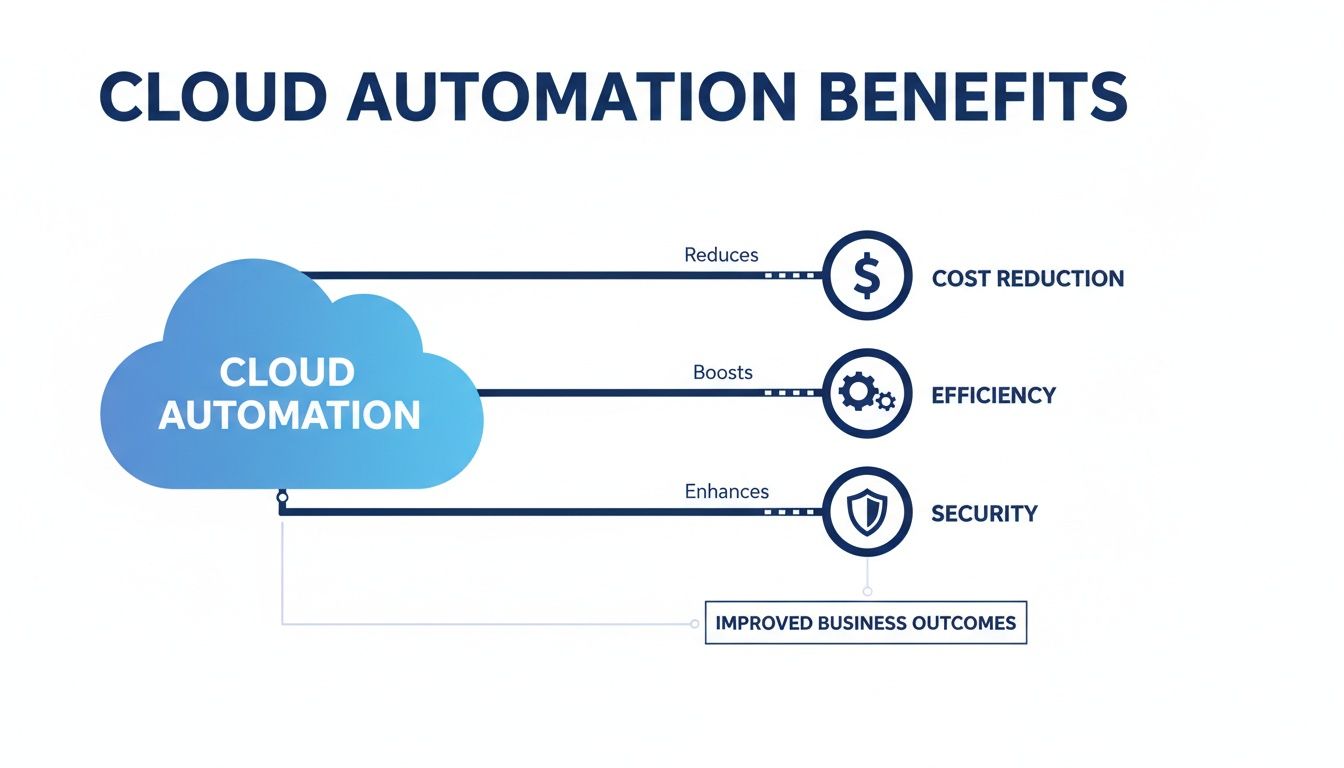
By automating these core areas, you create a powerful system that is not only cheaper to run but also more efficient, reliable, and secure.
Achieving Cloud Cost Optimization with Automation

While cloud automation can do a lot of impressive things, one of its most immediate and practical uses is getting a handle on your costs. It’s no secret that cloud bills can spiral out of control, and more often than not, the biggest offender is idle resource waste. This is what happens when you’re paying for servers that are running 24/7 but are only actually needed for a fraction of that time.
We're going to shift from general concepts to a concrete, actionable strategy for tackling this major financial drain. The focus here is on how targeted cloud computing automation delivers instant savings by simply turning things off when they aren't in use. It's the most direct path to a healthier cloud budget.
The Pain Point of Idle Servers
Think about your development, testing, and staging environments. For most companies, these are ghost towns after 6 PM and on weekends. Yet, in a typical cloud setup, those virtual machines keep running, and you keep paying for them. Relying on people to manually shut them down is a losing game. Someone always forgets, and the charges just keep piling up.
This isn't a trivial issue. For many small and midsize businesses, these non-production environments can easily eat up a huge chunk of their monthly cloud spend. That’s money that could be going toward hiring, product development, or just about anything else.
The core problem is a simple mismatch between resource uptime and actual human usage. Automation closes this gap by tying your cloud spend directly to your team's work schedule, so you only pay for what you truly use.
A purpose-built automation tool like CLOUD TOGGLE attacks this problem head-on. By giving teams a simple way to power off idle VMs on AWS and Azure automatically, it turns a variable, unpredictable cost into a controlled, manageable expense.
Simple Scheduling for Big Savings
The most powerful solution is often the simplest one. Instead of tangled scripts or clunky native cloud tools that require an expert to operate, a clean scheduling interface can empower your entire team. Imagine giving project managers and developers an easy way to set daily or weekly on/off schedules for the servers they use.
This approach puts cost savings in everyone's hands. A project manager could, for example, set their team’s test servers to run only from 9 AM to 6 PM on weekdays. Just like that, they've instantly cut over 70% of that environment's running costs.
Key features of this strategy include:
- Intuitive Scheduling: Set precise on/off times for individual servers or entire resource groups with just a few clicks.
- Easy Overrides: If a developer needs to burn the midnight oil or work on a Saturday, they can temporarily override the schedule in seconds without diving into the cloud console.
- Predictable Savings: By automating shutdowns, you create a consistent and predictable reduction in your monthly bill.
This is a world away from the complexity of most native solutions. For a closer look at how this works on a specific platform, check out our guide on how to schedule AWS instances to start and stop.
Secure and Controlled Access
One of the biggest hurdles in cloud cost management is access control. You want to empower your team to manage their resources, but you can’t just give everyone full administrative access to your cloud account. That’s a massive security risk waiting to happen.
This is where a dedicated platform provides a huge advantage. It acts as a secure middle layer, allowing you to grant scheduling access without exposing sensitive settings or other critical infrastructure.
This model delivers the best of both worlds:
- Safe Delegation: Give teams the ability to schedule their resources without handing over permissions to change instance types, delete servers, or mess with security groups.
- Role-Based Controls: Assign different levels of access to different users. Managers can oversee team schedules, while individual members can only manage their own assigned servers.
- Full Visibility: Maintain a clear audit trail of who scheduled what and when, giving you complete governance over all cost-saving activities.
For SMBs and DevOps teams, this is a game-changer. It delivers the full power of cloud computing automation for cost optimization while locking down security and control. It effectively turns what was once a complex engineering headache into a simple, strategic business process.
Implementing Secure Cloud Automation and Governance

While cloud computing automation is a game-changer for efficiency and cost savings, it also opens up new fronts for security and control. Unleashing powerful automation without the right guardrails is just asking for trouble. This is where governance steps in, making sure every automated action is secure, compliant, and visible.
Building a secure automation practice isn't just about what you automate, but how you control and watch those automated processes. By baking security directly into your workflows from the start, you can scale up your operations responsibly without creating a mess of new risks.
The Principle of Least Privilege
One of the most critical ideas in secure automation is the principle of least privilege. Think of it like this: you'd give a valet only the key to start your car, not the keys to your entire house. It’s the same concept for your automation tools. They should only get the absolute minimum permissions needed to do their specific jobs.
For example, a script designed to schedule server shutdowns has no business deleting databases or messing with network settings. By limiting its access, you dramatically shrink the potential damage if that tool is ever compromised. This isn't just a suggestion; it's a foundational step for any secure automation setup.
If you’re working in Azure, getting these rules right is essential. You can dig deeper by learning how to correctly configure a service principal in Azure for controlled, automated access.
Protecting Your Automation Credentials
Your automation scripts need credentials, like API keys and passwords, to talk to your cloud provider. Leaving these "secrets" sitting in plain text inside a script is a massive security hole. Secrets management is the practice of securely storing, managing, and rotating these sensitive credentials.
Instead of hardcoding keys into a file, you should always use a dedicated secrets manager like AWS Secrets Manager or Azure Key Vault. These services keep your credentials locked away in an encrypted vault and let your automation tools fetch them securely only when needed. This simple practice ensures that even if your code gets exposed, your critical credentials stay safe.
Establishing Strong Governance and Audit Trails
As automation starts handling more and more tasks, it’s vital to know exactly what’s happening, when it happened, and who (or what) kicked it off. This is where audit trails and logging come into play. Every single action taken by an automation tool should be logged in a central, unchangeable record.
Globally, a vast majority of enterprise workloads are now cloud-based, and 60% of business data is stored there. With 59% of companies using multiple public clouds, management complexity grows. This is why platforms offering role-based controls and quick overrides are crucial for FinOps and MSPs to simplify management safely, bypassing the need for full account shares and ensuring governance. Discover more insights from these cloud computing statistics.
These logs are priceless for a few key reasons:
- Troubleshooting: When an automated process breaks, logs give you a clear history to figure out the problem quickly.
- Security Audits: Audit trails are your proof of compliance with security policies and help you spot any unauthorized activity.
- Accountability: Clear logs create a transparent record of every automated change made to your infrastructure.
Another powerful governance tool is policy as code. This means writing your security and compliance rules directly into your automation scripts. For instance, you could write a rule that automatically blocks any new storage bucket from being created without encryption turned on. This ensures your policies are enforced automatically and consistently across your entire environment, preventing messy configuration drift and keeping your cloud secure as you grow.
Frequently Asked Questions About Cloud Automation
As you start looking into cloud automation, it's completely normal to have questions about how it all fits together in the real world. This section gets straight to the point, answering the most common things we hear from businesses and technical teams ready to dive in. We'll cover the best place to start, what to expect for costs, and how it really changes your day-to-day operations.
What Is The Best First Step In Cloud Automation For A Small Business?
For most small businesses, the best first step you can take is automating cost optimization. Why? Because it delivers the fastest and most measurable return. It's a tangible win that proves the value of automation without needing a massive overhaul of your current workflow.
The biggest culprit for wasted cloud spend is almost always idle resources. A great starting point is to identify your non-production environments, think development, testing, and staging servers. These systems almost never need to be running 24/7.
Using a simple scheduling tool to automatically shut down these virtual machines during evenings and weekends can immediately slash a huge chunk of your cloud bill. This is a low-risk, easy-to-implement strategy that gives you a clear win and demonstrates how cloud computing automation saves real money before you ever move on to more complex projects.
How Will Cloud Automation Affect My DevOps Team?
Cloud automation completely changes the game for a DevOps team, but for the better. It takes all the manual, repetitive work off their plate. Instead of engineers spending valuable hours provisioning servers by hand or trying to remember to shut down a test environment, the team can turn those actions into reliable, repeatable code.
This shift has a powerful ripple effect. It frees your engineers from the tedious side of operations, allowing them to focus their brainpower on things that actually move the needle.
This means more time is spent improving application performance, building new features that drive business growth, and solving complex architectural challenges. It fosters a culture where developers have more ownership and control over their environments in a safe, automated way.
Ultimately, automation helps solve the age-old "it worked on my machine" problem by ensuring every single environment is spun up and configured identically, every single time. That consistency leads to faster debugging, smoother deployments, and far more reliable applications. It helps your team evolve from being reactive firefighters into proactive builders.
Is Implementing Cloud Automation Expensive?
That’s a common worry, but the answer is: not necessarily. The cost of cloud automation really depends on the path you take. If you decide to build a custom automation framework from scratch with open-source tools, it can definitely get expensive. That route requires a lot of engineering time and ongoing expertise to design, build, and maintain.
However, many Software as a Service (SaaS) solutions on the market today are incredibly affordable and are built to deliver a quick return on your investment. Cost optimization platforms, for instance, often have subscription plans that save users hundreds or even thousands of dollars a month on their cloud bills, paying for themselves many times over.
The key is to weigh the cost of the tool against the savings you stand to gain from cutting out cloud waste. In most cases, the cost of not automating is far higher in the long run. The steady financial drain from idle resources, lost productivity from manual tasks, and the risks tied to human error all add up to a much bigger number than the subscription for a good automation tool.
Can I Use Automation For Critical Production Workloads?
Yes, you absolutely can, and should, use automation for critical production workloads, but it demands a careful, phased-in approach. It’s always smart to start by automating non-production environments first. This lets you build confidence and work out the kinks in your processes in a safe space. But for many organizations, the end goal is to bring that same reliability and consistency to their most important systems.
This is usually done with mature, well-understood practices like:
- Infrastructure as Code (IaC): To deploy production infrastructure in a predictable and repeatable way.
- Auto-Scaling: To make sure your application has the right amount of power to handle real-time user traffic without anyone lifting a finger.
- Automated Security Patching: To apply critical updates quickly and consistently across your entire fleet of servers.
When bringing automation to production, it's vital to understand and plan for potential cloud computing security risks. For production systems, automation is never a "set it and forget it" deal. It must be paired with solid monitoring, alerting, and well-defined rollback plans to handle any issue that might pop up. For cost optimization specifically, you wouldn't automate shutdowns for production servers, but you could automate rightsizing recommendations to find savings without affecting availability.
Ready to stop wasting money on idle cloud resources? CLOUD TOGGLE makes it easy to schedule your AWS and Azure servers to turn off automatically, cutting your bill with just a few clicks. Start your free trial and see how much you can save at https://cloudtoggle.com.