Getting your first AWS bill can be a bit of a shock, especially when you start looking at aws cloudfront pricing. The costs aren't always predictable because they come from different places and change based on where your users are and what they're doing.
Think of it like the utility bill for your website's content. To get a handle on your spending, you first have to understand what each charge actually means.
Decoding Your AWS CloudFront Bill
Let's be real, AWS billing is notoriously complex. CloudFront uses a pay-as-you-go model, which sounds great in theory, but it has a lot of moving parts. Your final bill is a direct result of your app's traffic, where your users are located, and how you’ve configured the service.
If you don't understand these components, you're flying blind. You won't be able to predict your monthly costs or figure out where your money is actually going. This guide breaks down the main cost drivers so you can read your bill with confidence and find opportunities to save.
The Core Cost Components
At its heart, CloudFront's pay-as-you-go pricing has a few main pillars. Every piece of data and every user click can add to your final bill.
The table below outlines the primary charges you'll see in the standard CloudFront pricing model. Understanding these is the first step to managing your CDN budget.
CloudFront Pay-As-You-Go Cost Components
| Cost Component | How It's Measured | Example Rate (US/Europe) | Key Consideration |
|---|---|---|---|
| Data Transfer Out | Per Gigabyte (GB) | $0.085/GB | This is usually the largest part of your bill. |
| HTTP/HTTPS Requests | Per 10,000 requests | $0.0075 (HTTP), $0.0100 (HTTPS) | Every file (image, CSS) is a request. HTTPS costs more. |
| Invalidation Requests | Per path requested | First 1,000 paths/month are free | Used to force-refresh your cache. Use sparingly. |
| Dedicated IP Custom SSL | Per certificate per month | $600/month | Only needed for older clients that don't support SNI. |
As you can see, the costs come from more than just moving data. The volume of requests and extra services like cache invalidations all play a role in your final monthly total.
To get a better handle on these moving parts, especially if you’re dealing with a lot of invoices, some teams use invoice automation software to parse and organize the data, which can simplify financial tracking.
This diagram helps visualize how these different factors come together.
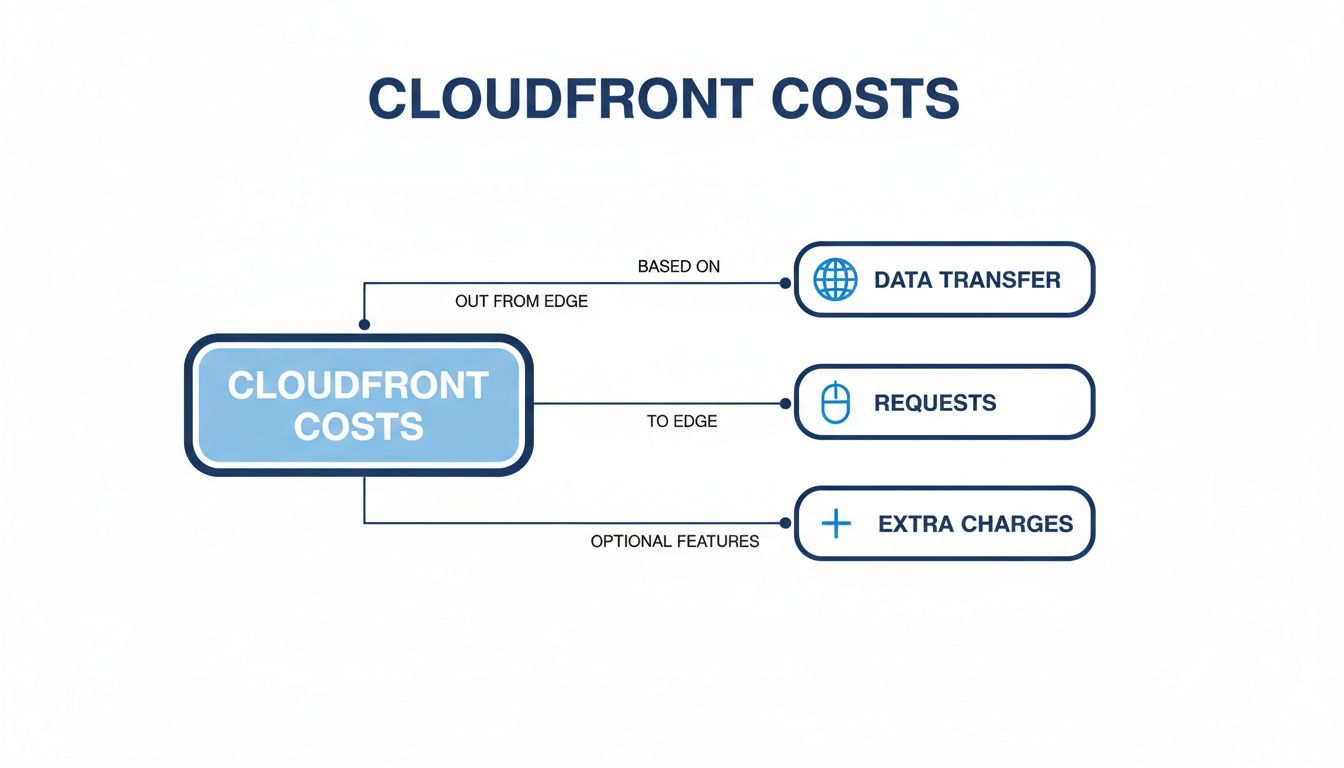
It’s a simple but powerful reminder: your bill is a mix of data transfer, request counts, and any extra features you’ve enabled.
Why User Location Matters So Much
One of the most common mistakes businesses make is underestimating how much geography affects their bill. Data transfer costs aren't the same everywhere; they change a lot depending on where your users are.
For example, delivering data in the United States and Europe is relatively cheap, starting at $0.085 per GB. But if you deliver that same gigabyte to a user in India, the price jumps to $0.170, a 100% increase.
On top of that, you’re charged for every 10,000 requests. And if you're using HTTPS, expect to pay a premium of about 25% more for those requests compared to standard HTTP.
Key Takeaway: Your AWS CloudFront costs are directly tied to where your audience is. A successful marketing campaign in a more expensive region can make your bill shoot up, even if your total traffic doesn't change.
This is exactly why you need to keep a close eye on your AWS Cost and Usage Reports. These reports are the source of truth for tracking where your money is going. You can learn how to read them in our guide that explains how AWS Cost and Usage Reports are explained.
Once you get a handle on these reports, you can manage a global content strategy without getting blindsided by a massive bill.
For a long time, the only way to pay for AWS CloudFront was the pay-as-you-go model. While it’s flexible, it’s also known for producing unpredictable bills that can give finance teams a serious headache when trying to forecast costs. Now, AWS has introduced a totally different approach focused on predictability.
Debuting in late 2025, AWS CloudFront's new flat-rate plans are a refreshing change. The best way to think about them is like an "all-you-can-eat" buffet for your content delivery. You pay one fixed monthly price and you can stop worrying about surprise bills from a sudden traffic spike or a denial-of-service attack.

This is a massive shift, especially for businesses that need a stable, forecastable budget to work with.
What Do the Flat-Rate Plans Include?
The real power of these plans is what’s bundled inside. This isn't just about data transfer; AWS has packaged together an entire suite of tools you need to deliver and secure a modern web app.
On November 18, 2025, AWS officially rolled out these plans, which bundle CDN delivery, AWS WAF DDoS protection, bot management, Route 53 DNS, CloudWatch Logs, TLS certificates, and even serverless edge compute into a single fee. They even throw in monthly S3 storage credits. You can get all the specifics from the official AWS announcements about this new CloudFront pricing structure.
This integrated model radically simplifies both your billing and your architecture. Instead of juggling separate costs for WAF, DNS, and logging, you get one consolidated, predictable expense. For any FinOps or engineering team, that’s a huge win.
Breaking Down the Tiers
To make sure there's a fit for different business sizes and traffic levels, AWS offers several tiers. Each one comes with a set allowance for data transfer and requests, along with a growing list of features.
Here’s a quick breakdown of what you can expect from each plan:
Free Plan ($0/month): This is perfect for personal projects, learning the ropes, or spinning up a proof-of-concept. It gives you a baseline of data transfer (like 100 GB) and requests (e.g., 1 million) plus basic WAF protection.
Pro Plan (e.g., $15/month): Aimed at small businesses or apps with moderate traffic. It bumps up the data and request limits significantly and includes more robust WAF rules.
Business Plan (e.g., $200/month): Built for commercial applications that see substantial traffic. This is where you start to see advanced security tools like bot management and enhanced DDoS protection.
Premium Plan (e.g., $1000/month): For your mission-critical, high-traffic workloads. It comes with the highest allowances and advanced features like automatic origin failover for maximum uptime.
This tiered approach lets you pick a plan that matches your current usage and easily scale up as your application grows.
Who Is Eligible and How to Migrate
Getting onto a flat-rate plan is refreshingly simple. You can select a plan when you create a new CloudFront distribution or switch an existing one over right from the AWS Management Console.
The whole process is designed for flexibility. You can mix and match models, using a flat-rate plan for one application while keeping another on the traditional pay-as-you-go model. This lets you pick the most cost-effective option for each workload.
When you migrate an existing distribution, the change kicks in for the current billing cycle, giving you immediate cost predictability. But what happens if you go over your allowance? You won't get slapped with overage fees. Instead, AWS says you might experience reduced performance, but your bill will remain fixed. This ensures a traffic spike never becomes a financial emergency.
Pay-As-You-Go vs Flat-Rate Which Model Fits Your Business
When it comes to your CloudFront bill, you've got two main paths to choose from: the classic, flexible pay-as-you-go model or the newer, predictable flat-rate plans. Picking the right one isn't just a financial exercise; it's about aligning your cloud costs with how your business actually runs.
One path offers total flexibility, billing you only for what you use. The other gives you budget certainty with a fixed monthly cost. Getting this choice wrong can mean you're either overpaying during quiet months or getting hit with surprise bills when traffic explodes.
Evaluating Your Business Needs
The best model really depends on your specific situation. A small startup with spotty traffic has completely different needs than a big e-commerce site gearing up for a holiday rush.
To make the right call, you need to get honest about your traffic. Look at your history and your roadmap. Is your traffic pretty steady month-over-month? Or does it swing wildly with marketing campaigns, seasonal trends, or the occasional viral hit?
- Pay-as-you-go is perfect when your traffic is low or all over the place. You only pay for what you use, so it's a fantastic, low-risk way to get started.
- Flat-rate plans make sense when you need that budget certainty and your traffic is consistently high enough to justify the bundled cost.
This is a classic business trade-off. For a great parallel, think about how consulting projects are priced. The nuances discussed in this comparison of Time and Materials vs Fixed Price perfectly frame the debate between paying for exact usage versus a predictable cost for a set scope.
CloudFront Pricing Model Comparison
So, how do these two models really stack up against each other? Let's put them side-by-side to get a clear look at the trade-offs around cost, predictability, and how they scale with your business.
This table cuts through the noise and shows you exactly what you're getting with each option.
| Feature | Pay-As-You-Go Model | Flat-Rate Plans |
|---|---|---|
| Cost Predictability | Low. Costs fluctuate directly with traffic and can be hard to forecast. | High. A fixed monthly fee provides complete budget certainty with no overages. |
| Ideal Use Case | Startups, low-traffic sites, apps with unpredictable traffic patterns. | Businesses with stable, high traffic; those needing budget predictability. |
| Bundled Services | None. Services like WAF and logging are billed separately. | Included. Bundles CDN, WAF, DNS, logging, and more into one fee. |
| Scalability | Infinite. Scales automatically but costs grow with usage. | Tiered. Scale by upgrading to a higher plan with larger allowances. |
| Simplicity | Complex. Requires tracking multiple billing dimensions. | Simple. One monthly fee for a suite of services. |
Ultimately, the choice comes down to what you value more: the ultimate flexibility of a pay-what-you-use model or the complete peace of mind that comes with a fixed bill.
The pay-as-you-go model offers incredible freedom, but you carry the financial risk of traffic spikes. Flat-rate plans transfer that risk to AWS, giving you peace of mind in exchange for a fixed monthly commitment.
Real-World Scenarios
Let's see how this plays out for a couple of different businesses.
Scenario 1: The Growing E-commerce Store
An online store is running a huge Black Friday sale and expects a massive, but temporary, spike in traffic. On the pay-as-you-go model, that surge would lead to a gigantic, unpredictable bill that could eat into their holiday profits.
Instead, they switch to a flat-rate Business or Premium plan just for that month. They've now locked in their costs. Even if traffic is 10x higher than normal, their aws cloudfront pricing for that period is fixed, protecting their margins during their most important sales event of the year.
Scenario 2: The Blogger with Viral Potential
A content creator runs a blog with pretty modest daily traffic. One of their articles, however, could go viral at any moment. For this user, the pay-as-you-go model is a perfect fit.
During normal months, their bill is minimal. If a post suddenly takes off and traffic skyrockets, their costs will rise accordingly, but they haven't been overpaying with a high fixed fee during all those quiet months. For their unpredictable traffic, the flexibility of pay-as-you-go just makes more financial sense.
Uncovering Hidden Costs and Common Billing Surprises
Beyond the headline rates for data transfer and requests, your final CloudFront bill can hide a few charges that are easy to miss. These "gotchas" often catch teams by surprise, quietly inflating your monthly spend until it becomes a real problem.
Getting a handle on these potential traps is the key to building a content delivery strategy that's actually cost-effective.

The best way to manage your aws cloudfront pricing is to know exactly where these less-obvious fees are hiding. Let’s shine a light on the most common sources of unexpected charges so you can audit your setup and plug any financial leaks.
Data Transfer Back to Origin
One of the most frequently missed costs is Data Transfer Out from Origin to CloudFront. While data moving from AWS origins like S3 to CloudFront is free, the trip back isn't always. Every time a user requests an object that isn’t in the edge cache (a "cache miss"), CloudFront has to go back to your origin server to retrieve it.
That round trip generates data transfer charges billed at standard EC2 rates. For dynamic apps with a low cache hit ratio, these fees can stack up fast, creating a nasty and unexpected expense. It’s just one of many ways you can run into surprising AWS costs if you're not paying close attention.
A low cache hit ratio is a direct drain on your budget. It means you are not only paying to deliver data to users but also paying again to fetch that same data from your origin.
The High Price of Cache Invalidations
Cache invalidations are a powerful way to force CloudFront to refresh content, but they come at a price. AWS gives you 1,000 free invalidation paths per month, but after that, you pay a fee for each path you ask to invalidate.
This becomes a real cost issue for teams using automated CI/CD pipelines. For instance, a pipeline that deploys code multiple times a day and issues a wildcard invalidation (/*) with each push can burn through the free tier and start racking up charges in a hurry. A simple deployment process can quickly turn into a hefty monthly expense if you're not careful.
Overlooked Certificate and Request Fees
While data and requests drive the bulk of your bill, a few other fees can make a difference. Knowing about them helps complete the financial picture.
Dedicated IP Custom SSL Certificates: Most modern apps use SNI (Server Name Indication) for free SSL, but some legacy clients might need a dedicated IP address for HTTPS traffic. This service is pricey, costing $600 per month. It's a classic hidden cost that can be totally avoided if your user base supports modern standards.
Real-Time Logs: Getting deep insights into your traffic with CloudFront's real-time logs is incredibly useful, but it isn't free. You get charged a flat rate for every million lines of log data generated. For high-traffic sites, this can become another non-trivial line item on your bill.
By auditing your setup for these specific costs, you can shift from a reactive to a proactive approach. You'll be in a much better position to forecast your aws cloudfront pricing accurately and stop billing surprises before they ever happen.
Practical Strategies to Optimize Your CloudFront Spend
Knowing the nuts and bolts of CloudFront's pricing is one thing. Actually cutting your bill without hurting performance is another. Just reading the price list isn't enough; you need a game plan.
The good news is there are a few proven, high-impact ways to shrink your CloudFront invoice. By zeroing in on caching, compression, and proper monitoring, you can make a real dent in your monthly cloud spend. Let's walk through the most effective strategies you can put to work today.

Maximize Your Cache Hit Ratio with Smart TTLs
The single biggest lever you can pull to lower CloudFront costs is to improve your cache hit ratio. A "cache hit" happens when CloudFront serves a file directly from an edge location close to the user. A "cache miss" means CloudFront has to go all the way back to your origin server, which triggers extra data transfer fees you want to avoid.
Your goal is simple: make CloudFront do the work. You control this with the Time to Live (TTL) setting in your cache policies. The longer the TTL, the longer a file stays in the cache, and the fewer requests hit your origin.
A high cache hit ratio is the cornerstone of CloudFront cost optimization. Every percentage point increase in your cache hit ratio represents a direct reduction in data transfer costs from your origin server.
For static assets that never change, like images, logos, CSS, and JavaScript files, set a long TTL. Think weeks, or even months. For content that changes, you need to find the right balance. A news article might get a five-minute cache, while your brand's logo can be cached for a year. Dialing in these policies is a core part of any good AWS cost optimization effort.
Enable Compression to Shrink Data Transfer
Another powerful move is to flip the switch on compression. When you tell CloudFront to compress your files, it will automatically serve smaller, Gzipped or Brotli versions to browsers that can handle them.
This delivers a one-two punch:
- Reduced Data Transfer Costs: Smaller files mean you're transferring less data out of AWS, which directly cuts down your bill.
- Faster Page Load Times: Your users get the content faster, which is always a win for user experience.
You can turn this on by setting "Compress objects automatically" to "Yes" in your CloudFront distribution's behavior settings. It’s a simple change that often slashes file sizes by 70% or more.
Use the Right Tools for Monitoring and Analysis
You can't optimize what you can't see. To get a real handle on your CloudFront spending, you have to know what's happening under the hood. AWS gives you a few essential tools for this.
AWS Cost Explorer: This is your command center for billing. Use it to filter your costs by service (CloudFront) and track spending over time. You can group by "usage type" to see exactly what’s driving your bill, whether it's data transfer from a specific region or a spike in requests.
Amazon CloudWatch: CloudWatch provides the live operational data. You can build dashboards to monitor your
CacheHitRate, total requests, and error rates. It's a great idea to set up an alarm for any sudden drop in your cache hit ratio so you can spot a costly configuration mistake before it runs up your bill.CloudFront Reports: Right inside the CloudFront console, you'll find built-in analytics reports. These offer quick insights into your most popular URLs, where your viewers are, and what devices they use, helping you spot trends and find new ways to optimize.
Choose the Right Pricing Model Strategically
Finally, don't just stick with the default pricing model without thinking. If your traffic is steady and you're already using other AWS security services, the CloudFront Security Savings Bundle or a flat-rate plan might save you a lot of money. These packages offer a discount in return for a monthly minimum traffic commitment.
But if your traffic is spiky or low, the standard pay-as-you-go model might still be the cheapest option. It pays to regularly check your usage against the thresholds for these savings plans. Making the right choice here is a key part of managing your overall aws cloudfront pricing.
Frequently Asked Questions About AWS CloudFront Pricing
When you're trying to get a handle on aws cloudfront pricing, a few common questions always seem to pop up. Whether you're forecasting a budget or just trying to make sense of your bill, these are the details that often trip people up.
Let's walk through the most frequent queries we hear from developers and FinOps teams to clear up the confusion once and for all.
Does Data Transfer Between AWS Services and CloudFront Cost Money?
This is a big one, and the answer is a classic "it depends." The good news is that data transfer from your AWS origin services, like an S3 bucket or an EC2 instance, out to the CloudFront network is completely free. This is a huge perk for keeping your stack inside the AWS ecosystem.
But here's the catch: the reverse isn't true. When CloudFront has to go back to your origin server to fetch a file, you get charged for that data transfer. This happens on a "cache miss," when a user requests something that isn't stored in the local edge cache. These origin-fetch charges are a common source of surprise costs, especially for sites with lots of dynamic, non-cacheable content.
What Is the Cost Difference Between a Cache Hit and a Cache Miss?
Getting your head around cache hits versus misses is the single most important part of managing your CloudFront spend. It's really the difference between a cheap, efficient operation and an expensive one.
- Cache Hit: This is the best-case scenario. CloudFront finds the file in an edge cache close to your user and serves it directly. You only pay for the data transfer from that edge location out to the user. Simple and cheap.
- Cache Miss: This costs more because there are two steps involved. First, CloudFront has to go back to your origin to grab the file (incurring an origin fetch data transfer cost). Then, it serves that file to the user (incurring the regular data transfer cost). You're paying for two separate data transfers.
Key Insight: The best way to slash your CloudFront bill is to maximize your cache hit ratio. Every request served from the cache avoids the extra cost of going all the way back to your origin.
Are There Any Free Usage Tiers for CloudFront?
Yes, and AWS is pretty generous here. CloudFront comes with a permanent free tier that isn't just a temporary trial; it's an ongoing monthly allowance for every AWS account.
For 2026, the standard free tier gives you:
- 1 TB of data transfer out per month
- 10 million HTTP or HTTPS requests per month
- 2 million CloudFront Function invocations per month
On top of that, if you opt for the newer flat-rate pricing, there's a separate $0/month Free plan. This plan includes 100 GB of data transfer and 1 million requests. It's another great way to get started or run a small project for free.
How Can I Estimate My Monthly CloudFront Bill?
Forecasting your CloudFront bill on the pay-as-you-go model means you need to do a little homework on your traffic patterns. It really boils down to three numbers.
First, you'll need to project your total data transfer out to the internet, and you have to break it down by geographic region (like US & Europe, Asia Pacific, etc.). Second, estimate the total number of HTTP requests you'll serve. Third, do the same for HTTPS requests, which cost a tiny bit more.
With those numbers in hand, you can head over to the official AWS Pricing Calculator for a solid baseline estimate. If you want to get even more precise, dig into your server logs to see where your traffic has historically come from.
Of course, if you're thinking about one of the flat-rate plans, it's much simpler. Just pick the plan tier that best fits your expected usage, and your core CDN bill becomes a predictable, fixed monthly cost.
Ready to stop worrying about idle cloud costs? CLOUD TOGGLE helps you automatically shut down unused AWS and Azure resources with simple, powerful scheduling. Set up in minutes, see savings immediately, and gain control over your cloud spend. Start your free 30-day trial today at https://cloudtoggle.com.