AWS Fargate operates on a straightforward pay-as-you-go model. You're billed for the exact amount of computing power (vCPU) and memory your containerized applications use, measured by the second. It’s like a utility bill; you only pay for what you consume, not for the power plant itself.
Understanding How AWS Fargate Pricing Works
Before digging into the specifics of a single service like Fargate, it's smart to have a clear strategy for Moving to the Cloud to ensure it makes financial sense for your business. Once that's sorted, you can dive into the granular costs.
Fargate’s pricing is refreshingly simple. Your bill is determined by two main factors, and you're charged from the moment a task starts until it stops.
- Virtual CPU (vCPU): This is the raw processing power you give your application. You pay for the number of vCPU cores you request, per second.
- Memory (GB): This is the RAM your application needs to function properly. You pay for the amount of memory you allocate, also per second.
While billing is per-second, keep in mind there's a one-minute minimum charge for every task you run. This makes Fargate perfect for spiky or unpredictable workloads, but it also means costs can add up for applications that need to run 24/7.
The Core Billing Components
So, what does this look like in real dollars? Let's break down the on-demand rates in a high-traffic region like US East (N. Virginia).
To make this clear, here’s a quick breakdown of the standard Fargate on-demand costs. These are the fundamental units that will make up your bill.
AWS Fargate On-Demand Pricing Breakdown (US East)
| Resource | Unit | Cost per Hour |
|---|---|---|
| vCPU | vCPU-Hour | $0.04048 |
| Memory | GB-Hour | $0.004445 |
| Ephemeral Storage | GB-Hour | $0.000111 |
As you can see, the rates are granular. Ephemeral storage costs kick in after you use the initial 20 GB free tier included with each task.
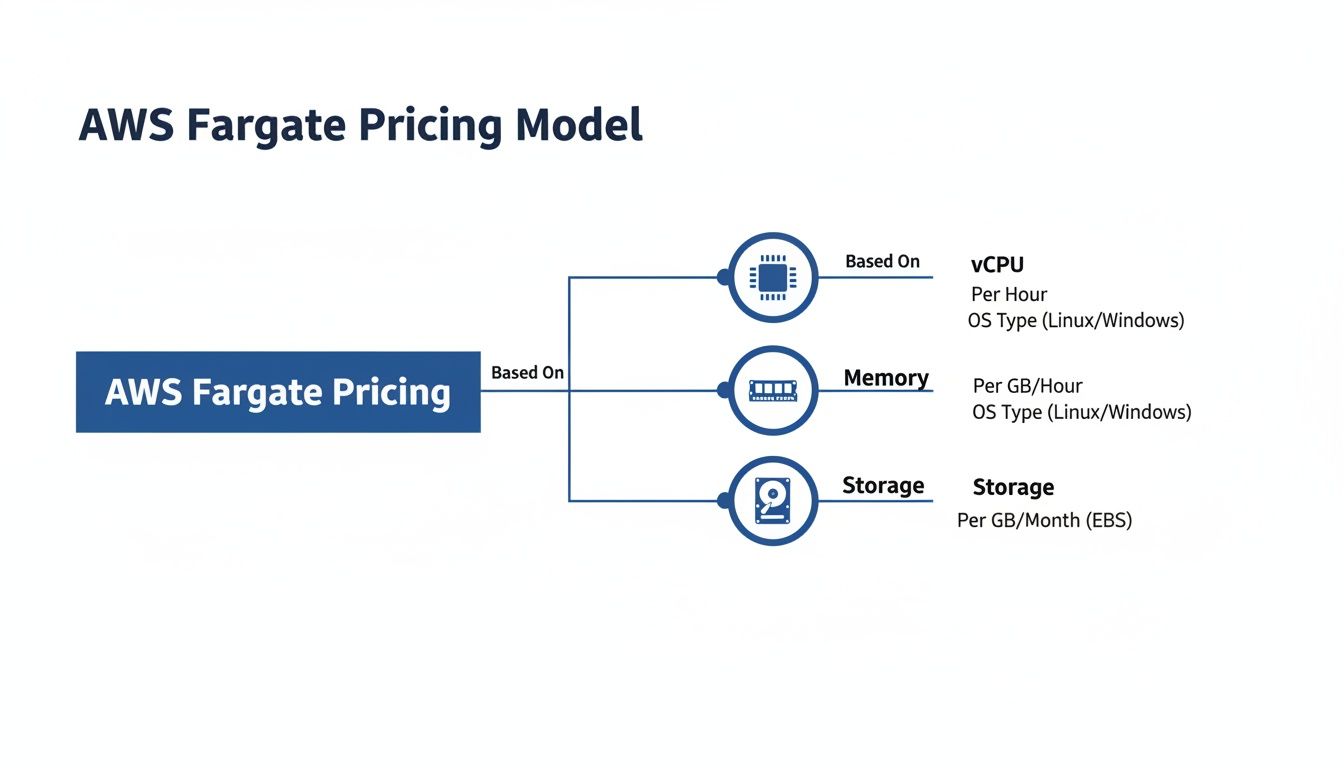
The image above drives the point home: your total Fargate bill is a direct result of the vCPU, memory, and extra storage you provision.
The core takeaway is that Fargate pricing is not a flat fee. It is a dynamic cost based on resource consumption, measured with per-second precision. Your ability to accurately provision vCPU and memory is the single most important factor in controlling your spend.
Nailing these fundamentals is the first real step toward mastering your Fargate expenses. Once you understand how vCPU, memory, and storage drive your bill, you can start forecasting costs accurately and applying the optimization tactics we'll cover next.
Calculating Your Real-World Fargate Costs
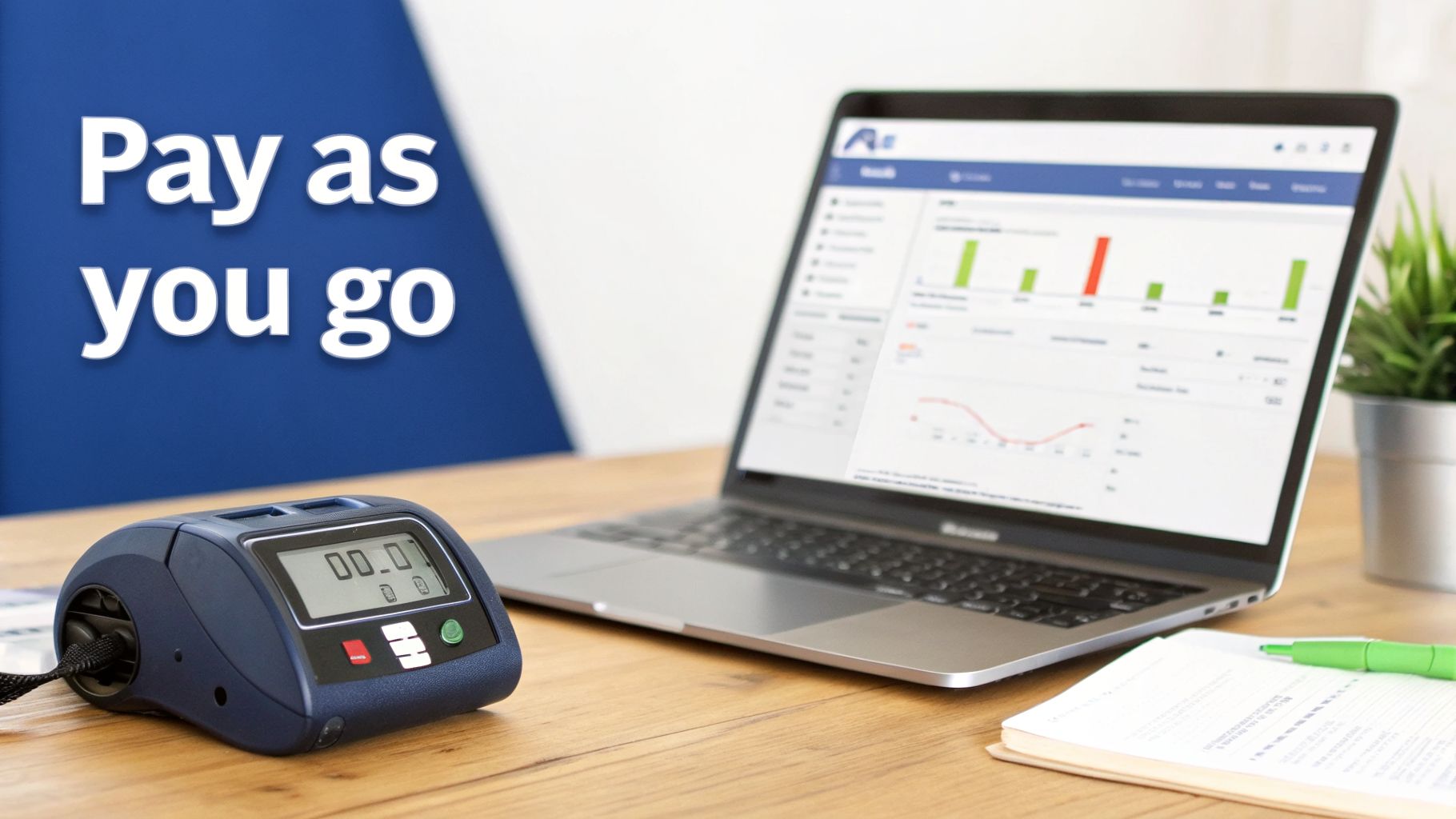
Knowing the per-second billing rates is one thing, but translating those tiny numbers into a real monthly bill is where the rubber meets the road. Getting a real handle on your aws fargate pricing means applying those rates to your actual workloads. It’s the only way to forecast your spending with any accuracy.
Let's walk through a couple of common scenarios to see how the costs really stack up. For these examples, we'll use the on-demand pricing from the popular US East (N. Virginia) region: $0.04048 per vCPU-hour and $0.004445 per GB-hour for memory.
Example 1: The Sporadic Batch Job
Imagine you have a daily data processing task. It’s a critical job, but it only needs to run for a few minutes each day. This is a perfect use case for Fargate because you only pay when the task is running; no more paying for idle servers.
Let’s say the job has these requirements:
- vCPUs: 1
- Memory: 2 GB
- Duration: 15 minutes (0.25 hours) per day
- Frequency: Runs once every day of the month (30 days)
First, let's figure out the cost for a single run.
vCPU Cost per Day:
1 vCPU * $0.04048/hour * 0.25 hours = $0.01012
Memory Cost per Day:
2 GB * $0.004445/GB-hour * 0.25 hours = $0.00222
Running this job once costs just over a penny. Now, let’s see what that looks like over a full month.
Total Monthly Cost:
($0.01012 + $0.00222) * 30 days = $0.3702
That’s right. You can run a vital daily task for less than 40 cents a month without ever thinking about a server. This is where Fargate's efficiency for intermittent workloads really shines.
Example 2: The Always-On Web Application
Now for a more demanding scenario: a web application that needs to be available 24/7. This is where those small hourly rates can quickly multiply into a significant monthly bill if you're not paying attention.
Let’s assume your application needs two Fargate tasks running continuously to ensure high availability.
- Number of Tasks: 2
- vCPUs per Task: 1
- Memory per Task: 2 GB
- Duration: 24 hours per day, 730 hours per month
First, we need the total resources running at all times.
- Total vCPUs: 2 tasks * 1 vCPU/task = 2 vCPUs
- Total Memory: 2 tasks * 2 GB/task = 4 GB
Next, let's calculate the monthly cost for keeping these resources online around the clock.
Monthly vCPU Cost:
2 vCPUs * $0.04048/vCPU-hour * 730 hours = $59.09Monthly Memory Cost:
4 GB * $0.004445/GB-hour * 730 hours = $12.98
Bringing it all together gives us the total compute cost for the month.
Total Monthly Compute Cost:
$59.09 (vCPU) + $12.98 (Memory) = $72.07
This calculation shows exactly how a constant workload turns into a predictable monthly expense. It's important to remember that this figure only covers Fargate compute. Other costs like load balancers, data transfer, and logging will add to your final AWS bill, which we'll dive into later. Armed with these examples, you can start forecasting your own expenses and get a much clearer picture of where your money is going.
Uncovering the Hidden Costs in Your Fargate Bill
It's easy to look at your Fargate bill and only see the vCPU and memory charges. But if you stop there, you're missing a huge piece of the puzzle. Several other AWS services work alongside Fargate, and they can quietly inflate your monthly costs, catching even experienced teams by surprise.
Think of it this way: the pay-as-you-go price for Fargate compute is just for the engine. You still have to pay for the gas, the tires, and the roads you drive on. Those costs for networking, data transfer, and logging are billed separately, and they can add up fast if you're not paying attention.
A critical warning for FinOps and engineering leaders: Fargate’s convenience does not include these significant operational expenses. While these "hidden" costs are a normal part of the AWS ecosystem, they are often overlooked in initial Fargate cost projections.
To get a true handle on your cloud spending, you have to look beyond the compute and memory line items and see the full picture.
Beyond Compute: The Charges You Might Miss
When you run a Fargate task, especially one that needs to talk to the internet or other AWS services, you're almost guaranteed to rack up additional fees. These aren't technically hidden; AWS documents them, but they are very easy to forget during the planning phase.
Here are the most common culprits to watch out for:
- NAT Gateway: If your Fargate tasks sit in a private subnet but need to reach the internet for things like software updates or API calls, that traffic goes through a NAT Gateway. You pay an hourly rate for the gateway just to exist, plus a per-gigabyte fee for any data it processes. For chatty applications, this can become a major expense.
- Data Transfer: AWS charges for data moving out of a region to the internet. It also charges for data transferred between different Availability Zones (AZs). If your tasks are constantly communicating with a database in another AZ, those inter-AZ data transfer fees will start to sting.
- Application Load Balancer (ALB): To run any public-facing web service, you'll need a load balancer to spread traffic across your Fargate tasks. ALBs have their own pricing, including a fixed hourly cost and a usage-based charge for Load Balancer Capacity Units (LCUs).
- Amazon CloudWatch Logs: Your applications produce logs, and CloudWatch is the default place to store them. You pay for the data you ingest, how long you store it, and any queries you run. For a high-volume application, logging costs can easily become a non-trivial part of your monthly bill.
A Real-World Warning From The Trenches
This isn't just theory. One DevOps team I know learned this the hard way. After migrating from EC2 to Fargate, they were shocked when their bandwidth usage shot up from 38 GB to a whopping 16 TB per month. This caused their NAT Gateway charges to surge by 6x, hitting $800 monthly.
The culprit? A misconfigured service was creating a massive, silent spike in data egress. It’s a perfect example of how data transfer fees can completely overshadow your compute costs. If you want to dive deeper into the core pricing, you can learn more about Fargate pricing on the official AWS page.
This story is a powerful reminder. A simple, intermittent task might only cost a dollar in compute, but once you layer on an ALB and heavy NAT Gateway traffic, that "cheap" service can turn into a major expense. Analyst reports show this isn't rare; these kinds of oversights affect 20-30% of Fargate users in major hubs like US East (N. Virginia), eating away 15-25% of their projected savings. Your best defense is proactive monitoring and smart architecture from day one.
Strategic Discounts with Savings Plans and Spot Instances

While the on-demand model is great for flexibility, running all your workloads on it is a classic way to overspend. To get a real handle on your Fargate bill, you have to tap into AWS’s built-in discount options. The two most powerful tools here are Compute Savings Plans and Fargate Spot Instances.
Think of it like this: on-demand is paying full retail price. Savings Plans are like buying a store gift card upfront to get a discount on all your future purchases. And Spot Instances? That’s like finding a 70% off clearance rack for items you can grab when they're available. Knowing which to use, and when, is the key to mastering your cloud budget.
Lock in Savings with Compute Savings Plans
If you have applications with steady, predictable usage, think of a web server that's always on or a CI/CD pipeline that runs constantly. Then Compute Savings Plans are a game-changer. You simply commit to a certain amount of compute usage (measured in $/hour) for a one or three-year term, and in return, you get a serious discount over on-demand rates.
The savings can be huge. Since AWS rolled out these plans in 2019, Fargate users have seen discounts of up to 50%. A three-year commitment in a region like US West (Oregon), for example, can slash the vCPU rate by 39%. That kind of discount turns a standard $288/month compute bill into something under $160, making a real dent in your monthly spend.
Still, many teams shy away from the commitment, worried they’ll lose flexibility. It’s a common fear, but it means leaving money on the table; industry data shows only about 40% of midsize companies are using these plans. For a deep dive, an AWS Savings Plan can be the ultimate tool for controlling cloud costs across Fargate and other compute services.
Deep Discounts with Fargate Spot Instances
For any workloads that can handle an interruption, Fargate Spot offers the biggest discounts, often hitting up to 70% off the on-demand price. Spot Instances run on AWS’s spare compute capacity, which is why they're so cheap. The catch? AWS can take that capacity back with just a two-minute warning.
This makes Spot a perfect match for specific jobs:
- Batch processing: Tasks that can easily be paused and resumed later.
- Dev and test environments: Non-critical workloads where an occasional stop doesn't hurt.
- Data analytics and ML training: Workflows often designed to be fault-tolerant from the ground up.
You'd never run your production database on Spot, but for the right workload, the savings are just too good to pass up.
The trade-off is straightforward: Spot Instances swap reliability for rock-bottom costs. If your application can tolerate being stopped and restarted, you can dramatically lower your compute bill. It’s a strategic choice you make based on how critical the workload is.
Finding the Right Mix
These Fargate purchasing options aren't mutually exclusive. The smartest approach is to blend them based on your specific needs. Here's a quick comparison to help you decide.
| Purchasing Option | Typical Discount | Best For | Key Consideration |
|---|---|---|---|
| Fargate On-Demand | 0% | Unpredictable or short-term workloads where flexibility is paramount. | Highest cost but offers complete freedom with no commitment. |
| Compute Savings Plans | Up to 50% | Stable, predictable workloads like web servers or always-on services. | Requires a 1 or 3-year commitment to a specific usage amount ($/hour). |
| Fargate Spot | Up to 70% | Fault-tolerant, non-critical tasks like batch jobs or dev/test environments. | Instances can be terminated by AWS with a two-minute warning. |
By combining these, you can build a powerful, cost-effective strategy. Cover your baseline, always-on needs with a Savings Plan to lock in reliable discounts. Then, layer on Spot Instances to handle spiky traffic or run non-urgent background tasks for maximum savings. This hybrid model delivers the best of both worlds: reliability for what matters and extreme cost-efficiency for everything else. For more information, check out our detailed guide on using a Savings Plan for AWS cost control.
Actionable Strategies to Optimize Your Fargate Spend
Knowing how you’re charged for Fargate is one thing, but actively cutting that bill is where the real work begins. It’s time to move from theory to practice with four high-impact strategies that can immediately lower your AWS invoice.
Think of these as your go-to tactics for taking direct control of your cloud spend. Even implementing just one or two can translate into significant savings, turning a potential budget leak into a finely tuned, cost-effective platform.
Eliminate Overprovisioning with Right-Sizing
The single biggest source of wasted cloud spend is, without a doubt, overprovisioning. It happens when you allocate more vCPU and memory to a task than it actually needs. Developers often do this to build in a safety buffer, but you pay for the resources you reserve, not just what you use. That "safety" comes at a steep price.
Right-sizing is the simple process of analyzing your application's real-world performance and adjusting its configuration to match. You might find a task configured with 2 vCPUs and 4 GB of memory only ever uses 0.5 vCPU and 1 GB. By reducing its configuration to 1 vCPU and 2 GB, you could slash its compute cost in half without anyone noticing a difference in performance.
Here’s how to get started:
- Analyze Utilization: Dive into Amazon CloudWatch Container Insights to see detailed performance metrics for your Fargate tasks. Look at CPU and memory utilization over a representative period, like a week, to find the true peak usage.
- Identify Candidates: Zero in on tasks with consistently low average utilization, especially those running 24/7. These are the easiest wins.
- Test and Adjust: Create a new task definition with the smaller resource footprint. Test it thoroughly in a staging environment to make sure the application still performs perfectly under load.
- Deploy Changes: Once you’ve validated the new configuration, update your production service to use the leaner, more efficient task definition.
Stop Paying for Idle Resources with Scheduling
Why pay for development, testing, or staging environments when your team is asleep? Running non-production resources 24/7 is an incredibly common and expensive habit. If your teams only work standard business hours, you could be wasting over 65% of your budget by leaving these environments on overnight and on weekends.
The solution is automated scheduling. By setting up simple schedules to automatically stop these resources outside of business hours, you only pay for them when they’re actually delivering value. This is exactly where tools like CLOUD TOGGLE shine, offering a simple, point-and-click way to manage these schedules without needing complex scripts or deep AWS expertise.
Automated scheduling can reclaim thousands of dollars annually from idle resources. It turns cost optimization from a tedious manual chore into a "set it and forget it" process that delivers consistent savings month after month.
This simple operational change can make a massive difference to your bill. For even more ideas on slashing your cloud spend, check out our guide on cost optimization on AWS.
Boost Efficiency with Graviton Processors
Not all vCPUs are created equal. AWS offers tasks running on its custom-designed Graviton processors, which are based on the ARM architecture. For many workloads, these processors deliver a much better price-to-performance ratio than their x86-based counterparts.
For common applications like web servers, containerized microservices, and data processing, a switch to Graviton can deliver a performance boost of up to 20% at a lower cost. This means you either get more work done for the same price or achieve the same performance with a smaller, cheaper task configuration.
Making the switch is often surprisingly straightforward:
- Make sure your container image is built for the ARM64 architecture.
- Update your Fargate task definition to specify the
ARM64CPU architecture. - Deploy and test your application.
With minimal engineering effort, this simple change can give your Fargate cost-efficiency an immediate lift.
Improve Density by Consolidating Containers
If you’re running lots of small, single-container tasks, you might be missing out on a key optimization: resource density. Instead of deploying one container per task, you can pack multiple related containers into a single Fargate task. This practice is often called "bin packing."
By placing multiple containers in one task, you make better use of the vCPU and memory you’ve allocated. For example, instead of running three separate tasks each with 1 vCPU and 2 GB of memory, you might be able to run all three containers in a single task configured with just 2 vCPUs and 4 GB of memory.
This consolidation reduces your overall resource footprint and, in turn, your bill. The strategy works especially well for microservices architectures where several small, related services work together.
Comparing Fargate and EC2 Pricing Models

It’s the classic AWS dilemma: do you go for serverless convenience or raw virtual machine control? Choosing between AWS Fargate and EC2 almost always boils down to a financial trade-off. If you compare the aws fargate pricing model directly against EC2, you'll see Fargate comes with a noticeable premium on compute and memory.
That premium, however, is what you pay for simplicity. Fargate completely handles the server management layer, freeing your team from the operational headaches that come with EC2. This isn't just about saving a few clicks in the console; it's about eliminating real, tangible costs from your engineering budget.
The Hidden Costs of EC2 Management
When you run containers on EC2, the per-hour cost for the virtual machine might look tempting. But that number doesn't tell the whole story. You have to factor in the "soft costs" tied directly to your engineering team's time.
These operational expenses are easy to overlook but add up quickly:
- Patching and Security: Your team is on the hook for keeping the underlying operating system updated and secure.
- Scaling Management: You have to configure, manage, and fine-tune Auto Scaling groups to deal with traffic spikes and dips.
- Infrastructure Maintenance: Engineers spend valuable hours monitoring, troubleshooting, and babysitting the health of your EC2 fleet.
All of these tasks eat up engineering cycles that could be spent building features and shipping code. To see how these services fit into the broader ecosystem, check out our breakdown of various AWS cloud services pricing.
When you compare Fargate and EC2, you're not just comparing compute prices. You're choosing between paying a premium for a managed service versus paying your engineers to do that management themselves.
Making the Right Architectural Decision
So, when is the Fargate premium a smart investment, and when does self-managed EC2 make more financial sense? The right answer really depends on your workload patterns and what your business needs to prioritize.
Fargate is often the better financial choice for:
- Variable or Unpredictable Workloads: Its per-second billing is perfect for spiky traffic because you only pay for exactly what you use.
- Faster Deployment and Innovation: Teams can move much faster when they don't have to worry about servers, which accelerates your time-to-market.
EC2 can be more economical for:
- Large, Stable Workloads: For applications with predictable, high-volume usage, the lower raw compute cost of Reserved EC2 instances can unlock huge savings.
The goal isn't to declare a universal winner here. It's to give your team a clear framework for making the best architectural choice based on your unique needs, budget, and team structure.
Frequently Asked Questions About AWS Fargate Pricing
When you start digging into cloud billing, a few common questions always seem to pop up. Let's tackle some of the most frequent ones about AWS Fargate pricing to give you more confidence in managing your costs.
Is Fargate Always More Expensive Than EC2?
That's a common misconception, and the short answer is no. While Fargate might look more expensive on a simple per-hour compute cost comparison, that's not the whole story.
With EC2, you're on the hook for all the hidden costs; the time your engineers spend on patching, scaling, and babysitting servers. Fargate completely eliminates that operational drag. For spiky or unpredictable workloads, paying only for the exact resources you use with Fargate can be far cheaper than paying for an EC2 instance that sits idle half the time. It all comes down to your specific workload and how much you value your team's engineering hours.
How Can I Effectively Monitor My Fargate Costs?
Keeping a close eye on your spend requires using a few AWS tools in concert. There's no single magic button, but a solid strategy makes it simple.
- AWS Cost Explorer: This should be your first stop. You can visualize your spending over time and, most importantly, filter specifically by "Fargate" to see exactly what it's costing you.
- AWS Budgets: Don't wait for the end-of-month bill shock. Set up budgets to get an alert the moment your costs start trending higher than you expect.
- Amazon CloudWatch Container Insights: This is where you get the deep-dive data. It shows you exactly how much CPU and memory your tasks are actually using, which is absolutely essential for right-sizing.
- Tagging: This isn't optional; it's critical. Tagging your Fargate tasks properly is the only way to accurately assign costs back to the right project, team, or feature.
Can I Use Both Savings Plans and Spot Instances Together?
Yes, you absolutely can, and this is a powerful strategy for serious cost optimization. The key is to use a Capacity Provider Strategy in your ECS cluster.
First, you define a base number of tasks that you know will always be running. You cover these with a Fargate Savings Plan to get a reliable, discounted foundation for your application.
Then, for everything else, you let tasks scale out onto Fargate Spot, grabbing that extra capacity at a huge discount. This hybrid approach gives you the best of both worlds: rock-solid reliability for your core services and incredibly low-cost scaling to handle unexpected demand.
At CLOUD TOGGLE, we specialize in making cloud cost optimization simple and effective. Stop paying for idle resources and start saving automatically with our intuitive scheduling platform. Try it free for 30 days and see how much you can save at https://cloudtoggle.com.