Multi Tenancy In Cloud Computing describes running several customers on the same physical servers while keeping their data and workloads logically separate. This setup reduces costs and dramatically speeds up provisioning compared to dedicated environments.
Why Multi Tenancy Matters In Cloud Computing
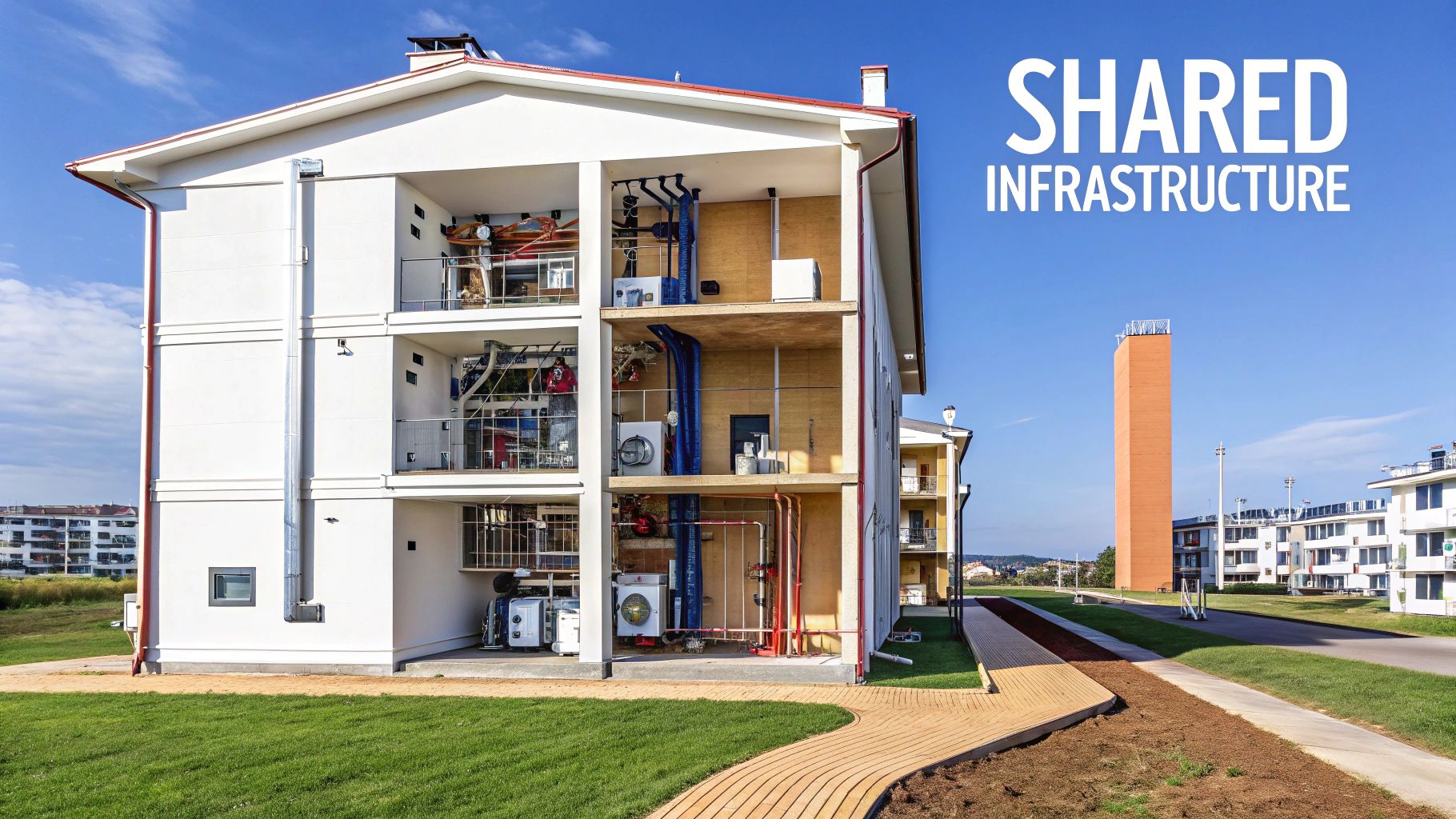
Picture a high-rise apartment where each family has its own flat but shares lobbies and utilities. Cloud providers do the same by carving servers into isolated slices so tenants never step on each other’s toes.
Key benefits include:
- Economies of Scale that drive down per-tenant costs
- Centralized Maintenance for seamless updates
- Rapid Provisioning when new customers come online
In fact, multi tenancy has fueled the rapid growth of the multi-tenant data center market. Industry analysts project the global MTDC market at USD 63–69 billion in 2025, climbing to USD 112–213 billion by the early to mid 2030s. Dive into the full FactMR research report for details.
Before we dig deeper, let’s line up the core differences.
Comparison Of Single Tenancy And Multi Tenancy
Below is a quick look at how these two models stack up.
| Aspect | Single Tenancy | Multi Tenancy |
|---|---|---|
| Cost | Higher per tenant by dedicating hardware | Lower per tenant by sharing resources |
| Maintenance | Updates per tenant environment | Centralized updates for all tenants |
| Scalability | Slower scaling with custom setups | Rapid scaling with pooled resources |
Overall, multi tenancy shines when cost efficiency and fast scaling matter most, while single tenancy appeals to workloads that require strict physical separation.
How Single And Multi Models Compare
Logical isolation ensures each tenant behaves as if it occupies its own dedicated space, even though they share the same infrastructure.
Many organizations choose shared data centers or colocation because they’d rather spend time on features and applications not racking servers.
Key Market Drivers
- Rapid Scalability demands from modern applications
- Rising Maintenance Costs for on-premises hardware
- Pay-Per-Use Models and shared networking preferences
These factors explain why more businesses embrace multi tenancy. By offloading hardware chores to cloud providers, teams can focus on innovation instead of tightening bolts.
Understanding Key Concepts
Virtualization is what lets a single server run multiple tenants without them ever seeing each other’s data. It carves the physical hardware into isolated environments, making each tenant feel like it has its own dedicated machine.
Under the hood, hypervisors and container runtimes handle this magic differently. One slices hardware at the metal level, the other shares a common operating system to spin up lightweight, self-contained spaces.
Virtualization Layers Explained
At the heart of server partitioning, hypervisors and containers take distinct paths:
- Hypervisor Isolation ensures each tenant gets its own virtual CPU and memory slice, completely detached from its neighbors.
- Container Isolation leans on kernel namespaces and cgroups to keep resource usage in check.
- Shared Underlying Hardware drives down costs and makes scaling out as simple as launching another VM or container.
Logical isolation means tenants operate as if they’re on separate systems even when they share the same physical chassis.
For example, Docker spins up containers with isolated file systems and resource rules. On the VM side, tools like KVM or ESXi let you run multiple full operating systems on the same rack of servers.
Core Terminology
Before we go deeper, let’s get our vocabulary straight:
- Tenant
A customer or application workload sharing the same infrastructure. - Host
The physical server or cluster providing compute and storage capacity. - Isolation Boundary
The layer—software or hardware—that prevents tenants from stepping on each other’s toes. - Shared Services Layer
Common features such as logging, authentication, and networking that all tenants can tap into.
| Component | Role |
|---|---|
| Compute | Virtual machines or containers that run tenant workloads |
| Storage | Virtual volumes or block storage mapped to each tenant |
| Networking | Segmented networks or VLANs that route tenant traffic securely |
Metaphor Of Shared Infrastructure
Picture a multi-suite office building:
- Each office suite represents a tenant environment.
- Hallways, elevators, and power lines form the infrastructure layers.
- Keycard-access doors act as isolation boundaries, keeping companies out of each other’s space.
In this analogy, networking policies are like security badges only the right badge opens the right door.
Shared Services Layer
A shared services layer bundles up the plumbing that every tenant relies on:
- Centralized Logging aggregates tenant logs into one pipeline for faster troubleshooting.
- Unified Authentication enforces consistent identity and role policies across the board.
- Common Monitoring Tools collect performance metrics and fire alerts scoped to each tenant.
- Backup and Recovery Frameworks snapshot tenant data at scheduled intervals to meet SLAs.
These shared services cut down on duplicate effort and help maintain compliance by standardizing on a single policy set. For instance, you can use the scheduling tool CLOUD TOGGLE to automatically shut down idle resources—no bespoke scripts needed per tenant.
With these foundations in place, you’re all set to explore how different tenancy models strike the balance between isolation and efficiency in your architecture. Principles apply universally.
Comparing Tenancy Models
Picking the right tenancy model is all about balancing 4 key factors: isolation, customization, cost, and operational effort. Some teams need military-grade data separation; others want to squeeze every cent out of shared resources.
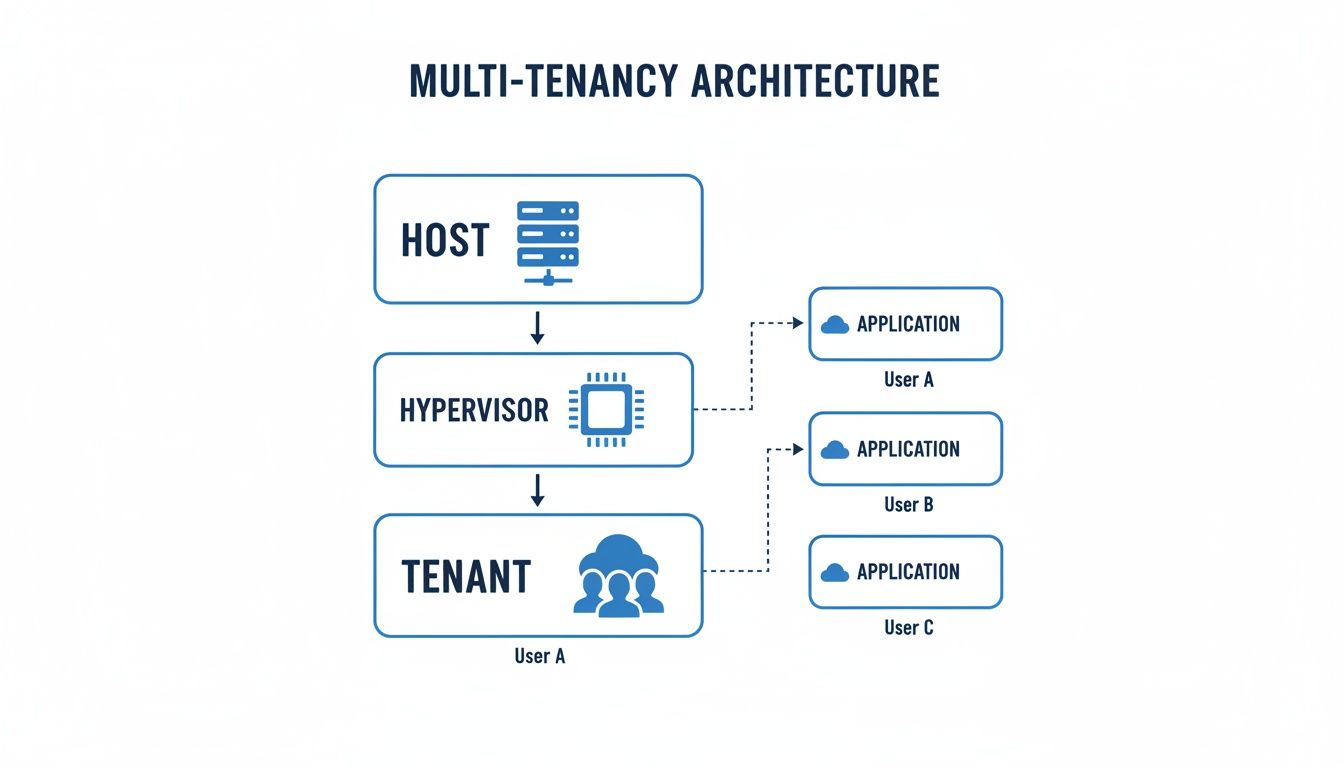
Above, you can see Host, Hypervisor, and Tenant layers laid out in a clear hierarchy. Each layer tightens the isolation boundary to keep tenant data safe.
- Single Tenant: Dedicated hardware or VM per customer—highest isolation, highest cost.
- Per Tenant Database: One database instance for each tenant—strong separation, moderate overhead.
- Per Tenant Schema: Single database with separate schemas—balanced isolation and resource use.
- Shared Table: All tenants in one table, keyed by tenant ID—minimal infrastructure, logical separation only.
Single Tenant Model
Think of this as a private dining room reserved just for your party. Each tenant runs on its own server or VM, giving you total control and customizability. The downside? You pay the highest per-tenant price and juggle separate backups, updates, and monitoring.
Per Tenant Database Model
Imagine seating each group at its own table in a large hall. Every tenant gets a standalone database instance:
- Crystal-clear data boundaries
- Simplified separation logic
- Mid-range cost and management effort
Per Tenant Schema Model
Now picture one big table with dedicated place settings for each guest. A single database hosts multiple schemas:
- One set of maintenance tasks
- Logical isolation keeps tenants apart
- Better resource utilization than full instances
If you want to dive deeper into how these models affect your resource scaling, check our guide on scaling strategies for cloud environments.
Shared Table Model
This is a communal banquet hall where everyone uses the same tables but reads their name card (tenant ID) to know where to sit:
- Lowest infrastructure cost
- Potential “noisy neighbor” issues if one tenant runs heavy queries
- Requires sharp indexing and query design
Data isolation is logical and enforced by application logic rather than physical separation.
In scenarios with many small tenants, shared tables can slash your bill—but you’ll need diligent performance tuning.
Platforms like Cloud Toggle automate idle-server shutdowns across all tenants. That means fewer surprises on your cloud bill and less manual housekeeping.
By thinking of each model as a style of restaurant seating, you can clearly see how isolation, cost, and complexity shift and pick the plan that best fits your workload.
Security Performance And Cost
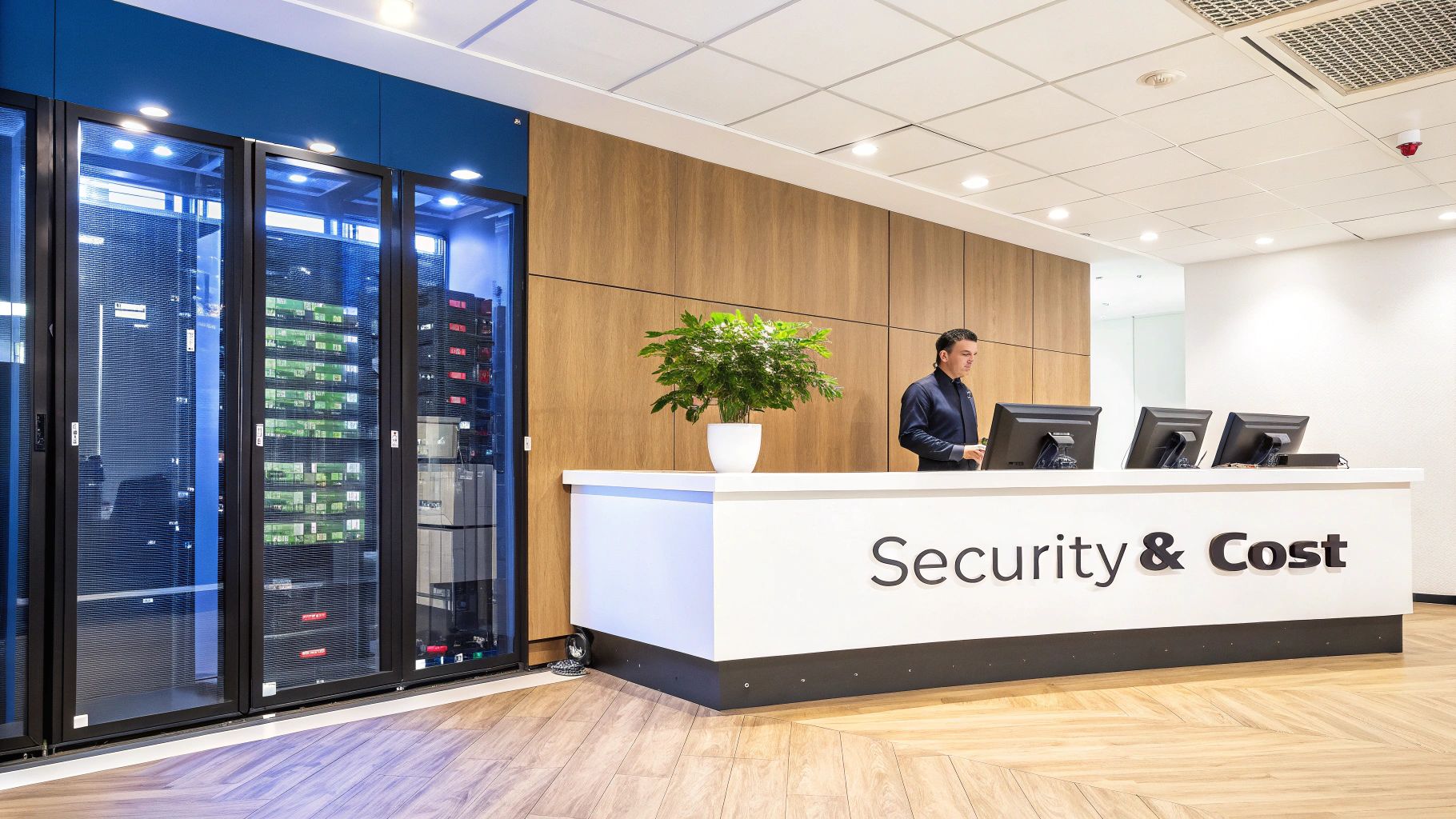
Keeping multiple tenants safe in the cloud means balancing strong isolation with reliable performance and clear pricing. You need walls between workloads, yet you can’t let costs spiral out of control.
Isolation starts at the network edge. Encryption carries data safely across shared hardware. Then, monitoring watches for trouble before it slows everything down.
- Virtual LANs or microsegmentation carve out private lanes per tenant.
- TLS in transit and disk encryption at rest lock down data.
- Role-Based Access Control limits actions to approved users.
- Continuous monitoring and logging spot odd patterns early.
Service Level Agreements drive investments in private clouds or dedicated cages to meet strict performance SLAs and data protection rules Learn more about market growth
Implementing Isolation Boundaries
Picture a hotel floor: each room is a tenant environment. First, assign a private corridor—your network segment—for each guest. Then, lock the doors with firewall rules and microsegmentation so no one wanders into the wrong room.
- Define network ACLs per tenant to block unauthorized east-west traffic.
- Deploy host-based firewalls on VM and container hosts.
- Consider private VLANs or dedicated cages for highly regulated workloads.
Managing Noisy Neighbor Effects
When one tenant devours CPU or storage bandwidth, everybody else suffers. Clear SLAs help set expectations and outline remediation if latency spikes or throughput dips.
- Reserved instance pooling guarantees capacity for your top-priority tenants.
- CPU shares and cgroup quotas stop any single tenant from hogging compute.
- Autoscaling adds new nodes once overall load crosses defined thresholds.
| Model | Protection | Cost Impact |
|---|---|---|
| On Demand | Shared capacity can lead to noisy neighbor risk | Pay as you go |
| Reserved Instances | Dedicated capacity reduces contention | Up to 30% discount |
Cost Optimization Strategies
At scale, you benefit from low per-unit prices—but only if resources aren’t left idling. Automated tools flag servers you can shut off without risking live workloads.
- Autoscaling groups grow or shrink in real time based on demand.
- Schedule-based shutdowns reclaim wasted spend during off-peak hours.
- Reserved instance pooling and committed use discounts reward predictable usage.
Check out our guide on role based access control best practices to see how fine grained RBAC enhances tenant security and cost governance.
Balancing Scale And Compliance
Packing more tenants onto the same hardware cuts costs but may bump up against regulations like GDPR, HIPAA, or PCI DSS. Auditing each tenant’s setup against those frameworks is essential.
- Schedule snapshots per tenant to meet backup SLAs with minimal impact.
- Group reserved instances by workload type to match cost optimization with demand.
- Automate reporting and logging to shorten audit cycles.
Practical scheduling tools such as CLOUD TOGGLE can power down idle servers and reclaim up to 40 percent in savings. RBAC-friendly schedulers give teams control over uptime without risking cross-tenant interference.
By combining strong isolation, vigilant monitoring, and smart cost controls, you’ll hit your performance targets, satisfy auditors, and keep cloud bills in check.
Cloud Provider Implementations
Cloud platforms each take their own stab at multi tenancy, offering knobs to tweak isolation, cost, and performance. AWS, Azure, and Google Cloud give architects a toolkit for striking the right balance.
Sometimes you want low-cost, shared hardware. Other times, you need dedicated capacity to hit compliance targets. Let’s walk through how each cloud provider handles these trade-offs.
AWS Tenant Models
AWS offers a spectrum of tenancy options:
- Default Shared Tenancy: EC2 instances run on pooled hardware, driving utilization up and costs down.
- Dedicated Hosts: Reserve whole physical servers for one account—perfect for strict compliance audits.
- Placement Groups: Pin related instances to the same rack, squeezing out better network performance and lower latency.
- Reserved Instances: Commit to one- or three-year terms and save up to 72 percent on compute costs.
Imagine a startup using shared tenancy for development labs, then switching to dedicated hosts in production to satisfy data-sovereignty rules.
Azure Isolation Boundaries
Azure builds a clear hierarchy around tenants:
| Layer | Function |
|---|---|
| Management Group | Apply policies and guardrails across tenants |
| Subscription | Billing boundary and identity scope per tenant |
| Resource Group | Logical container for each workload |
Every subscription has its own RBAC context and Azure Policy enforcement so teams can’t accidentally cross into one another’s sandbox.
Google Cloud Projects And Networks
Google Cloud centers isolation on projects and Virtual Private Clouds:
- Projects: Each has its own IAM policies, quotas, and billing account.
- VPC Networks: Act like isolated data centers you can segment, firewall, and connect to on-prem via private interconnects.
Key Insight Google Cloud projects provide strong isolation by default, allowing teams to treat each project as a mini data center.
Adoption patterns show around 72 percent of businesses use two or more major cloud providers and 80 percent use multiple public clouds, fueling demand for multi-tenant colocation and interconnection hubs. Learn more about these findings on Slickfinch.
Hybrid and multi-cloud designs often rely on private connectivity. Colocation hubs and low-latency links bridge on-prem data centers to public clouds without exposing traffic to the open internet.
Check out our guide on cloud management platforms for deeper details on cross provider operations.
Case Study Example
A global retailer split workloads across three clouds.
They ran dev and test environments on AWS shared tenancy, switched to Reserved Instances for production front-ends, and hosted high-volume analytics in Google Cloud projects. Meanwhile, Azure subscriptions organized teams by region, each with its own billing and policy guardrails.
That mix delivered cost predictability, strong isolation, and high network throughput backed by private interconnects tying everything to headquarters.
Choosing Provider Features
Here’s a quick checklist before you commit:
- Match your isolation needs against each tenancy model.
- Compare native tools for rightsizing, autoscaling, and cost reporting.
- Review private connectivity options alongside SLA guarantees.
- Align identity hierarchies with your org chart and team structures.
Multi tenancy in cloud computing shapes both architecture and day-to-day operations.
A unified management layer can push consistent policies, automate idle-resource shutdowns, and roll out changes across AWS, Azure, and Google Cloud from one console. That synergy boosts compliance and trims spend.
By exploring AWS tenancy modes, Azure’s hierarchical setup, and Google Cloud’s projects-and-VPC approach, you gain actionable insight. These patterns help you design environments that deliver security, performance, and cost optimization whether you live entirely in the cloud or straddle hybrid infrastructure.
Practical Tips For Multi Tenancy
- Tag Resources: Embed tenant IDs in tags for clear cost allocation.
- Enable Endpoint Logging: Capture activity per project or subscription for audits.
- Automate Schedules: Power off dev and staging environments when they’re idle.
- Review Flow Logs: Scan network logs monthly to detect unintended cross-tenant traffic.
These cloud-provider features demonstrate how to turn multi tenancy from theory into practice so your teams can innovate securely and cost-effectively.
Next, evaluate each provider’s network services and chargeback models to ensure your environment scales smoothly with demand.
Operational Best Practices
Running a multi-tenant cloud platform is a bit like conducting an orchestra: everyone needs to know their part, the timing must be precise, and you can’t afford any instruments playing out of tune. Consistent governance and repeatable processes keep the whole ensemble in sync.
“Enforce least privilege across every tenant.”
That single mantra underpins secure operations, so let’s break down the key areas: identity, network, monitoring, backups, scheduling, and cost allocation.
Identity Management Strategies
Identity is your security foundation. Think of roles as the sheet music—each musician (or user) only sees what they need.
- Define tenant groups so users automatically inherit the right resource permissions.
- Assign roles scoped strictly to each tenant’s boundary.
- Automate onboarding with policy templates to avoid manual missteps.
- Log every permission change and link it back to an approval ticket for full traceability.
Network Isolation Topologies
Imagine dividing a concert hall into separate practice rooms to prevent sound bleed. Your cloud network needs the same approach.
| Topology | Description | Benefits |
|---|---|---|
| VPC Per Tenant | One virtual network per tenant | Strong isolation |
| Shared VPC Segments | Subnets tagged by tenant | Efficient resources |
| Overlay Networks | Encrypted tunnels around each tenant | Flexible routing |
Monitoring And Metrics
Monitoring is like having a conductor’s score—real-time insights keep everything on tempo.
- Create per-tenant alerts for CPU, memory, and disk thresholds.
- Tag logs by tenant to speed up incident investigations.
- Use time-series charts to compare workloads and spot anomalies.
- Plug into SIEM tools for security event detection, and auto-generate tickets in your incident system.
Backup And Recovery Workflows
Backups are your insurance policy. Define clear RTO and RPO targets based on each tenant’s SLA.
- Automate snapshot creation on schedule.
- Store backups with tenant metadata in isolated object storage.
- Encrypt data at rest and verify keys per tenant environment.
- Run quarterly restore drills to validate integrity.
Regular restore drills shrink recovery gaps and keep you audit-ready.
Scheduling And Chargeback Models
Idle resources are like lights left on in empty offices easy to forget but costly. Automated schedules and accurate tagging turn lights off when no one’s there.
Data Point: Automated idle server shutdown can cut cloud costs by 30 percent.
- Tag resources with tenant IDs for clear chargeback.
- Define off-peak windows per tenant and apply automated shutdown policies.
- Map tags to cost centers in your billing platform.
- Create exceptions for patch windows so critical maintenance never collides with business hours.
Platform tools like CLOUD TOGGLE make tenant‐aware scheduling a breeze. Here’s how a simple idle‐shutdown policy looks:
| Policy Key | Value |
|---|---|
| name | tenant-idle-shutdown |
| tenantTag | tenant-id |
| enabled | true |
| offHour | 20 |
| onHour | 8 |
Each key drives rules across tagged resources, so you don’t have to repeat yourself.
Case Study Example
A regional bank treated its dev and test environments like empty conference rooms—they shut them down every night. The result:
- 45% reduction in idle VM hours
- Automated shutdowns in 120 tenant environments
- $20,000 saved per month on compute costs
Operational Checklist
Use this daily guide to keep operations tight:
- Document and enforce IAM roles per tenant.
- Provision isolated networks and apply ACLs.
- Deploy dashboards with tenant filters and alerts.
- Schedule backups and verify restore drills.
- Automate idle resource shutdowns.
- Generate cost reports and review variances.
- Audit logs and compliance status monthly.
- Iterate policies based on metrics and tenant feedback.
Continuous Improvement Guidelines
Even the best symphony evolves. Set quarterly governance reviews to refine policies with real incident learnings.
- Gather post-incident reports by tenant.
- Update runbooks and optimize schedules.
- Archive audit logs according to compliance mandates.
Start small—pilot these practices in one tenant group, gather feedback, and scale out. Before you know it, you’ll have a finely tuned, secure, and cost-efficient multi-tenant platform.
Key Takeaways
- Enforce least-privilege IAM for each tenant.
- Segment networks with VPCs, subnets, or overlays.
- Automate monitoring, backups, and idle shutdowns.
- Tag everything for precise chargeback and clear reporting.
- Review metrics and update policies in regular cycles.
FAQ
Below, you’ll find straightforward answers to key questions on multi-tenancy in the cloud. We’ll walk through isolation methods, database designs, noisy-neighbor mitigation, and compliance considerations—all aimed at giving you clear, actionable guidance.
Common Isolation Approaches
Keeping tenants truly separate starts at the infrastructure level:
- Hypervisors carve physical servers into virtual machines, providing rock-solid isolation.
- Container Namespaces draw boundaries at the OS layer, letting each workload feel like its own environment.
- VLANs and microsegmentation lock down network traffic so one tenant can’t peek at another’s data.
Database Design Trade-Offs
Your choice here shapes both security and cost:
-
Per-Tenant Schemas
• Logical separation with a dedicated schema per customer.
• Moderate overhead, easier compliance audits. -
Shared Databases
• Single database for everyone, tagged by tenant ID.
• High efficiency at scale—but demands rigorous indexing and filter logic.
Tackling Noisy Neighbor Effects
Nothing derails performance faster than one tenant hogging resources. In practice, you can tame “the noisy neighbor” by:
- Setting CPU quotas or using cgroup limits to cap usage.
- Maintaining a pool of reserved instances so no single tenant can exhaust capacity.
- Leveraging autoscaling policies to spin up extra nodes under load.
The result? Predictable performance, even when some tenants spike unexpectedly.
Pro Tip: Proper network ACLs combined with end-to-end encryption will prevent any cross-tenant data leaks.
Compliance And Data Sovereignty
When you’re handling sensitive data—think GDPR, HIPAA, or PCI—the isolation story becomes a legal one. Map each tenant’s data residency to the right region, document your audit trails, and keep encryption keys under lock and key. This approach keeps you ready for any compliance review.
Final Tips For Your Strategy
- Document isolation policies for each tenant.
- Automate tenant-level monitoring and alerting.
- Review compliance reports regularly to spot gaps early.
Ready to slash idle spend and fortify governance? Try CLOUD TOGGLE.