Amazon S3 storage classes are all about matching your data's access needs to the right price point. Picking the right class is one of the fastest ways to slash your AWS bill. You avoid overpaying to store data you rarely touch, and you dodge high retrieval fees for data you need instantly.
Understanding S3 Storage Classes
Navigating the different S3 storage classes might seem complicated, but the goal is simple: only pay for what you actually use. Each class strikes a different balance between the cost to store your data and the cost to get it back. If you get this wrong, you're either paying too much for storage you never access or getting hit with surprise retrieval fees.
Getting this right is a huge first step toward real cloud cost savings. This is especially true for FinOps teams trying to rein in AWS spending without hurting performance. By understanding the trade-offs, you can build a cost-effective storage strategy from the get-go. For a deeper look at how the billing works, you can learn more about Amazon S3 storage costs and their calculation.
Main Storage Categories
AWS groups its S3 storage classes into three broad categories, each built around how often you expect to access your data.
Frequent Access: This is for your active, mission-critical data. Think live application assets or constantly updated datasets that need instant, millisecond access. Performance is the top priority here, so while storage costs are higher, you won't pay extra fees just to retrieve your data.
Infrequent Access: This tier is a middle ground for data you don't need every day but still has to be available fast when you do. It offers a much lower per-GB storage price, but you'll pay a small retrieval fee each time you access the data.
Archive: Built for long-term data retention, this is where you'll find the absolute rock-bottom storage costs. The trade-off is retrieval time, which can be anything from milliseconds to several hours. It’s perfect for compliance archives, backups, and digital preservation.
Choosing a storage class isn't a "set it and forget it" task. As your data ages and access patterns shift, you’ll need to move objects to different classes to keep your costs optimized.
High-Level Comparison
To get started, here's a quick breakdown of the main S3 storage categories and what they're built for.
| Category | Primary Goal | Cost Profile |
|---|---|---|
| Frequent Access | High performance & instant retrieval | Higher storage cost, no retrieval fees |
| Infrequent Access | Balance cost and quick access | Lower storage cost, includes per-GB retrieval fees |
| Archive | Lowest cost long-term retention | Extremely low storage cost, variable retrieval times/fees |
Frequent vs. Infrequent Access: A Detailed Comparison
The choice between frequent and infrequent access storage classes really boils down to a simple trade-off: do you want to pay more to store data you can get instantly, or pay less on storage but a little extra each time you need to retrieve it? Getting this right directly impacts your AWS bill, so understanding the differences between S3 Standard, S3 Standard-Infrequent Access (Standard-IA), and S3 One Zone-Infrequent Access (One Zone-IA) is critical.
S3 Standard is the workhorse of AWS storage. It’s built for high performance, giving you low latency and high throughput for data that’s constantly in use. Think of it as the prime real estate for your most active digital assets: website images, video streaming content, or datasets powering live analytics. You pay a higher per-GB price for storage, but the huge benefit is there are no fees for retrieving your data.
This makes S3 Standard the go-to for dynamic content, big data workloads, and any application where you simply can't afford to wait. Its performance is backed by a 99.99% availability Service Level Agreement (SLA), which means your critical data is almost always there the moment you need it.
Introducing Infrequent Access Tiers
But what about data that’s important but isn’t being hit every minute of the day? This is exactly where the Infrequent Access (IA) tiers come in to deliver some serious cost savings. S3 Standard-IA gives you the same fantastic durability and low latency as S3 Standard but with a much lower price tag for storage.
The catch? There's a small per-GB retrieval fee. This model is perfect for long-term storage where you still need fast access when it's requested, like disaster recovery files, older user-generated content, or long-term backups.
A key thing to remember with any IA class is the 30-day minimum storage duration. If you delete an object before those 30 days are up, you're still getting charged for the full month of storage.
This detail makes IA classes a poor fit for temporary files or data you expect to cycle through quickly. The financial break-even point really depends on your access patterns; if your team only touches the data less than once a month, Standard-IA almost always ends up being cheaper than S3 Standard.
One Zone-IA: The Cost-Versus-Risk Tradeoff
For non-critical data that you could easily recreate if you had to, S3 One Zone-IA pushes the cost savings even further. It has the same low latency and high throughput as Standard-IA, but with one massive difference: it stores data in a single AWS Availability Zone (AZ) instead of spreading it across at least three.
That lack of geographic redundancy means if a catastrophic event takes out that one AZ, your data is gone. It's a calculated risk. It’s an excellent choice for:
- Secondary backup copies you already have stored elsewhere (like on-premises).
- Data you can easily regenerate, like thumbnails created from original high-res images.
- Transitional data that’s just a temporary step in a bigger data processing workflow.
Because of this reduced resilience, One Zone-IA comes with a lower 99.5% availability SLA and is typically 20% cheaper than Standard-IA.
Comparing the Access Tiers
To make the right call, you have to look at the core features side-by-side. The best choice hinges entirely on your data's access patterns, how durable it needs to be, and what your budget can handle.
| Feature | S3 Standard | S3 Standard-IA | S3 One Zone-IA |
|---|---|---|---|
| Designed For | Active, frequently accessed data | Long-lived, infrequently accessed data | Reproducible, infrequently accessed data |
| Availability SLA | 99.99% | 99.9% | 99.5% |
| Availability Zones | ≥3 | ≥3 | 1 |
| Min. Storage Duration | None | 30 days | 30 days |
| Retrieval Fee | None | Per GB retrieval fee | Per GB retrieval fee |
S3 Standard is your safest, most performant bet for active data. But for anything accessed less often, the cost savings from Standard-IA are hard to ignore, as long as you watch out for those retrieval fees and the minimum duration. One Zone-IA takes the savings to another level but should only be used when data loss is a risk you're willing to accept.
Automating Savings with S3 Intelligent-Tiering
Trying to predict your data's access patterns often feels like a gamble. If you put data that goes cold into a frequent access class, you’re overpaying. But if you place data in an infrequent tier that suddenly gets hot, you'll be slammed with unexpected retrieval fees.
This is exactly the problem S3 Intelligent-Tiering was built to solve. It acts as a "smart" storage class that does the work for you, eliminating the guesswork and manual effort.
How Intelligent-Tiering Works
At its heart, S3 Intelligent-Tiering simply watches how often you access your objects. If an object in its Frequent Access tier isn't touched for 30 consecutive days, the service automatically shuffles it over to the much cheaper Infrequent Access tier. The magic happens when that object is accessed again: it’s immediately moved back to the Frequent Access tier.
This all happens behind the scenes with no performance impact or retrieval fees between these two main tiers. You do pay a small monthly fee per object for this monitoring and automation, but for data with unpredictable access, this cost is a drop in the bucket compared to the savings you'll see.
S3 Intelligent-Tiering is perfect for workloads with unknown or changing data access patterns. Think of new applications, data lakes, and analytics jobs where it's nearly impossible to know ahead of time which data will be popular and which will be forgotten.
Going Deeper with Archive Tiers
The automation doesn't have to stop there. For even bigger savings, you can activate optional archive tiers for data that becomes truly cold over time.
Once enabled, Intelligent-Tiering will automatically move objects down the ladder:
- Archive Access Tier: Objects that haven't been accessed for 90 consecutive days are moved here. Its storage cost is on par with S3 Glacier Instant Retrieval.
- Deep Archive Access Tier: For data that can sit untouched for 180 consecutive days or more, this tier offers the lowest possible storage cost, similar to S3 Glacier Deep Archive.
When you activate these archive tiers, Intelligent-Tiering creates a fully automated lifecycle for your data, from frequent access all the way down to deep archive, without you having to lift a finger.
The decision tree below shows a simplified view of where Intelligent-Tiering fits in, essentially replacing the manual choice between frequent and infrequent access classes.
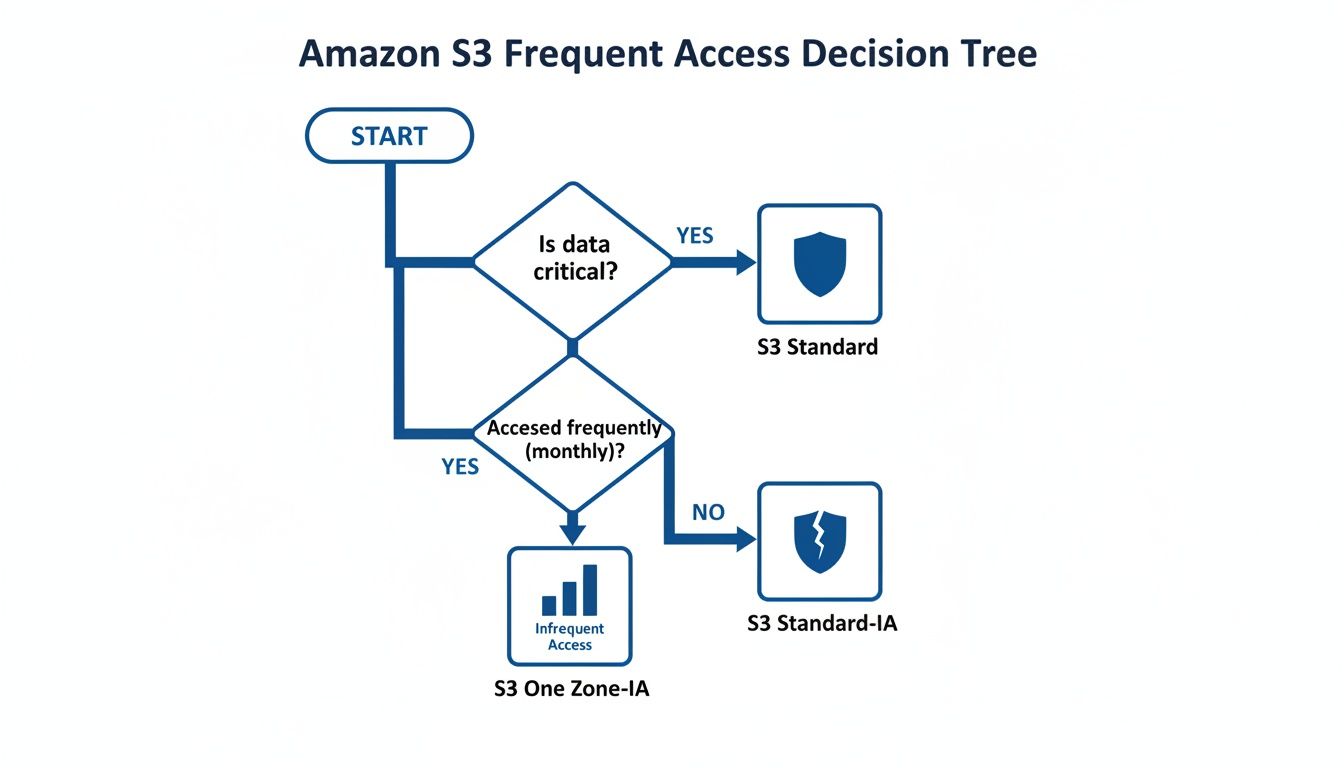
This diagram highlights the classic tradeoff: S3 Standard is reliable but pricier, while One Zone-IA is cheaper but less durable. S3 Intelligent-Tiering bridges this gap by managing the cost-performance balance for you.
S3 Storage Class Decision Matrix
To help you visualize the best fit for your data, here's a quick comparison of the major S3 storage classes based on what matters most: access patterns, retrieval speed, and cost.
| Storage Class | Primary Use Case | Retrieval Time | Minimum Duration | Best For |
|---|---|---|---|---|
| S3 Standard | Frequently accessed, critical data | Milliseconds | None | Websites, mobile apps, content distribution, active analytics. |
| S3 Intelligent-Tiering | Data with unknown or changing access | Milliseconds | None | New applications, data lakes, datasets with unpredictable usage patterns. |
| S3 Standard-IA | Infrequently accessed, important data | Milliseconds | 30 Days | Long-term backups, disaster recovery files accessed less than once a month. |
| S3 One Zone-IA | Infrequently accessed, non-critical data | Milliseconds | 30 Days | Recreatable data like thumbnails, secondary backup copies. |
| S3 Glacier Instant Retrieval | Long-term archive needing instant access | Milliseconds | 90 Days | Medical images, news media assets, user-generated content archives. |
| S3 Glacier Flexible Retrieval | Long-term archive with flexible retrieval | Minutes to Hours | 90 Days | Backup and disaster recovery where a few minutes of wait time is acceptable. |
| S3 Glacier Deep Archive | Deepest archive for compliance/retention | Hours | 180 Days | Financial records, legal documents, data that is rarely, if ever, accessed. |
This matrix provides a starting point, but the nuances of your workload, especially if access patterns are unpredictable, are what make a class like Intelligent-Tiering so valuable.
Comparing Automation vs. Manual Policies
Sure, you could set up S3 Lifecycle policies to transition data from S3 Standard to Standard-IA. The problem is that it's a one-way street; a lifecycle policy can move data down to a cheaper tier, but it can't automatically move it back up if it becomes popular again.
S3 Intelligent-Tiering gives you that critical two-way movement automatically. This is a massive advantage for dynamic datasets where an old file can suddenly become relevant. Plus, with no retrieval fees between its Frequent and Infrequent tiers, you avoid the cost penalty that comes with using Standard-IA or One Zone-IA for data that is accessed more than expected. For most general-purpose storage needs today, it’s the most cost-effective, set-it-and-forget-it choice.
Here is the rewritten section, crafted to sound completely human-written and natural, following the specified style and guidelines.
Choosing the Right S3 Glacier Archive Tier for Deep Savings
When your data goes cold, meaning you almost never need to access it, paying for faster storage tiers is just burning money. For true long-term data retention where cost is king, you need to look at the S3 Glacier archive classes. These are built specifically for holding onto data for years, trading instant access for massive cost reductions.
Let's break down S3 Glacier Instant Retrieval, S3 Glacier Flexible Retrieval, and S3 Glacier Deep Archive. They’re essential for digital preservation, compliance archives, or just storing massive media files without getting a shocking bill. Just remember, these aren't like the other S3 classes; they come with retrieval times ranging from milliseconds to hours and longer minimum storage commitments.
S3 Glacier Instant Retrieval: The Best of Both Worlds?
S3 Glacier Instant Retrieval is a unique hybrid. It offers the low storage costs you'd expect from an archive tier but with the millisecond retrieval performance you get from S3 Standard. This makes it a perfect fit for things like medical images, news media assets, or user-generated content that's rarely needed but has to be available right now when a request comes in.
You get the same high-throughput, low-latency performance as the more expensive, frequently-accessed tiers. So, what's the catch? While the storage price is low, it’s higher than the other Glacier options. More importantly, it comes with a minimum storage duration of 90 days. If you delete or move an object before that time is up, you’ll be charged for the full 90 days anyway.
S3 Glacier Flexible Retrieval: Balancing Cost and Time
For classic archival needs where waiting a few minutes or even a few hours is no big deal, S3 Glacier Flexible Retrieval hits the sweet spot on cost. Think backups, disaster recovery data, and other information you need to restore eventually, just not immediately.
This class gives you a few different ways to get your data back, each with its own cost and speed:
- Expedited: Gets your data in 1 to 5 minutes for those rare, urgent requests.
- Standard: The default, which returns data within 3 to 5 hours.
- Bulk: The cheapest option, designed for restoring large volumes of data within 5 to 12 hours.
The key thing to understand about Glacier Flexible Retrieval is that retrieval isn't just about time: it also has a per-gigabyte fee that changes based on the speed you pick. Bulk retrievals are completely free, making this a no-brainer for large, planned data restorations where you care more about the budget than the clock. Just like Instant Retrieval, this class has a 90-day minimum storage commitment.
S3 Glacier Deep Archive: For the Deepest Long-Term Storage
When you need to park data for years, maybe even a decade, and have almost zero expectation of ever touching it again, S3 Glacier Deep Archive is your go-to. It is the absolute cheapest of all S3 storage classes, making it the industry standard for meeting strict regulatory requirements for financial records, legal documents, and other compliance data.
The trade-off is, of course, time. A standard retrieval takes up to 12 hours, and a bulk retrieval can take as long as 48 hours. There's no fast option here. Because it’s built for extremely long-term retention, it also has the longest minimum storage duration of 180 days. Delete an object before six months, and you'll get a pro-rated charge for the time remaining in that 180-day window.
This class is designed for a "write once, read almost never" lifecycle. The goal here is simple: secure, durable, and incredibly cheap retention over many, many years.
Comparing the S3 Glacier Archive Tiers
So, how do you choose? It all comes down to balancing your retrieval time needs against how long you plan to store the data and what you're willing to pay.
| Feature | S3 Glacier Instant Retrieval | S3 Glacier Flexible Retrieval | S3 Glacier Deep Archive |
|---|---|---|---|
| Primary Use Case | Archiving with instant access | Backup & disaster recovery | Long-term compliance archive |
| Retrieval Time | Milliseconds | Minutes to Hours | Hours |
| Retrieval Options | Single (Instant) | Expedited, Standard, Bulk | Standard, Bulk |
| Minimum Storage Duration | 90 days | 90 days | 180 days |
Each class serves a very different need. If there's any chance you’ll need archived data back in a flash, Glacier Instant Retrieval is your only real choice. If you can afford to wait a few hours and want to control retrieval costs, Flexible Retrieval is perfect. And for data that is purely for "set it and forget it" retention, Deep Archive's savings are impossible to beat.
Practical Use Cases and Lifecycle Policy Examples
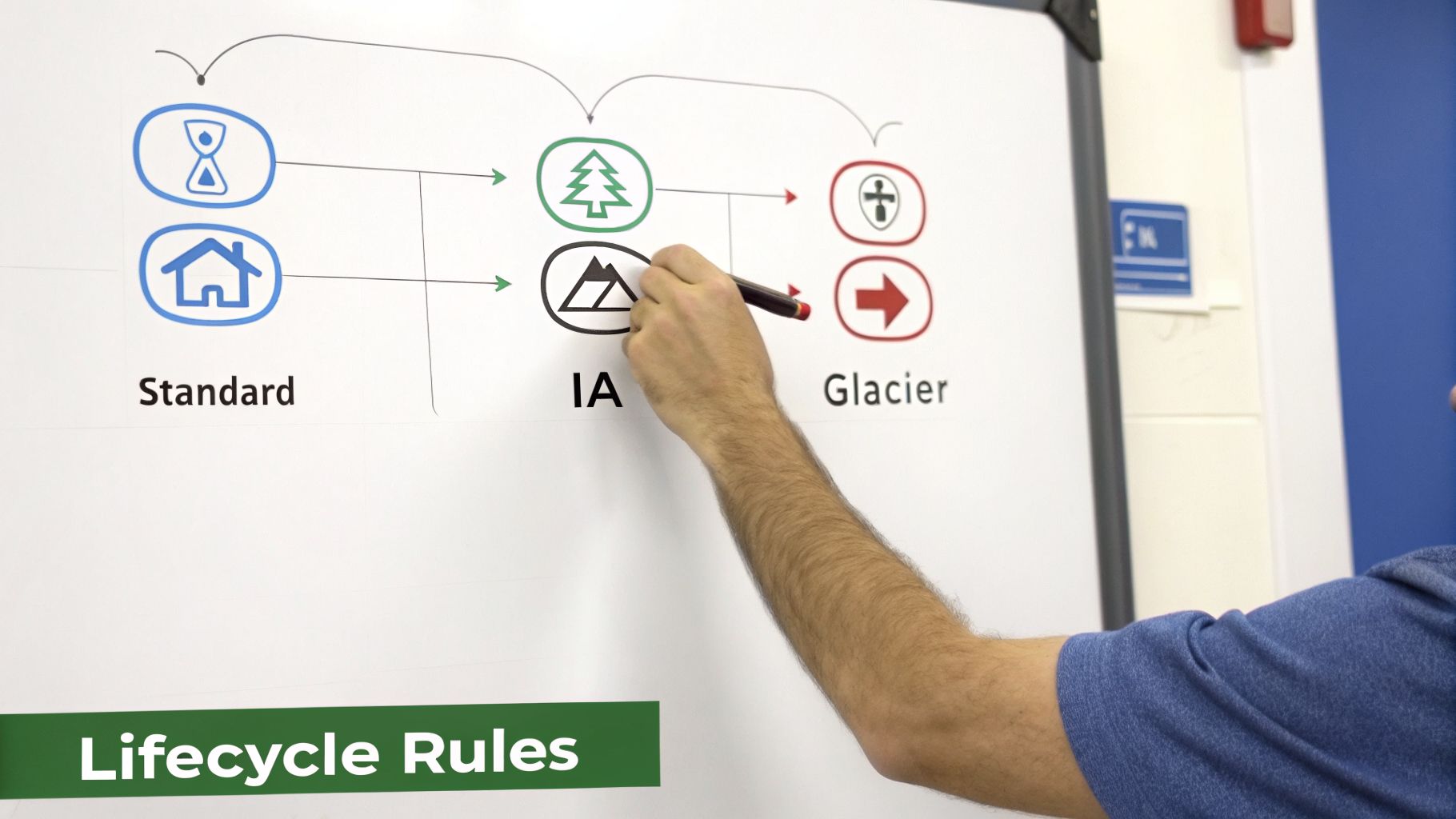
Knowing the theory behind S3 storage classes is great, but the real win comes from putting that knowledge into practice to cut your cloud bill. The best way to do that is with S3 Lifecycle policies, which let you automate how your data moves between tiers as it gets older.
Think of a lifecycle policy as a simple set of rules you give S3. These rules tell S3 when to transition objects to a cheaper storage class based on their age. For example, you can set a rule to automatically shift data from S3 Standard to Standard-IA after 30 days of inactivity, creating a hands-off cost optimization machine.
User Generated Content
A classic example is managing user-uploaded content like profile photos, videos, and documents. This kind of data gets a ton of traffic right after it’s uploaded, but access drops off a cliff pretty quickly.
Here’s a smart lifecycle policy for that scenario:
- Start in S3 Standard: All new files land in S3 Standard. This ensures snappy, low-latency performance when the content is fresh and popular.
- Transition to Standard-IA: After 30 days, the policy kicks in and moves the objects to S3 Standard-IA. This drops your storage costs significantly for data that’s now gathering dust.
- Archive in Glacier Deep Archive: After 365 days, the data moves again, this time to S3 Glacier Deep Archive. This is your long-term, ultra-low-cost home for files you need for compliance or historical records but likely won't touch.
This automated, tiered approach stops you from paying premium prices for aging content that nobody is looking at anymore.
Keep in mind that S3 Lifecycle policies are a one-way street. They move data down to cheaper tiers, but they can't promote it back up if it suddenly becomes popular again. If your access patterns are all over the place, S3 Intelligent-Tiering is a much better fit.
Application Logs and Analytics Data
Application logs are indispensable for debugging but lose their immediate relevance fast. The same goes for raw analytics data: it’s heavily used for a short time during processing, then mostly kept for historical look-backs or audits.
For this kind of data, you can get away with a simple, aggressive lifecycle policy and see huge savings.
- Move to Standard-IA: After just 30 days, shift the logs to S3 Standard-IA. They’re still easily accessible for any near-term investigations, but you're not paying the full price to store them.
- Archive to Glacier Flexible Retrieval: After 90 days, the logs can go to S3 Glacier Flexible Retrieval. It's a cost-effective archive that still lets you pull data back in minutes or hours if an audit comes up.
- Set an Expiration Date: To avoid hoarding data forever, a final rule can permanently delete logs after 7 years. This aligns with most data retention policies and prevents indefinite storage costs.
If you want to go deeper on managing storage expenses, check out our detailed guide on understanding S3 bucket costs and other optimization strategies.
Digital Media Archives and Backups
For any business handling massive media files or critical backups, the S3 Glacier classes are a game-changer. These files are typically huge and rarely accessed, making them prime candidates for deep, cold storage.
Imagine a video production house with terabytes of raw project footage. Once a project is delivered, the source files are almost never needed again, but they have to be kept.
A lifecycle policy here could be dead simple:
- Initial Storage: Keep files in S3 Standard-IA for the first 90 days. This acts as a buffer in case a client requests a quick re-edit or a different render.
- Deep Archive: After that 90-day window, move the files directly to S3 Glacier Deep Archive. This gives you the absolute rock-bottom storage price for data that might sit untouched for years.
By setting up lifecycle policies that match your real-world use cases, you can transform your S3 buckets into self-optimizing, cost-efficient systems. This kind of proactive management of your S3 storage classes is a foundational skill for any team trying to get their cloud spend under control without compromising on availability.
Cost Optimization Strategies for FinOps Teams
Picking the right S3 storage classes is a fantastic first step, but real, sustainable cost optimization is a marathon, not a sprint. For FinOps teams, the mission is to build practices that go far beyond the initial setup. This means getting a clear view of your storage landscape with AWS tools, actively managing your data’s lifecycle, and getting rid of storage you simply don’t need anymore.
After all, you can't optimize what you can't see. This is where a couple of native AWS tools become absolutely essential for understanding what’s happening in your S3 environment.
S3 Storage Lens gives you that crucial organization-wide visibility into your object storage. Its interactive dashboard lets you see usage trends, spot anything unusual, and get solid recommendations for cutting costs.
S3 Storage Class Analysis zooms in on a specific bucket to monitor how your data is being accessed. It takes the guesswork out of lifecycle policies by showing you exactly when it’s time to move objects to a cheaper storage class.
These tools give you the hard data you need to make smart decisions, forming the bedrock of any serious S3 cost optimization strategy.
Proactive Storage Management
With clear visibility into your access patterns, you can start applying specific tactics to drive down costs. These strategies are all about cleaning up data that’s no longer useful and making sure your storage footprint is just right.
A huge, often overlooked, source of cost creep is versioning. It’s a great safety net, but it can quickly lead to bill shock if you let it run wild. Every version is a full copy of an object, and you’re paying to store every single one. Set up a lifecycle rule to automatically clear out old, noncurrent versions after a set time, like 90 or 180 days, to keep those costs under control.
Another sneaky cost is incomplete multipart uploads. When a large file upload fails, those partial data fragments can get left behind, silently racking up storage charges. You should always have a lifecycle rule in place to automatically delete these incomplete uploads after a few days. It's simple housekeeping that pays dividends.
Effective cost attribution is a cornerstone of FinOps. By tagging S3 buckets by project, team, or cost center, you can accurately track and attribute storage costs, fostering accountability and enabling more precise business cases for optimization projects.
Building the Business Case for Optimization
For FinOps teams, getting a handle on cloud pricing models and accessing detailed cost data is non-negotiable. Resources like Cost and Rate Cards can be incredibly helpful for modeling potential savings. When you combine the insights from S3 Storage Lens with clear pricing information, you can build an undeniable case for investing time and resources into storage optimization.
Ultimately, managing S3 costs is an ongoing cycle of analysis, action, and automation. By using the right tools and implementing smart lifecycle policies, any organization can achieve significant and lasting reductions in their cloud spend. If you're new to this discipline, learning about what is FinOps is a great place to start understanding how it connects finance, engineering, and the business.
Frequently Asked Questions About S3 Storage Classes
As you dig into the details of S3 storage, a few common questions almost always come up around costs, object sizes, and day-to-day management. Let's get you some clear, straightforward answers.
What Is the Minimum Billable Object Size?
For the infrequent access tiers (Standard-IA and One Zone-IA) and all the Glacier tiers, AWS enforces a minimum billable object size of 128 KB. If you store an object smaller than that, you'll be charged as if it were 128 KB anyway.
This is a classic "gotcha" to watch out for. Storing millions of tiny log files or thumbnails in an IA class could easily end up costing you more than just leaving them in S3 Standard, which has no minimum object size.
How Are S3 Retrieval Fees Calculated?
Retrieval fees are a reality for any of the Infrequent Access and Glacier storage classes. AWS charges these fees on a per-gigabyte basis. So, if you pull a 10 GB file from S3 Standard-IA, you’ll pay the per-GB retrieval fee multiplied by 10.
It's absolutely critical to model your retrieval patterns. A few large, rare retrievals are usually fine. But if you have an application that frequently accesses many small files, the retrieval costs can quickly balloon and wipe out any savings you made on storage.
Can I Move Objects from a Cheaper Tier to a More Expensive One?
Yes, but you can’t use a standard S3 Lifecycle policy for this. Lifecycle rules are designed to follow a "waterfall" model, meaning they only move data to progressively cheaper tiers (like from Standard down to Glacier). They don't move data "uphill."
To move data from an infrequent to a frequent access tier, you need a different approach. The most direct method is to run an S3 Batch Operations job that performs a COPY operation on your objects, specifying the new, more expensive storage class as the destination.
How Can I Monitor My S3 Costs Effectively?
Keeping a close eye on your S3 spending requires using a few different tools in concert.
- AWS Cost Explorer: This is your go-to for filtering and visualizing S3 spending. You can group costs by storage class, bucket, or tags to see exactly where your money is going.
- S3 Storage Lens: Think of this as your organization-wide command center for S3. Its dashboards are great for spotting usage anomalies and highlighting cost-saving opportunities you might have missed.
- AWS Budgets: Set up budgets to get an email or SMS alert the moment your S3 spending crosses a threshold you've defined. It's a simple but powerful way to prevent surprises.
For more hands-on cloud cost management, many FinOps teams turn to outside experts. You can explore managed offerings from specialists, like Dr3am Cloud services, that focus on optimizing your entire cloud footprint.
Ready to stop wasting money on idle cloud servers? CLOUD TOGGLE makes it easy to automate your savings. Schedule your AWS and Azure virtual machines to power off when you're not using them, and watch your cloud bill shrink. Start your free 30-day trial and see how much you can save at https://cloudtoggle.com.