The real story behind AWS vs. Azure pricing often boils down to one simple question: how deep are you already in the Microsoft ecosystem? If your organization runs on Windows Server and SQL Server, Azure’s licensing benefits can give it an immediate and sometimes significant cost advantage. On the other hand, AWS offers a sprawling marketplace of highly specialized services that can be far more economical for very specific, niche workloads.
Decoding The Core Pricing Philosophies Of AWS And Azure
When you start comparing "pricing aws vs azure," you’ll quickly find both giants built their empires on a pay-as-you-go model. This isn’t just a billing method; it’s a fundamental shift in how businesses handle technology spending. Gone are the days of massive upfront capital investments in servers and data centers. Instead, cloud computing becomes a predictable operational expense, where you only pay for what you actually use.
This consumption-based billing is the engine of modern cloud infrastructure, giving you incredible flexibility. For FinOps leaders and IT managers, it means you can spin up resources for a product launch and tear them down the next day, avoiding the crippling costs of overprovisioning for peak demand that might only happen a few times a year.
Foundational Billing Concepts
At their core, both AWS and Azure bill for compute, storage, and networking down to a granular level, often by the second. While this precision is great for cost management, it also adds a layer of complexity. You need to get comfortable with a few key concepts right from the start:
- On-Demand Instances: This is your default, no-strings-attached option. You pay a fixed rate for compute or database capacity by the hour or second with zero long-term commitments. It's the perfect fit for applications with spiky, unpredictable traffic.
- Consumption-Based Billing: It’s not just about servers. You pay for exactly what you consume across every service: how many gigabytes you store, the number of database queries you execute, and every bit of data you transfer out of their network.
To get a solid footing, it's helpful to review a broader Cloud Hosting Cost Comparison to see how these principles apply across the industry. While the vendor names change, the game of managing resource consumption stays the same.
A critical takeaway here is that the "cheaper" provider is always situational. Your final bill has less to do with the sticker price of a virtual machine and more to do with your application's architecture, data transfer patterns, and your willingness to commit to long-term usage.
High-Level Pricing Model Overview
Before diving deep into specific services, let's look at how AWS and Azure approach billing at a high level. While they share the pay-as-you-go philosophy, their packaging and discount models have subtle differences that can have a huge impact on your monthly spend.
| Pricing Element | AWS (Amazon Web Services) | Azure (Microsoft) |
|---|---|---|
| Core Philosophy | Pay for what you use, with a massive catalog of granular services. | Pay for what you use, with strong integration and licensing benefits for Microsoft customers. |
| Billing Increment | Per-second billing for many services, typically with a 60-second minimum. | Per-second billing is available for many virtual machine types and container-based services. |
| Key Differentiator | Mature marketplace and a vast array of specialized services that can be cost-effective for specific use cases. | Azure Hybrid Benefit offers significant discounts for users bringing existing Windows Server and SQL Server licenses. |
Ultimately, AWS wins on pure variety and a mature ecosystem, which can drive down costs for unique workloads. Azure, however, plays its trump card with the Azure Hybrid Benefit, making it a compelling, and often cheaper, choice for enterprises already running on Microsoft software.
A Detailed Comparison Of Compute Instance Pricing
When it comes to cloud spending, compute services like AWS EC2 and Azure Virtual Machines are almost always the biggest line item on the bill. Getting this choice right isn't just a technical decision; it's a critical financial one that will echo through your operational budget for years.
While both AWS and Azure dangle a massive menu of instance types for every conceivable workload, a closer look reveals they're playing different games with their pricing. Understanding these strategic differences is absolutely essential before you commit.
This chart gives you a quick visual rundown of how their pricing models stack up at a high level.
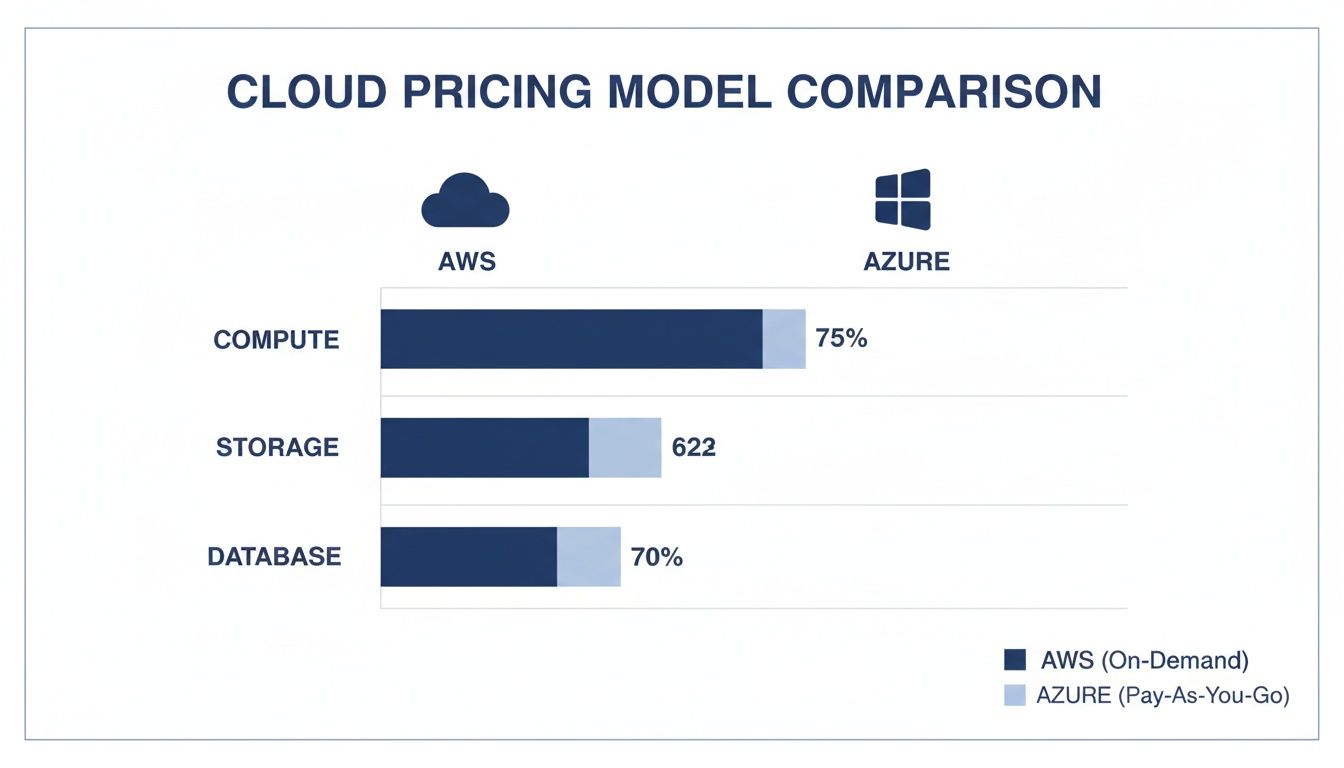
It sets the stage perfectly for a deeper dive into the numbers and what they mean for your wallet.
General Purpose Instance Costs
General-purpose instances are the workhorses of any cloud environment. They offer a solid balance of CPU, memory, and networking, making them the go-to choice for web servers, dev environments, and most standard business applications.
At first glance, comparing a common instance like an AWS t4g.xlarge to a similar Azure D-Series machine might not reveal much. The hourly on-demand rates often look pretty close. But the devil is in the details. Things like AWS's per-second billing versus Azure's per-minute billing can make a real difference, especially for short-lived tasks where every second counts.
More importantly, the long-term pricing trends tell a fascinating story. Between 2019 and 2022, AWS actually hiked its average on-demand compute prices, with a 23.0% increase in 2022 alone. In stark contrast, Azure went the other way, dropping its on-demand compute prices by a net 9.1% during the same period.
Compute-Optimized Instances
Got an application that just eats CPU for breakfast? For workloads like high-performance computing (HPC), heavy batch processing, or video transcoding, compute-optimized instances are what you need. They are built with a high ratio of vCPUs to memory.
The competition here is just as fierce. AWS fields its C-series instances (like the popular c5.xlarge), which are purpose-built for CPU-intensive jobs. Azure's answer is its F-series VMs, designed for the exact same kind of demanding applications.
A key takeaway here is that the raw hourly price isn't the whole story. A newer-generation instance might cost a few cents more per hour but could finish your job twice as fast, resulting in a much lower total cost.
This is one area where you absolutely have to benchmark. Run your actual workload on comparable instances from both providers before locking anything in. You're not looking for the cheapest option; you're looking for the most cost-effective one for your specific task.
Memory-Optimized Instances
For workloads that need to hold massive datasets in memory, think large-scale databases, real-time analytics engines, or in-memory caches, memory-optimized instances are non-negotiable. These machines offer huge amounts of RAM relative to their CPU count.
AWS offers its R-series and X-series for these scenarios, while Azure has its E-series and M-series. Be warned: these instances can get expensive, fast. This makes cost optimization absolutely critical.
You can't just eyeball the hourly rates here. You need to fire up the official pricing calculators to model your costs accurately. If you're leaning toward Microsoft's ecosystem, our guide on the Azure virtual machine pricing calculator can help you get a much clearer picture of your potential spend. This is especially true when you factor in discount programs, as the savings can vary wildly depending on your commitment level.
Navigating Storage And Networking Cost Differences
While compute costs usually grab all the headlines, it's the storage and networking fees that often become the silent budget killers. A tiny difference in per-gigabyte storage or data transfer rates can quickly snowball into a massive expense, especially if you're running data-heavy applications. To really win the "pricing AWS vs Azure" battle, you have to get granular on these often-overlooked costs.
Both AWS and Azure have smart, tiered object storage solutions designed to save you money based on how often you access your data. We're talking about AWS Simple Storage Service (S3) and Azure Blob Storage. Both use a similar model of hot, cool, and archive tiers, but they use different names and, crucially, have different price points.

The idea is simple: pay less for data you rarely touch (like long-term backups) while keeping your most active data ready to go at a slightly higher price.
Comparing Object Storage Tiers
The biggest mistake I see teams make is just glancing at the per-gigabyte price. The real cost is hiding in the transaction and retrieval fees, which can bite you hard if you misjudge your access patterns. Sure, storing a terabyte of data in an archive tier is dirt cheap, but the bill to get it back can be a nasty surprise.
Let's look at the equivalent tiers side-by-side:
- Standard/Hot Tier: This is for your frequently accessed data. Think website images, application assets, or anything in constant use. AWS S3 Standard and Azure Blob Hot Storage are built for high performance and instant access.
- Infrequent Access/Cool Tier: Perfect for data you don't need every day but must be available quickly when you do. Monthly backups or older user content are great fits. AWS S3 Infrequent Access (IA) and Azure Blob Cool Storage offer lower storage prices but charge more for retrieval.
- Archive Tier: This is the deep freeze for long-term data archiving, mainly for compliance or regulatory needs where you rarely (if ever) expect to retrieve the data. AWS S3 Glacier and Azure Blob Archive boast the lowest storage costs but come with the highest retrieval fees and potential delays.
For a deeper dive, our complete guide on Azure Blob Storage pricing breaks down the numbers and nuances of each option. Getting this right is fundamental to building a cost-effective storage strategy.
The crucial lesson is to match your data's lifecycle to the correct storage tier. Storing active data in an archive tier to save a few dollars will backfire spectacularly the moment you need to access it.
Demystifying Data Transfer And Egress Fees
Now for the most notorious and misunderstood cloud cost: data egress. This is the fee you pay to move data out of the cloud provider's network.
Both AWS and Azure are happy to let you move data in for free (ingress), and they generally don't charge for data moving between services within the same region. But the second that data crosses the boundary to the public internet or even to another one of their own regions, the meter starts running. Fast.
These fees are notoriously complex, varying by region and the volume of data you're moving. A per-gigabyte rate might look small on paper, but if your application serves large media files, generates reports for external users, or runs in a multi-cloud setup, egress fees can easily become one of the biggest line items on your bill.
When you're comparing pricing for AWS vs Azure, you absolutely must model your expected data transfer patterns. If you're sending tons of data out to your users, those egress costs could completely wipe out any savings you found on compute or storage. Careful architectural planning is not just a best practice; it's a non-negotiable step in cloud cost optimization.
Maximizing Savings With Commitment And Licensing Programs
While pay-as-you-go pricing offers incredible flexibility, it’s rarely the most cost-effective way to run stable, predictable workloads. Both AWS and Azure know this, and they offer significant discounts to customers willing to commit long-term.
These programs are at the heart of any serious AWS vs. Azure pricing discussion because they can slash compute costs by up to 72%.
However, each provider approaches these discounts with a different philosophy, especially when it comes to flexibility and existing software licenses. Choosing the right program means you need a clear vision for your application's future. Locking into the wrong plan can easily wipe out any potential savings. Your decision really hinges on how well you can forecast your usage over the next one to three years.
Don't think these commitment programs are just for huge enterprises. Even smaller businesses with a consistent baseline of server usage can benefit tremendously, turning a variable operational expense into a predictable, lower-cost investment.
AWS Commitment Options: Reserved Instances And Savings Plans
AWS gives you two main ways to save with a commitment: Reserved Instances (RIs) and Savings Plans. They both offer deep discounts over on-demand rates, but they serve slightly different strategic goals.
- Reserved Instances (RIs): This is the classic model. You commit to a specific instance family (like m5), size, and region for a one or three-year term. It’s not very flexible, but that rigidity delivers some of the highest possible discounts. This route is best when you're absolutely certain about your future infrastructure needs.
- Savings Plans: A much more modern and flexible alternative. Instead of committing to an instance type, you commit to a certain dollar amount of compute spend per hour (e.g., $10/hour) for one or three years. This commitment then automatically applies to any EC2 or Fargate usage across different instance families and regions. You get great savings without the strict constraints of RIs.
For most people today, Savings Plans are the smarter choice because of their flexibility. They let your infrastructure evolve without forcing you to manually manage or convert reserved instances, which simplifies cost management in a big way.
The trade-off with AWS is crystal clear: the more specific your commitment, the higher your potential discount. Reserved Instances offer top-tier savings for workloads that never change, while Savings Plans provide excellent discounts with the freedom to adapt your instance types as your needs shift.
Azure Reserved Instances And The Hybrid Benefit Advantage
Azure also offers Reserved VM Instances, which work a lot like AWS RIs. You commit to a specific virtual machine type in a particular region for one or three years and get a substantial discount in return. It’s ideal for applications with steady, predictable usage.
But where Azure really sets itself apart is with the Azure Hybrid Benefit. This program is arguably Azure’s single biggest cost advantage for any organization already invested in the Microsoft ecosystem. It lets you apply your existing on-premises Windows Server and SQL Server licenses (with Software Assurance) to your Azure VMs.
Essentially, this benefit strips out the software licensing cost from your virtual machine price, leaving you to pay only for the base compute infrastructure. The savings can be massive, often making Azure the hands-down winner for any Windows-based workloads. To get a full breakdown of how this program works, check out our detailed guide on the Azure Hybrid Benefit.
When you combine Azure Reserved Instances with the Hybrid Benefit, you can achieve savings of up to 80% compared to standard pay-as-you-go rates.
Uncovering Hidden Costs And Real-World Scenarios
The sticker price you see on a cloud provider’s website rarely tells the whole story. When you’re comparing AWS vs. Azure pricing, the final bill often gets inflated by a host of hidden costs that are easy to miss until it’s too late. These charges, coming from things like managed services, premium support plans, and complex data transfers, can dramatically change your Total Cost of Ownership (TCO).
Understanding these variables is absolutely critical for anyone trying to manage a cloud budget. What looks like a minor charge for a load balancer or a managed database can add up shockingly fast. Suddenly, your "cost-effective" choice becomes an expensive operational headache. To avoid these surprises, you have to look beyond the per-hour cost of a VM and analyze the entire service ecosystem.

Real-World Example: A Multi-Tier Web Application
Let’s get practical and break down a standard multi-tier web application. This setup typically involves a load balancer, a cluster of auto-scaling web servers, and a managed relational database. On paper, the raw compute costs might seem pretty close, but the services wrapped around them introduce some major differences.
- Load Balancing: AWS Elastic Load Balancing and Azure Load Balancer don't charge the same way. AWS often bills per hour plus a fee based on data processed. Azure, on the other hand, might use a rule-based pricing model. For an app with heavy traffic, these small differences become very significant.
- Auto Scaling: The auto-scaling feature itself is usually free on both platforms, but the new instances it spins up definitely are not. The speed and efficiency of how it scales can impact your costs. You only want to pay for that extra capacity exactly when you need it.
- Managed Databases: This is a huge point of divergence. An AWS RDS instance and an Azure SQL Database with similar specs can have wildly different price tags and feature sets, directly hitting your monthly bill.
A 2023 analysis found baseline monthly expenses of $461-$578 for AWS and $435-$552 for Azure, but these numbers don't capture the variables that can make costs balloon. For instance, a basic Azure SQL Database can start at just $5 per month, while a comparable AWS RDS instance might be closer to $124.80 monthly. It just goes to show how much service-specific pricing can vary.
The Impact Of Support Plans
Another cost that people constantly forget is technical support. Both AWS and Azure offer a free basic tier, but let’s be honest, for any real production workload, you're going to need a paid plan. These plans are usually priced as a percentage of your total monthly cloud bill. As your usage grows, so does your support bill.
The "Developer" support plan on both AWS and Azure starts at $29/month. But the "Business" tier, which most companies need for production, kicks off at $100/month and scales up from there. Factoring this percentage-based cost into your TCO isn't optional; it's essential for accurate budgeting.
This is a critical piece of the puzzle. A lower compute bill on one platform could be completely wiped out by a more expensive (and mandatory) support plan, flipping your TCO calculation on its head.
Data Transfer Between Services
Finally, data transfer costs are notoriously tricky. Moving data within the same availability zone is usually free, but the moment you start moving it between different zones, regions, or even services, you can start racking up charges. For an application where the database and web servers are constantly talking to each other, these inter-service data fees can add up.
Both providers have complex pricing rules for this, and it’s an area where costs can easily spiral out of control if you're not watching closely. Architecting your application to minimize these transfers from day one is a core cost optimization strategy.
Beyond cloud-specific tweaks, exploring the ultimate software tools for startups to save time and money can offer a broader view on managing expenses. The real challenge in comparing AWS vs. Azure pricing is in accurately modeling these nuanced, usage-based costs that hide just beneath the surface.
Common Questions About AWS vs. Azure Pricing
When you're trying to get a handle on cloud costs, a few key questions always come up. Let's break down the most common ones people ask when comparing AWS and Azure pricing.
Is AWS or Azure Generally Cheaper for a Startup?
This is the million-dollar question, but the honest answer is: neither is universally cheaper. The final bill is all about your specific usage.
For businesses already deep in the Microsoft ecosystem, Azure often has a clear edge thanks to the Azure Hybrid Benefit, which can seriously cut down licensing costs. On the other hand, if your workload needs a very particular or specialized type of instance, AWS's vast selection might end up being more cost-effective.
My advice for startups? Start with a pay-as-you-go plan on whichever platform feels more familiar. The single most important thing you can do to save money early on is to be ruthless about shutting down non-production resources the second they're not being used. That's where the real waste happens.
How Do Data Transfer Costs Compare?
Both AWS and Azure are pretty similar on the surface here. They both offer free data ingress (getting data into the cloud) and don't charge for data moving between services within the same availability zone or region.
The real expense, and the one that often catches people by surprise, is data egress. This is the cost of moving data out of the cloud and onto the public internet. While the per-gigabyte rates look similar, the sticker shock usually comes from unexpected inter-region data transfers. It's crucial to design your applications to keep this kind of traffic to a minimum and to factor it into your cost models from day one.
The biggest hidden cost on both AWS and Azure isn't a specific service; it's idle resources. Dev, staging, and QA servers that run 24/7 but are only used a few hours a day are a massive source of wasted cash.
Can I Switch from Pay-As-You-Go to a Reserved Plan Later?
Absolutely. In fact, you should. This is a fundamental cost optimization strategy on both platforms. You can purchase Reserved Instances (or their equivalent, Savings Plans) for your existing on-demand resources at any time.
The best practice is to run your workloads for a few months on a pay-as-you-go model. This gives you real-world data on your baseline usage. Once you have a clear picture of your steady-state needs, you can confidently commit to a one or three-year term for those stable workloads and lock in some serious savings.
Ready to stop paying for idle cloud resources? CLOUD TOGGLE makes it easy to automate start/stop schedules for your AWS and Azure servers, cutting your cloud bill without complex scripts or giving up control. Start your free trial and see how much you can save at https://cloudtoggle.com.