Managing your cloud services effectively is all about applying a consistent set of policies and processes to your environment. The whole point is to keep things secure, cost-effective, and perfectly aligned with what your business is trying to achieve. Think of it as the essential control system for your digital infrastructure.
What Is Cloud Service Management And Why It Matters
Imagine trying to run a major city's power grid without a central control room. That’s what using the cloud without proper management feels like: chaotic, expensive, and seriously risky. The explosion of cloud computing has handed businesses incredible power, but with that power comes a new layer of complexity that absolutely requires oversight.
Without a structured plan, organizations run into trouble fast. Costs can spiral out of control, security gaps can go unnoticed for months, and operational drag can slow down the very innovation the cloud was meant to accelerate. The management of cloud services tackles these problems head-on. It's not just a technical chore; it's a critical business function that brings much-needed order to the cloud.
The Growing Need For Cloud Oversight
The sheer scale of cloud adoption makes effective management urgent. The global cloud services market is on a rocket ship, projected to blow past USD 2,726.94 billion by 2034. This growth is fueled by businesses everywhere looking for IT solutions that are both scalable and budget-friendly. You can dig into the numbers on the growth of the cloud market on precedenceresearch.com. With this much money being invested, even small inefficiencies can quickly turn into massive financial waste.
Good management flips that liability into a strategic advantage. It gives you a framework for making smart decisions, automating the boring stuff, and maintaining a secure, compliant environment. This frees up your teams to focus on building value instead of constantly fighting fires. To get a better sense of how external experts can handle this, it’s worth exploring managed cloud computing services.
The goal of cloud service management isn't to restrict innovation but to enable it, safely and sustainably. It empowers teams to move quickly with the confidence that guardrails are in place to prevent common pitfalls.
Key Goals Of Cloud Service Management
Ultimately, a strong management strategy helps you hit several interconnected business goals. When done right, it makes sure the cloud is truly serving the organization, transforming it from a simple utility into a powerful engine for growth.
Take a look at the main objectives your management strategy should be aiming for.
Table: Key Goals Of Cloud Service Management
| Objective | Key Benefit |
|---|---|
| Cost Optimization | Actively monitor and reduce cloud spending by eliminating waste and rightsizing resources. |
| Enhanced Security | Enforce security policies consistently across all cloud resources to protect against threats and data breaches. |
| Operational Efficiency | Automate routine operational tasks, freeing up engineering talent for higher-value work. |
| Governance & Compliance | Ensure all cloud activities adhere to internal policies and external regulatory requirements. |
| Performance Reliability | Maintain high levels of performance and availability for critical applications and services. |
Hitting these goals ensures you’re not just using the cloud; you’re using it well. Each one builds on the others to create a stable, efficient, and secure foundation for your business operations.
The Five Pillars Of Effective Cloud Management
Thinking about managing cloud services can feel overwhelming. It isn't a single task, but a whole strategy built on five interconnected pillars. Breaking it down this way turns a massive topic into something you can actually tackle, creating a clear framework for success.
When these five areas work in harmony, they turn the cloud from a potential budget-killer into a powerful business accelerator.
This diagram shows how everything fits together. Core concerns like cost and security are the foundation that supports your bigger business goals.
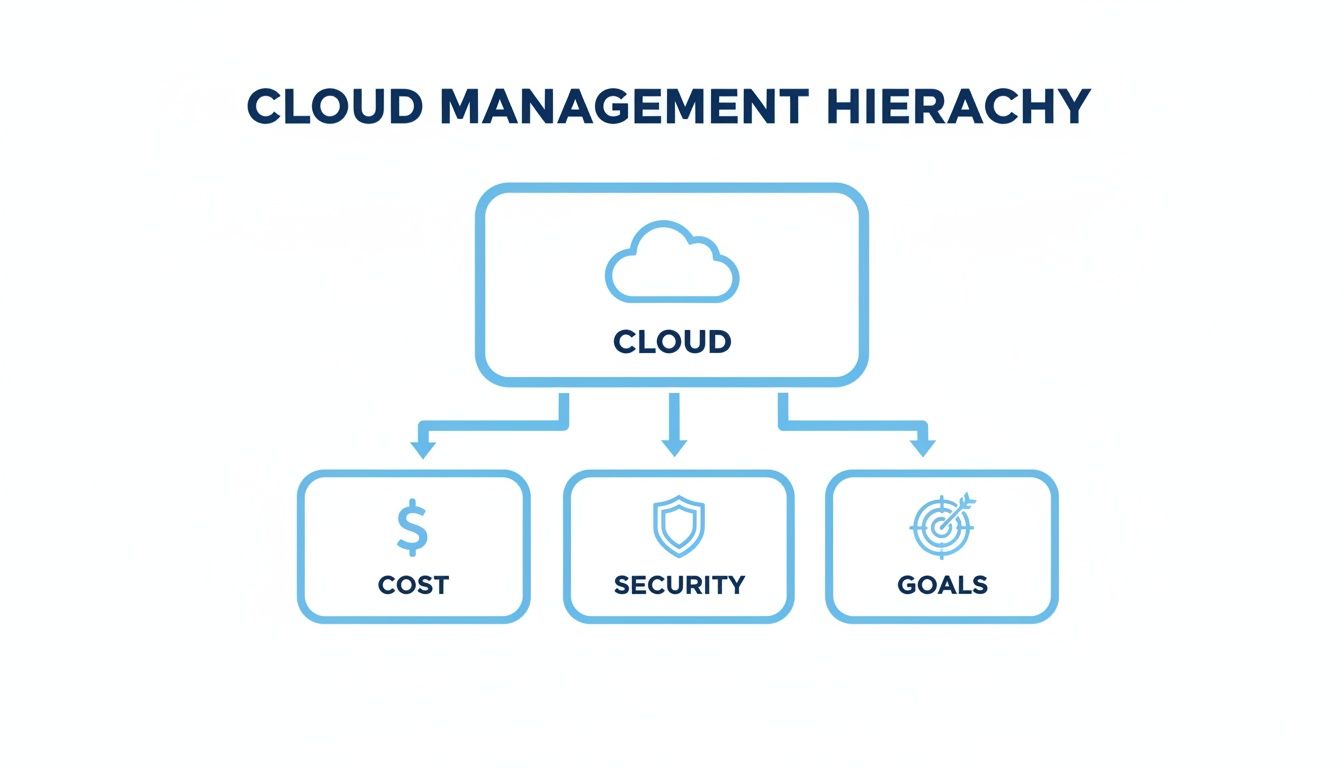
Essentially, a winning cloud strategy means striking a balance between smart spending and tight security to get where you want to go.
Governance And Compliance
The first pillar, governance and compliance, is about setting the rules of the road for your entire cloud setup. It’s the playbook that defines who can do what, how resources should be configured, and which standards you absolutely have to meet.
Without clear governance, you get the "Wild West," a chaotic mess of inconsistent practices that invite security risks and operational nightmares. A strong governance model isn't about bogging teams down with red tape; it's about providing guardrails so they can build and innovate safely.
This includes things like:
- Policy Enforcement: Automatically applying rules for things like resource tagging, naming conventions, and approved cloud regions.
- Access Control: Using Role-Based Access Control (RBAC) to make sure people only have the permissions they truly need for their job, and nothing more.
- Compliance Auditing: Constantly scanning the environment to ensure it lines up with industry regulations like GDPR or HIPAA, as well as your own internal policies.
Think of it as the constitution for your cloud. It establishes the laws and principles that keep everything stable and orderly as you grow.
Cost Management And Optimization
Next up is cost management and optimization, a pillar that has shot to the top of the priority list for almost everyone. It’s painfully easy for cloud usage to spiral out of control, leading to shocking bills that wipe out the very financial benefits you moved to the cloud for.
Controlling cloud costs has become a massive challenge. In fact, 82% of cloud decision-makers say managing spend is their biggest headache. This is getting more urgent as 33% of organizations are expected to spend over $12 million a year on public cloud by 2025. You can dig into more cloud stats on spacelift.io to see the full picture.
Effective cost management is an ongoing discipline, not a one-time fix. It involves visibility, accountability, and continuous optimization to align spending with business value.
This pillar is all about tracking, analyzing, and trimming your cloud bill. Common tasks include hunting down idle resources, rightsizing oversized instances, and locking in provider discounts with reserved instances or savings plans.
Security And Risk Management
The third pillar is security and risk management. As more of your critical data and applications live in the cloud, protecting them is non-negotiable. A single misconfiguration can expose sensitive information, leading to devastating financial and reputational damage.
This is all about building a proactive defense, not just reacting to problems. It’s more than just firewalls; it’s a layered approach to securing your infrastructure and data from the ground up.
Core components include:
- Identity and Access Management (IAM): Being incredibly strict about who can access your resources.
- Threat Detection: Using smart tools to monitor for suspicious activity and respond to it in real time.
- Data Encryption: Protecting data both when it's sitting in storage (at rest) and when it’s moving across networks (in transit).
- Vulnerability Management: Regularly scanning for security weak spots in your systems and patching them up quickly.
By weaving security into every step of your cloud journey, you can manage risks without slowing down your teams.
Operations And Performance Monitoring
The fourth pillar, operations and performance monitoring, is dedicated to one thing: making sure your cloud services are running smoothly, reliably, and efficiently. It’s the art of keeping a close eye on the health of your applications and infrastructure so you can spot trouble before it affects your users.
This means collecting and analyzing metrics, logs, and traces to get a deep look inside your systems. This data helps answer critical questions like: Is our website responding fast enough? Are our servers about to run out of memory? Why did that app just crash?
Strong operational monitoring is what allows you to meet your service level agreements (SLAs) and deliver a consistently great experience for your customers.
Automation And Orchestration
Finally, we have the fifth pillar: automation and orchestration. This is where you teach your cloud to manage itself, drastically reducing manual work and the potential for human error.
Automation handles repetitive tasks, like spinning up servers or applying patches. Orchestration is the next level up, coordinating multiple automated tasks into a single, seamless workflow.
For example, you could orchestrate a process that automatically deploys a new version of your application, runs a bunch of tests, and instantly rolls it back if any of the tests fail. This pillar is the secret sauce for achieving real agility and scale in the cloud. It lets a small, efficient team manage a huge, complex environment, freeing up your best engineers to innovate instead of doing routine maintenance.
Building Your Cloud Governance Framework
Moving from theory to practice is where the real work of managing cloud services begins. A cloud governance framework isn't about creating red tape that slows everyone down. It’s about setting up clear, automated guardrails so your teams can innovate quickly and safely.
This framework answers the big questions: Who can create resources? What are our standard naming conventions? How do we enforce security policies without someone having to click a button every time? Getting these answers right is how you build a stable, predictable, and secure cloud environment.

Think of it as the constitution for your cloud. It sets the laws and principles that guide everyone’s behavior, making sure that as your infrastructure grows, it doesn’t spiral into chaos. A solid first step is to adapt proven IT governance frameworks for the unique demands of the cloud.
Defining Your Account Structure
Before you touch anything else, you need a logical way to organize your cloud accounts. A messy structure is a fast track to security blind spots and surprise bills. The goal is simple: isolate workloads, make billing easy to understand, and limit the "blast radius" if something goes wrong.
A common and highly effective strategy is to create separate accounts or subscriptions based on a clear hierarchy.
- By Environment: Keep your production, development, and testing environments in totally separate accounts. This ensures a mistake in a test environment can never, ever touch live customer data.
- By Business Unit or Department: Giving departments like Marketing, R&D, and Finance their own accounts makes it dead simple to track spending and hold teams accountable.
- By Project: For major initiatives, a dedicated account keeps all related resources neatly bundled for easy management and, eventually, a clean shutdown.
This separation creates natural boundaries for both security and cost controls, making your entire cloud footprint much easier to wrangle.
Implementing Role-Based Access Control
Once your accounts are organized, you need to control who can do what inside them. This is where Role-Based Access Control (RBAC) is non-negotiable. RBAC is built on the principle of least privilege: give people the exact permissions they need to do their job, and nothing more.
A well-implemented RBAC policy is one of your strongest security defenses. It dramatically reduces the risk of both accidental misconfigurations and malicious actions by limiting a user's potential impact.
For example, a developer probably needs to deploy code to a server in the dev environment, but they should have absolutely no ability to delete a production database. It's common sense, but you have to enforce it.
Here’s how to put it into practice:
- Define Roles: Figure out the common job functions in your organization. Think "Developer," "Database Administrator," "Security Analyst," or "Finance Manager."
- Assign Permissions: For each role, create a policy that grants only the necessary permissions. The Finance Manager might only get read-only access to billing dashboards, while the Security Analyst gets to view security logs.
- Assign Users to Roles: Instead of giving permissions directly to individuals, you assign people to these predefined roles. This makes managing access incredibly simple as your team grows or people change jobs.
This approach makes access management scalable and easy to audit, which is a cornerstone of good governance.
Establishing Tagging and Naming Conventions
Finally, you need a system to identify and categorize every single resource you spin up. Without consistent tagging and naming conventions, your environment will quickly become an unmanageable mess. Imagine trying to find all the resources for a specific project when they’re named vm-1, server-test, and instance_prod_final. It’s a nightmare.
Tags are just simple key-value pairs you attach to resources, but a good tagging policy is essential for effective cloud service management.
Common tags you should use include:
Project: The specific project the resource belongs to (e.g.,new-mobile-app).Environment: The deployment stage (e.g.,production,staging).Owner: The team or person responsible for the resource (e.g.,devops-team).CostCenter: The business unit the bill should go to (e.g.,R&D-451).
Consistent tagging powers everything from accurate cost allocation to powerful automation. For instance, you could write a simple script that automatically shuts down all resources tagged with Environment: development every night at 7 PM. That one rule can produce huge cost savings, which is a key idea in FinOps. To dive deeper into this discipline, check out our guide on what FinOps is and how it works.
By combining a solid structure, tight access controls, and clear labeling, you build a governance framework that actually helps you move faster, not slower.
Putting Theory Into Practice: High-Impact Management Workflows
A solid framework is your blueprint, but the real magic happens when you implement workflows. These are the practical, automated processes that tackle common headaches, slash costs, and lock down security, all without bogging down your team.
Let's get our hands dirty and move beyond theory. Here are three powerful workflows you can adapt right now. Each one shows how smart policies and a bit of automation can solve some of the most frequent (and expensive) challenges in the cloud.

Workflow 1: Slash Costs with Automated Shutdowns
One of the biggest culprits of wasted cloud spend is idle resources. Think about it: your development, testing, and staging environments often run 24/7, even though they’re only needed during business hours. It’s like leaving every light on in an empty office building all night, every night.
An automated shutdown workflow targets this waste head-on. The idea is simple: automatically power down non-production servers and databases outside of working hours and fire them back up just before the team clocks in.
This single workflow can cut the compute costs of non-production environments by up to 70%. It’s often the quickest and most effective way to see a big, immediate drop in your cloud bill.
Here’s the game plan:
- Tag Your Resources: First things first, make sure all non-production resources are properly tagged (e.g.,
Environment: developmentorEnvironment: staging). This is non-negotiable; it’s how the automation knows what to turn off. - Set a Schedule: Define the "on" hours for your team. This might be 8 AM to 7 PM, Monday through Friday.
- Automate It: Use a native tool like AWS Instance Scheduler, Azure Automation, or a third-party platform to create a simple script. The script finds resources with the right tags, then runs a "stop" command after hours and a "start" command in the morning.
This simple process turns cost control from a manual chore into a reliable, set-it-and-forget-it system. For a deeper dive, check out this detailed article about what resource scheduling is and how to apply it.
Workflow 2: Secure Access with Role-Based Controls
Now for a classic security scenario. A new developer joins the team. They need access to the staging environment to test their code, but you can’t just hand over the keys to the entire kingdom.
This is where a Role-Based Access Control (RBAC) workflow shines. Instead of giving permissions directly to a person, you assign them to a pre-built "Developer" role.
Let's say the developer needs to:
- Start and stop virtual machines in the staging account.
- Upload build files to a specific storage bucket.
- Check logs to see what went wrong.
The RBAC workflow makes sure they can do their job without accidentally deleting critical production data. You create a policy that allows only those specific actions and attach it to the "Developer" role. When the new hire starts, you just assign them that role. Done. They get exactly what they need, and nothing more.
Workflow 3: Stay Ahead with Proactive Monitoring and Alerts
Finally, let's talk about operational stability. Finding out your website is down from an angry customer is a terrible way to start the day. A proper monitoring and alerting workflow lets you know about problems the moment they start brewing.
You can set up alerts for countless events, but here are two critical ones:
- High CPU Utilization: A server’s CPU running hot for too long is a classic sign of trouble. You can set a rule to fire off an alert if any production server's CPU usage stays above 90% for more than five minutes.
- Budget Overrun Warning: Nobody likes bill shock. A budget alert can send a notification to your finance and DevOps teams when your monthly cloud spend is on track to go over budget.
This workflow is usually handled by a service like Amazon CloudWatch, Azure Monitor, or Google Cloud's operations suite. You define the metric (CPU usage, cost), set a threshold, and pick a notification channel, like an email list or a dedicated Slack channel. This approach turns your team from firefighters into proactive problem-solvers.
Comparing Cloud Management Workflow Implementations
While the concepts are similar, the tools and complexity for implementing these workflows vary across the major cloud providers. Each platform has its own native services for scheduling, access control, and monitoring.
Here’s a quick look at how they stack up:
| Workflow | Primary Tool (AWS) | Primary Tool (Azure) | Primary Tool (Google Cloud) | Complexity |
|---|---|---|---|---|
| Cost Scheduling | AWS Instance Scheduler | Azure Automation | Cloud Scheduler + Cloud Functions | Medium |
| Role-Based Access | IAM (Identity & Access Management) | Azure AD (RBAC) | Cloud IAM | Low |
| Monitoring & Alerts | Amazon CloudWatch | Azure Monitor | Cloud Monitoring | Medium |
As you can see, the basic building blocks are available everywhere, but the setup for automation and scheduling can get tricky. RBAC is generally straightforward across all platforms, as it's a fundamental security feature. No matter which provider you use, mastering these workflows is a huge step toward a well-managed cloud environment.
Choosing The Right Cloud Management Tools
Once you have a solid framework and workflow in mind, the next logical step is picking the tools to bring it all to life. Let's be honest, the market for cloud management software is crowded and can be pretty confusing. The good news is that the options generally fall into three main buckets, each with its own pros and cons depending on your needs.
Getting a handle on these categories is the first step toward building a toolset that actually fits your team's size, technical skills, and business goals. The right tools for the management of cloud services should empower your team, not just add another layer of complexity to their day.
Native Provider Tools
The most obvious place to start is with the tools offered directly by your cloud provider. Think of services like AWS Cost Explorer, Azure Cost Management, or Google Cloud's operations suite (formerly Stackdriver). These are essentially the "factory-installed" options for your cloud environment.
Their biggest selling point is seamless integration. Since they’re built by the provider, they have deep, immediate access to billing data and performance metrics right out of the box. For organizations just starting to get a grip on their cloud environment, they're often a great entry point, offering basic visibility into spending and operations without any extra cost.
But they have a major blind spot: they are, by design, single-platform solutions. If you're running a multi-cloud setup, relying on native tools means you'll be constantly flipping between different dashboards, trying to piece together a complete picture of your infrastructure. This gets inefficient fast and can easily lead to costly oversights.
Third-Party Platforms
For teams looking for more horsepower and a single, unified view, third-party platforms are a significant upgrade. These tools are built specifically to solve the problems that native tools can't, giving you a "single pane of glass" to manage resources across AWS, Azure, GCP, and more.
These platforms often specialize in a few key areas:
- Cost Optimization: Tools that move beyond simple reports to provide real, actionable recommendations for rightsizing instances, scheduling idle resources, and cutting out waste.
- Security and Compliance: Platforms that constantly scan your environments for misconfigurations and help you stick to standards like GDPR or HIPAA.
- Automation: Advanced solutions for orchestrating complex workflows, from automated deployments to self-healing infrastructure that can fix problems on its own.
The real magic of a third-party platform is its ability to pull data from all your different cloud sources and present it in a unified, actionable way. This is an absolute game-changer for teams managing complex multi-cloud or hybrid environments.
These tools are designed to handle complexity at scale. Many also offer features built for specific roles, like giving FinOps teams detailed cost-per-feature analytics. A great cloud management platform will centralize your control and deliver insights that native tools just aren't built to provide.
Open-Source Solutions
Finally, for teams with deep engineering talent and a desire for total control, open-source tools offer an incredibly flexible alternative. Solutions like Terraform for infrastructure as code, Prometheus for monitoring, or Cloud Custodian for governance let you build a completely custom management stack from the ground up.
The main benefit here is control and cost. These tools are free to use and can be molded to your exact operational needs, so you're not locked into a vendor's feature roadmap or pricing model. The trade-off, however, is the huge investment required in setup, maintenance, and in-house expertise. Managing and scaling these tools becomes a development project in and of itself.
Common Cloud Management Pitfalls And How To Avoid Them
Even the best cloud strategies can hit a wall because of common, avoidable mistakes. Managing your cloud services effectively isn't just about what you do; it's also about what you don't do. Learning from where others have stumbled is one of the fastest ways to make sure you succeed.
Too many organizations jump into the cloud without a real plan, only to run into predictable problems down the road. These issues almost always come from treating critical areas like security and costs as afterthoughts instead of building blocks from day one. Let's break down the most common traps.
Ignoring Costs and Security Early On
One of the most damaging mistakes you can make is treating security as something to "bolt on" later. This reactive approach is a guaranteed recipe for vulnerabilities. In the same way, ignoring costs until that first shockingly high bill arrives is just asking for trouble. Security and cost management have to be foundational.
To get this right, you need to build security and cost controls into your very first designs. Set up budget alerts and automate cost-saving workflows right from the start. Think of security not as a final checkbox, but as a continuous process that’s woven into every stage of development and operations.
Another huge problem is letting an uncontrolled environment spiral. Without clear rules, teams end up operating in a "Wild West," creating resources without any standards. This chaos makes the environment impossible to secure, manage, or budget for.
A lack of central governance doesn't create innovation; it creates technical debt and security risks. Empowering teams requires clear guardrails, not a complete absence of rules.
Overlooking Tools and Training
Many teams get completely overwhelmed by the sheer number of management tools out there. They either pick overly complex platforms they can't actually manage or stick with basic native tools that just don't meet their needs. This mismatch leads straight to frustration and poor oversight.
The solution here is to evaluate tools based on what your team actually needs and what they can handle. Start simple. Pick a platform that solves your most immediate problems, whether that's getting costs under control or improving your security monitoring.
Finally, failing to train your teams is a critical error. The cloud moves fast, and your staff needs ongoing education to keep up with new services, security threats, and best practices. Providing continuous training ensures your team can use your cloud investment to its full potential, safely and efficiently.
Frequently Asked Questions About Cloud Service Management
Diving into cloud service management always brings up a few common questions. Let's tackle some of the most frequent ones to clear things up so you can move forward.
What Is The Difference Between Management And Orchestration
It’s easy to get these two mixed up, but the distinction is pretty simple when you break it down.
Cloud management is the big picture. Think of it as the strategic oversight of your entire cloud world: setting the rules for governance, keeping an eye on costs, and making sure everything is secure. It's about defining the what and the why.
Cloud orchestration, on the other hand, is a tool within that bigger management picture. It’s all about the how. Orchestration is the automation that strings together a bunch of tasks into a single workflow, like spinning up a full application environment with servers, databases, and networking with a single click.
What Are The First Steps For A Small Business
If you're a small business just starting out with cloud service management, don't try to boil the ocean. Your first priority should be getting a clear view of what you have and bringing it under control. You don't need a massive, complex toolset for this.
Start with these three high-impact moves:
- Create a Tagging Policy: This is non-negotiable. Make it a rule that every single resource gets tagged with its owner, the project it belongs to, and its environment (like
dev,staging, orprod). This single habit makes tracking costs a thousand times easier. - Set Up Budget Alerts: Go into your cloud provider's billing dashboard right now and set up alerts. A simple email notification when your monthly spend is projected to go over a certain limit can save you from a nasty surprise.
- Schedule Shutdowns: This is the low-hanging fruit of cloud savings. Find your non-production servers and automate them to shut down at night and on weekends. It's one of the quickest ways to see an immediate drop in your bill.
How Do You Handle Multi-Cloud Complexity
Juggling multiple clouds can feel like trying to herd cats. If you rely on the native tools from each provider, you'll end up with siloed information, inconsistent security, and a huge administrative headache.
The only sane way to approach multi-cloud is to find a "single pane of glass." This just means using a tool that sits on top of all your cloud providers and pulls everything into one unified view.
With a centralized platform, you can monitor costs, apply security policies, and manage who has access to what, all from a single dashboard. It transforms a chaotic collection of separate clouds into a coherent, manageable infrastructure.
Ready to take control of your cloud costs with a simple, powerful tool? CLOUD TOGGLE makes it easy to automate server shutdowns, saving you money without adding complexity. Start your free 30-day trial and see the savings for yourself.