In the world of the cloud, scaling is all about adjusting your computing power like servers, memory, and networking to perfectly match what you need at any given moment.
Think of it like a restaurant that can instantly add more tables for a surprise dinner rush and then pack them away when things quiet down. This kind of flexibility is crucial for keeping your application running smoothly during busy times without bleeding money on idle servers when traffic is low.
What Is Cloud Scaling and Why Does It Matter?
Imagine your online store gets a shout-out on a major news site. Suddenly, your website traffic explodes. Without a solid plan for scaling, your servers would quickly get swamped, leading to painfully slow load times or, even worse, a complete crash.
This is the exact problem cloud scaling solves. It gives you the agility to handle wild, unpredictable swings in demand without skipping a beat. This isn't just a neat technical trick; it's a massive business advantage. By matching your resources to real-time demand, you keep performance high and customers happy, no matter how many people show up at your digital doorstep.
To give you a quick lay of the land, here are the core ideas we'll be breaking down.
Key Scaling Concepts at a Glance
| Concept | Primary Goal | Analogy |
|---|---|---|
| Vertical Scaling | Increase the power of a single server (CPU, RAM). | Swapping your car's engine for a bigger, more powerful one. |
| Horizontal Scaling | Add more servers to share the load. | Adding more cars to your delivery fleet to handle more orders. |
| Autoscaling | Automatically add or remove resources based on rules. | A smart thermostat that adjusts the temperature based on the weather. |
This table is just a starting point. We'll dive deep into each of these to see how they work in the real world.
The Financial Impact of Getting It Wrong
The benefits of scaling are clear, but the financial stakes are enormous if you mismanage it. Global public cloud spending is on track to hit a staggering $723.4 billion, with a lot of that growth fueled by AI and ever-expanding workloads.
Here’s the catch: despite this boom, an estimated 27% of all that cloud spend is pure waste. Most of it comes from paying for idle servers and overprovisioned resources that are just sitting there, burning cash.
This waste drives home a critical point: just having the ability to scale isn’t enough. You have to scale smart. It’s all about striking the right balance between performance and cost-efficiency.
The real goal isn't just to prevent crashes during a traffic spike. It's also to stop paying for resources you aren't using when things are quiet. This dual focus on performance and cost is the hallmark of a mature cloud strategy.
Building a system that can grow without breaking the bank starts with a solid foundation. You can learn more about the crucial design principles by exploring software architecture best practices for scalable applications.
Ultimately, when you get a handle on how scaling really works, you can build applications that are not only resilient and high-performing but also economically sound. Your cloud infrastructure stops being just a cost center and becomes a powerful, cost-effective asset.
Choosing Your Path: Vertical vs. Horizontal Scaling
When your application starts to feel the strain of increased demand, you're at a fork in the road. You need more power, but how you get it is a fundamental choice. How scaling works really boils down to two core strategies: vertical and horizontal scaling. Each one gets the job done, but they take completely different routes to get there.
Think of your application as a local delivery service. On a typical day, your single delivery van handles all the orders just fine. But then a massive holiday sale hits, and that one van is totally overwhelmed. You have two options to scale up your operation.
Understanding Vertical Scaling
The first option is vertical scaling, which you'll often hear called "scaling up." This is like trading in your standard delivery van for a much larger, more powerful semi-truck. You aren't adding more vehicles to your fleet; you're just making your one vehicle a whole lot bigger and stronger.
In the cloud world, this means beefing up a single server by adding more CPU, more memory (RAM), or faster storage. It's a pretty straightforward approach and can be easier to manage at first since you're still only dealing with one machine. But this path has its limits.
- Performance Ceiling: There's a hard limit to how big a single server can get. Eventually, you'll hit a wall where you simply can't add any more resources.
- Potential Downtime: Upgrading a server usually means taking it offline for a bit, which can knock your service out for your users.
- Single Point of Failure: If your super-powered server goes down for any reason, your entire application goes down with it.
Vertical scaling is often a great starting point, especially for applications with predictable growth or for systems that are tricky to spread across multiple machines, like some types of databases.
This simple decision tree helps visualize that initial thought process when traffic starts to climb.
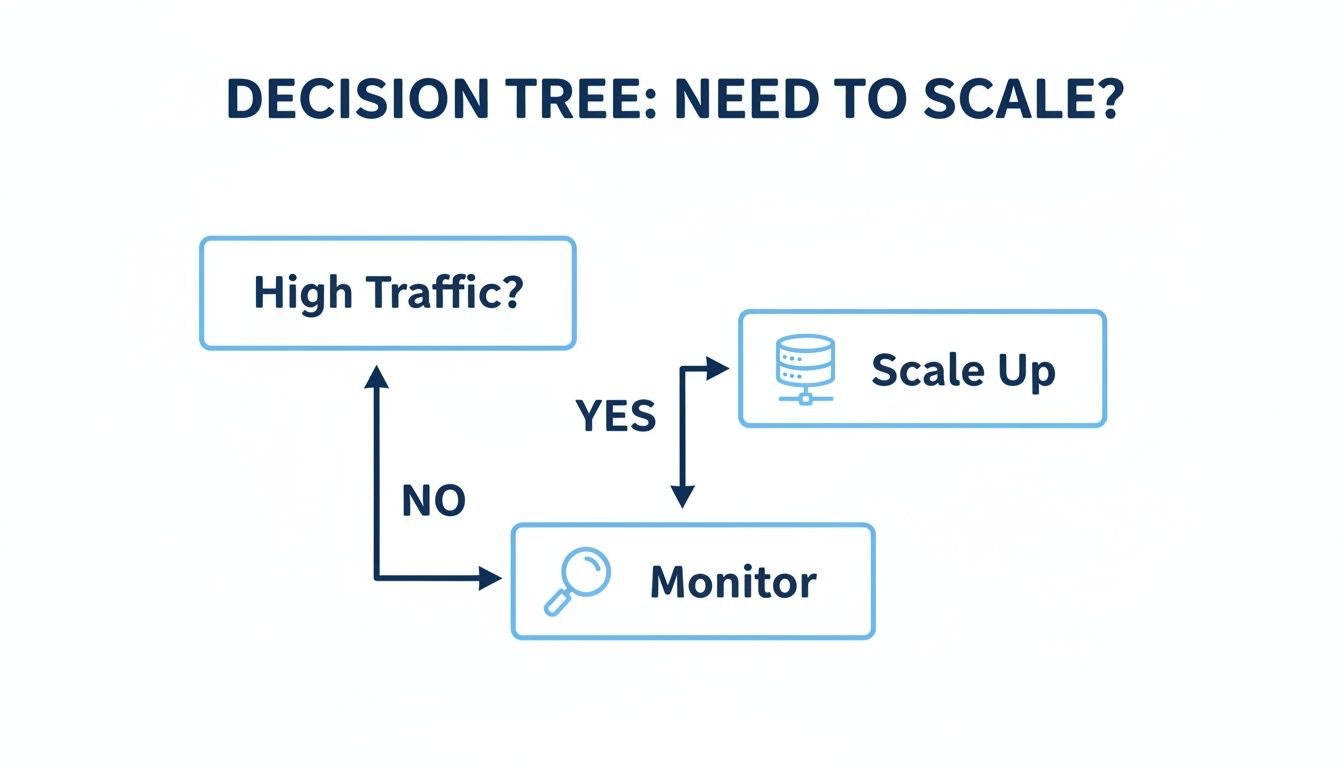
As you can see, a spike in traffic is the main trigger to think about scaling. The real question is how you decide to do it.
Exploring Horizontal Scaling
Your second option is horizontal scaling, or "scaling out." Instead of getting a bigger truck, you add more identical vans to your fleet. Each van handles a piece of the total workload, distributing the orders across the whole team.
In the cloud, this translates to adding more servers (or "instances") to your system. A load balancer acts as the dispatcher, directing incoming traffic across all the available servers so no single one gets buried. This is the backbone of how most modern, large-scale applications operate.
Horizontal scaling provides resilience and almost limitless capacity. If one server fails, the others simply pick up the slack, ensuring your application stays online and responsive for users.
While this approach does add some architectural complexity, the payoff in flexibility and reliability is huge. Getting this right early on is critical. For instance, for developers working in the Java ecosystem, choosing the right Java framework that supports a distributed model is a key architectural decision that directly impacts how well you can scale out later.
For a deeper dive into these two fundamental strategies, check out our detailed comparison of horizontal vs. vertical scaling. This choice is one of the first and most important you'll make when designing a system that can grow right alongside your business.
How Autoscaling Actually Works Behind the Scenes
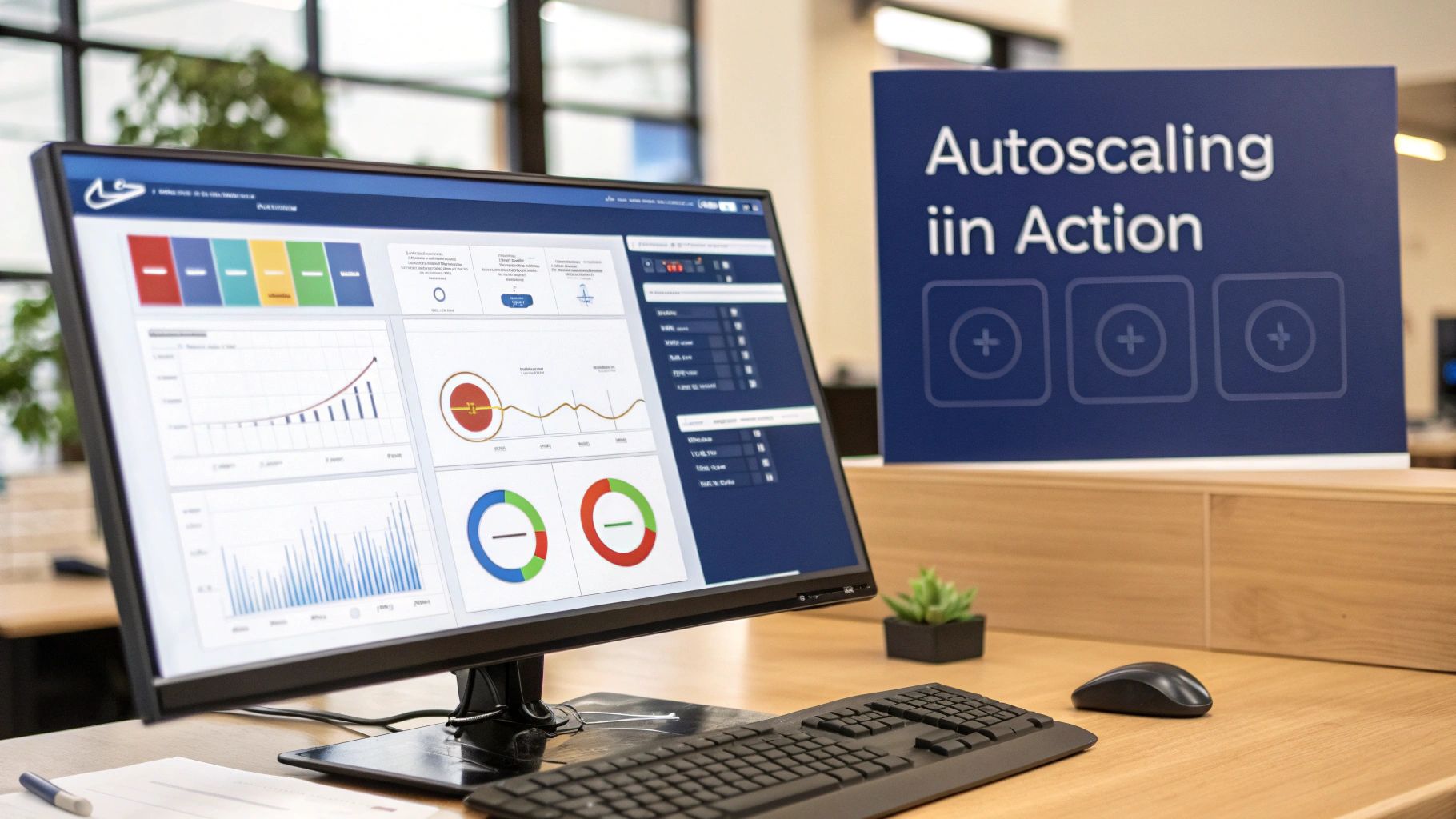
Autoscaling is the intelligent engine that brings modern cloud applications to life. It’s not just about randomly adding more servers; it’s a dynamic system that constantly listens and responds to real-time data, making decisions without any human intervention.
Think of it like a smart thermostat for your application. It doesn’t just keep the temperature constant, it monitors conditions, reacts to changes, and maintains a perfect environment. To really get how this works, you need to look at its three core components.
The Role of Metrics and Thresholds
The first piece of the puzzle is metrics. These are the specific data points your system watches, think of them as the vital signs of your application's health and workload. Common metrics include CPU utilization, network traffic, memory usage, or even the number of active user sessions.
Next come thresholds, which are the trigger points you set for those metrics. A threshold is basically a rule that tells the system when to act. It's the "if this, then that" logic that drives every single autoscaling decision.
For example, a typical autoscaling policy might look something like this:
- Metric: Average CPU Utilization across all servers.
- Threshold (Scale-Out): If CPU usage climbs above 75% for five straight minutes, add one new server.
- Threshold (Scale-In): If CPU usage drops below 25% for ten straight minutes, remove one server.
By combining metrics and thresholds, you create a powerful, self-regulating system. It automatically adds capacity to handle load and removes it to save money, keeping you at peak efficiency at all times.
This whole process is a form of automation that falls under the broader umbrella of cloud orchestration. To get a better handle on how these automated workflows fit into the bigger picture, you can learn more about orchestration in cloud computing.
Preventing Overreactions with Cool-Down Periods
The last critical component is the cool-down period. This is a safety net that stops the system from freaking out over short, temporary spikes in traffic. You don't want your system to launch three new servers for a one-minute surge only to shut them down moments later. That's just chaos.
A cool-down period tells the autoscaling system to wait a set amount of time after a scaling event before it makes another change. This simple delay ensures decisions are based on sustained trends, not momentary blips, which prevents erratic and costly behavior.
Let's walk through a real-world scenario. An e-commerce site drops a flash sale.
- Traffic Spikes: Thousands of users hit the site, and the average CPU usage shoots past the 75% threshold.
- Autoscaling Acts: The system sees this sustained increase and automatically launches new servers to handle the load.
- Performance Stabilizes: With the extra horsepower, the website stays fast and responsive for every single shopper.
- Traffic Subsides: The sale ends, traffic goes back to normal, and CPU usage falls below the 25% scale-in threshold.
- Scaling In: After the cool-down period confirms the drop is stable, the system safely terminates the unneeded servers, instantly cutting your costs.
This seamless cycle of monitoring, triggering, and waiting is exactly how autoscaling delivers both rock-solid performance and financial smarts.
Going on the Offense with Proactive Scaling
Relying purely on autoscaling is like playing defense; you’re waiting for traffic to hit before you react. The most sophisticated (and cost-effective) cloud setups play offense, too. This means shifting from a reactive mindset to a proactive one.
Proactive strategies are all about anticipating demand. Instead of waiting for a metric to cross a threshold, you tell your system to get ready for a spike you already know is on its way. This is a game-changer for businesses with predictable cycles.
Prepare for Peaks with Scheduled Scaling
Scheduled scaling is exactly what it sounds like: you increase or decrease your resources based on a calendar. It’s the digital equivalent of a coffee shop hiring extra baristas for the guaranteed morning rush between 7 AM and 9 AM instead of waiting for a long line to form before calling for backup.
If your workloads follow a clear timetable, this method is your best friend. You define the schedule, and your cloud platform handles the rest, automatically beefing up your resources just in time.
A few real-world examples make this crystal clear:
- A streaming service can spin up extra servers every Friday at 6 PM to handle the weekend movie night surge.
- An e-learning platform can scale up capacity at the start of each semester when thousands of students log on at once.
- A financial reporting app can add serious computing power at the end of each quarter to crunch the numbers for intensive jobs.
By scheduling these adjustments, you guarantee the resources are warmed up and ready the moment they’re needed. No lag, no frustrated users, just a smooth experience during your busiest times.
Maintain Stability with Policy-Driven Scaling
Another proactive tactic is policy-driven scaling. This is less about specific times and more about setting baseline rules to guarantee a minimum level of performance. Think of it as an insurance policy for your application's responsiveness.
For instance, you could set a policy that a minimum of three servers must always be running during business hours, from 9 AM to 5 PM. This ensures your application is snappy and responsive for your core users, even if traffic metrics haven't triggered a reactive scaling event yet.
Proactive strategies shift your mindset from reacting to problems to preventing them entirely. By combining scheduled and policy-driven rules, you create a robust, predictable, and cost-effective infrastructure.
These proactive methods are fantastic for managing costs during high-demand periods. But what about the opposite problem? What about all the time your environments aren't being used?
This is a huge source of wasted spend, especially with non-production environments like development, staging, and QA. They often sit completely idle outside of work hours, on nights, and over weekends, but the meter keeps running.
This is where specialized tools come in to complement your scaling strategy. A platform like CLOUD TOGGLE, for example, automates the shutdown of these non-production resources on a schedule. It zeroes in on the common and expensive problem of paying for compute power that nobody is using, adding a critical layer of cost control to your overall cloud plan.
Finding the Balance Between Performance and Cost
Getting cloud scaling right is a constant balancing act. Go too aggressive, and you’ll burn money on resources that sit idle most of the time. This is over-provisioning, a classic mistake that leads straight to a shocking cloud bill.
But if you’re too timid with your scaling rules, you save a few bucks at the expense of your user experience. Slow load times and unresponsive applications, known as under-provisioning, can cost you far more in lost customers and reputational damage than the servers ever would.
The real goal isn’t just to scale; it’s to scale smart. You have to find that sweet spot between cost and performance, and that requires mixing real-time data with a bit of forward-thinking.
Setting Intelligent Scaling Thresholds
The secret to finding that balance lies in your scaling thresholds. Don't just copy and paste a generic rule you found online. Your thresholds need to be based on how your application actually behaves. A CPU spike to 80% might be a red alert for one app, but for an intensive data processing workload, it could just be business as usual.
Start by getting a baseline. Watch your application under normal traffic to see what "healthy" looks like. This data is your best friend. You might discover that your app’s response time only starts to suffer once memory usage creeps past 70%. Boom, that's your trigger.
Your scaling strategy should be as unique as your application. The right balance is found by observing real user traffic and adjusting your scaling policies to match the specific rhythm of your business, not by following a one-size-fits-all template.
Make it a habit to review your cloud bills. They tell a story. If your costs are consistently high, it might be a sign that your scale-in rules aren't aggressive enough, leaving you paying for idle servers long after the traffic spike has passed.
To help you decide which approach fits best, here’s a quick rundown of the trade-offs involved with different scaling strategies.
Scaling Strategy Trade-Offs
| Strategy | Typical Cost Impact | Performance Reliability | Complexity |
|---|---|---|---|
| Manual Scaling | Low to High (High risk of waste) | Low (Slow human response) | Low |
| Scheduled Scaling | Medium (Predictable but rigid) | Medium (Misses unexpected spikes) | Low to Medium |
| Policy-Driven Autoscaling | High (Optimized for performance) | High (Responds to real-time metrics) | Medium to High |
| Hybrid (Autoscaling + Scheduling) | Optimal (Reduces idle/off-hours waste) | High | High |
Each strategy has its place. Manual scaling is simple but risky, while policy-driven autoscaling is powerful but requires careful tuning. The best choice always depends on your specific workload and business needs.
Optimizing the Cost Side of the Equation
While autoscaling is fantastic at handling live production traffic, it has a massive blind spot: non-production environments. Think about all your development, staging, and testing servers. They often sit completely idle overnight and on weekends, racking up costs for no reason.
This is where specialized tools can make a huge difference. A platform like CLOUD TOGGLE perfectly complements your autoscaling strategy by zeroing in on this exact kind of waste. It lets you automate the shutdown of non-production instances on a schedule, which means you stop paying for them the moment your team clocks out.
By adding this layer of scheduled cost optimization, you can dramatically cut your cloud bill without ever touching the performance of your live application.
How to Monitor and Test Your Scaling Setup
A scaling strategy is only as good as its last real-world test. It's one thing to set up autoscaling rules, but it’s another thing entirely to know for sure they’ll work when it counts. Without proper monitoring and testing, you’re essentially flying blind, just hoping your setup kicks in when a real traffic spike hits.
This validation process starts with diligent monitoring. You need to keep a close eye on the metrics that signal the health of your system using tools like AWS CloudWatch or Azure Monitor. These aren't just abstract data points; they are the pulse of your application's performance and efficiency. For a deeper look into setting up your dashboards, check out our guide on effective monitoring in the cloud.

Key Metrics to Watch
To really understand if your scaling is working, you have to watch several key indicators. These metrics don't just tell you what’s happening right now; they help you predict what's coming next.
- Instance Count: This is your most direct feedback. Is the number of active servers actually going up and down as you expect?
- CPU and Memory Utilization: These are the classic triggers for scaling. The real question is, are they staying within your healthy thresholds when traffic fluctuates?
- Application Latency: How long does your application take to respond? If latency is creeping up even as new servers are added, you might have a bottleneck somewhere else in your system.
- Network I/O: Keep an eye on the flow of data in and out of your instances. Sudden spikes can signal a heavy load that needs more resources.
Simulating Real-World Scenarios
Monitoring tells you what happened in the past. Testing tells you what will happen in the future. This is where practices like load testing and stress testing become non-negotiable for building a configuration that is both resilient and cost-effective.
Imagine using a tool to slam your application with a sudden wave of 10,000 virtual users all at once. This isn’t about just seeing if it breaks; it’s about getting answers to some very specific, very important questions.
Does your autoscaling kick in fast enough to prevent a slowdown for users? How long does it take for new instances to come online and actually start taking traffic? And just as important, do those extra servers shut down correctly when the test is over?
Answering these questions in a controlled environment is what gives you confidence that your system is ready for pretty much anything. It’s how you make sure there are no expensive surprises waiting for you when real traffic arrives.
Got Questions About Cloud Scaling?
We're not surprised. It’s a topic that comes up a lot, so let's tackle a few of the most common questions people ask.
What's the Real Difference Between Scaling and Elasticity?
It’s easy to use these terms interchangeably, but they represent two sides of the same coin.
Think of scaling as your master plan, the strategy for adding or removing resources to handle demand. Elasticity, on the other hand, is the cloud’s superpower. It’s the ability to execute that plan almost instantly and automatically as your workload fluctuates. Scaling is the "what," and elasticity is the "how fast."
Can You Automate Vertical Scaling?
Technically, yes, but it’s rarely a smooth ride. Vertical scaling, making an existing server bigger or smaller, almost always requires downtime. You have to stop the instance, change its size, and then restart it.
This brief outage makes it a poor fit for automation, especially for customer-facing applications where uptime is critical. That’s why nearly all automated scaling, or autoscaling, is built around the horizontal approach. Adding and removing servers doesn't disrupt the whole system.
Is My Application a Good Fit for Horizontal Scaling?
Here’s the million-dollar question. Your application is a perfect candidate for horizontal scaling if it’s stateless.
What does that mean? A stateless app doesn't store any user-specific information on the server itself. Every server is interchangeable, so any of them can handle a request from any user at any time. This design is the bedrock of modern web apps and microservices, giving them the flexibility and resilience to scale out effortlessly.
Stop paying for idle cloud resources. CLOUD TOGGLE makes it easy to automate server shutdowns on a schedule, cutting waste from non-production environments without impacting performance. Start your free 30-day trial and see the savings at https://cloudtoggle.com.