Bringing Docker and AWS together is a cornerstone of modern software deployment, and for good reason. Docker gives you a consistent, portable way to package your application, while AWS offers the raw power and scale to run it anywhere. It's a combination that helps teams ship features faster, build tougher applications, and get a real handle on their cloud costs.
Why Combining Docker and AWS Is a Game Changer

It helps to think of your app and all its dependencies, the code, libraries, and configuration files, as a finished product. Docker neatly packages that product into a standardized shipping container. The magic is that this container works identically everywhere, from a developer’s laptop to your production environment.
AWS then acts as the global logistics network. It's the fleet of ships, trucks, and automated warehouses needed to deliver and run your containerized app reliably, at any scale. This partnership solves a ton of common headaches, from sluggish deployments and rigid infrastructure to ballooning cloud bills.
The Strategic Business Advantage
The real win with Docker and AWS isn't just about the tech; it's about making the entire business more agile. When your dev and ops teams have a single, repeatable way to package and deploy software, everything moves faster.
You can see this shift in the market numbers. The Docker container market was valued at USD 7.41 billion in 2026 and is expected to explode to USD 19.26 billion by 2031, according to Mordor Intelligence. That growth is almost entirely fueled by cloud platforms like AWS, showing a massive move away from older, slower methods.
This approach lets teams:
- Deploy Faster: Standardized containers slot perfectly into CI/CD pipelines, slashing the time from code commit to production.
- Increase Reliability: The classic "but it works on my machine" problem disappears. Containers squash environment-specific bugs.
- Improve Scalability: AWS makes scaling containerized applications up or down based on traffic almost trivial.
Moving Beyond Old Methods
Before containers took off, the go-to was the virtual machine (VM). A VM is essentially a complete computer emulation with its own operating system, making it bulky and slow to start. Docker containers are radically different because they are lightweight and share the host machine’s operating system.
We explore this in more detail in our guide on the difference between Kubernetes and Docker, but the key takeaway is efficiency.
Here’s a quick breakdown of how this new model stacks up against the old way of doing things.
Docker on AWS vs Traditional Virtual Machines
| Metric | Traditional VMs | Docker on AWS |
|---|---|---|
| Portability | Low; tied to a specific OS and configuration. | High; containers run consistently anywhere Docker is installed. |
| Startup Time | Slow; boots a full operating system (minutes). | Fast; starts in seconds since it shares the host OS. |
| Resource Use | High; each VM has its own OS and dedicated resources. | Low; containers share the host OS, leading to higher density. |
| Scalability | Clunky; scaling requires provisioning new VMs. | Seamless; services like ECS and EKS automate scaling. |
| Consistency | Inconsistent; prone to "works on my machine" issues. | Consistent; packages app and dependencies together. |
This table makes it clear why so many organizations are making the switch. The efficiency gains are just too big to ignore.
By embracing containerization on the cloud, businesses are not just updating their tech stack. They are fundamentally changing how they build, ship, and run software to create more value for their customers.
This move from slow, rigid infrastructure to a flexible, container-first approach is what gives modern businesses their competitive edge. It lets you innovate faster, react to market shifts, and operate with far greater efficiency. The rest of this guide will walk you through exactly how to make it happen.
Your Core Options for Running Docker on AWS
Okay, so you've packaged your application neatly inside a Docker container. Now what? The next question is a big one: where do you actually run it? When you're working with Docker and AWS, you've got plenty of options. AWS offers a powerful lineup of services built specifically for running, managing, and scaling containers.
Figuring out which service to use is the first major step toward building an architecture that actually works for your team, your budget, and your performance goals.
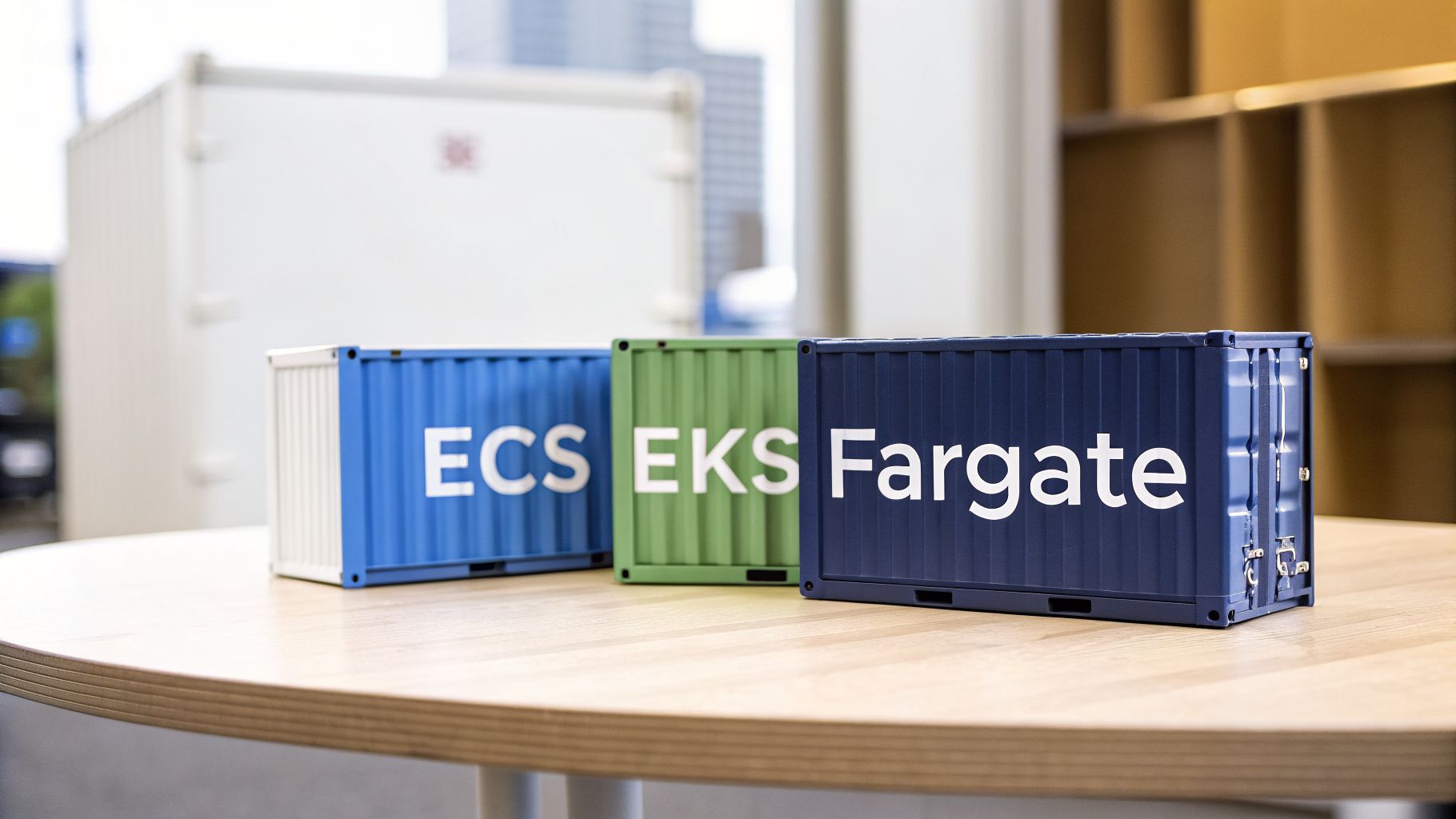
Your decision will almost always come down to three core services: Amazon Elastic Container Service (ECS), Amazon Elastic Kubernetes Service (EKS), and AWS Fargate. Each one strikes a different balance between control, simplicity, and how much hands-on work you want to do.
ECS: The AWS-Native Approach
Think of Amazon ECS as the "Easy Button" for running containers on AWS. It’s a fully managed service that AWS built from the ground up, so it plugs perfectly into the rest of the AWS world, things like IAM for security, VPC for networking, and CloudWatch for logging.
This tight integration is a huge plus for teams already deep into the AWS ecosystem. The learning curve is much gentler because it uses the same concepts and language you're already familiar with.
ECS gives you a straightforward path to running containers if your team values ease of use and native AWS integration. It cuts out a lot of the operational headache, letting you focus on your code instead of managing the plumbing.
If your team wants the fastest, most direct way to get Docker containers up and running on AWS with minimal fuss, ECS is almost always the right place to start.
EKS: The Industry-Standard Powerhouse
While ECS is the native choice, Amazon EKS is your on-ramp to the world of Kubernetes. Kubernetes is the open-source platform that has become the undisputed industry standard for orchestrating containers. EKS is simply AWS's managed service for running it, taking the pain out of managing the Kubernetes control plane yourself.
By choosing EKS, you're tapping into a massive and mature ecosystem of tools, plugins, and community support. It’s also cloud-agnostic, which is a fancy way of saying the skills and configurations you build for EKS can be used on other clouds or even in your own data center.
Of course, this power and flexibility come with a trade-off: Kubernetes is notoriously complex and has a much steeper learning curve than ECS. But for large organizations that need maximum control, want to avoid vendor lock-in, or rely on specific tools from the Kubernetes world, EKS is the heavyweight champion. Its market position is strong, with AWS holding a 31% global market share in 2026, where container services like EKS and ECS are used by 92% of IT professionals.
Fargate: The Serverless "Autopilot"
Finally, we have AWS Fargate, which completely changes how you think about running containers. Fargate is a serverless compute engine that works with both ECS and EKS. The key word here is "serverless." With Fargate, you can forget about managing the underlying servers (EC2 instances) that your containers run on.
You just tell Fargate how much CPU and memory your application needs, and it handles everything else. It’s the ultimate "autopilot" experience for your containers.
This serverless approach has some massive advantages:
- Less Operational Work: You can completely stop worrying about patching servers, scaling compute clusters, or trying to pack containers efficiently onto instances.
- Better Security: Each container task runs in its own isolated bubble, shrinking the potential attack surface.
- Pay-for-Use Pricing: You only pay for the CPU and memory your application actually requests, billed by the second.
The flip side is that you give up some fine-grained control over the underlying environment. For a deeper look at the cost model, check out our detailed guide on AWS Fargate pricing. For many teams, especially those focused on moving fast and building products, this trade-off is a no-brainer.
Choosing Your Path With ECS, EKS, and Fargate
So, we've covered the "what." Now comes the hard part: choosing the right path. This is where the rubber meets the road, and you have to decide between ECS, EKS, and Fargate.
There's no single "best" service here. The right choice is all about your team, your goals, and what you’re trying to build. This decision will ripple through everything, from your team’s daily workflow and operational headaches to your monthly AWS bill.
Let's walk through a couple of real-world scenarios to make this choice crystal clear.
Scenario One: The Fast-Moving Startup
Imagine you’re running a startup. Your world revolves around shipping features, yesterday. The top priority is speed, not spending weeks building and managing a complex infrastructure platform. You just want to get your code running, and you're already comfortable in the AWS ecosystem.
For this team, ECS with Fargate is the clear winner.
- Simple is Fast: ECS is an AWS-native service, which makes it much easier to pick up than Kubernetes. The concepts just feel familiar if you've worked with other AWS tools.
- No More Server Management: Fargate is the magic wand that makes servers disappear. No more provisioning, patching, or scaling EC2 instances. Your team gets to focus 100% on your application, not the plumbing underneath.
- Blazing-Fast Deployments: This combination offers the shortest path from a Docker image to a running app. You define your task, tell Fargate how much CPU and memory you need, and it just runs.
This approach is all about developer velocity. You’re trading some of the granular control you’d get with other options for a massive reduction in operational work, which is exactly what a team built for speed needs.
Scenario Two: The Enterprise Powerhouse
Now, let's switch gears. Picture a larger company with a dedicated DevOps or platform engineering team. They might already be juggling multiple clouds or have plans to do so. They need the full power of the container world and are wary of getting locked into a single vendor's technology.
For this organization, EKS is the logical choice.
EKS gives you a standardized, powerful foundation for running containers that the entire industry recognizes. It unlocks a massive ecosystem of open-source tools and ensures the skills your team builds are portable well beyond AWS.
This is a long-term play for flexibility and control. Kubernetes, which EKS is built on, is the industry standard for a reason. It offers unmatched configuration power, a huge community, and an incredible ecosystem of tools for monitoring, security, and service mesh.
Yes, the learning curve is steep. But for a dedicated team, it provides the power to build a truly robust, scalable, and future-proof platform.
Feature Comparison for AWS Container Services
To help you see the trade-offs side-by-side, we've put together a table breaking down what really matters when choosing your container path on AWS.
| Feature | ECS | EKS | Fargate |
|---|---|---|---|
| Learning Curve | Low; uses familiar AWS concepts. | High; requires deep Kubernetes knowledge. | Very Low; abstracts away infrastructure. |
| Operational Overhead | Medium (with EC2); Low (with Fargate). | High; you manage worker nodes and networking. | None; AWS manages the entire infrastructure. |
| Control & Flexibility | Medium; good control within the AWS ecosystem. | High; full control over the Kubernetes API. | Low; you only control the container definition. |
| Ecosystem & Tooling | AWS-native tools (CloudWatch, IAM). | Vast open-source ecosystem (Prometheus, Helm). | Integrates with both ECS and EKS tooling. |
| Best For | Teams wanting simplicity and tight AWS integration. | Teams needing maximum power and multi-cloud portability. | Teams prioritizing speed and minimal operations. |
Ultimately, your choice should be a direct reflection of your team’s skills and your company's strategy. Don't jump into EKS just because it’s popular; the complexity can be a major drag on a small team. And don't stick with ECS if your needs for cross-cloud portability and advanced configurations are growing.
By weighing these factors, you can confidently pick the service that will set your Docker workloads up for success.
Essential Security Practices for Docker on AWS
Running containers in the cloud gives you incredible power, but it also opens the door to a unique set of security challenges. When you pair Docker and AWS, you’re working within a shared responsibility model. AWS handles the security of the cloud, but securing everything you put in the cloud, from your container images to your application code, is squarely on your shoulders.
A proactive approach to security isn't just a good idea; it's a necessity. This means thinking about security at every single stage, from the moment you write a Dockerfile to how you manage containers running in production.
Let's break down the essential practices you can put in place to protect your applications and data.
Build Secure Foundations with Minimal Images
Security starts with what you pack inside your container. A common mistake is to grab a general-purpose base image like ubuntu:latest. These images are often bloated with libraries and tools your application will never touch, and every extra package is another potential security hole.
The best practice is to build from minimal base images. These are stripped-down images containing only what's absolutely necessary.
- Use Distroless Images: Maintained by Google, these images have just your application and its direct dependencies. They don't even include a shell or a package manager, which massively shrinks the attack surface.
- Use Alpine Linux: This is a very popular, lightweight Linux distribution. While it’s a bit bigger than a distroless image, it's a huge improvement over standard distros and a great starting point for many apps.
- Embrace Multi-Stage Builds: This is a game-changer. Use one stage with all your build tools to compile your code, then copy only the final compiled artifact into a clean, minimal base image for the second stage. This ensures no development tools or unnecessary files ever make it into your production image.
By starting small, you give attackers far fewer places to hide.
Scan and Protect Your Images
Even with a minimal base, vulnerabilities can creep in through your application’s dependencies. This is where automated image scanning is non-negotiable.
Before any image gets pushed to your registry, it must be scanned for known vulnerabilities. This simple step acts as a crucial quality gate, stopping compromised code before it ever has a chance to reach a production environment.
Amazon Elastic Container Registry (ECR) has built-in vulnerability scanning, powered by the open-source tool Clair. You can set up ECR to scan images automatically on push, giving you instant feedback on any issues it finds. Weaving this directly into your CI/CD pipeline makes security an automated and repeatable part of your workflow.
Lock Down Access with IAM Roles
One of the most powerful security tools in the Docker and AWS world is Identity and Access Management (IAM). You should never, ever hardcode AWS credentials in your Docker images or pass them in as environment variables. It's a massive security risk waiting to happen.
Instead, the right way to do this is with IAM Roles for Tasks (if you're using ECS) or IAM Roles for Service Accounts (for EKS). This lets you assign a specific, fine-grained IAM role directly to your container. Your application can then use the AWS SDK to automatically grab temporary, short-lived credentials.
This approach perfectly follows the principle of least privilege. You grant each container only the permissions it needs to do its job, like reading from a specific S3 bucket or writing to a DynamoDB table. If a container is ever compromised, the potential damage is drastically limited. To dive deeper into this topic, you can learn more about role-based access control best practices in our detailed article.
Stop Paying for Docker Containers That Are Doing Nothing
Let's talk about a painful truth in the cloud world. A huge chunk of your AWS bill comes from resources that are just sitting there, completely idle. Your development, staging, and QA environments are prime suspects, often running 24/7 while your team is asleep, on weekends, or on holiday.
This "always-on" approach for non-production infrastructure is a silent budget killer. While your production systems absolutely need to be available around the clock, the same isn't true for everything else. Think about it: a typical dev environment is only actively used for maybe eight to ten hours a day, five days a week.
That means for the other 128 hours in a week, those pricey container clusters, databases, and other services are just burning cash. You're paying for peak capacity when there's zero activity.
An industry rule of thumb is that non-production environments can make up a staggering 70% of a company's total cloud spend. When these resources run 24/7, a massive portion of that is pure waste.
This isn't a small rounding error. For any business running Docker and AWS at scale, it's a giant, flashing sign pointing to an opportunity for immediate and significant savings.
Why Does This Keep Happening?
This expensive habit rarely comes from a deliberate choice. It’s almost always a result of simple inertia. Teams spin up environments for projects, and in the rush to ship features, no one ever puts a process in place to turn them off.
A few things feed this always-on habit:
- Manual Shutdowns Don't Work: Asking developers to remember to shut down their environments every evening is a system designed to fail. People forget, get pulled into late meetings, or just don't want the hassle of restarting everything the next morning.
- Fear of Breaking Things: Teams sometimes worry that shutting down environments might disrupt automated tests or other nightly jobs. This can be a real concern, but it's usually solvable with better scheduling and a bit of coordination.
- No Clear Ownership: In many organizations, no single person has a clear view of what’s running, who owns it, and if it’s even being used. Without that visibility, it's nearly impossible to enforce any kind of cost-saving discipline.
Without a real system, the default behavior is to just leave everything on. The convenience of having instant access comes at a steep price, one most companies pay without realizing just how much money they're throwing away.
The Simple Fix: Automated Resource Scheduling
The solution to this all-too-common problem is surprisingly simple: automated resource scheduling. Instead of hoping someone remembers to flip a switch, you use a system to automatically power down non-production environments when they aren't being used and turn them back on when they are.
Imagine your development cluster powering down every weekday at 8 PM and firing back up at 8 AM, then staying off all weekend. That one change can claw back a huge piece of your cloud budget without affecting your team's productivity at all.
There are a few ways to get this done:
- DIY Scripts: Some teams try to build their own scheduling scripts with tools like Lambda functions and CloudWatch Events. It's possible, but this path requires a lot of development time and ongoing maintenance, and it quickly becomes a tangled mess at scale.
- Native AWS Tools: AWS offers services like the AWS Instance Scheduler. These tools can work, but they are often clunky to configure, lack a friendly interface, and demand deep AWS knowledge to manage well.
- Dedicated Platforms: A third-party solution like CLOUD TOGGLE is built specifically for this. It gives you a simple, intuitive way to create schedules, manage who can do what, and see exactly how much you're saving across your entire AWS account.
By bringing in automated scheduling, you stop treating cost optimization like a manual chore and turn it into a reliable, automated process. It’s the smartest and most effective way to manage your containerized workloads on AWS and stop paying for resources that are just sitting idle.
Putting It All Together in a Deployment Workflow
Theory is great, but seeing how the pieces fit together is where the real understanding clicks. Let’s walk through a modern CI/CD pipeline to see how a single line of code travels from a developer’s machine to a live application running on AWS.
This journey from code to cloud is the very heart of what makes the Docker and AWS combination so effective. It’s a repeatable, automated process that drastically speeds up delivery and slashes the risk of human error.
The Developer's Starting Point
It all starts with a simple, everyday action. A developer commits a new feature or bug fix and pushes the code to a Git repository, whether that's GitHub or AWS CodeCommit. This git push is the starting pistol for an automated relay race.
That single event triggers AWS CodePipeline, the service that acts as the conductor for the entire build, test, and deploy orchestra. Think of it as the automated project manager for your entire software delivery process.
From Code to Container Image
Once CodePipeline gets the signal, it hands the baton to AWS CodeBuild. CodeBuild’s job is to take that raw source code and forge it into a runnable Docker image. This all happens automatically, following the steps you define in a buildspec.yml file.
- Build: CodeBuild grabs the source code and follows the instructions in your
Dockerfile. It compiles the code, installs all the necessary dependencies, and packages everything into a new Docker image. - Test: Next, automated tests, from unit to integration tests, run against the new image. If a test fails, the pipeline stops dead in its tracks, preventing a bad build from ever reaching users.
- Store: Once all tests pass, the shiny new Docker image is tagged with a unique ID and pushed to Amazon Elastic Container Registry (ECR). ECR is your private, secure library for all your application's container images.
To really get the most from Docker and AWS, a solid CI/CD pipeline is non-negotiable. Understanding the core principles of DevOps automation for faster software delivery is key to building these efficient workflows.
Seamless Deployment to Fargate
With a fresh, tested image waiting in ECR, it’s time for the final leg of the journey. CodePipeline tells AWS to kick off a deployment. For this example, we’re using Amazon ECS with AWS Fargate because it’s simple and we don’t have to manage any servers.
This is where the real magic happens. ECS sees the new image in ECR and initiates a "rolling update." It carefully launches new containers with the updated code. Only after confirming they’re healthy does it gracefully shut down the old ones, ensuring your users experience zero downtime.
This kind of automation is a perfect illustration of how to operate efficiently, but it also highlights a common pitfall: idle resources in non-production environments that waste money.
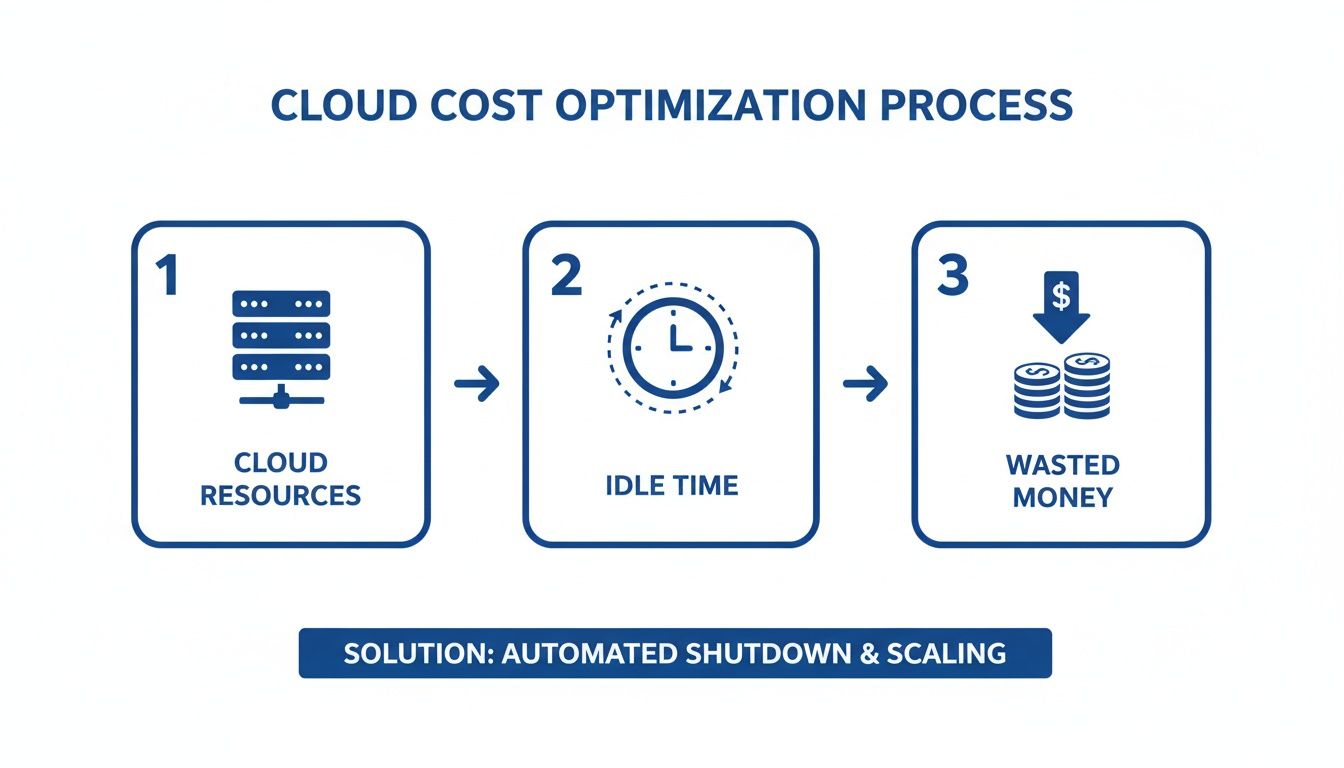
While production needs to run 24/7, the dev and test environments this pipeline supports often sit idle outside of work hours, racking up costs. This is where smart scheduling becomes critical for cost control.
And because we chose Fargate, we didn't have to think once about provisioning, patching, or scaling servers. We just told ECS to run our container, and Fargate took care of the rest. The entire process, from a developer’s git push to a live update, is fully automated, secure, and incredibly efficient.
Frequently Asked Questions: Docker and AWS
As you start running Docker containers on AWS, a few common questions always pop up. Let's get straight to the answers so you can clear up any confusion and move forward with confidence.
What Is the Cheapest Way to Run Docker on AWS?
For a tiny project or a personal dev box, the absolute cheapest route is to manage a single EC2 instance yourself and just install Docker on it. The catch? This method creates a ton of manual work and simply doesn't scale.
For most real-world applications, ECS with Fargate Spot Instances hits the sweet spot between cost and convenience. Fargate Spot lets you run containers on spare AWS capacity for up to a 70% discount compared to standard Fargate pricing. It's a fantastic option for any workload that can handle occasional interruptions.
How Can I Make My Docker Image Builds Faster?
Slow builds are a productivity killer. The best way to fix this in your AWS CI/CD pipeline is to start using Docker layer caching. By default, services like AWS CodeBuild rebuild everything from scratch every single time, which is incredibly inefficient.
A much smarter approach is to configure Amazon ECR as a remote cache for your build layers.
- First Build: Your pipeline does a full build and pushes the image layers to a special cache tag in your ECR repository.
- Subsequent Builds: Instead of starting over, the pipeline pulls the cached layers and only rebuilds what has actually changed. This simple change can easily cut build times by 25% or more.
This caching strategy is a huge win for developer morale. Faster builds mean faster feedback, which lets your team iterate, test, and ship features much more quickly. It turns a frustrating waiting game into a streamlined part of your workflow.
Is EKS Always Better Than ECS?
Not at all. EKS isn't "better," it's just a different tool for a different job. EKS (Elastic Kubernetes Service) is the right call if you're already committed to Kubernetes, need the flexibility to run on multiple clouds, or have a platform team ready to handle its complexity.
On the other hand, ECS (Elastic Container Service) is often the better choice for teams that are all-in on AWS and want to move fast. It has a much gentler learning curve and significantly less operational overhead, especially if you use it with Fargate.
Should I Use Fargate for Everything?
Fargate is an amazing service that removes the headache of server management, but it's not a silver bullet. It's the perfect fit for most standard web apps, microservices, and batch jobs where you just want to run your containers without thinking about the underlying infrastructure.
However, you’ll want to stick with the EC2 launch type for workloads with special requirements. This includes tasks needing GPUs, very specific networking controls, or compliance rules that force you to manage the host machine directly. Cost can also be a factor; for predictable, always-on workloads, locking in EC2 Reserved Instances might end up being cheaper than Fargate in the long run.
One of the biggest financial drains when running Docker on AWS is paying for idle resources, especially in non-production environments. CLOUD TOGGLE tackles this problem head-on by automatically shutting down these environments when they aren't being used. Stop wasting money on compute power that’s just sitting there and see how much you could be saving. Explore CLOUD TOGGLE to get started.