Moving to the cloud is a fundamental shift in how your business operates. It’s far more than just a tech project. What separates a smooth, budget-friendly transition from a nightmare of cost overruns and operational hiccups is one thing: cloud migration planning. Without a solid roadmap, you're not just risking a bumpy ride; you're risking significant financial and technical setbacks.
Why Your Cloud Migration Plan Defines Your Success

Diving into a cloud migration without a detailed plan is like building a house without a blueprint. Sure, you might get the walls up, but you'll soon discover the foundation is cracked, leading to one expensive repair after another. It’s the same with the cloud. A rushed migration almost always leads to oversized virtual machines, idle compute resources you’re paying for 24/7, and gaping security holes.
These rookie mistakes can quickly erase any cost savings you hoped to gain.
A strategic plan forces you to look past a simple "lift and shift" of servers. It pushes your team to get into the weeds, map out application dependencies, spot opportunities to modernize old code, and tie every technical goal back to a real business outcome. That upfront effort is what turns a basic IT task into a genuine competitive advantage.
The Business Case for Meticulous Planning
When you get the planning right, you’re doing more than just ensuring a successful move. You're building the foundation for long-term operational excellence and financial control in the cloud. A well-crafted strategy pays dividends in several key areas:
- Proactive Cost Control: You can map out your exact resource needs before you move, sidestepping the common trap of overprovisioning that burns through cash.
- Reduced Operational Risk: By untangling dependencies and spotting potential conflicts early on, you dramatically lower the odds of unexpected downtime during and after the cutover.
- Enhanced Security Posture: Planning lets you bake security and compliance into the architecture from the ground up, not as a panicked afterthought.
- Future Scalability: A smart strategy ensures your new cloud environment is built to grow with your business, not hold it back.
The global market for cloud migration services is absolutely exploding. It's projected to leap from USD 0.38 trillion in 2026 to a staggering USD 1.3 trillion by 2031. This isn't just a trend; it's a clear signal that businesses are moving, and moving fast.
Companies that skimp on this crucial planning phase often watch their infrastructure costs balloon by 30-50%. On the flip side, those with a strategic approach can lock in operational efficiency gains of up to 30%. You can discover more insights about the cloud migration services market and its growth.
Ultimately, the goal of cloud migration planning isn't just to move your workloads. It's to ensure that once they arrive in the cloud, they are efficient, secure, and cost-effective from day one.
Laying the Foundation with Discovery and Assessment
This is where your cloud migration is won or lost. Before you can even think about how to move anything, you have to know exactly what you have. The discovery and assessment stage is all about building a meticulous, comprehensive blueprint of your entire IT environment. No server left unturned.
Rushing this part is one of the biggest and most expensive mistakes you can make. Without a complete inventory, you’re just guessing. You'll miss critical dependencies between apps, get performance requirements completely wrong, and overlook security rules that are non-negotiable for compliance. This isn't just about making a list of servers; it's about understanding how your whole operation ticks as one interconnected system.
Creating a Comprehensive Inventory
First things first: you need a complete catalog of every server, application, database, and network component you own. And I mean complete. This goes way beyond simple asset tags.
For every single item, you need to document the critical details:
- Server Specifications: What are the CPU, RAM, and storage specs for each machine, physical or virtual?
- Operating Systems: List the OS and version for every server. This is a huge factor for compatibility with cloud services.
- Application Details: What software is running, who in the business owns it, and what does it actually do?
- Data Stores: Document every database, its size, and how often it's being hit for reads and writes.
This is often the stage where you uncover "shadow IT" or long-forgotten servers chugging away in a corner, burning resources. Shutting down that waste before you migrate is an instant cost-saving win. To make sure you don't miss anything, it's a good idea to follow a detailed cloud migration assessment checklist.
Application Assessment Matrix
To make sense of your inventory, you need to categorize each application. This simple matrix helps you decide what to tackle first by plotting business impact against technical difficulty. It's a foundational step for building a realistic migration roadmap.
| Application Name | Business Criticality (High/Med/Low) | Technical Complexity (High/Med/Low) | Dependencies | Suggested Migration Path |
|---|---|---|---|---|
| Example: CRM | High | Medium | Authentication, Billing API, Email Service | Rehost or Replatform |
| Example: Intranet | Low | Low | Active Directory | Replace (SaaS) |
| Example: Reporting | Medium | High | Data Warehouse, Multiple DBs | Refactor |
Once filled out, this matrix gives you a clear, data-driven view of your application portfolio, making it much easier to prioritize the low-hanging fruit and plan for the more complex workloads.
Mapping Critical Dependencies
Once you know what you have, the next job is to map the tangled web of connections between all your systems. An application rarely lives on an island. It’s constantly talking to databases, authenticating users, and pushing data to other services.
Your e-commerce site, for instance, might pull customer info from a CRM, talk to a payment gateway, and then fire off order details to a fulfillment system. If you move one piece of that chain without the others, the whole thing grinds to a halt. Use network monitoring tools to automatically discover these communication pathways and document every single dependency. This map is your secret weapon for planning migration waves that don't disrupt the business.
A thorough dependency map prevents the dreaded "we moved it and now everything is broken" scenario. It transforms your migration from a high-stakes gamble into a calculated, predictable project.
Involving the Right Stakeholders
A good assessment isn't just an IT project; it needs input from across the business. Technology doesn't exist in a vacuum, and different teams hold vital pieces of the puzzle.
- Application Owners: They know the software's quirks, how important it is to their team, and what new features are on the horizon that could impact your migration.
- Finance Teams: These folks can give you the real numbers on current infrastructure costs and help model the financial shift to a pay-as-you-go cloud model.
- Security and Compliance Officers: Bring them in early. They will make sure your migration plan meets all regulatory requirements and internal security policies from day one.
Getting these stakeholders involved from the start builds a shared sense of ownership and ensures the final plan works for everyone, not just the tech team. A big part of this is also understanding your current resource usage, which is where a solid capacity plan is essential. For more guidance, you can learn more about what is a capacity plan in our detailed guide.
All this detailed assessment work leads to one crucial outcome: the ability to classify every application by its business impact and technical complexity. This classification becomes the heart of your decision-making, helping you prioritize what moves first and choose the right migration strategy for each workload.
Choosing Your Migration Strategy with the 6 Rs
Once you have a complete map of your IT landscape, the next big question is how each application and workload will actually make the journey to the cloud. This is where the classic “6 Rs” framework saves the day. It gives you a clear set of options, turning what feels like an overwhelming decision into a structured, manageable process.
Your choice for each application will hinge entirely on its role in the business, its technical guts, and your overall migration goals. A smart migration is never a one-size-fits-all affair. Instead, it’s a carefully crafted blend of strategies tailored to your specific needs, budget, and timeline.
This decision tree is a great way to quickly categorize applications by weighing their business impact against their technical complexity.
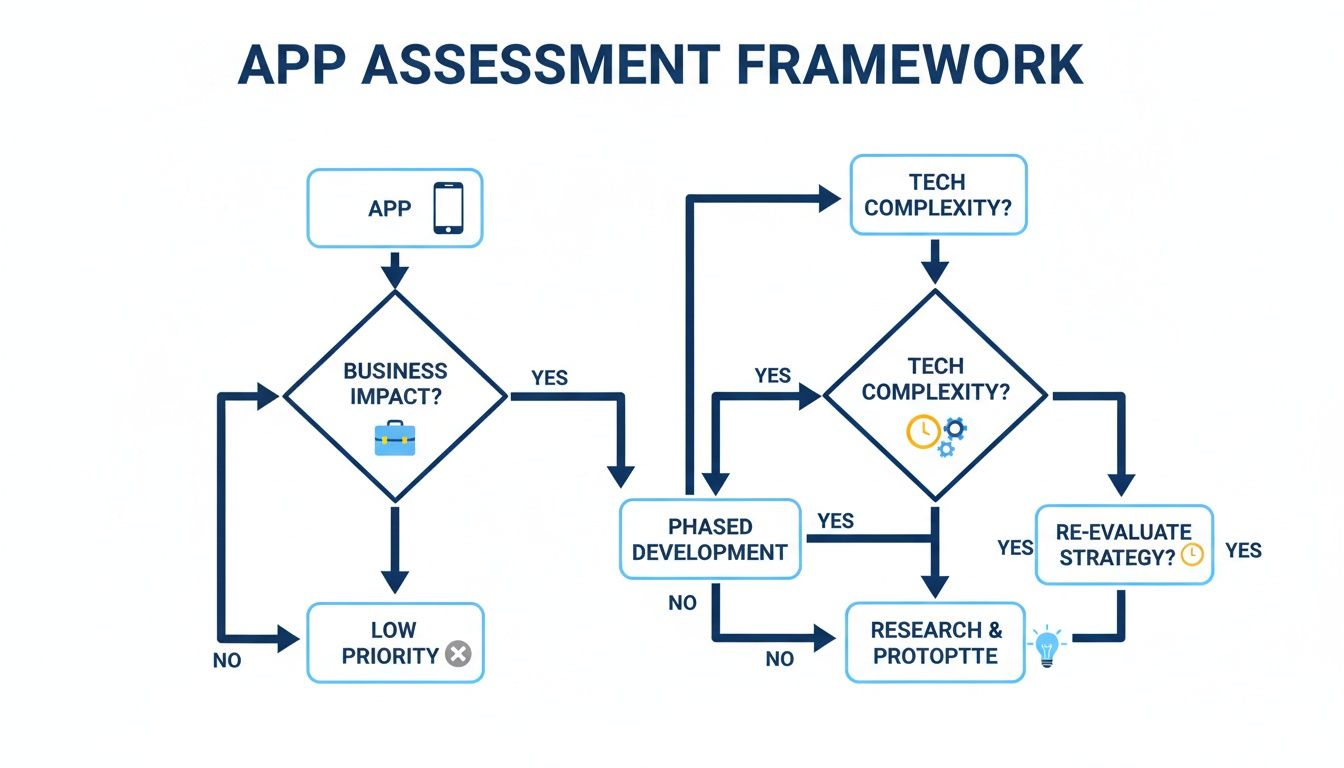
As you can see, high-impact, low-complexity apps are often prime candidates for a simpler path. The really complex, high-impact systems? Those are the ones that demand more strategic thinking.
The Quickest Path: Rehosting
Often called “lift and shift,” rehosting is as straightforward as it gets. You’re essentially picking up an application from your on-premises servers and dropping it onto cloud infrastructure with minimal or zero changes to its architecture. You’re just changing where it lives.
This approach is fast and doesn't require a ton of upfront engineering, which makes it perfect for a few common scenarios:
- Legacy internal tools: Think about that old internal wiki or a simple database that just works. It doesn’t need new features, but it would definitely benefit from the stability and uptime of the cloud.
- Large-scale migrations with tight deadlines: When you need to get out of a data center fast, rehosting lets you move a huge number of applications in a ridiculously short amount of time.
- Apps without source code: If you’re running a black-box system from a third party, rehosting might be your only real option.
The trade-off here is that you won't immediately tap into the cool cloud-native features like auto-scaling or serverless functions. Think of it as a stepping stone, not the final destination.
Making Minor Tweaks: Replatforming
Replatforming, or “lift and reshape,” is the slightly more sophisticated cousin of rehosting. Here, you make a few targeted optimizations to the application so it can take better advantage of the cloud environment, all without changing its core purpose.
A classic example is moving an on-premises database to a managed cloud service like Amazon RDS or Azure SQL Database. This simple move offloads all the painful patching, backups, and maintenance to the cloud provider, freeing up your team for more important work. Replatforming strikes a fantastic balance between speed and tangible cloud benefits.
The Full Overhaul: Refactoring
Refactoring (or re-architecting) is the most intensive, and potentially most rewarding, strategy. This involves significantly redesigning or even rewriting parts of an application to make it fully cloud-native. This often means breaking down a monolithic beast into smaller, independent microservices.
You’d reserve this approach for your most critical, customer-facing applications. For instance, your main e-commerce platform could be refactored into a microservices architecture. This would allow individual components, like the shopping cart or payment processing, to be scaled and updated independently, leading to far greater resilience and agility. It's a big investment, but it pays huge dividends for your most valuable systems.
Exploring Other Strategic Options
Beyond the three main migration paths, three other "Rs" help you optimize your portfolio by deciding what not to move.
- Repurchase: This is all about ditching your old app for a completely different product, usually a Software-as-a-Service (SaaS) solution. Instead of migrating that clunky on-premises CRM, you might just switch to Salesforce. It’s a great move when a commercial product can meet your needs better than a custom-built one.
- Retain: Some applications just need to stay put, at least for now. This could be due to strict regulatory compliance, tangled dependencies that aren't ready to move, or simply because the cost to migrate outweighs any potential benefit.
- Retire: During your assessment, you will almost certainly uncover applications that are no longer used or are completely redundant. Shutting these systems down is a quick win. It reduces complexity, slashes maintenance costs, and shrinks your security footprint before you even begin migrating a single server.
Choosing the right mix of these strategies is what separates a smooth migration from a painful one. In North America, where cloud infrastructure spending hit $270 billion in 2023, effective planning is everything. Some organizations see IT cost reductions of up to 50%, but only when their migration strategy is well-defined from the start. You can read the full research on the cloud migration market to see more on this trend.
The best cloud migration planning doesn’t force every application into the same box. It uses a flexible, multi-strategy approach that aligns the technical path with the business value of each workload.
Building Your Migration Runbook and Timeline
Once you’ve locked in your strategy, it’s time to get tactical. You need to translate those big-picture decisions into a detailed, step-by-step playbook for your team. This is your migration runbook, and it’s the document that separates a chaotic, stressful cutover from a smooth, predictable one.
Think of the runbook as the single source of truth for the entire migration event. It should be so thorough that an engineer with the right skills could execute the migration perfectly, even if they missed every single planning meeting. The goal here is to eliminate guesswork and minimize human error when the pressure is on.
Crafting a Detailed Migration Runbook
A solid runbook is much more than a simple checklist. It's a comprehensive script that covers every single action for a specific application or group of applications being migrated. To be truly effective, every runbook you create needs a few key components.
Here are the absolute essentials:
- Pre-Flight Checklist: This covers everything that must happen before the migration window even opens. Think final data backups, sending out stakeholder communication alerts, and double-checking that all necessary permissions and access rights are in place.
- Execution Steps: This is the heart of the runbook. It’s a sequential list of every single action, complete with an assigned owner and an estimated time for completion. Get specific: "Shutdown Application Server A," "Initiate final data sync," "Update DNS records."
- Validation and Testing Procedures: How do you actually know if the migration worked? This section spells it out. It should detail the exact tests you'll run, like logging into the application, processing a key business transaction, or verifying data integrity in the new cloud database.
- Rollback Plan: If something goes wrong, and it can, what's the precise plan to revert back to the old environment? Your rollback plan needs to be just as detailed as the migration plan itself, ensuring you can restore service quickly and safely.
To give yourself a head start, using a high-quality standard operating procedure template can help you structure your runbook and ensure you don’t miss any critical details.
Sequencing Migration Waves for Minimal Disruption
Trying to migrate everything in one big bang is a classic mistake and a recipe for disaster. A much smarter, safer approach is to group applications into logical "migration waves." This phased method lets your team learn, adapt, and refine the process with each wave, building momentum and confidence along the way.
Kick things off with low-risk, low-impact applications. An internal wiki or a dev/test environment are perfect candidates for your first wave. These early moves act as a proof of concept, letting you iron out any wrinkles in your runbook, test your automation scripts, and validate your communication plan in a low-stakes setting. As you can imagine, automating parts of this process can greatly speed things up. You can explore a variety of cloud infrastructure automation tools to find what fits your needs.
Once you have a few successful waves under your belt, you can start tackling the more complex and critical applications. This iterative strategy de-risks the entire project and makes sure that by the time you're moving your most important systems, your team is a well-oiled machine.
Establishing Realistic Timelines and Roles
Setting a realistic timeline is absolutely critical for managing expectations across the business and keeping your team's morale high. Build your timeline from the bottom up, using the time estimates from your detailed runbooks. And always, always add a buffer for unexpected issues. They will happen.
A common mistake in cloud migration planning is underestimating the time required for testing and validation. Rushing this final step can lead to post-migration performance issues that are far more disruptive than taking an extra hour during the migration window.
Clear roles and responsibilities are just as important. Every single task in that runbook needs a designated owner and a backup. This simple step eliminates confusion and drives accountability when things get busy.
Key roles to define for each migration wave include:
- Migration Lead: The project quarterback. This person is responsible for executing the runbook and making the final go/no-go decisions.
- Technical Specialists: These are the hands-on engineers responsible for the technical tasks, like database migration, network configuration, or application deployment.
- Business Stakeholder: Usually the application owner, this person performs the final sign-off, confirming the system works as expected from a user perspective.
- Communication Point Person: The designated person responsible for sending clear status updates to all relevant parties throughout the migration process.
With a detailed runbook, a smart migration sequence, and a clear set of roles and timelines, you’ll transform your cloud migration from a theoretical strategy into a practical, predictable, and successful project.
Controlling Costs and Performance After Migration
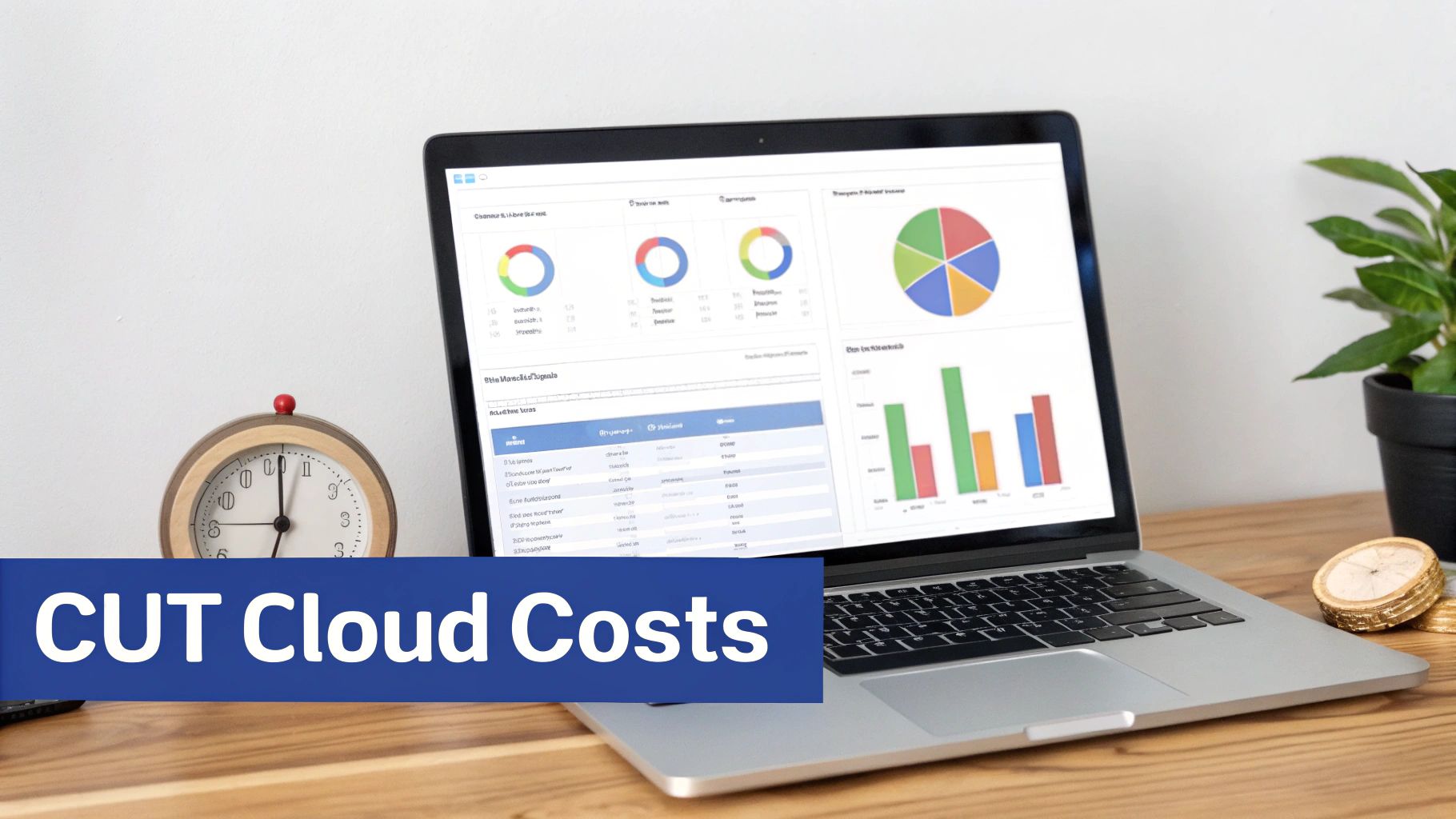
Getting your apps and data into the cloud is a huge win, but it’s definitely not the finish line. In fact, the real work of managing costs and tuning performance kicks in the moment you go live. Many companies get a nasty surprise with their first full cloud bill, discovering just how quickly the pay-as-you-go model can spin out of control without a watchful eye.
Solid cloud migration planning has to look beyond the cutover date. You need a proactive strategy for cost and performance management to make sure your investment actually pays off instead of becoming a source of budget headaches. This is where you switch gears from a migration mindset to an operational one, focusing on continuous improvement.
The Low-Hanging Fruit: Eliminating Idle Resources
One of the biggest, and easiest to fix, sources of wasted cloud spend is paying for resources you aren't even using. Think about it: your non-production environments like development, staging, and QA don't need to run 24/7. Leaving them on overnight and on weekends is like keeping the lights on in an empty office. It’s a completely avoidable expense.
This is where scheduling becomes your secret weapon for cost control. By simply automating the shutdown and startup of these non-production instances, you can slash their costs by up to 70%. Imagine a dev server that only runs from 9 AM to 6 PM on weekdays. You instantly stop paying for over 120 hours of idle compute time every single week.
A disciplined scheduling strategy is the fastest way to see a significant and immediate drop in your cloud bill. It turns your non-production environments from a fixed cost into a variable one that perfectly matches your team's working hours.
This approach isn’t just about saving cash. It also builds a culture of financial awareness within your tech teams, making cost a shared responsibility. The key is to use tools that make this simple, allowing teams to manage schedules without needing deep cloud expertise or having to write complex scripts. For a deeper dive, check out our complete guide to cloud cost optimisation.
Bridging the Skills Gap with Smart Automation
A major hurdle in cloud adoption is the persistent skills gap. Research shows that 42% of cybersecurity professionals see a significant shortage in cloud computing expertise, which directly impacts both security and cost management. It's no surprise that unplanned or poorly managed migrations can easily lead to infrastructure bills that are 30-50% higher than they should be.
This is where simple, policy-driven automation makes all the difference. Automating tasks like shutting down idle resources helps bridge the skills gap by empowering less technical staff to help with financial governance. Instead of relying on senior engineers to write and maintain complicated scripts, teams can use straightforward tools to enforce cost-saving rules. This democratization of cloud management is crucial for scaling your optimization efforts. For more on these industry trends, you can read the full research about the Cloud Migration Services Industry.
Continuous Optimization and Performance Tuning
Beyond just scheduling, ongoing optimization is a discipline that keeps your cloud environment lean and efficient. It involves regularly reviewing your resource usage and making smart, data-driven tweaks.
Here are the essential tactics that form the backbone of any good post-migration management plan:
- Right-Sizing Instances: Your initial assessment was a good starting point, but real-world usage data tells the true story. Use your cloud provider's monitoring tools to find virtual machines that are consistently underused. Dropping an instance from a
largeto amediumtier can cut its cost in half with zero impact on performance. - Setting Budget Alerts: Don't wait for the end-of-month bill shock. Set up alerts that notify your team when spending is on track to exceed your budget. This early warning system gives you time to investigate and fix overspending before it becomes a real problem.
- Managing Storage Tiers: Not all data needs to live on expensive, high-performance storage. Set up lifecycle policies to automatically move older, less-used data to cheaper storage tiers like AWS S3 Glacier or Azure Archive Storage.
- Deleting Unattached Resources: It’s incredibly common to find unattached storage volumes or forgotten IP addresses lingering long after a resource was terminated. These "zombie" assets rack up costs without providing any value. Run regular clean-up scripts to find and delete them.
By making these practices a part of your regular operations, you’ll ensure your cloud environment stays cost-effective, secure, and perfectly aligned with your business needs long after the migration is done.
Cloud Migration FAQs
Even the best-laid plans can leave a few unanswered questions. Let's tackle some of the most common ones we hear from teams heading into a cloud migration. Getting clear on these points upfront helps everyone move forward with confidence.
These are the real-world sticking points that can trip up a project. Getting them right is fundamental to a smooth transition.
What Is the Most Common Mistake in Cloud Migration Planning?
By far, the biggest error is rushing the discovery and assessment phase. It’s tempting to jump right into the migration, but without a deep understanding of your application dependencies, performance baselines, and security policies, you're setting yourself up for failure.
This oversight is the number one cause of unexpected technical problems, blown timelines, and budget overruns. A thorough upfront inventory isn't just a nice-to-have; it's the blueprint for your entire project. Without it, you’re flying blind and asking for expensive rework down the line.
Rushing the assessment is like building a house on a shaky foundation. It doesn't matter how great the rest of the work is, the fundamental problems will eventually show up and demand costly fixes. Taking the time to map everything out meticulously is the single best investment you can make in your migration's success.
How Long Does a Typical Cloud Migration Take?
Honestly, there's no magic number. The timeline depends entirely on the size and complexity of what you're moving. This is easily one of the most variable parts of any cloud project.
For instance, moving a handful of simple, self-contained web apps might only take a few weeks from planning to cutover. That’s a pretty straightforward scenario with minimal dependencies and risk.
On the other hand, migrating hundreds of applications, especially old-school legacy systems that need to be re-architected (refactored), can easily stretch from six months to well over a year. The best approach is to break the project into smaller, manageable waves. This helps you build a much more realistic timeline for each group of applications.
How Do You Handle Security During the Migration?
Security can't be an afterthought. You have to build it into your plan from day one. Trying to bolt on security controls after everything is already in the cloud is far less effective and way more difficult.
Your security strategy should cover a few key areas:
- Map Compliance Needs: Start by matching your industry regulations, like HIPAA or PCI DSS, to the specific security controls and certifications your cloud provider offers.
- Implement Core Controls: Your plan needs to spell out exactly how you'll handle data encryption, both for data in transit (moving over the network) and at rest (sitting on a disk).
- Define Access Policies: Get your identity and access management (IAM) policies locked down. The goal is to give every user and service the absolute minimum permissions needed to do their job and nothing more.
- Configure Network Security: Properly setting up your virtual private clouds (VPCs), subnets, and firewalls is crucial for isolating workloads and controlling who can talk to what.
And remember to run comprehensive security scans both before and after you migrate each workload. You have to verify that everything is buttoned up just as you intended.
Why Is a Rollback Plan So Important?
Think of a rollback plan as your migration safety net. It’s a clearly documented, step-by-step guide to get your systems and applications back to their original state if the cutover fails spectacularly.
This plan should detail the exact steps, the tools you'll need, and who is responsible for hitting the "undo" button. The entire point is to minimize business disruption if things go sideways.
Having a tested rollback plan gives the team the confidence to push forward. It transforms a high-stakes, all-or-nothing event into a calculated, manageable procedure, dramatically reducing the risk of prolonged downtime or data loss.
Stop wasting money on idle cloud resources. CLOUD TOGGLE makes it easy to automatically shut down non-production servers on nights and weekends, cutting your cloud bill by up to 70%. Start your 30-day free trial and see how much you can save at https://cloudtoggle.com.