Think of all the different software tools your business relies on every day. Your sales team has its CRM, finance works out of an ERP, and the marketing department uses its own automation platform. Each one is a powerful island of data, but without bridges connecting them, your teams are stuck manually shuttling information back and forth. That’s a recipe for errors, delays, and a messy, fragmented view of your business.
This is exactly the problem cloud integration services were built to solve.
What Are Cloud Integration Services Anyway?
At its heart, cloud integration is the process of weaving all your separate cloud-based applications and on-premise systems into a single, cohesive network. It’s about letting data and processes flow automatically between them, breaking down the walls between departments and their tools.
They act as the essential connective tissue for your entire tech stack, ensuring your CRM can talk to your ERP and your marketing platform can pull sales data in the blink of an eye. This connection gets rid of tedious manual work and creates a truly unified, efficient operation.
The Purpose of Integration
The main goal here is to create a single source of truth for your entire organization.
When your applications are properly integrated, a simple customer update in your CRM can automatically fire off an invoice in your accounting software, which then pings your inventory management system to adjust stock levels. This kind of hands-off automation eliminates duplicate data entry and guarantees that everyone is working with the most up-to-date information.
This level of connectivity isn't a "nice-to-have" anymore; it's critical. As businesses lean on a wider variety of specialized apps, the need to tie them all together has exploded. The market for cloud integration software is expected to jump from USD 8.71 billion in 2026 to a massive USD 16.35 billion by 2031. You can explore more data on this market growth to see just how fast this trend is accelerating.
Core Functions and Business Impact
To really get a feel for their role, it helps to break down the main functions these services provide and see how they directly help a business. They're much more than just technical plumbing; they're strategic tools for running a smarter, leaner company.
Cloud integration services transform a collection of individual software tools into a powerful, unified system. This synchronization is no longer a luxury but a fundamental requirement for any business aiming to be agile, data-driven, and efficient.
This table gives a quick summary of the primary functions and the real-world impact they have.
Core Functions of Cloud Integration Services at a Glance
| Function | Description | Business Impact |
|---|---|---|
| Data Synchronization | Ensures that data in one application is automatically updated across all other connected systems in real time. | Provides a consistent and accurate view of business data, leading to better decision-making. |
| Process Automation | Creates automated workflows that trigger actions in one application based on events in another. | Eliminates manual tasks, reduces human error, and accelerates business processes like order fulfillment. |
| API Management | Provides a centralized way to control, secure, and monitor the APIs that connect applications. | Enhances security and governance, ensuring data is exchanged reliably and safely between systems. |
Ultimately, these services are about making your technology work for you, not the other way around. By connecting disparate systems, you create a more powerful whole that drives efficiency and smarter decisions across the board.
How Modern Cloud Integration Actually Works
To really get what cloud integration services do, it helps to pop the hood and see what makes them tick. The bedrock of almost every connection is the Application Programming Interface, or API.
Think of an API like a waiter in a restaurant. You (one application) don't need to know how the kitchen (another application) works; you just need to give your order to the waiter. The API takes your request, sends it to the other system, and brings back exactly what you asked for, whether that's data, a confirmation, or a specific action. It's this clean, structured way of communicating that lets your CRM safely pull customer data from your ERP without either system having to know the other's messy internal details.
Centralizing Connections with iPaaS
While APIs are great for one-to-one conversations, trying to manage hundreds of them individually quickly turns into chaos. That’s where an Integration Platform as a Service (iPaaS) steps in. An iPaaS is essentially a command center for all your integrations.
Instead of building custom, point-to-point connections for every pair of apps, you just plug each one into the iPaaS. The platform then handles all the complex routing, data translation, and workflow management.
Platforms like MuleSoft, Dell Boomi, and Zapier are great examples. They offer visual tools to design, deploy, and monitor your integration workflows, often without writing a single line of code. For any business, this radically speeds up the process of connecting new software. This kind of workflow management is a huge part of smart system design. To learn more about this, check out our guide on orchestration in cloud computing in our article.
This image shows how a central hub can connect different business systems like a CRM, ERP, and marketing platform.

It’s clear from the diagram: instead of a tangled mess of connections, a hub-and-spoke model creates a much cleaner, more manageable setup for your entire business.
Key Technologies Driving Integration
Beyond just APIs and an iPaaS hub, a few other key technologies define modern cloud integration. They all work together to build responsive, scalable, and efficient digital ecosystems.
Connectors: Think of these as pre-built adapters for popular apps like Salesforce, NetSuite, or Shopify. They handle all the tricky parts like authentication and data mapping, saving developers from building API connections from scratch. A connector can turn weeks of development work into just a few hours of configuration.
Event-Driven Architecture (EDA): With this approach, systems react to "events," things like a new order being placed or a support ticket getting updated. Instead of one system constantly asking another, "Anything new yet?", an application just broadcasts an event. Any other system that cares can listen and react instantly. This creates a super-responsive workflow, perfect for real-time operations.
The move to event-driven integration is like going from checking your mailbox once a day to getting instant push notifications on your phone. It allows businesses to ditch slow, batch-based updates for real-time, responsive operations.
- Enterprise Service Bus (ESB): This is an older concept, more common in on-premise systems, but the idea is still important. An ESB was a central "bus" that standardized how different applications communicated. Today’s iPaaS platforms are the evolution of this idea, offering a much more flexible, cloud-native solution to the same problem: getting all your apps to speak the same language.
By bringing these technologies together, cloud integration services give businesses a powerful framework for unifying all their different systems. It's the toolkit you need to automate processes, keep data perfectly in sync, and build a tech stack that can actually keep up with your business.
Weighing the Benefits and Challenges of Integration
Jumping into cloud integration is a major strategic decision, and it’s critical to go in with your eyes wide open. The upsides are huge, promising a much more nimble and efficient company. But let's be real, the road to a perfectly connected business ecosystem has its bumps.
Getting a handle on both sides of the coin is everything. When you can stack up the incredible benefits against the real-world hurdles, you can build a solid case for integration and map out a smart plan to navigate the work ahead. This balanced perspective means you’re ready for what’s coming.
The Clear Advantages of a Connected Ecosystem
One of the first things you'll notice is a massive jump in operational efficiency. When your systems talk to each other automatically, tasks like manual data entry just disappear. One report found that companies automating processes with integration saw efficiency gains of over 20%. That frees up your people to focus on meaningful work, not just shuffling data from one app to another.
This directly creates another massive win: a single source of truth. When data is synced across every application, from your CRM to your ERP, every single department is working from the same playbook. Data silos and conflicting reports become a thing of the past, meaning your sales, marketing, and finance teams can make quicker, smarter decisions based on what's happening right now.
A unified data flow also leads to a much, much better customer experience. Picture this: a support agent can instantly pull up a customer's full order history, recent marketing emails, and payment status, all in one place. That 360-degree view means faster resolutions and more personal service, which is exactly what builds loyalty.
Integration transforms your collection of separate apps into a unified business engine. It's the difference between a team of individual experts and a coordinated orchestra where every instrument plays in perfect harmony, creating something far greater than the sum of its parts.
At the end of the day, all these benefits add up to greater business agility. With streamlined processes and accessible data, your company can pivot faster to meet new market demands or outmaneuver the competition.
Navigating the Potential Hurdles
Of course, the path to full integration isn't always smooth. The biggest concern for most businesses is security and compliance. When you connect multiple systems and let data flow between them, you create new potential weak spots. Making sure your data is encrypted both while it's moving and while it's sitting still is non-negotiable.
On top of that, data governance gets a lot more complicated. You need rock-solid rules that define who can access what data, and why. As platforms like Microsoft Azure expand their sovereign cloud offerings to meet strict regional data laws, your integration strategy has to be in lockstep with these regulations to avoid painful penalties.
The initial implementation complexity and cost can also feel like a roadblock. Mapping out all your data flows, cleaning up messy data, and setting up the integration platform takes careful planning and the right people. While modern iPaaS solutions have made this much easier, it’s still a major project that requires a real investment of time and money upfront.
Cloud Integration Benefits vs Potential Challenges
To make the right call, it helps to see the pros and cons laid out side-by-side. The table below puts the strategic value of cloud integration services in sharp relief against the realistic obstacles you’ll need to plan for.
| Benefits of Integration | Potential Challenges to Overcome |
|---|---|
| Increased Operational Efficiency | Complex Initial Implementation |
| Drastically reduces manual data entry and automates repetitive workflows across departments. | Requires careful planning, resource allocation, and technical expertise to map data flows correctly. |
| A Single Source of Truth | Security and Compliance Risks |
| Ensures all teams work with consistent, real-time data, leading to better decision-making. | Exposes new potential attack surfaces that must be secured with robust encryption and access controls. |
| Enhanced Customer Experience | Data Governance and Sovereignty |
| Provides a complete 360-degree view of the customer, enabling personalized and faster service. | Necessitates clear policies for data access and management to comply with regulations like GDPR. |
| Greater Business Agility | Managing Costs and Vendor Lock-In |
| Allows the organization to adapt more quickly to market changes and scale operations smoothly. | Involves subscription fees and potential reliance on a single iPaaS provider for critical operations. |
Ultimately, a well-planned integration strategy anticipates these challenges and builds solutions for them from the start, ensuring the powerful benefits far outweigh the initial effort.
Connecting Cloud Integration to Real Cost Savings
Beyond just making your data flow smoothly, a smart integration strategy can become a powerful tool for controlling your cloud budget. While the main job of cloud integration services is to connect different apps, you can use that same capability to directly manage and slash your cloud spending. This turns your integration platform from a simple technical tool into a proactive cost-cutting machine.
This shift in thinking is a game-changer for any business watching its cloud bills creep up. Instead of just moving data around, you can build automated workflows that actively manage your infrastructure based on what’s actually happening in your business. For FinOps teams and budget-conscious SMBs, this is huge.

Turning Integration into a Cost Control Engine
The core idea is simple: use your integration workflows to trigger cost-saving actions. Think about it, many cloud resources, especially in development and testing environments, just sit idle for huge chunks of the day, quietly racking up costs. An integration-first approach lets you connect the dots between your business processes and your infrastructure usage.
For instance, when a particular business process wraps up, an integration workflow can automatically shut down the resources that were supporting it. This closes the gap between operational activity and financial oversight, making your cloud spend far more efficient.
A Concrete Example: Shutting Down Idle Servers
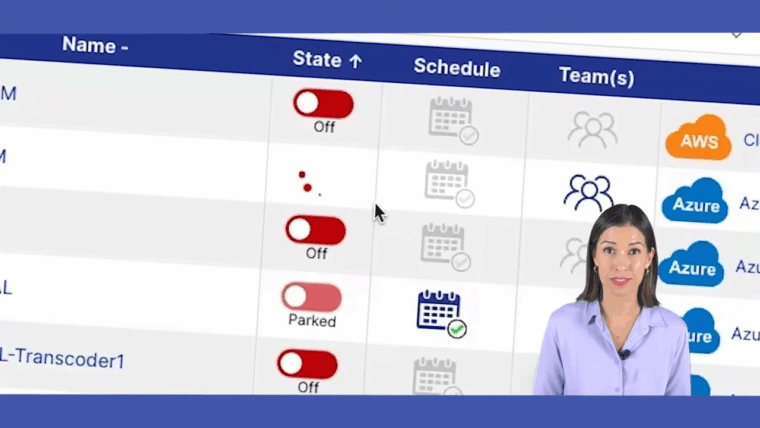
Let's walk through a real-world scenario. Imagine your company runs a data sync job every night, pulling sales figures from your CRM into a data warehouse running on AWS or Azure servers. This process kicks off at 2 AM and is usually done by 3 AM. What happens for the other 23 hours? Those powerful servers are doing nothing but costing you money.
With an integration workflow, you can automate a fix:
- Trigger Event: The workflow listens for the "success" signal from your ETL (Extract, Transform, Load) tool, which means the data sync is complete.
- Integration Action: The moment that signal comes in, the integration platform kicks off the next step.
- API Call: The platform makes a secure API call to a cost optimization tool like CLOUD TOGGLE, telling it to power down the specific server group used for the data warehouse.
- Confirmation: The optimization tool shuts down the servers and pings the integration platform back with a confirmation, which can be logged for auditing.
This whole sequence runs on its own. The servers are only active when they need to be, directly tying your cloud costs to your actual business operations and cutting out the waste. This isn't small change, either. Some reports show that up to 30% of cloud spend is wasted on idle or oversized resources. To get a deeper dive on this, check out our guide on effective strategies for cloud cost optimisation in our article.
By linking integration workflows to cost-saving APIs, you move from passive monitoring to active financial management. Your integration platform doesn't just connect systems; it enforces your budget policies automatically.
Expanding the Use Case
This concept goes way beyond nightly data jobs. You can get creative and build all sorts of automated cost-control triggers that connect different parts of your tech stack to your cloud infrastructure.
Consider these other powerful applications:
- Connecting to Monitoring Alerts: Hook up your monitoring tool (like Datadog or New Relic) to your optimization platform. When an alert fires for a server that has had zero CPU usage for an hour, it can trigger a workflow to automatically shut it down.
- Integrating with CI/CD Pipelines: After a developer pushes new code and the automated test suite runs successfully in a staging environment, the integration can automatically tear down the temporary test servers. You only pay for them during the test run itself.
By using cloud integration services this way, you’re building a smart, self-regulating system. It’s no longer just about keeping data consistent; it’s about making your entire operation more financially intelligent.
Choosing and Implementing Your Integration Solution
Alright, you’ve got a strategy. Now comes the hard part: turning that plan into a real, working system that actually adds value. Picking the right cloud integration service and rolling it out thoughtfully is what separates a smooth, connected business from a tangled, expensive mess. It’s all about matching the right tool to your specific business goals.
The best way to do this is with a two-part approach: a structured evaluation followed by a step-by-step implementation. By nailing down your key criteria from day one, you sidestep future problems, pick a platform that can grow with you, and start seeing real results, fast. Think of this selection process as your first line of defense against integration headaches down the road.

Key Criteria for Selecting an Integration Service
Let’s be clear: not all integration platforms are built the same. As you start looking at your options, you’ll want to zero in on a few core areas that will make or break your success.
Scalability and Performance: Can this thing actually keep up? You need a platform that can handle your current data volumes and won't choke when your business grows. Look for services that can process thousands of transactions per minute without breaking a sweat, especially during your busiest seasons.
Connector Library: How much of the work is already done for you? A platform with a huge library of pre-built connectors for the apps you already use, like Salesforce, NetSuite, and Shopify, is a massive head start. It means less custom coding and faster deployment.
Security and Compliance: Does the service tick all the right security boxes? You need to verify its certifications, like SOC 2 and GDPR compliance. Also, make sure it has the essentials like data encryption and role-based access controls to keep your data safe.
Ease of Use: Who is going to be building these integrations? If the platform has a low-code, visual interface, you can empower more people on your team to get involved. This frees up your senior developers to focus on the really complex stuff.
Pricing Model: Is the pricing straightforward or a black box? Get a clear picture of how they charge. Is it by the number of connections, data volume, or user seats? You want a model that makes sense for your usage patterns so you don't get hit with surprise bills.
This isn't just a feature checklist. It’s a framework for finding a true partner that fits how your business actually works.
Your Step-by-Step Implementation Checklist
Once you’ve made your choice, it's time to execute. A structured plan is your best friend here. This checklist breaks the whole process down into manageable chunks, guiding you from kickoff to long-term success.
1. Define Your Business Requirements
First things first: what problem are you actually trying to solve? Is it about automating order-to-cash? Syncing customer data between your CRM and marketing tools? Write down the specific business outcomes you’re aiming for. This is the foundation for everything that follows.
2. Map Your Data and Processes
Get out the whiteboard. You need to visually map how data is going to flow between systems. For every piece of data, identify the single source of truth (e.g., customer records live in the CRM) and sketch out every step in the workflow you're automating.
3. Run a Pilot Project
Don't try to boil the ocean. Pick one high-impact but low-risk workflow to start with. This pilot project lets you test-drive the platform, learn its quirks, and, most importantly, get a quick win on the board to build momentum.
4. Develop and Test Rigorously
Now, build out the integration workflows for your pilot. Test them with data that looks like the real thing. You want to squash any bugs in data mapping or logic before you go live. Pull in the actual end-users at this stage to make sure it works for them in the real world.
5. Deploy and Monitor
Once testing is complete, it's time to deploy. But your job isn't done. You need to monitor performance closely, watching for errors and making sure everything runs smoothly. Set up alerts that ping your team the second an integration fails. Proactive monitoring, often powered by a solid cloud management platform, is crucial for keeping the system reliable. If you're curious, you can learn more about these platforms in our guide.
6. Establish Governance and Maintenance
Last but not least, create a clear governance plan. Who is responsible for building new integrations? Who monitors them? Who fixes them when they break? A solid plan keeps your integration ecosystem from turning into the Wild West as your business grows.
Following a structured checklist transforms a complex technical project into a predictable business initiative. It ensures every step is deliberate, from defining the 'why' to managing the solution for years to come.
This methodical approach is how you ensure your investment in cloud integration services actually pays off, creating a far more connected and efficient organization.
Building a Truly Unified Digital Ecosystem
As we’ve journeyed through **cloud integration services**, one thing has become crystal clear: this isn’t just about technical plumbing. Think of it as the central nervous system for your entire digital operation. These services are the secret to unlocking the full power of your technology investments, paving the way for better agility, smarter innovation, and tighter financial control.When done right, integration turns your jumble of separate software applications into a single, cohesive ecosystem. That mental shift is the first real step toward building a more responsive and efficient organization, one where data gets to where it needs to be, right when it's needed.
From Silos to Synergy
It’s crucial to stop seeing your tech stack as a collection of individual tools and start viewing it as a unified whole. This connected mindset ensures every part of your business, from sales and marketing to finance and operations, is working in concert.
This is the synergy that unlocks true automation and delivers the deep, actionable insights you need to make strategic decisions. It's also the foundation for more advanced applications like unmanned building management, which simply can't exist without seamless communication between dozens of different systems.
Ultimately, cloud integration services empower you to build a business that is greater than the sum of its parts. By connecting your tools, you connect your teams and your processes, creating a foundation for sustainable growth and a significant competitive advantage.
This holistic view is your blueprint for creating an agile, data-driven organization that's ready for whatever comes next.
Frequently Asked Questions
When you start digging into cloud integration, a lot of practical questions pop up around technology, security, and the all-important bottom line. Here are some clear, straightforward answers to the questions we hear most often.
iPaaS vs. Custom Integration Code
The big difference here is speed versus total control. Think of an Integration Platform as a Service (iPaaS) as a managed workshop. It comes with pre-built connectors, visual tools, and a framework that lets you build integrations incredibly fast with minimal coding. It’s perfect for getting things done quickly and making maintenance a breeze.
On the other hand, custom integration is like building from scratch. Your developers write every line of code using APIs. This gives you absolute flexibility for truly unique, complex requirements, but it's a much slower process and way more difficult to manage and update down the road. For most businesses, an iPaaS hits the sweet spot between efficiency and power.
How Cloud Integration Services Handle Data Security
Any reputable cloud integration service will layer its security to protect your data from every angle. It’s not just one thing; it’s a whole strategy.
Here’s what you should expect as standard:
- Data Encryption: Your data should be locked down both when it's moving between systems (in transit) and when it's being stored (at rest). No exceptions.
- Access Controls: Strict, role-based permissions are crucial. This ensures only the right people can build, change, or run integrations.
- Audit Logs: A detailed, unchangeable record of every action taken. This is non-negotiable for security reviews and proving compliance.
Top-tier platforms will also carry certifications like SOC 2, GDPR, and HIPAA. Always check a provider’s credentials to make sure they match your company's own security and compliance needs.
Are Cloud Integration Services Only for Large Companies?
Not anymore. While big enterprises were the first to jump on integration, today's iPaaS platforms are built for everyone. Flexible pricing and low-code interfaces have made them completely affordable and practical for small and midsize businesses.
For an SMB, these services are a game-changer. They let you automate key processes and compete with the big players without needing a massive IT department. To build a truly connected business, understanding enterprise application integration best practices is essential, no matter your company’s size.
How Can I Measure the ROI of Cloud Integration?
Measuring the return on your integration investment means looking at both hard numbers and strategic wins.
The real value of integration is seen in both direct cost savings and strategic advantages. It’s about creating a more efficient, data-driven organization that can adapt and grow faster.
Start with the obvious wins: track the cost savings from automating tasks that people used to do by hand. Look at the reduced development expenses you get from using an iPaaS instead of paying for custom code. And don't forget the lower cloud bills that come from integrating cost-optimization tools into your workflows.
Then, factor in the strategic benefits. How much faster can you launch new products? How much more accurate is your business data? Are your customers happier? That’s where the true, long-term value really shines.
Ready to turn integration into real savings? CLOUD TOGGLE makes it easy to automatically shut down idle cloud resources, cutting waste from your AWS and Azure bills. Start your free 30-day trial and see how much you can save at https://cloudtoggle.com.