At its core, cloud application automation is about trading manual, repetitive work for intelligent, automated workflows. It’s the process of using software and rules to manage and operate your cloud applications, getting things done with as little human button-pushing as possible. This means tasks like provisioning servers, deploying new code, or running health checks happen automatically, building a far more efficient and reliable system.
What Is Cloud Application Automation

Think of your company's cloud environment as a busy restaurant kitchen. In a manual setup, the chefs are constantly running around, grabbing ingredients, watching every single pot, and adjusting the heat by hand. It’s chaotic, mistakes are bound to happen, and it's definitely not scalable.
Cloud application automation is like outfitting that kitchen with a modern, robotic system. This system automatically pulls inventory, precisely controls cooking times, and adjusts temperatures without fail. It takes all the tedious, manual work of cloud management and replaces it with smart, self-running processes.
Moving Beyond Manual Cloud Management
Instead of your engineers spending their days putting out fires or spinning up servers by hand, automation builds a system that takes care of itself. It handles deployments, scales resources up or down based on traffic, and performs routine health checks on its own. It’s a fundamental shift from being reactive to proactive.
The market certainly reflects this shift. The global cloud automation market is growing at a breakneck pace, projected to jump from $233.49 billion in 2025 to $271.98 billion in 2026, a compound annual growth rate (CAGR) of 16.5%. This explosive growth shows that automation isn't just a nice-to-have; it's an absolute necessity for modern IT.
Automation solves the critical problems of runaway cloud costs and operational bottlenecks. It liberates your technical teams to focus their energy on building better products and driving business innovation instead of performing routine maintenance.
Key Problems Solved by Automation
When you put a real automation strategy in place, you start solving some of the most persistent headaches that hold back IT departments. For a closer look at the nuts and bolts, check out our guide on cloud computing automation.
Here are the main challenges automation knocks down:
- Reduced Operational Overhead: It slashes the time and manual effort needed to manage infrastructure. This frees up your best engineers to work on projects that actually move the needle.
- Improved Reliability and Consistency: Automated processes run the same way, every time. This consistency gets rid of human error, leading to far more stable and predictable applications.
- Faster Delivery Cycles: By automating your deployment pipeline, your teams can push out new features and updates much faster. That’s a direct competitive advantage.
- Significant Cost Savings: Automation is a money-saver. By automatically shutting down idle resources and right-sizing capacity, it directly cuts down your monthly cloud bill.
Ultimately, cloud application automation isn't just about making tasks run on their own. It’s about building a smarter, more efficient, and cost-effective foundation for your business to grow on, giving you the control and predictability you need to succeed in the cloud.
The Four Pillars of Cloud Automation
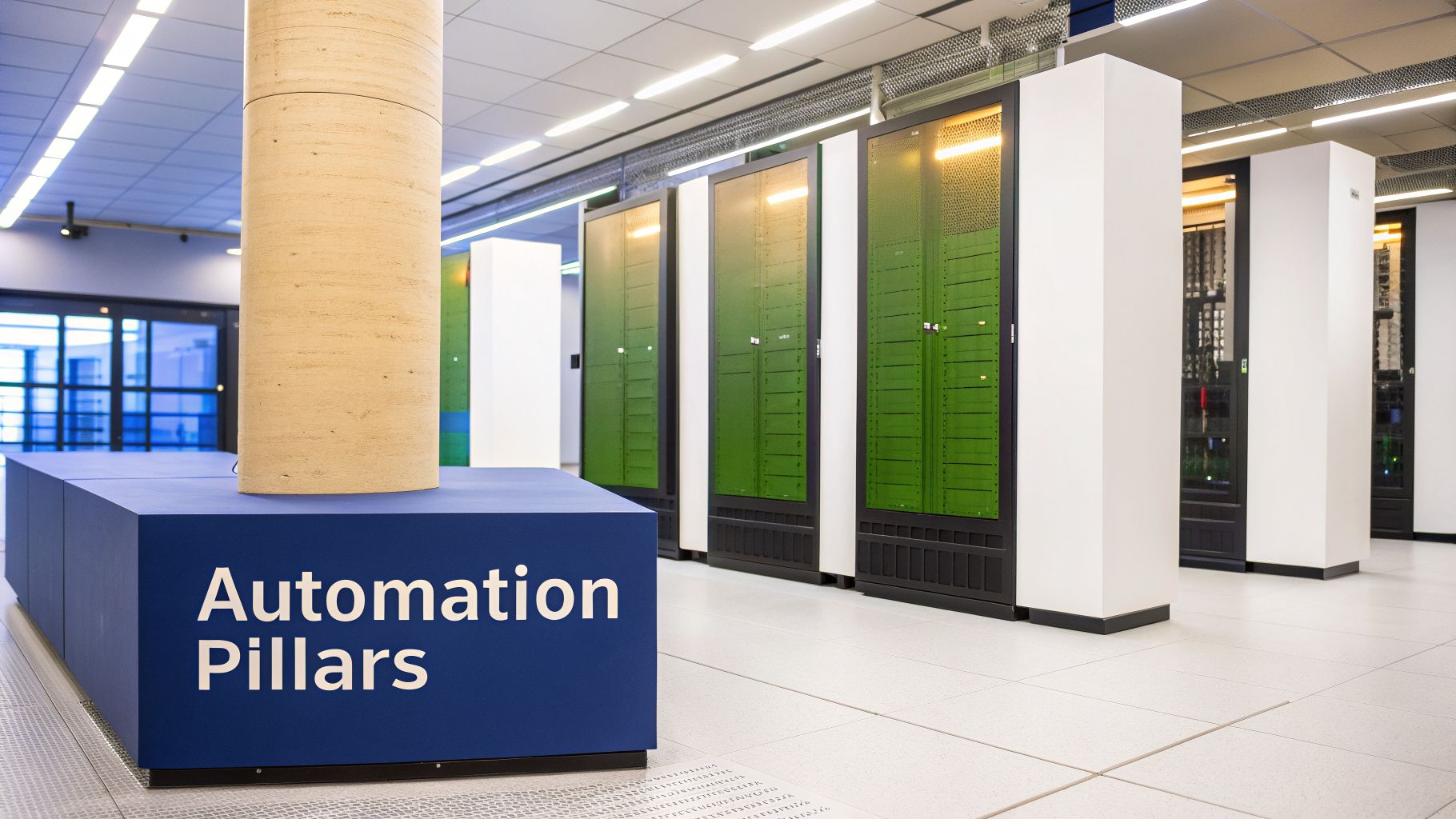
If you're serious about getting cloud automation right, you have to nail the fundamentals. These aren't just industry buzzwords; they are the core components that work together to create a powerful, self-managing cloud environment.
Think of them as the four pillars holding up a truly automated system. Each one has a distinct and crucial job, and understanding how they connect is the key to transforming manual, error-prone cloud operations into an efficient and cost-effective machine. Let's break them down one by one.
Continuous Integration and Continuous Deployment (CI/CD)
At its core, Continuous Integration and Continuous Deployment (CI/CD) is the automated assembly line for your software. It creates a smooth, hands-free path for code to travel from a developer's laptop directly into your live production environment. It’s all about moving faster without breaking things.
- Continuous Integration (CI): This is where developers frequently merge their code changes into a central repository. Every time they do, an automated process kicks off to build and test the application, catching bugs almost immediately.
- Continuous Deployment (CD): Once the code breezes through all the automated tests, this is the part that automatically pushes it live to your customers. This step eliminates the manual deployment process, a classic source of human error and frustrating delays.
A solid CI/CD pipeline is the absolute cornerstone of modern cloud application automation. It’s what allows teams to shift from stressful, months-long release cycles to shipping updates daily or even hourly.
Infrastructure as Code (IaC)
Next up is Infrastructure as Code (IaC), which acts as the master blueprint for your entire cloud setup. Instead of manually clicking around in a provider’s web console to create servers, databases, and networks, you define everything in simple configuration files. It’s like having a detailed architectural plan for your whole environment.
With IaC, your infrastructure becomes versioned, testable, and perfectly repeatable. Tools like Terraform or AWS CloudFormation read these files and build the environment precisely as you defined it. Need to spin up an identical setup for testing or a new region? Just run the same code.
IaC is critical for consistency. It ensures that every environment, from development to production, is configured identically, which dramatically reduces the "it worked on my machine" problem.
Cloud Orchestration
While basic automation handles individual tasks, orchestration is the conductor of your entire cloud symphony. It coordinates all the different services and automated workflows, making sure they execute together in perfect harmony to achieve a bigger business goal.
Imagine deploying a full-scale application. This isn't one task; it's a sequence of many, like provisioning servers, configuring networks, deploying the code, and connecting the database.
Orchestration is what manages this entire complex workflow. It tells the IaC tool to build the infrastructure, signals the CI/CD pipeline to deploy the application, and ensures all dependent services start in the correct order. Without it, you just have a collection of separate automated scripts, not a cohesive, functioning system. For a deeper dive, check out our detailed article on orchestration in cloud computing.
Autoscaling and Resource Management
The final pillar is Autoscaling, which is essentially an intelligent resource manager for your application. Picture a retail store that could automatically open more checkout lanes during a holiday rush and then close them when the crowds die down. That’s exactly what autoscaling does for your cloud apps.
Autoscaling dynamically adjusts the number of resources, like virtual machines or containers, based on real-time demand.
- Scale Out: When traffic suddenly spikes, it automatically adds more resources to handle the load, keeping your application fast and responsive.
- Scale In: When traffic subsides, it removes those unneeded resources so you immediately stop paying for idle capacity.
This pillar is directly tied to both performance and cost. It guarantees your application has the muscle it needs to perform under pressure while ensuring you aren’t burning cash on servers that are just sitting there doing nothing. Together, these four pillars form the bedrock of any successful cloud application automation strategy.
Unlock Key Business Benefits With Automation
Alright, we’ve covered the technical nuts and bolts of cloud automation. Now for the most important question any business leader will ask: what's in it for us? The answer isn't just about making IT's job easier; it's about delivering real, measurable results that show up on the bottom line.
Let's connect the dots between those automated workflows and the business outcomes that matter. For business leaders, FinOps teams, and engineers, these are the three game-changing improvements you can expect.
Drive Major Cost Savings
One of the quickest and most satisfying wins from automation is a hefty reduction in your monthly cloud bill. The biggest culprit? Non-production environments, like development, testing, and staging, that are often left running 24/7. This is a common blind spot that can easily waste 70% or more of the budget you spend on those resources.
Think about a company with a $50,000 monthly cloud bill, where $20,000 goes to these non-production environments.
- Before Automation: The servers run all day, all night, and all weekend. Cash is literally being burned while nobody is working. The full $20,000 is spent, but a huge chunk of it is pure waste.
- After Automation: A simple scheduling automation is put in place. It powers down all test environments at 7 PM on weekdays and keeps them off over the weekend, spinning them back up just before the team starts work.
This one change can easily slash that non-production bill in half, putting $10,000 back into the company’s budget every single month. This isn't a fantasy scenario; it's what happens when you stop paying for idle time. If you want more ideas on this, you can learn more about how automation in the cloud delivers direct savings.
Enhance Service Reliability
Downtime is a killer. It costs you lost revenue, damages your brand's reputation, and leaves you with angry, frustrated customers. Cloud application automation is one of the best ways to build a resilient infrastructure that protects you from these expensive outages.
Picture a major e-commerce site during a huge sales event. If a server fails, a manual response would mean an on-call engineer gets woken up, has to diagnose the issue, and then manually reroute traffic. That could easily take 30 minutes or more, with sales flatlining the entire time.
With an automated failover workflow, the system spots the primary service failure in seconds. It instantly reroutes all traffic to a healthy backup instance, often so fast that your customers never even notice a problem.
This self-healing capability turns a potential disaster into a non-event, saving thousands in revenue and preserving the trust you've built with your customers. You’re effectively removing human delay from the emergency response equation.
Accelerate Innovation and Delivery
In today's market, speed is a massive competitive advantage. Getting new features out to your customers faster than the other guy is how you win. The problem is that manual deployment processes are slow, risky, and a huge bottleneck, often restricting releases to a quarterly schedule.
Let's look at the direct impact automation has on key business areas.
Impact of Automation on Key Business Metrics
This table shows the clear "before and after" picture, highlighting how switching from manual work to automated workflows delivers concrete business value.
| Business Area | Manual Approach (The Problem) | Automated Approach (The Solution) | Primary Benefit |
|---|---|---|---|
| Feature Delivery | Deployments are a high-risk, multi-day process performed quarterly. | A CI/CD pipeline automates testing and deployment, enabling releases in minutes. | Weekly or daily releases, getting features to market faster. |
| System Stability | Manual failover during an outage causes 30+ minutes of downtime. | Automated health checks and failover trigger instantly. | Near-zero downtime, protecting revenue and reputation. |
| Cloud Costs | Test servers run 24/7, wasting over 65% of their budget. | Idle resources are automatically shut down overnight and on weekends. | Significant cost savings, freeing up budget for innovation. |
By automating the entire pipeline with CI/CD, a development team can go from fearing deployments to confidently shipping new code every week, or even every day.
This means your great ideas move from a whiteboard to your customers in days instead of months. It’s more than just an operational tweak; it’s a strategic weapon that lets you out-maneuver and out-innovate your competition.
A Practical Workflow for Automating Cost Savings
While we've talked about the big-picture wins from cloud automation, the quickest and most tangible victory for most companies is cost optimization. It’s a simple truth of cloud computing: one of the biggest, yet most overlooked, sources of waste comes from leaving non-production resources running 24/7.
Think about all your development, staging, and quality assurance (QA) environments. They’re essential during business hours, but they keep racking up costs all night and over the weekend. This isn’t just a small leak. For many organizations, these idle resources can burn through over 70% of their non-production cloud spend.
The fix is surprisingly simple: automate their shutdown and startup schedules. You only pay for what you use, so why pay when no one is using it?
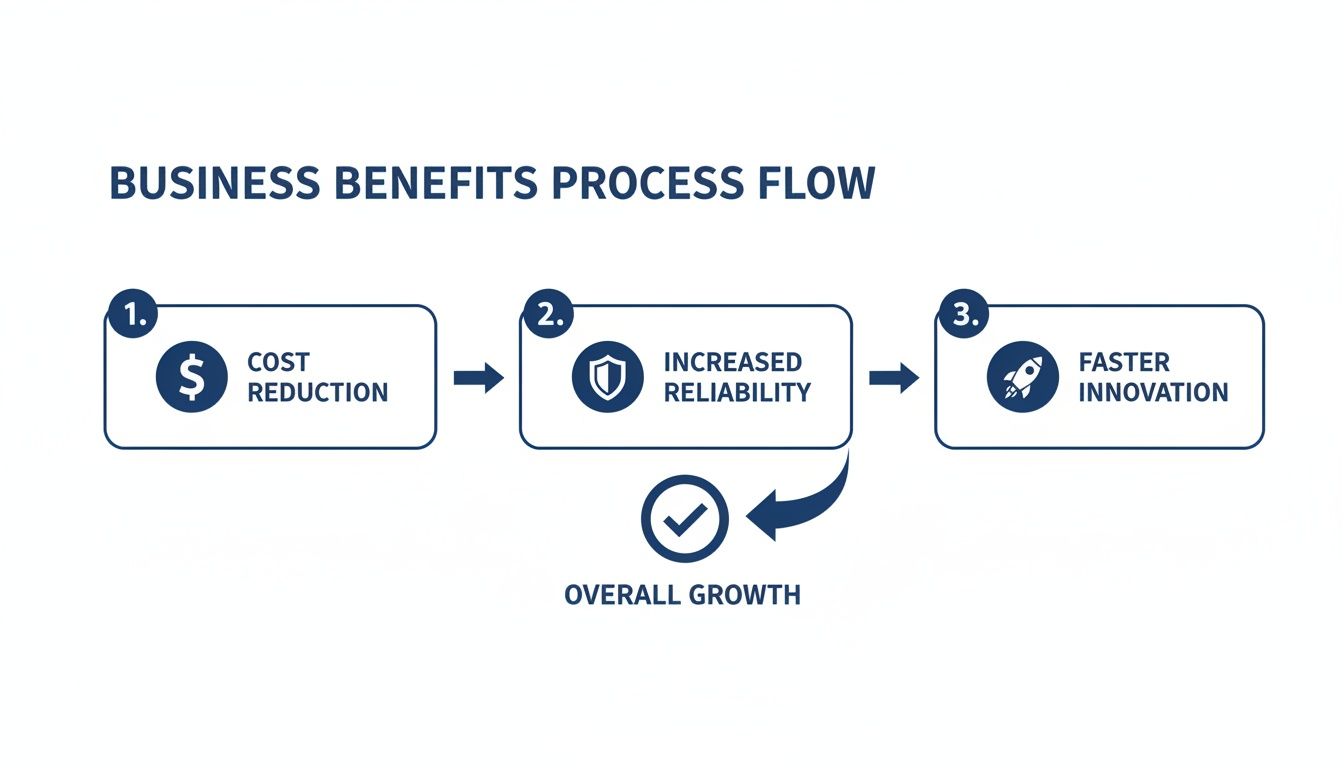
Starting with direct cost reduction, you free up budget and engineering time. This creates a positive cycle, enabling you to invest in greater reliability and faster innovation.
From Complex Scripts to Simple Schedules
Not too long ago, scheduling shutdowns meant writing and maintaining a pile of custom scripts. This was a job for a seasoned engineer, and it often became a maintenance headache that nobody wanted to own.
Today, purpose-built tools have completely changed the game, making scheduling accessible to project managers, IT staff, and anyone managing a budget. This is exactly where a dedicated platform like CLOUD TOGGLE comes in.
Instead of fighting with scripts, you get a clean dashboard to create on/off schedules for your resources across AWS and Azure. This simple shift turns cost control from a complicated engineering project into a standard, repeatable practice.
A Step-by-Step Guide to Automated Savings
Putting this workflow into action is much easier than you might think. The goal is to set up a reliable schedule that fits your team's work patterns but still allows for the occasional late night. For a deeper dive into optimizing your team's processes, you can also explore broader Workflow Automation concepts.
Here’s a practical workflow you can follow:
- Identify Target Resources: First, tag all your non-production virtual machines and databases in AWS or Azure. This includes everything used for development, testing, staging, and QA. Good tagging is the foundation.
- Define a Baseline Schedule: Next, create a standard schedule that aligns with your core business hours. A typical starting point is powering resources on at 8 AM and shutting them down at 7 PM, Monday through Friday.
- Provide Temporary Overrides: Real work rarely fits a perfect 9-to-5 box. Your team will need flexibility. A good scheduling tool lets developers request temporary extensions with a simple click, preventing disruptions when they're chasing a last-minute bug or deploying a late-night fix.
- Track and Report Savings: Finally, make your success visible. Use the platform’s dashboard to see exactly how many hours your resources were off and what that translates to in real dollars saved.
This simple process transforms cost optimization from a one-off manual cleanup into a continuous, automated business function. You create predictable savings you can count on every single month.
Making Cost Control a Team Effort
When you use a tool designed for this job, you empower more people to take ownership of costs safely. A project manager can control the schedules for their specific environments without needing administrator access to the entire cloud account.
This shared responsibility fosters a culture of cost-awareness across the entire organization. It’s a practical application of cloud application automation that delivers an immediate return and builds the momentum you need to tackle even bigger, more advanced initiatives down the road.
How to Implement Your Cloud Automation Strategy
Jumping into cloud automation can feel like you’re trying to boil the ocean. But you don't have to. The secret is to start small, score a few quick wins that deliver an immediate return, and then build on that momentum.
A phased approach prevents your team from getting buried in complexity and proves the value of cloud application automation right out of the gate.
The best place to begin is with the obvious stuff. For most businesses, that means tackling runaway cloud costs. A simple, high-impact first step is scheduling automatic shutdowns for non-production servers. This one move can unlock serious savings and build a rock-solid business case for everything that comes next.
Start with Cost Optimization Wins
Instead of trying to untangle complex application deployments on day one, solve a straightforward problem with a clear reward. For example, using a simple tool like CLOUD TOGGLE to power off idle development and testing servers on nights and weekends instantly cuts your cloud bill.
That first victory is about more than just money. It’s a proof-of-concept. It builds confidence across the team and gives you a stable foundation for more advanced automation projects down the road.
Here’s a simple roadmap to get you started:
- Assess Your Current State: First, you need to know what you’re running, when it’s being used, and who is using it. Tagging resources by project, team, or environment is the critical first move to get that visibility.
- Prioritize Your First Target: Go for the easiest and most impactful target. Non-production environments that sit idle but run 24/7 are almost always the best candidates for immediate savings.
- Implement a Scheduling Tool: Pick a tool that makes this easy. An intuitive platform lets project managers and team leads set schedules themselves without needing deep engineering know-how. This makes cost control a shared responsibility, not just an IT problem.
- Measure and Communicate Results: Track the dollars you save and share that good news with stakeholders. Success like this creates an appetite for more automation.
Progress to Advanced Automation Steps
Once you have a handle on costs and have shown a clear return on investment, you can start tackling more sophisticated automation. This is where you really begin to change how your team builds and delivers software. The goal is to build on your initial success by progressively automating more complex workflows.
Think about these next steps for your implementation journey:
- Establish a Basic CI/CD Pipeline: Pick one of your key applications and automate its build, test, and deployment process. This will immediately speed up your release cycles and slash deployment errors.
- Introduce Infrastructure as Code (IaC): Begin managing your core network and server configurations with code. This guarantees consistency across all your environments and makes your entire infrastructure repeatable and easy to audit.
The key is an iterative approach. Don't try to automate everything at once. Focus on one process at a time, get it right, and then move on to the next. Small, consistent wins are what create a powerful culture of efficiency over time.
Automation Implementation Checklist
Use this checklist to get a sense of your current state and prioritize what to automate first. It helps make sure you're solving the right problems in the right order. For some practical examples of putting cloud application automation into action, you can see how to automate business processes using Microsoft 365.
| Phase | Action Item | Status (Not Started, In Progress, Complete) |
|---|---|---|
| Phase 1: Foundation | Audit and tag all non-production resources (dev, test, QA). | |
| Implement an automated shutdown schedule for idle servers. | ||
| Track and report on initial cost savings from scheduling. | ||
| Phase 2: Core Processes | Select a pilot application for a CI/CD pipeline. | |
| Set up automated builds and unit tests for the pilot app. | ||
| Define core network infrastructure (VPCs, subnets) using IaC. | ||
| Phase 3: Expansion | Expand CI/CD to more applications and services. | |
| Automate the provisioning of development environments. | ||
| Implement automated security scanning within the pipeline. |
By following this phased roadmap, you can break a huge, intimidating goal down into a series of manageable steps. Each item you check off not only improves your operations but also strengthens the case for making cloud automation a core part of your IT strategy.
Got Questions About Cloud Automation? We've Got Answers.
As teams start digging into cloud application automation, a lot of practical questions pop up. It's a big topic, and it’s natural to want clear, straightforward answers before diving in. We’re going to tackle some of the most common questions we hear, clearing up the confusion so you can move forward with confidence.
What’s the Difference Between Automation and Orchestration?
You’ll often hear "automation" and "orchestration" used as if they mean the same thing, but they are two very different concepts. Getting the distinction right is the first step toward building a solid cloud management strategy.
Think of it this way: automation is all about a single, specific task. It’s the act of making one step in a bigger process run completely on its own. A perfect example is a script that automatically fires up a single virtual machine. That's automation: a discrete, isolated action.
Orchestration, on the other hand, is the big picture. It’s the art of coordinating multiple automated tasks to create a complete, end-to-end workflow. Orchestration is the conductor, making sure each automated step happens in the right order to deliver a larger business outcome. Deploying an entire application, which involves spinning up servers, setting up networks, installing software, and running health checks in a precise sequence, is a classic example of orchestration.
How Much Can I Really Save by Automating Server Shutdowns?
The cost savings from automating server shutdowns are not just real; they are one of the fastest and most significant returns you can get from cloud automation. The savings come directly from no longer paying for compute time when nobody is even using it, especially in your non-production environments.
Think about your development, testing, and staging environments. They are typically only needed during a standard 40-hour work week. That means they sit completely idle for roughly 128 hours every single week. By simply setting up an automated schedule to power them down on evenings and weekends, you can slash their costs by 65% or more.
For most companies, non-production environments make up a huge chunk of their total cloud bill. This isn’t a small tweak; it's a high-impact optimization that delivers immediate results.
Is Cloud Automation Only for Large Enterprises?
This is a very common myth. While big enterprises were the first to embrace automation to wrangle their massive infrastructures, the game has completely changed. Modern tools have made powerful cloud automation both accessible and affordable for businesses of any size.
You absolutely do not need a dedicated team of DevOps engineers or a massive budget to get started anymore. Platforms like CLOUD TOGGLE are built specifically to be simple and cost-effective, putting key automation workflows within everyone's reach.
Even a small business with just a few servers can implement automated shutdown schedules and see real, meaningful savings without touching a line of code. The barrier to entry is gone.
How Does Automation Fit into a Hybrid Cloud Strategy?
As the market continues to shift, automation becomes more important than ever. The entire cloud computing ecosystem, which includes cloud application automation, is set to balloon to $3,349.61 billion by 2033. A huge part of that growth is driven by complexity; with 90% of enterprises expected to run hybrid cloud setups by 2027, managing resources across different providers is a massive headache.
This is where automation becomes a non-negotiable for anyone managing a mixed-vendor infrastructure. You can learn more about the growing cloud market and see how it’s shaping IT strategies.
Tools that can automatically schedule and control idle resources across different clouds, like AWS and Azure, are critical for keeping costs and operations consistent. A smart automation strategy unifies everything, giving you a single pane of glass to manage your resources, no matter where they live.
What Are the First Steps to Get Started?
The best way to start is by going after the low-hanging fruit: the tasks that give you the biggest bang for the least effort. This approach proves the value of automation quickly and builds momentum for bigger projects down the road.
Here’s a simple but powerful game plan:
- Find the Easy Wins: The most obvious starting point is scheduling your non-production resources. This is almost always where the most wasted spend is hiding.
- Use a Simple Tool: Instead of getting bogged down writing and maintaining custom scripts, use a dedicated scheduling tool to automate the on/off cycles for your dev and test servers.
- Measure and Report: Track every dollar you save from this first step. When you share those numbers with stakeholders, you instantly build a strong business case for doing more with automation.
Starting small and proving the ROI makes it incredibly easy to get the green light for more advanced projects, like building out CI/CD pipelines or diving into Infrastructure as Code.
Ready to stop wasting money on idle cloud resources? CLOUD TOGGLE makes it simple to automate shutdown schedules for your AWS and Azure servers, cutting your cloud bill with just a few clicks. Start your free 30-day trial and see how much you can save at https://cloudtoggle.com.