Let’s be honest: moving to the cloud gives you incredible flexibility, but it can also feel like a blank check if you’re not careful. Without a clear financial game plan, costs can spiral out of control before you even realize it. That's where budgets and forecasts come in.
Think of it this way: a budget is your financial blueprint for what you plan to spend. A forecast, on the other hand, is your real-time GPS, predicting where your costs are actually headed based on what's happening right now.
Mastering Cloud Spend with Financial Planning

Getting a handle on your cloud bill means shifting from a reactive mindset, just paying the invoice at the end of the month, to a proactive one. It’s about turning your cloud operations from an unpredictable cost center into a value-driven part of the business. You need a solid framework that combines forward-looking plans with predictive insights.
This is exactly where budgets and forecasts shine. They are the cornerstones of effective cloud financial management. A well-structured budget draws the financial lines you need to stay within, while an accurate forecast gives you the visibility to navigate those lines without crashing.
The Blueprint and The GPS
To really get the difference between budgets and forecasts, let’s use a simple analogy.
A budget is like an architect's blueprint for a new building. It’s a detailed plan created before any work starts, outlining every approved cost, from materials to labor, and setting the total financial limit for the project. It’s a static, approved plan.
A forecast is more like the project manager’s weekly progress report. It uses real-time data, how much concrete has been poured, how many hours the crew has worked, to predict the final cost and completion date. If a surprise storm delays construction, the forecast is updated to reflect that new reality, helping the team adjust to stay as close to the blueprint as possible. This dynamic nature is exactly what you need for the constantly shifting costs of cloud services.
To quickly see how they stack up, here’s a simple comparison.
Budget vs Forecast At a Glance
| Attribute | Budget | Forecast |
|---|---|---|
| Purpose | To plan and control spending | To predict future outcomes |
| Timeframe | Fixed (e.g., quarterly, annually) | Dynamic (e.g., weekly, monthly, rolling) |
| Nature | A static plan or target to hit | A dynamic estimate of what's likely to happen |
| Creation | Based on historical data & business goals | Based on real-time data and recent trends |
| Function | Sets financial limits and expectations | Provides early warnings and informs adjustments |
This table makes it clear: budgets set the destination, while forecasts help you steer the ship.
Why You Absolutely Need Both for Cloud Cost Control
Trying to manage cloud spend with just one of these tools is a recipe for disaster.
A budget without a forecast is like having a road map but driving with your eyes closed. You have a plan, but you have no idea if you're on track until you've already driven off a cliff. By the time you get the bill, it’s too late.
On the flip side, a forecast without a budget is like having a great GPS but no destination in mind. You can see where you’re headed, but you have no way of knowing if that’s where your business needs to go.
A strong financial plan for the cloud isn't just about cutting costs. It's about ensuring every dollar spent delivers maximum value by aligning technology investments with business goals, a core principle you can learn more about in our guide to what is cloud cost management.
When you bring both into your FinOps workflow, you unlock some serious advantages:
- Financial Accountability: Budgets give teams and projects clear ownership of their spending.
- Proactive Adjustments: Forecasts act as an early warning system, letting you spot and fix cost spikes before they blow up your budget.
- Smarter Decisions: Together, they give you the hard data needed to make informed choices about where to allocate resources.
- Predictable Spending: This combination smooths out those jarring end-of-month billing surprises and creates more predictable expenses.
How Budgets and Forecasts Differ
People often use the terms "budget" and "forecast" interchangeably, but in cloud financial management, they’re two very different tools. Mixing them up is a classic mistake that leads to messy planning and surprise bills at the end of the month.
Let’s use an analogy. Think of it like planning a road trip.
Your budget is your total trip allowance. It's the fixed amount you’ve set aside for gas, food, and hotels. You create this plan before you even start the car. It’s the goal, the financial guardrail for the entire trip.
Your forecast, on the other hand, is what your GPS tells you in real-time. It’s constantly recalculating your arrival time based on your current speed, traffic, and any detours you take. If you hit a traffic jam (an unexpected spike in cloud usage), the forecast updates to show you'll arrive later and probably need more gas than you originally planned.
The Static Plan vs. The Dynamic Prediction
The biggest difference comes down to one thing: a budget is a static financial plan, while a forecast is a dynamic prediction.
A budget answers the question, "What do we want to happen?" It’s a target, typically set quarterly or annually. It doesn't really change unless the entire business strategy pivots.
A forecast answers a different question: "Based on what's happening right now, what's likely to happen?" It’s a living document, updated frequently, often monthly or even weekly, to give you a real-time pulse on your spending. This constant adjustment is non-negotiable in the ever-changing world of cloud services.
A budget sets the destination. A forecast tells you if you're on the right road and warns you about upcoming traffic jams so you can change your route.
You absolutely need both. One gives you control and sets clear expectations, while the other provides the visibility you need to make smart, proactive decisions.
Purpose and Function in FinOps
In a FinOps world, these two tools work together to keep your cloud spend stable and predictable. They aren't interchangeable; they're partners.
-
Budgets for Control and Alignment: A budget is all about setting spending limits and allocating funds. For example, you might give a specific dev team a cloud budget of $10,000 per month. This isn't an arbitrary number; it’s tied to business goals and strategic priorities. To make this work, you need solid costs allocation methods to ensure that budget is meaningful and teams can be held accountable for it.
-
Forecasts for Agility and Early Warnings: The forecast takes that $10,000 budget and pits it against actual, live consumption data. If, by the middle of the month, the forecast predicts the team is on track to spend $13,000, it’s a huge red flag. This gives the FinOps team an early warning to jump in, figure out what’s causing the spike, and work with stakeholders to get things back on track before the budget is blown.
Think about it this way: without a budget, a forecast is just a number without a goal. And without a forecast, a budget is just a plan with no way to track progress, leaving you blind until the bill arrives. One sets the rules of the game, and the other helps you win it.
Choosing Between a Budget and a Forecast
So, you have these two tools in your FinOps toolkit: budgets and forecasts. Knowing which one to pull out, and when, is the secret to keeping your cloud costs from spiraling out of control. This isn't an either/or situation. Think of it more like strategic planning versus hands-on operational steering. Both are critical, but they solve very different problems.
A budget is your long-term roadmap. It sets the financial guardrails for big projects and makes sure your cloud spending is actually tied to what the business wants to achieve. Its fixed, target-driven nature makes it the perfect tool for setting clear expectations.
When to Use a Budget
You’ll want to lean on a budget when it's time to:
- Set Annual or Quarterly Spending Limits: This is the classic use case. You allocate a fixed pot of money to a department, project, or team for a specific period. It’s a clear line in the sand.
- Approve New Projects: Before anyone starts spinning up resources for a new app or migration, a budget defines the expected cost and gets the thumbs-up from stakeholders. No surprises.
- Establish Financial Accountability: Handing a team a budget gives them a clear benchmark. It’s how you build a culture where engineers and project managers own their slice of the cloud bill.
For instance, a development team planning a new product feature would draft a detailed budget, projecting their cloud costs for the next six months. Leadership signs off on it, and that number becomes the official spending limit for the project.
When to Use a Forecast
While budgets draw the map, forecasts are your GPS for the day-to-day journey. They’re dynamic, fed by real-time data, and built for quick course corrections.
Forecasts are your go-to when you need to:
- Spot Potential Cost Overruns: It’s the middle of the month. A quick forecast shows a team is on pace to blow past their budget. Now you have time to step in before the bill arrives.
- Adjust Resource Allocation on the Fly: Live usage data might show a sudden spike in demand. A forecast helps you decide whether to scale up to meet it or find a way to optimize without overspending.
- Inform Tactical Decisions: Can you afford to run that massive data processing job right now? A forecast gives you the data to decide if it’s better to hit "go" or wait until the next billing cycle.
Let’s go back to that development team. Their $50,000 six-month budget is set in stone. But the FinOps team runs weekly forecasts on their actual consumption. If a forecast predicts they’re trending toward $55,000, alarms go off. Stakeholders are alerted immediately to figure out what’s driving the spike and how to get back on track.
The core difference is simple: Budgets are for planning and getting approval. Forecasts are for managing and staying on track. One sets the goal, the other helps you reach it without getting lost.
This interplay between planning and reacting isn't just a corporate finance thing. It’s exactly how governments manage massive public spending. Between 2019 and 2023, government spending in OECD countries shot up to a peak of 48.3% of GDP in 2020 because of the pandemic, before settling back to an average of 42.6% by 2023. Managing figures that huge requires strict budgets for allocation and incredibly dynamic forecasts to navigate economic shifts. You can discover more insights about these government expenditure trends at OECD.org.
A Step-by-Step Guide to Cloud Financial Planning
Talking about budgets and forecasts is one thing, but putting them into practice is where you actually start controlling your cloud spend. Thankfully, this isn't some mystical art form; it's a straightforward process that any team can learn. Think of this as your playbook for moving from reactive, surprise-bill-of-the-month management to proactive financial control.
Following a clear process makes everything simpler. This little graphic breaks down the basic loop: plan, track, and adjust.

This cycle is the engine of good financial management. It's a continuous loop of planning, checking in, and making smart adjustments to stay on course.
Step 1: Gather Your Data and Talk to Your People
Every good plan starts with good data. You can't possibly know where you're going if you don't know where you've been. Pull at least six to twelve months of detailed cloud cost and usage reports. This will show you the real story, trends, seasonal spikes, and what your teams are actually consuming.
Once you have the numbers, go talk to the people behind them. Sit down with your engineering leads, product managers, and department heads. Ask them what’s coming up: new features, big product launches, or plans to scale. Their insights are what will make your budgets and forecasts realistic and, just as importantly, respected by the teams who have to live with them.
Step 2: Build a Baseline Budget
Now you can combine that historical data with your stakeholder input to create a baseline budget. This isn't just a wild guess; it's a calculated starting point that reflects your current operational reality plus any new projects on the horizon.
To make it truly useful, break that budget down into smaller, more meaningful chunks:
- By Service: How much are you earmarking for compute, storage, data transfer, and those pricey managed services?
- By Team or Project: Give each team or major initiative its own budget. This creates a powerful sense of ownership.
- By Environment: Split costs between your development, staging, and production environments.
This isn't just about accounting. It transforms one giant, intimidating cloud bill into a set of clear financial targets that actually line up with what your business is trying to achieve.
Step 3: Set Up Dynamic Forecasts and Alerts
If your budget is the destination on your map, your forecast is the GPS telling you if you're on the right road. Use your baseline budget and the latest consumption data to start generating regular forecasts. Monthly is good, but weekly is even better if your environment changes quickly.
A forecast answers a simple but vital question: "Based on how we're spending right now, are we going to hit our budget?" It's your early warning system against month-end bill shock.
The magic happens when you pair forecasts with automated alerts. Set up notifications that trigger when your forecasted spend is on track to hit, say, 80% of the monthly budget. This gives you a heads-up early enough to dig in, figure out what’s going on, and make changes before you blow past your limit.
Step 4: Create a Rhythm of Review and Adjustment
Cloud financial planning isn't a "set it and forget it" task. You need a regular cadence to stay in control and adapt to the inevitable changes. A solid rhythm looks something like this:
- Weekly Forecast Check-ins: A quick meeting to see how you're tracking against the forecast and spot any weird spikes before they become big problems.
- Monthly Budget vs. Actuals Review: A more formal sit-down with stakeholders. Compare what you actually spent to what you budgeted, dig into why there are differences, and use that info to fine-tune next month's forecast.
- Quarterly Budget Resets: The business has changed. A new priority has emerged. This is your chance to make bigger-picture adjustments to the budget itself to reflect new realities.
This disciplined approach is how massive financial plans are managed. Even national governments operate this way. Countries with the world's largest economies, like the United States with a budget over $26.7 trillion and China at around $17.3 trillion, have to rigorously forecast their income and expenses to fund their priorities and keep deficits in check. You can see how different nations manage their finances by checking out the government budget data by country on WorldPopulationReview.com. By following these same core principles, you can build a financial planning process that works and scales right along with your business.
Common Cloud Financial Planning Mistakes to Avoid
Even with a solid process, it’s shockingly easy to fall into common traps when wrangling cloud finances. These mistakes can torpedo even the best intentions, leading to surprise bills, friction between teams, and a general feeling that your cloud spend is out of control.
Knowing what these pitfalls look like is the first step to steering clear of them.
Handing Down Budgets From On High
One of the quickest ways to fail is creating top-down budgets without any real input from the people actually building and running the software. When a finance leader sets a number in a vacuum and hands it down to engineering, it almost always misses the mark. Why? Because it’s completely disconnected from the technical reality of what’s needed to keep the lights on and build new features.
A budget without engineering buy-in is just a number on a spreadsheet, doomed from the start.
Treating Forecasts as Static Documents
Another classic blunder is treating forecasts like they're set in stone. The cloud is anything but static, and your predictions have to be just as dynamic. A forecast you create at the beginning of the month is already getting stale by day two as usage patterns shift and new services come online.
A forecast is not a one-time prediction; it is a living document that requires constant refinement. Stale forecasts provide a false sense of security and fail to deliver their most important benefit: early warnings about potential overruns.
Failing to update your budgets and forecasts regularly is like trying to navigate a ship with last week's weather report. By the time you realize you're off course, the month is over, and the budget is already broken. A regular cadence of review and adjustment isn't optional, it's essential.
Ignoring Untagged and Shared Resources
You can't manage what you can't see. For many organizations, the costs generated by untagged or shared resources are a massive blind spot. When these costs aren't properly allocated, they get dumped into a generic "unallocated" bucket, making it impossible to hold anyone accountable.
This creates a host of problems:
- Inaccurate Team Budgets: How can you know if a team is truly within its budget if a huge chunk of its costs are invisible? You can't.
- Hidden Inefficiencies: With no clear owner, there’s zero incentive for anyone to optimize these shared resources. Waste flourishes in the dark.
- Flawed Forecasts: Your predictions will always be off if a significant portion of your spending is a complete mystery.
Ignoring this is like trying to stick to a household budget while having a massive, uncategorized credit card bill show up every month. You'll never get a true picture of your financial health until every dollar has a home. This isn't just a business problem; accurate forecasting is critical for entire nations. As of 2024, global public debt climbed past $100 trillion, putting immense pressure on government budgets and making accurate fiscal planning more vital than ever. You can learn more about these global economic challenges at UNCTAD.org.
Neglecting Automated Alerts
Finally, relying on someone to manually check spending dashboards is a recipe for disaster. It only takes one developer spinning up a massive, costly resource for a quick test and forgetting to turn it off. Without automated alerts, that simple mistake could go unnoticed for weeks, ending in a bill that makes your jaw drop.
Setting up automated alerts is a simple but powerful safety net. These systems can ping you the moment costs spike or when a forecast projects you'll blow past your budget. This allows you to react in hours, not weeks, turning a potential budget catastrophe into a minor, manageable issue.
Improving Accuracy with Modern FinOps Tools
Let's be honest: manual spreadsheets and old-school processes just can't keep up with the chaotic, fast-moving world of cloud spending. This is exactly where modern FinOps platforms come in, completely changing how companies handle their budgets and forecasts. These tools help you move from being reactive and surprised by your bill to being proactive and in control.
The magic starts with automated data collection. These platforms plug directly into your cloud providers, like AWS and Azure, and pull all your cost and usage data into one clean, centralized dashboard. This single source of truth immediately gets rid of the errors and headaches that come with trying to stitch together data by hand.
From Guesswork to Precision
Once all the data is in one place, modern FinOps tools use advanced analytics, and sometimes even AI, to generate incredibly accurate predictions. Instead of just looking at last month's average spend, these platforms dig deeper. They analyze complex usage trends, seasonal spikes, and the specific behavior of your workloads.
The result? A dynamic forecast that updates in near real-time, reflecting what's actually happening in your cloud environment. This level of precision is the cornerstone of modern FinOps and allows for much smarter financial planning. For a deeper dive into this discipline, you can check out our guide on what is FinOps.
Dashboards like the one below are a perfect example of how these tools turn mountains of complex data into clear, actionable insights.
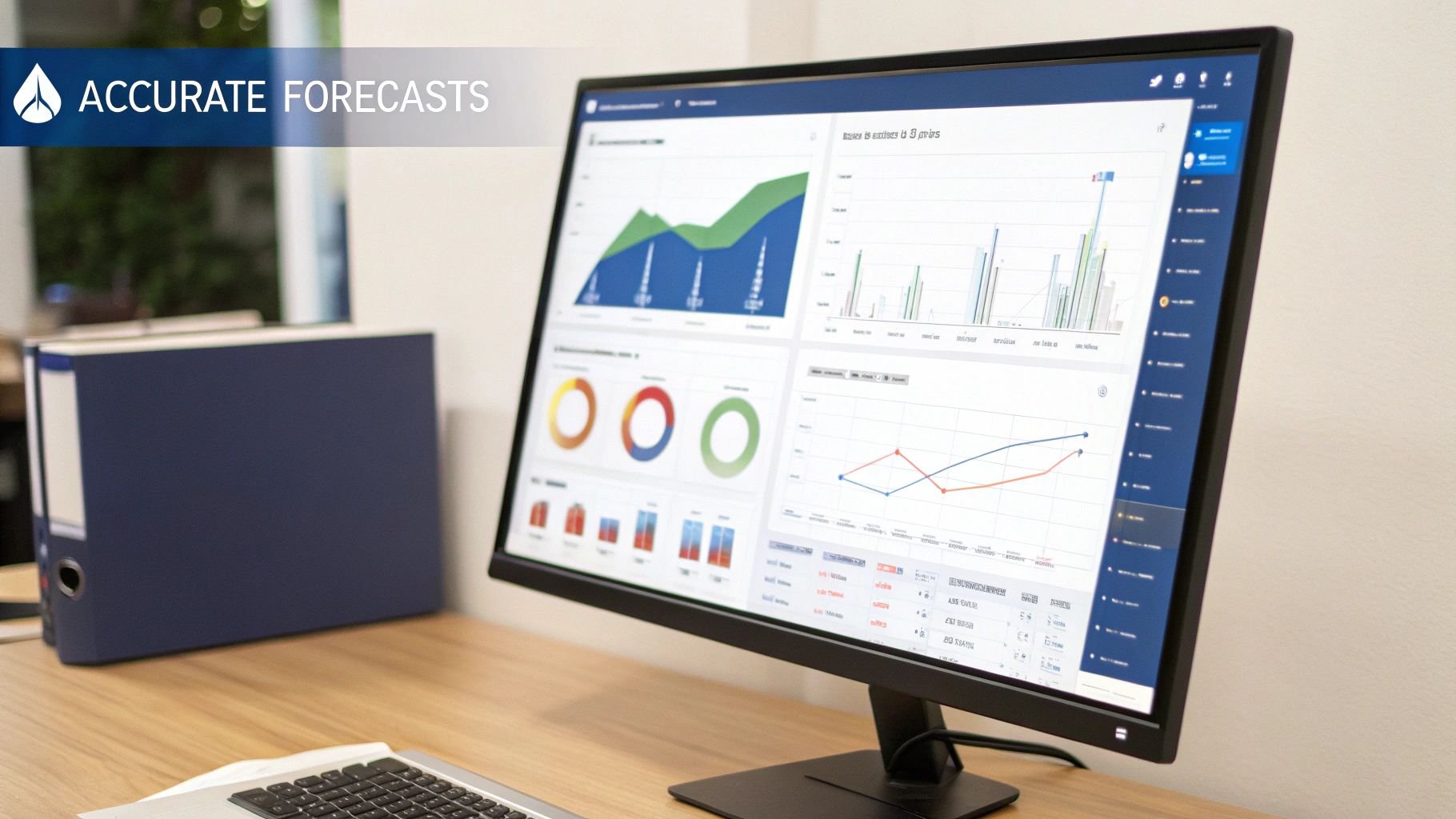
This kind of centralized view instantly shows you where your money is going and where it's headed, empowering your teams to make smart decisions on the fly.
Unlocking Deeper Cost Insights
Beyond just making your forecasts better, these tools give you capabilities that are nearly impossible to replicate with a spreadsheet. They help you build a true culture of financial accountability across the entire organization.
Some of the key features include:
- Real-Time Anomaly Detection: Think of this as an automated watchdog for your cloud spend. It instantly flags any unexpected cost spikes or weird activity and sends you an alert. This means you can jump on issues before they balloon into massive budget overruns.
- Showback and Chargeback: These tools make it simple to attribute costs directly to the specific teams, projects, or products that used the resources. This visibility is vital for holding teams accountable and encouraging everyone to be more cost-conscious.
- Automated Reporting: Forget spending hours building reports by hand. With a few clicks, you can generate detailed spending breakdowns by team, service, or resource tag. This frees up your team's time to focus on strategic work, not number crunching.
Moving to a dedicated FinOps tool isn't just about saving time and avoiding mistakes. It's about gaining the deep visibility and predictive power you need to turn cloud financial management from a chore into a strategic advantage.
Ultimately, these platforms deliver the intelligence needed to make smarter, faster decisions. They ensure every dollar you spend in the cloud drives real business value, making them essential for any organization serious about mastering its budgets and forecasts.
Ready to stop idle servers from draining your cloud budget? CLOUD TOGGLE helps you automate resource scheduling to cut costs without sacrificing performance. Start your free 30-day trial and see how much you can save.