Here's a simple but crucial fact: creating an AWS Virtual Private Cloud (VPC) is free. The real costs creep in from the paid services and components you run inside it, which is exactly how bills get surprisingly high.
Why Your AWS VPC Cost Is Higher Than You Think
Think of your VPC like the foundation of a new house. Pouring the concrete slab doesn't cost anything from AWS, and it gives you a defined, isolated space. But a bare foundation isn't a house you can live in. The real expenses pop up when you start adding the plumbing, wiring, and internet, the utilities that make it functional.
In the same way, an empty VPC is just a container. To make it do anything useful, you need to add services for connectivity, security, and data processing. Those services, not the VPC itself, are what appear on your monthly AWS bill. Even small, seemingly minor charges for these add-ons can stack up fast, catching even seasoned DevOps teams off guard. If you want a deeper dive into how these costs sneak up, it's worth reading about the common sources of unexpected AWS charges.
The Foundation vs. The Utilities
To get a handle on how VPC costs add up, you have to understand the basics of Infrastructure as a Service (IaaS), the model your VPC is built on. Your VPC is the IaaS blueprint, but the meter starts running on the active services you place within that blueprint.
These costs fall into two simple buckets: what's free and what you pay for. Knowing the difference is the first step to managing your cloud spend effectively.
- Free Components: These are the structural pieces you use to lay out your network's architecture. This includes the VPC itself, along with subnets, route tables, and security groups.
- Paid Components: These are the active services that move data, connect to the internet, and manage traffic. The big ones are NAT Gateways, data transfer between availability zones, and VPC Endpoints.
The main idea behind VPC pricing is that you only pay for what you actually use. AWS doesn't bill you for the network design (the VPC), but it absolutely bills for the resources that consume bandwidth and processing power.
To make this crystal clear, here’s a quick summary of which VPC components are generally free versus which ones will directly hit your bill. This table helps pinpoint exactly where your money is going and sets us up for a deeper look at each cost driver.
AWS VPC Component Costs at a Glance
| VPC Component | Pricing Model | Common Cost Driver |
|---|---|---|
| VPC Creation | Free | N/A, this is a foundational, no-cost action. |
| Subnets | Free | N/A, creating subnets is part of the free setup. |
| Route Tables | Free | N/A, defining traffic routes is a free configuration. |
| Security Groups | Free | N/A, firewall rules at the instance level are free. |
| NAT Gateways | Paid | Charged per hour and per gigabyte of data processed. |
| Data Transfer | Paid | Costs vary for traffic leaving the VPC or crossing AZs. |
| VPC Endpoints | Paid | Interface Endpoints have hourly and data processing fees. |
This overview gives you a solid starting point for spotting where costs originate. With this in mind, you can start digging into each paid component to find real opportunities for optimization.
Unpacking the Hidden Fees in Your VPC
It’s one of the first things you learn about AWS: the Virtual Private Cloud (VPC) itself is free. But that’s a bit like saying a car's chassis is free. The real costs kick in when you add the engine, wheels, and fuel, the components that actually make it go.
Your AWS bill can be full of surprises if you aren't careful. These aren't exactly "hidden" fees, but they are easy to miss until you get that first eye-watering invoice. The key to controlling your aws vpc cost is understanding that the free VPC is just a foundation. The services that bring it to life are where the meter starts running.
Think of it like buying a printer. The device itself is cheap, but the ink cartridges are where the real, ongoing expense lies. Your VPC’s functionality depends on components that charge for every hour they’re active and every gigabyte they touch.
The infographic below shows this perfectly. The VPC is the free base layer, but the services that handle data, like NAT Gateways and Endpoints, are what you actually pay for.
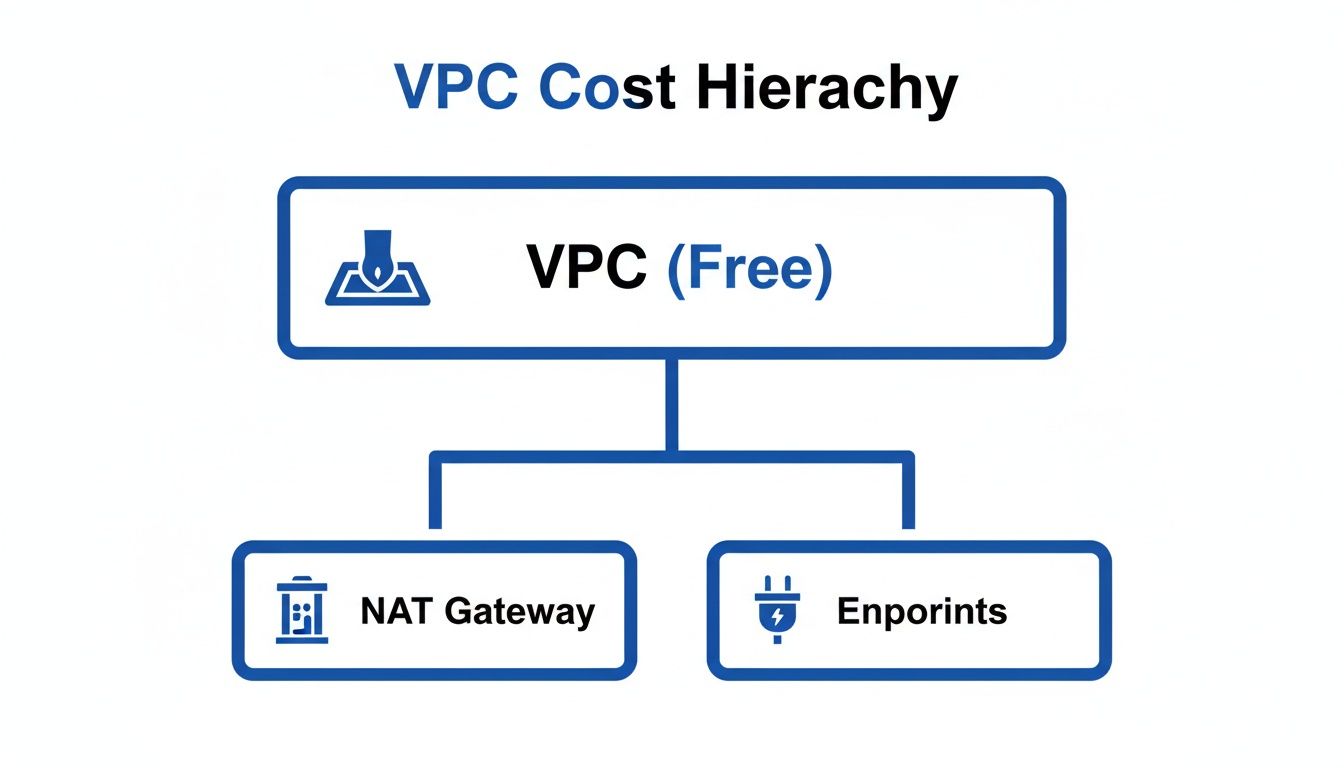
This visual makes it clear: the active, data-handling parts of your network are where your budget is spent. Let's break down these a la carte charges one by one.
The Tollbooth of the Cloud: NAT Gateways
Imagine a highway tollbooth that charges you for every moment it's open, plus an extra fee for every car that drives through. That’s a NAT (Network Address Translation) Gateway in a nutshell.
Its job is to let resources in your private subnets, like your app servers or databases, reach out to the internet for software updates or API calls. Crucially, it doesn't let the internet initiate connections back in. This one-way street is great for security, but it comes at a price.
The NAT Gateway pricing model has two parts, making it a classic source of budget blowouts:
- Hourly Charge: You pay for every single hour a NAT Gateway is running, even if it's sitting completely idle and processing zero data.
- Data Processing Charge: On top of the hourly fee, you’re billed for every gigabyte of data that passes through it. That includes traffic going out and the responses coming back in.
With these dual charges, it’s easy to see how costs can stack up, especially if you’re building a high-availability architecture.
VPC Endpoints: Secure Shortcuts with a Price Tag
To get around the hefty NAT Gateway fees, AWS gives us VPC Endpoints. These create private, direct connections from your VPC to supported AWS services like S3 and DynamoDB. Think of them as a private back door to an AWS service, letting you bypass the public lobby entirely.
But, you guessed it, there are a couple of flavors, each with its own cost model:
- Gateway Endpoints: These are a huge win. They’re free and give you a direct line to Amazon S3 and DynamoDB. Using them is one of the quickest and easiest ways to cut data processing costs.
- Interface Endpoints (powered by AWS PrivateLink): These support a much wider range of AWS services but have a more complex price tag. You pay an hourly rate for each endpoint plus a per-gigabyte data processing fee.
Choosing the right endpoint is a critical decision. For S3 and DynamoDB traffic, a Gateway Endpoint is a no-brainer. For everything else, you have to weigh the hourly and data costs of an Interface Endpoint against the NAT Gateway alternative.
The most significant AWS VPC cost surprises often come from components that bill for both time and volume. NAT Gateways and Interface Endpoints fall squarely into this category, requiring careful architectural planning and continuous monitoring to prevent uncontrolled spending.
The Tangled Web of Data Transfer Costs
Data transfer fees are probably the most confusing part of any AWS bill. The golden rule is that data transferred into your VPC from the internet is free. Almost every other kind of data movement will cost you something.
Here are the key data transfer scenarios to watch out for:
- Outbound to Internet: All data leaving your VPC for the public internet is charged per gigabyte. The rates change depending on the region.
- Inter-Availability Zone (AZ): This is a classic "gotcha." When you transfer data between subnets in different Availability Zones within the same region, you pay for it. This bites people all the time in high-availability setups, where resources are mirrored across AZs. For example, an EC2 instance in
us-east-1atalking to a database inus-east-1bwill generate data transfer charges. - Inter-Region: Sending data from one AWS region to another is almost always the most expensive transfer type.
Did you know that a single AWS NAT Gateway can quietly rack up around $37 to $78 per month just for existing, even before you push any serious data through it? That's because you're paying $0.045 per hour just to have it on, plus another $0.045 per GB of data it processes.
For small and midsize businesses, it gets worse. To build a resilient app, you might deploy across three Availability Zones (AZs). That means three NAT Gateways, which adds up to $97 per month in idle hourly fees alone. Add 300 GB of monthly traffic, and you’re looking at an extra $13.50.
Industry stats show that networking fees can eat up to 15% of a company's total cloud spend. This is a major wake-up call for DevOps teams, especially when idle servers in private subnets keep those NAT Gateways active 24/7. You can find more details on these figures by exploring an in-depth breakdown of Amazon VPC pricing.
Real-World VPC Cost Estimation Examples
Theory is one thing, but seeing how your AWS VPC costs stack up in practice is what really matters. Your architectural choices can have a direct, and often surprising, impact on your monthly bill. Let's walk through three common scenarios to see exactly how those hourly charges and data transfer fees can multiply.
To make this real, we'll use some hypothetical 2026 pricing based on current trends in the popular US East (N. Virginia) region. This gives us a solid baseline for forecasting your own expenses.
- NAT Gateway (Hourly): $0.050 per hour
- NAT Gateway (Data Processing): $0.050 per GB
- Interface Endpoint (Hourly): $0.012 per hour
- Interface Endpoint (Data Processing): $0.012 per GB
- Inter-AZ Data Transfer: $0.01 per GB
These numbers will be our guide as we explore how different setups can lead to wildly different final costs.
Scenario 1: Small Business Two-Tier Web App
Imagine a small business running a classic two-tier web application. They have web servers in a public subnet and a database tucked away in a private one. To keep things simple and cheap, everything sits in a single Availability Zone (AZ).
But here's the catch: the database needs to pull software updates and talk to external APIs, which requires a NAT Gateway to get out to the internet.
Let's assume the app runs 24/7 and the database sends 50 GB of data through the NAT Gateway each month.
Cost Breakdown:
- NAT Gateway Hourly Fee: 1 NAT Gateway x 730 hours/month x $0.050/hour = $36.50
- NAT Gateway Data Processing Fee: 50 GB x $0.050/GB = $2.50
In this simple setup, the total estimated monthly VPC cost is $39.00. The big takeaway? The hourly fee for the NAT Gateway makes up over 93% of the cost. Just having it turned on is the main expense.
This calculation shows that even for a minimal architecture, the baseline cost for enabling internet access for a private subnet isn't trivial.
Scenario 2: Mid-Sized Company Dev Environment
Now let's look at a mid-sized company with a development environment spread across two Availability Zones. They do this for better reliability during testing, a common high-availability pattern.
To make this work, each AZ needs its own NAT Gateway. This way, if one AZ goes down, the dev resources in the other can still reach the internet.
Here's their monthly usage:
- The environment is active 24/7.
- Resources in each AZ process 100 GB of data through their local NAT Gateway (200 GB total).
- Another 75 GB of data moves between the two AZs for things like database replication.
Cost Breakdown:
- NAT Gateway Hourly Fees: 2 NAT Gateways x 730 hours/month x $0.050/hour = $73.00
- NAT Gateway Data Processing Fees: 200 GB x $0.050/GB = $10.00
- Inter-AZ Data Transfer Fee: 75 GB x $0.01/GB = $0.75
The estimated monthly VPC cost for this dev environment lands at $83.75. By doubling the NAT Gateways for resilience, the hourly cost component shot up, once again making up the bulk of the bill. While the inter-AZ data cost is small here, it's a number that can grow fast with chattier applications.
Scenario 3: Data-Intensive Processing Workload
Finally, let's consider a company with a data-heavy workload that hammers Amazon S3. To cut costs and tighten security, they use a Gateway Endpoint for S3 traffic and an Interface Endpoint for another critical AWS service. Their architecture spans three AZs for maximum availability.
Here's a look at their monthly activity:
- The workload runs 24/7.
- 500 GB of data is sent to S3 through the Gateway Endpoint.
- 150 GB of data is processed through the Interface Endpoint.
- 300 GB of data is transferred between the three AZs.
Cost Breakdown:
- S3 Gateway Endpoint: $0.00 (This service is free, which is a huge cost-saver).
- Interface Endpoint Hourly Fees: 1 Endpoint x 3 ENIs (one per AZ) x 730 hours/month x $0.012/hour = $26.28
- Interface Endpoint Data Processing Fee: 150 GB x $0.012/GB = $1.80
- Inter-AZ Data Transfer Fee: 300 GB x $0.01/GB = $3.00
For this setup, the total estimated monthly VPC cost is just $31.08. This scenario is a powerful demonstration of how smart architecture pays off. If that 500 GB of S3 traffic had gone through a NAT Gateway instead, it would have added $25.00 in data processing fees, nearly doubling the total cost.
How to Monitor and Report Your VPC Spend

You’ve heard it before: you can’t control what you can’t see. When it comes to your aws vpc cost, this is the absolute truth. Getting clear visibility into where your money is going is the first, and most important, step toward actually controlling it.
Without a solid monitoring strategy, small charges for things like NAT Gateways or data transfers can quietly spiral out of control. Effective tracking turns those confusing billing line items into insights you can actually use. You can finally connect your spending directly to the services and architectural decisions driving it.
This visibility is the foundation of any real FinOps practice. It empowers both DevOps and finance teams to make decisions based on data, shifting from reactive, frantic cost-cutting to proactive, intelligent cost management.
Let's dig into the tools and techniques that make this possible.
Using AWS Cost Explorer to Isolate VPC Charges
AWS Cost Explorer is your go-to tool for slicing and dicing your cloud bill. Now, there isn't a magical "VPC" filter that shows you everything in one click, but you can get the same result by filtering for the specific components that actually generate costs.
To build a focused view of your VPC spending, you'll want to filter by these AWS services:
- EC2-Other: This is a bit of a catch-all, but it’s where you’ll often find charges for NAT Gateways and various data transfers.
- VPC: Use this filter to track costs for services like VPC Endpoints.
The trick is to then group your results by “Usage Type”. This view reveals exactly what you're spending on specific line items like NatGateway-Hours, NatGateway-Bytes, and DataTransfer-Regional-Bytes.
Once you have this view dialed in, save it as a report. Now you have an instant dashboard for your VPC costs that you can check anytime.
Creating Actionable Dashboards and Alerts
A report that no one looks at is just noise. The next step is to make this data actionable, creating a system that tells you when there's a problem.
This is where AWS Budgets comes in. You can create a new budget using the exact same filters you just set up in Cost Explorer. For example, you can set a specific monthly budget just for your expected NAT Gateway costs.
The real power of AWS Budgets is in its alerts. You can set up an alert to fire off when your actual or forecasted spend hits a certain point, like 80% of your budgeted amount. This gives you an early warning to investigate a cost spike before it blows up your monthly bill.
A well-configured alert system turns monitoring from a passive chore into an active defense against budget overruns. If you want to get even more granular with your spending data, you might be interested in a deeper look at AWS Cost and Usage Reports explained in our comprehensive guide.
The Power of Resource Tagging for Attribution
Cost Explorer tells you what you're spending on, but resource tagging tells you why.
Tagging is a simple but incredibly powerful way to attribute costs to specific projects, teams, or environments. A consistent tagging strategy is non-negotiable if you want real accountability.
Start by defining a clear tagging policy. For example, you could mandate that all resources must have these tags:
- Project: The name of the project the resource belongs to (e.g.,
WebApp-Revamp). - Environment: The deployment stage (e.g.,
dev,staging, orprod). - Owner: The team or person responsible for the resource.
With these tags in place, you can now filter your spend in Cost Explorer by a specific tag value. This lets you answer critical questions like, "How much is the staging environment costing us in VPC charges?" or "Which project is driving our data transfer fees?"
This level of detail empowers teams to take ownership of their spend and makes cost optimization a shared responsibility, not just a problem for the finance department.
Proven Strategies to Reduce Your AWS VPC Cost

Alright, you've figured out where the money is going. Now it's time to actually do something about it. Cutting your AWS VPC cost comes down to a playbook of real-world optimization moves, from quick wins to smarter architectural decisions.
This isn't about gutting your performance or security. It's about making your cloud architecture work smarter, not harder, so it lines up with what you actually need. A few smart tweaks can plug major cost leaks and free up that cash for things that actually grow your business.
Implement Gateway Endpoints for Quick Wins
One of the fastest and easiest ways to cut your bill is by using Gateway Endpoints. These are completely free, private connections from your VPC directly to Amazon S3 and DynamoDB. If your apps talk to these services a lot, this single change can make a huge difference.
Here’s why it’s a no-brainer: any data moving from a private subnet to S3 or DynamoDB usually has to go through a pricey NAT Gateway. That means you're hit with both data processing fees and data transfer costs.
When you set up a Gateway Endpoint, you're essentially creating a private, direct path inside the AWS network. This traffic completely bypasses the NAT Gateway, which means you pay zero for those data processing charges. It's a simple fix that delivers instant savings.
Think of a Gateway Endpoint as a private, toll-free highway directly to S3 and DynamoDB. Instead of paying the NAT Gateway toll for every trip, your data travels for free, improving security and cutting costs at the same time.
Optimize Your Traffic Patterns
Data transfer costs are a classic budget-killer, especially when data hops between different Availability Zones (AZs). While spreading resources across multiple AZs is great for high availability, it can also create "chatty" applications that ring up charges every time they talk to each other.
The key is to get a handle on your application's communication patterns.
- Keep Traffic Local: Whenever it makes sense, design your architecture to keep components that talk to each other a lot in the same Availability Zone. For instance, if a group of EC2 instances is constantly hitting a specific database, putting them all in the same AZ will slash those inter-AZ data transfer fees.
- Review Cross-Region Needs: Moving data between AWS regions is even more expensive. Take a hard look at any cross-region traffic and ask if it's truly necessary. What started as a small feature can sometimes explode into a massive cost center as traffic scales up.
To get a fuller picture of managing your cloud infrastructure efficiently, it helps to understand the broader cloud cost optimization best practices. This helps you fit these VPC-specific tactics into a bigger, more effective strategy.
Clean Up Unused and Idle Resources
Idle resources are the silent assassins of your cloud budget. That unattached Elastic IP address, that forgotten NAT Gateway, or that oversized VPN connection just sits there, racking up charges month after month while providing zero value. You have to make regular cleanups part of your routine.
A major offender is how idle resources in private subnets keep expensive components running 24/7. Think about a non-production environment with EC2 instances tucked away in a private subnet. Even if you only need those servers during business hours, they force the NAT Gateway to stay active around the clock, piling on hourly fees nonstop.
This is where automation is your best friend. By automatically shutting down those non-production EC2 instances overnight and on weekends, you can dramatically lower your AWS VPC cost. With no active instances needing to reach the internet, the NAT Gateway processes zero data, and its associated fees disappear. You’ve just turned a fixed 24/7 cost into a variable one that truly reflects your actual usage.
Choosing the Right Tool for Automated Cost Control
Automating your cost control is a non-negotiable step when you're trying to get a handle on your aws vpc cost, especially when idle resources are burning a hole in your budget. The tool you choose here really matters, as it directly impacts your team's day-to-day work and the return you'll see.
You're basically looking at two paths: a native solution like the AWS Instance Scheduler, or a dedicated third-party platform like CLOUD TOGGLE. For small and midsize businesses, the decision often comes down to a simple trade-off between upfront cost and long-term effort. While a native tool might look free, it often brings hidden costs in the form of complex setups and constant maintenance.
AWS Instance Scheduler Limitations
AWS Instance Scheduler is a powerful, free tool from AWS, but don't mistake it for a "plug and play" solution. Getting it running means deploying a CloudFormation template that spins up a handful of resources like Lambda functions, DynamoDB tables, and CloudWatch rules. For teams without deep AWS expertise, this can be a real roadblock right out of the gate.
And once it's set up, managing it isn't exactly a walk in the park either.
- Management Overhead: All your scheduling is done by manually editing resource tags in the AWS console. This is not only slow and prone to human error, but it also becomes a nightmare to manage as your infrastructure grows.
- Security Concerns: To let someone manage schedules, you often have to give them broad IAM permissions and full console access. That's a significant security risk, especially when you want a FinOps team member or a project manager, not an engineer, to handle the schedules.
- No Centralized View: There’s no single dashboard to see what’s scheduled and what’s not across all your accounts. This makes it incredibly difficult to get a clear, high-level picture of your cost-saving policies.
So, while the scheduler is technically free, the time your team sinks into setting it up and keeping it running can quickly erase any perceived savings.
A native scheduler can feel "free" upfront, but the operational drag and security risks it introduces can become a significant hidden cost for your team. This is where a dedicated platform often provides a much clearer return on investment.
The CLOUD TOGGLE Advantage
This is exactly where a dedicated platform like CLOUD TOGGLE comes in. It’s built from the ground up to solve these problems by prioritizing simplicity and secure, team-based collaboration. The entire approach to cost control feels different. Setup is a breeze, we’re talking minutes, and all the management happens through a clean, intuitive interface.
Here’s what that actually means for your team:
- Ease of Use: You can create and manage schedules through a simple web dashboard. No coding, no digging through AWS docs.
- Role-Based Access Control: You can safely give scheduling permissions to different team members without handing over the keys to your entire cloud account.
- Centralized Management: Get one clear view of every scheduled resource, even if they're spread across multiple teams or different cloud providers.
This approach puts cost control in the hands of everyone on the team, not just your senior engineers. If you're weighing your options, take a look at a list of the best cloud cost management tools to get a better sense of the features that can make a real difference.
For most SMBs, the immediate savings and the sheer reduction in operational friction you get from a tool like CLOUD TOGGLE will almost always outweigh the "free" price tag of a clunky, cumbersome native scheduler.
Frequently Asked Questions About AWS VPC Cost
When you're trying to get a handle on your AWS VPC cost, the same questions tend to pop up again and again. Let's walk through some clear, straightforward answers to help you lock in these concepts and start saving money effectively.
Is a NAT Gateway Always Necessary?
Not at all. A NAT Gateway is only a must-have when resources in a private subnet, like a database or backend server, need to reach out to the public internet. Think about tasks like downloading software updates or calling an external API.
If your private resources only talk to other services inside your own VPC, or if they connect to AWS services using VPC Endpoints, you can skip the NAT Gateway and its associated costs completely.
How Can I Calculate Inter-Region Data Transfer Costs?
Figuring out the exact cost for inter-region data transfer requires a quick look at the AWS pricing page, as the rates vary between different region pairs. The key thing to remember is that you pay for data going out of one region and into another.
To get a good estimate, use AWS Cost Explorer to see how much data you’re transferring between regions. Then, just multiply that volume (in gigabytes) by the specific rate for that route.
The single biggest mistake that inflates VPC costs is failing to optimize for data transfer. Many teams underestimate how quickly charges for data moving between Availability Zones and regions can accumulate, especially in high-availability architectures.
What Is the Biggest Mistake That Inflates VPC Costs?
By far, the most common and expensive mistake is letting idle resources run 24/7. Non-production EC2 instances sitting in private subnets are the perfect example of this.
Even when they aren't being used, they keep expensive components like NAT Gateways active around the clock. This habit needlessly piles on hourly fees and can easily bloat your AWS bill.
Ready to stop wasting money on idle cloud resources? CLOUD TOGGLE makes it easy to automate server schedules, cutting your AWS bill without complex setups. Start your 30-day free trial today and see how much you can save.