Let's be honest, AWS cost management isn't just about cutting your bill. It's about making sure every dollar you spend in the cloud is actually working for you and pushing your business forward. In the pay-as-you-go world of the cloud, it's dangerously easy for costs to spiral out of control without a solid game plan.
Taming Your Cloud Bill with AWS Cost Management
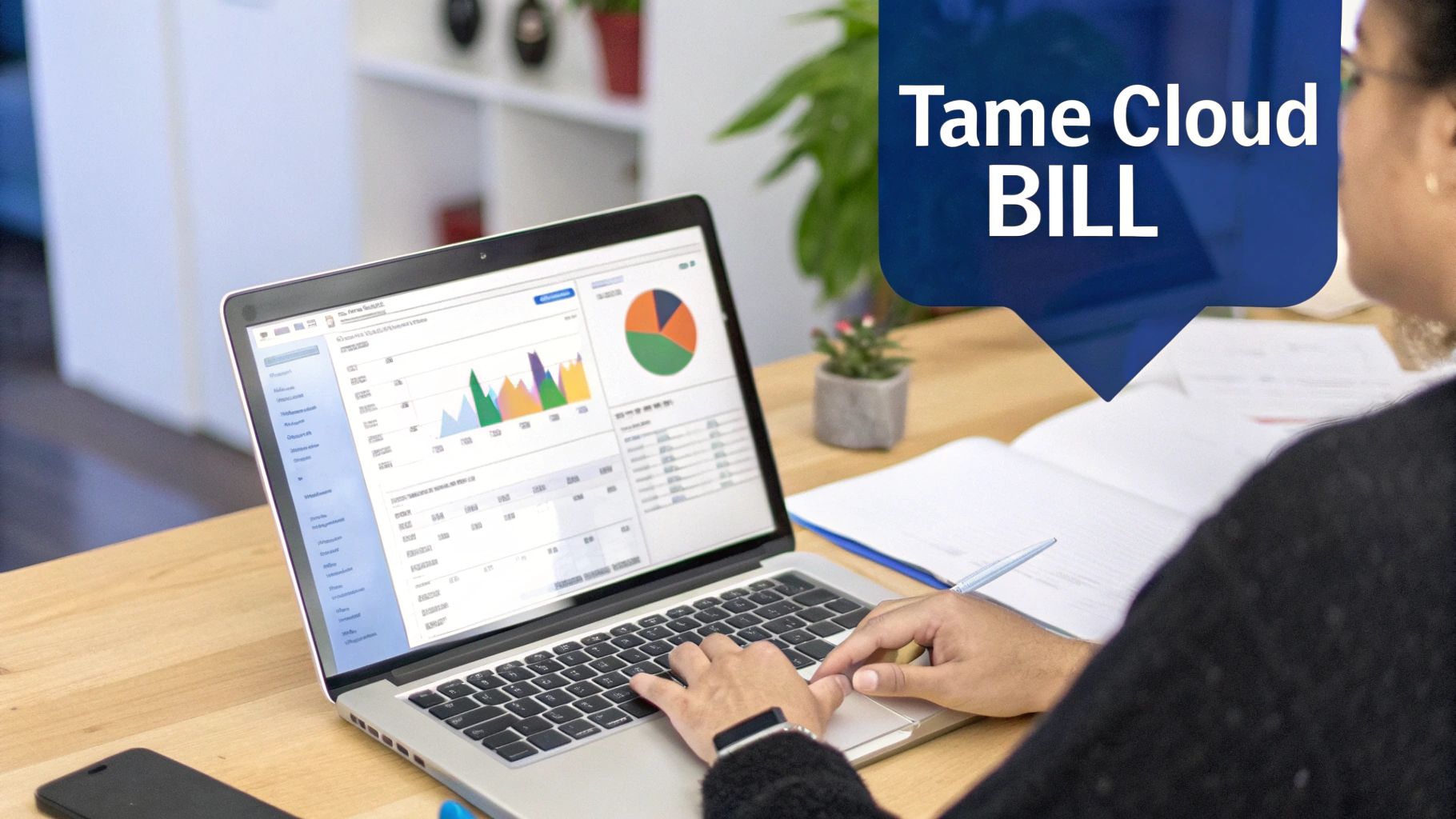
Watching your cloud bill climb can be a nerve-wracking experience, but getting a handle on it is more achievable than you might think. A lot of companies jump into AWS expecting instant savings, only to get hit with surprisingly complex invoices and unpredictable spending. This guide is here to show you how effective aws cost management is less about slashing costs and more about squeezing every drop of value from your cloud investment.
Think of your AWS bill as a sprawling utility statement with hundreds of line items that change every month. Just giving it a quick once-over won't cut it. Waiting until you get a surprisingly high bill to figure out what went wrong is a surefire way to burn through your budget. To stay on track, you need to be proactive, not reactive.
The Rise of FinOps
A more modern way to tackle this is with FinOps, which is really a cultural shift that brings financial accountability to the cloud's flexible spending model. It's all about getting your finance, engineering, and business teams on the same page, making cloud costs a shared responsibility. The whole idea rests on three simple but powerful pillars:
- Visibility: You can't manage what you can't see. The absolute first step is getting a crystal-clear picture of where every dollar is going across all your services, accounts, and projects.
- Accountability: Once you have that visibility, you can start assigning ownership. This empowers your engineering teams to make smarter, cost-conscious decisions about the resources they launch and use every day.
- Optimization: With visibility and accountability locked in, you can shift your focus to making things better. This means constantly looking for opportunities to rightsize instances, shut down waste, and use AWS discount models to your advantage.
Why Proactive Management Matters
As more and more companies go all-in on the cloud, the need for a structured way to manage costs has become critical. Your engineers have the power to spin up incredibly powerful resources in minutes, which is great for innovation but can create massive financial blind spots. Without real-time insight, that small weekend experiment can accidentally morph into a major budget headache.
By focusing on visibility, accountability, and optimization, you'll build a sustainable framework for controlling your AWS spend and turning your cloud infrastructure into a strategic advantage.
Putting a solid aws cost management framework in place changes the game. It transforms your cloud infrastructure from an unpredictable operating expense into a well-oiled, efficient asset. It’s the key to balancing the speed your teams need with the financial discipline your business demands. We'll walk you through the concepts, tools, and workflows to get you there, helping you finally tame that cloud bill for good.
Getting to Grips with the Building Blocks of AWS Costs
Before you can get a handle on your AWS bill, you have to understand how it’s put together. AWS famously runs on a pay-as-you-go model. On the surface, it sounds simple, but there are layers of complexity hiding underneath. You get charged for the compute power, storage, and database capacity you use, sometimes measured down to the second.
This model is a classic double-edged sword. It gives you incredible flexibility to spin resources up or down on a whim. But that same freedom means costs can spiral out of control if you leave things running or don't provision them correctly.
And it’s not just the big-ticket items like servers and databases. You have to watch out for the often-overlooked charges that can sneak up on you. One of the most common culprits? Data transfer fees. AWS charges you for data moving out of its network to the internet, and often for data zipping between different AWS regions. Individually, these charges are tiny, but they can add up to a surprisingly large chunk of your monthly bill.
Resource Tagging: The Cornerstone of Cost Allocation
Imagine trying to run a company budget without knowing which department spent what. It would be pure chaos. You couldn't hold anyone accountable or make smart financial decisions. That’s exactly the problem resource tagging solves inside your AWS account.
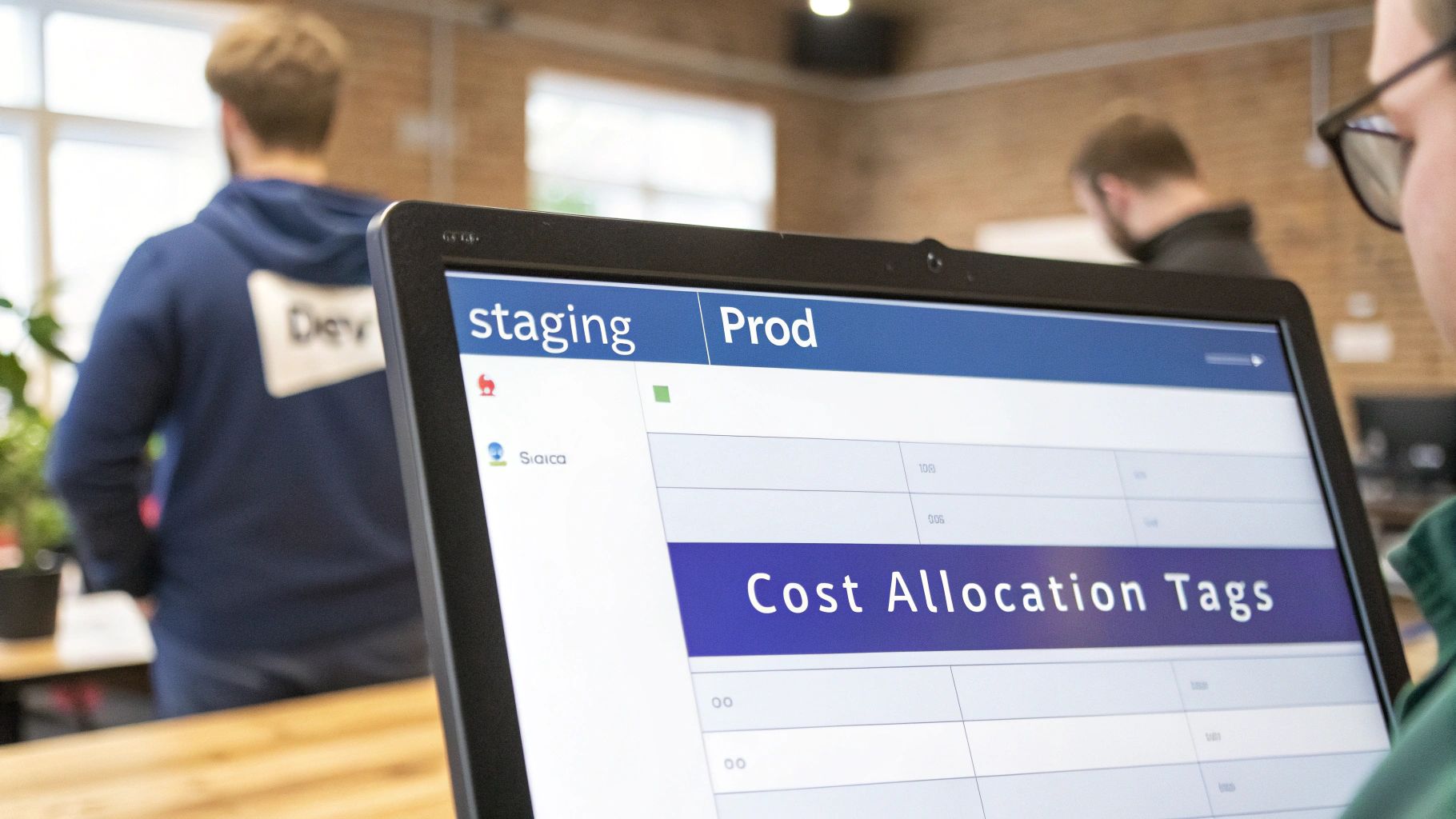
Tagging is just the practice of attaching custom labels (key-value pairs) to your AWS resources, like EC2 instances or S3 buckets. These tags act like digital Post-it notes, letting you organize, filter, and track everything in a way that actually makes sense for your business. Let's be clear: for any serious aws cost management strategy to work, a disciplined tagging policy is non-negotiable.
Think of it this way: without tags, your AWS bill is just a long, intimidating list of line items. With tags, it becomes a coherent financial report that tells you exactly where your money is going and who’s spending it.
By transforming a confusing bill into a clear financial report, cost allocation tags foster true accountability across your organization. This simple practice is the foundation of a mature FinOps culture.
A Practical Tagging Strategy Example
A solid tagging strategy doesn't need to be ridiculously complex. The real goal is to create a simple, standardized system that everyone actually follows. A great place to start is with tags that answer basic business questions: Who owns this? What project is it for? Is this for production or just testing?
Here's a basic but powerful tagging strategy you can adapt:
- Project:
Project:AlphaorProject:MobileAppV2 - Environment:
Environment:Production,Environment:Staging, orEnvironment:Development - Owner:
Owner:jane.doe@company.comorOwner:dev-team - CostCenter:
CostCenter:Marketing-4512
Once you start applying these tags consistently, you can use tools like AWS Cost Explorer to slice and dice your spending data with incredible precision. You can instantly see how much the development environment for "Project Alpha" cost last month or figure out which team is driving the most spend. This level of detail empowers teams to take real ownership of their cloud consumption.
If you want to get into the weeds, you need to dive into your raw billing data. For that level of detail, it's essential to understand the information packed into your AWS Cost and Usage Reports.
Ultimately, cost allocation tags are about so much more than just keeping things tidy. They draw a straight line between a technical resource and its financial impact. They let you attribute every single dollar of cloud spend to a specific business purpose, turning aws cost management from a reactive chore into a strategic, data-driven practice.
Exploring Native AWS Cost Management Tools
AWS gives you a powerful set of built-in tools designed to put you in the driver's seat of your cloud spending. Getting comfortable with these services is the first real step toward building a solid aws cost management strategy. Think of this suite as your command center for tracking, analyzing, and optimizing every dollar you spend.
It’s helpful to view these tools like a doctor's diagnostic kit for your financial health. A doctor uses specific instruments to check vitals, and you'll use specific AWS services to monitor spending, spot problems, and prescribe the right fix. We'll start with the most fundamental tool for getting a clear picture: AWS Cost Explorer.
Visualize and Analyze Spending with AWS Cost Explorer
AWS Cost Explorer is your primary window into where your money is actually going. It takes raw, intimidating billing data and turns it into interactive charts and graphs, letting you slice and dice your expenses however you need to. The real magic happens when you move beyond the default reports to filter costs by service, region, account, or any of the custom tags you've set up.
This service is absolutely essential for spotting trends and pinpointing the exact drivers of your cloud bill. For instance, you can easily build a report showing the month-over-month EC2 costs for your production environment. This helps you catch gradual increases before they balloon into serious problems. Real aws cost management begins with this kind of detailed analysis.
Set Financial Guardrails with AWS Budgets
While Cost Explorer is great for looking back and analyzing what happened, AWS Budgets is all about looking forward and setting proactive controls. It lets you define custom spending thresholds and get alerts when your actual or forecasted costs are about to cross them. This simple feature shifts you from a reactive posture (analyzing a huge bill at the end of the month) to a proactive one (getting an alert mid-month when a project is trending over budget).
You can create budgets for just about anything:
- Total Monthly Cost: A high-level budget for your entire AWS account.
- Service-Specific Costs: Keep an eye on spending for services like S3 or RDS.
- Tagged Resources: Create a budget for a specific team or project using your cost allocation tags.
These alerts are your early warning system. They give you time to investigate and take action before a minor overspend becomes a major financial surprise, a cornerstone of disciplined cloud financial management.
Unlock Discounts with Savings Plans and Reserved Instances
A huge part of aws cost management is moving away from pricey on-demand rates for your predictable workloads. AWS offers two main ways to lock in discounts by committing to usage: Savings Plans and Reserved Instances (RIs). Deciding between them comes down to a classic trade-off: flexibility versus the potential for slightly deeper discounts.
Before diving in, it's worth comparing them side-by-side to see how they stack up for different needs.
AWS Savings Plans vs Reserved Instances (RIs)
| Feature | Savings Plans | Reserved Instances |
|---|---|---|
| Flexibility | High. Automatically applies to usage across instance families, sizes, and regions (for Compute SPs). | Low. Tied to a specific instance family, size, and region. |
| Management | Low. You set a commitment, and AWS applies it automatically. | High. Requires careful management to ensure you're using what you paid for. |
| Best For | Dynamic or evolving workloads where instance types might change. | Stable, predictable workloads that will not change for the commitment term. |
For most companies today, Savings Plans are the more modern and flexible way to secure discounts without the rigid handcuffs of RIs. That said, RIs can still squeeze out slightly better savings for workloads that are truly static and unchanging.
Automatically Detect Unusual Spending
AWS Cost Anomaly Detection uses machine learning to learn your normal spending patterns and automatically flag anything that looks out of place. This tool is invaluable for catching issues that would otherwise fly under the radar, like a sudden spike in data transfer fees or a misconfigured service that starts chewing through resources.
AWS Cost Anomaly Detection acts like a financial security camera for your account, constantly watching for suspicious activity and alerting you the moment something looks off.
It learns your typical spending habits and notifies you when costs deviate from that baseline. This lets you jump on the root cause quickly, preventing runaway costs from silently draining your budget. Together, these native tools provide a strong foundation for any organization serious about mastering its cloud spend.
The potential for savings is huge. In fact, AWS claims you can cut cloud infrastructure costs by up to 45% compared to other providers. A tool like AWS Cost Explorer is central to this, giving you up to 13 months of historical data and forecasting costs for the next 18 months, with data refreshed at least once every 24 hours. Despite these powerful native tools, many organizations still struggle with cost allocation, which underscores the need for a disciplined approach. You can find more AWS statistics and insights at Bacancy Technology.
Putting Cost Optimization into Action with Workflows
Knowing which AWS tools to use is one thing, but actually cutting your costs comes down to building practical, repeatable workflows. Think of it less like a massive, one-time cleanup project and more like integrating smart habits into your team's daily routine. These workflows are what turn theory into real savings.
One of the heaviest hitters is rightsizing. It’s a classic problem: you’re paying for a huge moving truck every single day when all you really need is a sedan. By digging into Amazon CloudWatch metrics like CPUUtilization, you can spot those oversized EC2 instances or RDS databases that are barely breaking a sweat. From there, you can safely shrink them down to a smaller, cheaper option without hurting performance.
A simple, cyclical process keeps your efforts on track. It all starts with exploring your current spend, then setting clear budgets, and finally, optimizing your resources.
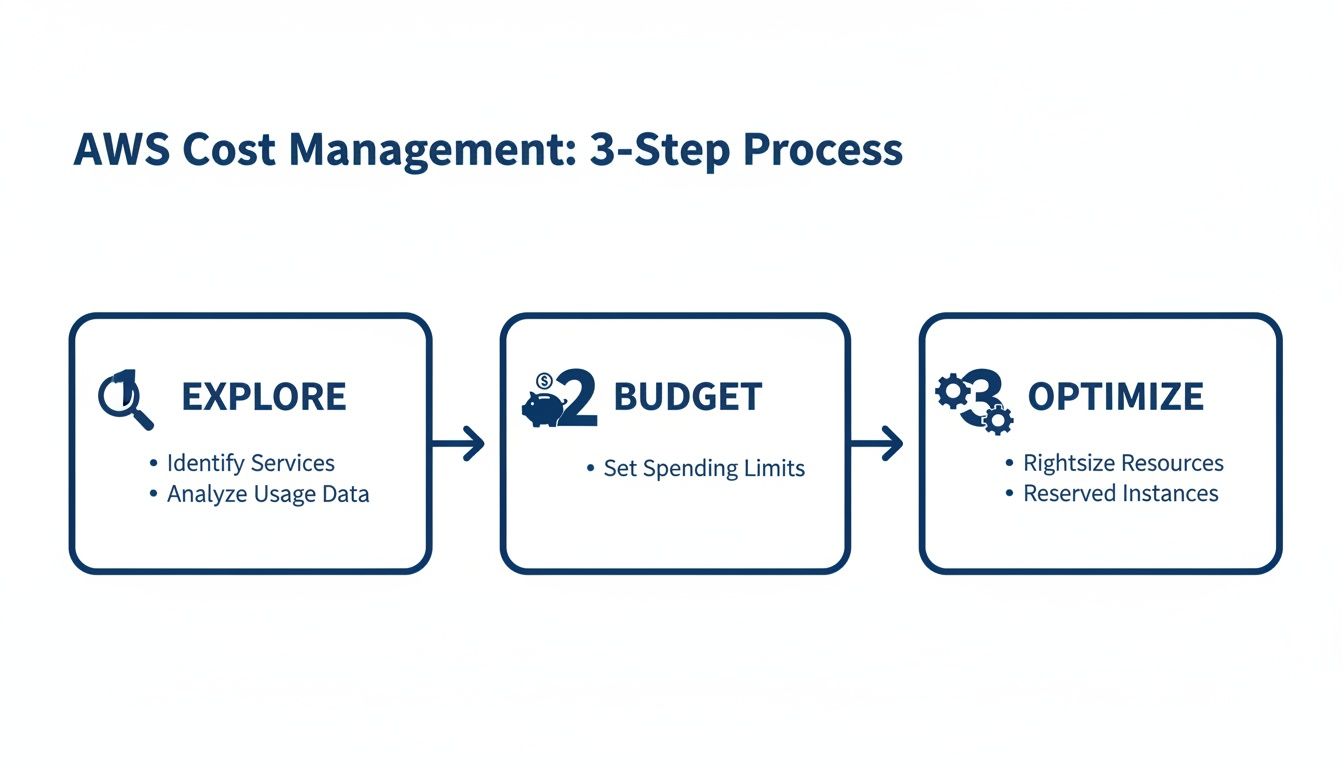
This loop of Explore, Budget, and Optimize is the core of continuous cost management. You gain visibility, enforce control, and then drive efficiency.
Eliminating Waste from Idle Resources
Another key workflow is hunting down and getting rid of "zombie" assets, idle resources that do nothing but pile up charges on your bill month after month. The usual suspects are unattached EBS volumes, ancient snapshots, and forgotten Elastic IP addresses.
Spotting them is easier than you think. For example, you can filter your EBS volumes to find any in an "available" state, which is a dead giveaway they aren't attached to a running EC2 instance. Building a simple routine to find and delete these orphaned resources is a quick win.
Scheduling Non-Production Resources
One of the fastest ways to save money in AWS is to simply turn things off when you're not using them. Your development, testing, and staging environments probably only need to be running during business hours, but too many companies leave them on 24/7. It's the cloud equivalent of leaving every light on in an empty office building all night and over the weekend.
By setting up an automated schedule to power down these non-production resources during evenings and weekends, you can slash their costs by up to 70% almost overnight. This one move can deliver huge savings with very little effort. While you can build something with native tools, this is one area where third-party platforms really shine by offering a much friendlier and more flexible solution. If you need more ideas on where to trim expenses, you can check out other cloud cost optimization strategies.
Rampant cloud waste is a huge problem. Recent stats show that a shocking 32% of all cloud spend is wasted, and it's getting worse. In fact, 75% of companies said their cloud waste grew right alongside their spending, proving that just throwing more money at the cloud often magnifies the issue. A big part of the problem, 54% of it, to be exact, is a simple lack of visibility into where the money is going.
Enforcing a Robust Tagging Policy
A solid, consistent tagging policy is the glue that holds all your other optimization workflows together. Without good tags, you can't figure out who owns what, which project a resource belongs to, or what to automate. Getting this right is a critical workflow in itself.
Your tagging strategy should be simple enough for everyone to follow but detailed enough to answer key business questions: Who owns this resource? What project does it support? Is this production or development?
Here’s a quick checklist for building a strong tagging policy:
- Define a Standard: Create and document a clear standard with mandatory tags like
Project,Owner, andEnvironment. - Use Policy Enforcement: Use AWS Service Control Policies (SCPs) or AWS Config rules to block anyone from creating untagged resources.
- Automate Tagging: Use tools like the AWS Resource Groups Tagging API or your Infrastructure as Code (IaC) templates to apply tags automatically at launch.
- Regularly Audit: Set up a recurring check-in to find and fix any resources that slipped through the cracks without the right tags.
As you get more advanced, many of these workflows will involve automation. That's why understanding how to go about calculating the ROI for automation projects is so important. It helps you prove the value of your work and get the buy-in you need for bigger initiatives. By mastering these workflows, you can start chipping away at waste and get a firm handle on your cloud spend.
When to Adopt Third-Party Platforms for Optimization
Native AWS tools are a great starting point for any aws cost management strategy. But as you grow, their limitations can become serious bottlenecks. The flexibility that makes AWS so powerful is the very thing that creates overwhelming complexity down the road.
Sure, a small team with a couple of accounts might get by just fine with Cost Explorer and AWS Budgets. But what happens when you have dozens of accounts, hundreds of engineers, and an infrastructure that changes by the hour?
This is where manual oversight breaks down. Teams get bogged down managing all those AWS accounts from separate dashboards, a process that’s not just slow but also ripe for mistakes. Worse, you’re stuck with a tough security challenge: how do you give teams the control they need without handing over the keys to the entire kingdom? This is exactly the point where specialized third-party platforms start to make a lot of sense.
These platforms are built specifically to solve the scaling headaches that native tools don't quite address. They pull everything together, offering a unified view across all your accounts and even multiple clouds into a single dashboard to monitor, manage, and optimize your entire setup.
Simplifying Complexity and Empowering Teams
One of the first things you'll notice with a third-party solution is how it simplifies complex jobs. For instance, automatically scheduling non-production resources can save a ton of money, but building and maintaining that with native tools is a heavy lift for your engineering team. A dedicated platform can do it with just a few clicks, making it easy enough for non-engineers to handle.
Another massive win is role-based access control (RBAC). You can let a project manager see their team's spending and schedule their own dev servers without ever touching the main AWS console. This approach democratizes cost management, empowering every team to own their spending safely and effectively.
Specialized platforms are fantastic at turning complex, engineering-heavy tasks into simple, automated workflows. They bridge the gap between technical capability and financial accountability, making optimization accessible to everyone in the organization.
The global cloud spending market is exploding, with forecasts showing a climb to $723.4 billion, a massive 21% jump year-over-year. This rapid growth has made managing and optimizing cloud costs exponentially harder. As AWS environments get more complex, the need for advanced aws cost management tools becomes less of a nice-to-have and more of an essential infrastructure investment.
Identifying the Tipping Point for Your Business
So, how do you know when it’s time to invest? Look for these signals in your organization:
- Multi-Account Sprawl: Your teams spend more time hopping between AWS accounts to check costs than actually analyzing them.
- Manual Toil: Your engineers are constantly being pulled away from their real jobs to shut down idle instances or perform other manual tweaks.
- Lack of Granular Control: You're hesitant to give teams the access they need because you can't limit their permissions effectively.
- Untapped Savings: You know you're leaving money on the table, like with idle resources running 24/7, but you don't have the time or expertise to build a proper solution.
If you're considering third-party solutions, it's helpful to see how they solve specific cost challenges in the real world. You can explore illumichat's Use Cases to get a feel for how these tools are applied.
When these pain points start sounding familiar, a dedicated cloud cost optimization platform is no longer a luxury. It's a strategic necessity for sustainable growth.
Frequently Asked Questions About AWS Cost Management
Even with a solid game plan, you're bound to run into specific questions once you start getting your hands dirty with AWS cost management. Let's tackle some of the most common ones that pop up.
Think of this section as turning the concepts we've talked about into confident, practical answers you can use right away.
What Is the First Step I Should Take to Control My AWS Costs?
The absolute first thing you have to do is get visibility. You can't manage what you can't see, and right now, you're probably flying a bit blind. Before you can optimize anything, you need a clear picture of where every dollar is going.
Start by activating AWS Cost Explorer for all your accounts. Don't just turn it on, spend some real time in there. Play with the filters, especially grouping your spend by 'Service' and 'Region'. This will immediately highlight your biggest cash drains.
At the exact same time, hammer out a basic tagging strategy. Seriously, don't put this off. At a bare minimum, create tags for 'Project', 'Environment' (like dev, staging, prod), and 'Owner'. Enforce this for every new resource from this day forward. This simple habit lays the foundation for everything else.
How Do I Choose Between Savings Plans and Reserved Instances?
This is a classic trade-off: do you want maximum flexibility or the absolute best discount?
Reserved Instances (RIs) offer the deepest discounts, but they're rigid. You're locking yourself into a specific instance family in a specific region for one or three years. Think of it like signing a long-term lease on a very particular model of car, it's perfect if you know for a fact you'll need that exact car for the entire lease term. They're great for ultra-stable, predictable workloads.
Savings Plans, on the other hand, are built for flexibility. Compute Savings Plans are the fan favorite because they automatically apply to any EC2 instance usage, no matter the family, size, or region. For most businesses whose needs are constantly changing, this is a much safer and smarter bet.
There's also a middle ground called EC2 Instance Savings Plans, which give you a better discount if you commit to a specific instance family in one region. But for most teams just starting out with commitments, Compute Savings Plans are the way to go.
Are Third-Party Cost Management Tools Worth the Investment?
For small teams with a pretty straightforward setup, the native AWS tools are often more than enough to get the job done. They give you the core features you need to get a handle on a handful of accounts and resources.
But as your cloud footprint grows, that changes. Third-party tools become a lifesaver when you're wrestling with dozens of accounts, need to give engineers specific cost-related permissions without full console access, or when your team is spending more time manually hunting for savings than building your product.
The investment makes sense the moment the tool saves you more money and time than it costs. For most growing companies, that tipping point arrives a lot faster than they expect.
How Can I Encourage My Engineering Team to Care About Costs?
Getting engineers to care about cost isn't about forcing new policies on them; it's about changing the culture. You have to make costs visible, relevant, and something they can actually act on.
Here are a few tactics that really work:
- Make It Visible: Use your tagging strategy to create team-specific cost reports and share them. When an engineer can see the direct dollar impact of the resources they spun up, it suddenly becomes very real.
- Frame It as an Engineering Problem: Don't position cost-cutting as a boring chore. Frame it as a challenge: "How can we build this more efficiently?" Designing lean, cost-effective systems is a sign of a great engineer, and most will rise to that challenge.
- Gamify It: A little friendly competition never hurts. Create a leaderboard and celebrate the team or individual who finds the biggest savings each month.
- Give Them the Right Tools: This is the most important part. Don't just tell them to save money, give them tools and processes that make it easy. If they can contribute to savings without getting buried in administrative busywork, they will.
The end goal is to make cost a core metric of success, right up there with performance and uptime. When efficiency is just part of how you build things, sustainable AWS cost management becomes second nature.
Ready to stop wasting money on idle cloud resources? CLOUD TOGGLE makes it easy to automate server schedules, empowering your team to shut down non-production environments after hours and on weekends. With a simple interface and granular controls, you can start cutting your AWS bill in minutes, not months. Start your 30-day free trial and see the savings for yourself.