A lot of teams arrive at software capacity planning from the wrong direction. They don't start with a model or a policy. They start with pain.
A release goes well, traffic jumps, and response times drift until everyone is staring at dashboards. Or the system stays stable, but finance asks why the cloud bill climbed again even though customer activity didn't. Both problems usually share the same root cause. The team is making infrastructure decisions by instinct, not by an agreed planning process tied to demand.
That's why software capacity planning matters more than it used to. In the cloud, every technical guess shows up twice. Once in reliability, and again in cost.
The Hidden Costs of Guesswork in Software
If you're a DevOps lead or a new FinOps manager, you've probably seen the same pattern. One group worries about uptime, another worries about spend, and both are looking at different slices of the same system. The result is familiar. Engineers leave extra capacity running "just in case," finance sees waste, and nobody feels confident enough to change anything.
The gap is real. In 2026, 86% of organizations conduct capacity forecasting regularly or occasionally, yet only 6% rate their capabilities as extremely effective, and average resource utilization sits at 72%, below the 80-85% target for IT operations according to Runn's capacity planning statistics. That combination tells you something important. Most teams know they should forecast. Very few believe they're doing it well.
What guesswork actually costs
Poor planning rarely fails in one dramatic way. It leaks value through several channels at once:
- Idle infrastructure: Teams provision for peak conditions, then keep resources running during quiet periods.
- Slow incident response: When nobody knows the normal demand pattern, every spike looks suspicious.
- Bad purchasing decisions: Reserved commitments, scaling rules, and environment schedules get set from rough assumptions.
- Cross-team friction: Engineering talks in utilization and latency. Finance talks in spend and variance. Neither side gets the full picture.
Practical rule: If a team can't explain why a workload is always on, it isn't doing capacity planning. It's paying for uncertainty.
Capacity planning is the discipline that replaces that uncertainty with evidence. It helps teams answer four basic questions: what demand looks like, which resources support it, how much headroom is sensible, and where cost is being created without business value.
That doesn't mean building a huge forecasting program before you act. It means moving from reactive provisioning to repeatable decisions. This is often the point where cloud operations stop feeling like a monthly surprise.
What Is Software Capacity Planning Anyway
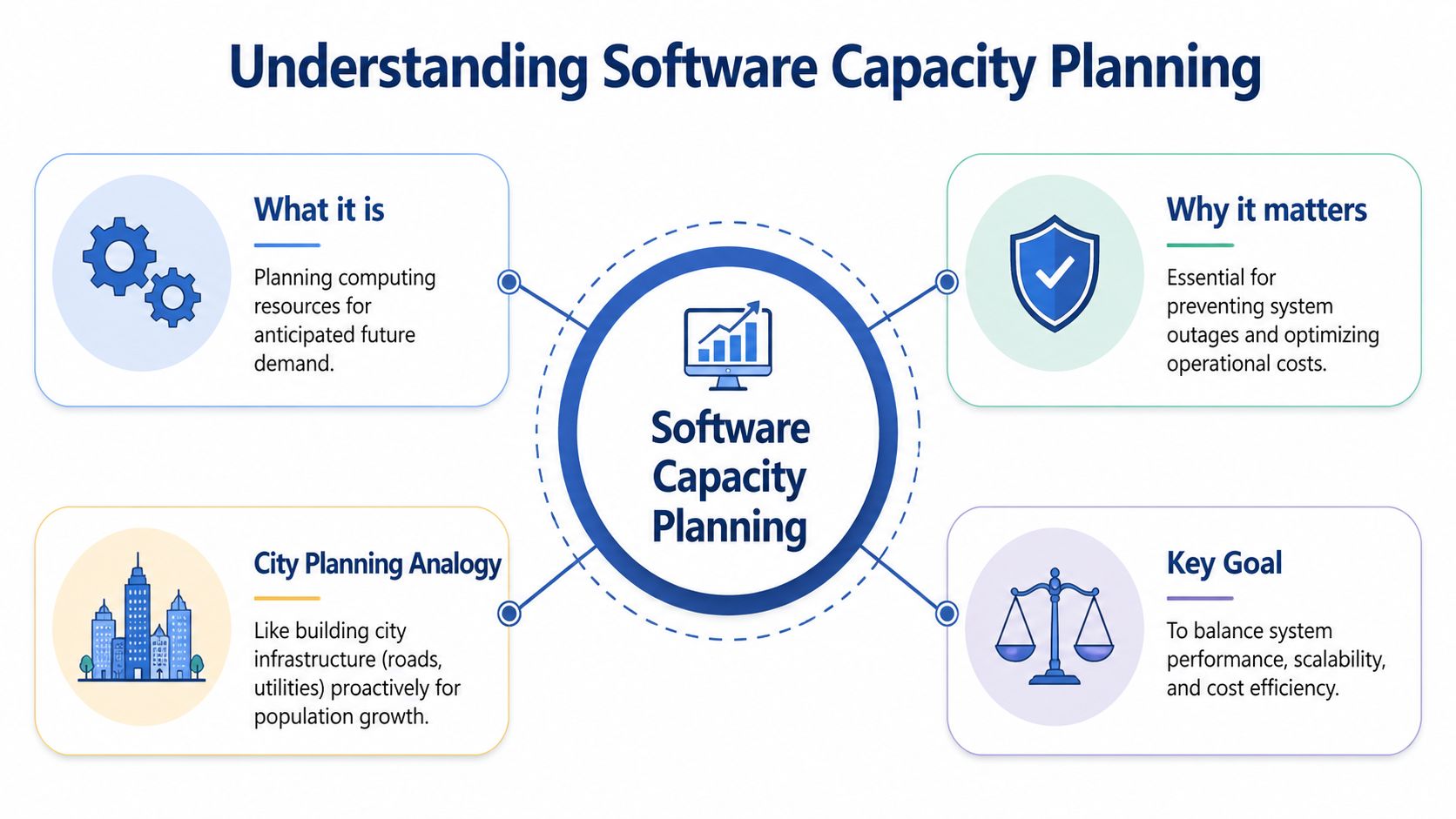
Software capacity planning is the practice of matching computing resources to expected demand over time. That sounds simple, but the useful part isn't the definition. The useful part is the balance. You need enough capacity to protect service quality, but not so much that you pay for idle systems all day.
A good analogy is city planning. A city doesn't build roads only for today's traffic. It plans for commuting patterns, seasonal surges, emergency access, and future growth. Software capacity planning works the same way. You're not just adding servers. You're designing enough compute, storage, network throughput, and operational flexibility to handle demand without locking yourself into waste.
The real objective
Teams often treat capacity planning as a technical exercise. It isn't. It's an operating discipline with three business outcomes:
- Service quality: Users get predictable performance under expected load.
- Cost efficiency: The company avoids paying for capacity it doesn't need.
- Business agility: Product and engineering can launch, scale, and test without improvising every infrastructure choice.
That last point matters. A team with no planning process usually becomes conservative. It avoids turning things off, avoids reducing instance sizes, and avoids changing autoscaling settings because nobody trusts the consequences. Planning creates enough confidence to make controlled trade-offs.
Why the old history still matters
Capacity planning didn't start in the cloud. It started in the 1970s with mainframe operations, where planners used tools like IBM's System Management Facility records to track CPU, I/O, and memory and predict future needs, as described in this history of capacity planning from CMG. The platforms changed over time, but the basic logic didn't. Measure real usage, find bottlenecks early, and adjust before users feel the problem.
What changed in the cloud era is the billing model. The same source notes that poor planning in pay-as-you-go environments can lead to 30-50% wasted spend on idle resources. That single shift changed the stakes. In the mainframe era, overprovisioning was a utilization problem. In AWS and Azure, it's a utilization problem and a budget problem at the same time.
Capacity planning used to answer, "Will the system hold?"
In the cloud, it also has to answer, "Should we still be paying for this right now?"
What software capacity planning includes
A practical plan usually covers several layers at once:
- Baseline demand for an application or service.
- Resource behavior under normal and peak load.
- Scaling policy for variable demand.
- Environment policy for non-production systems.
- Review cadence so assumptions get updated.
Teams get into trouble when they only handle item three. Autoscaling is useful, but it's not the same as software capacity planning. A real plan also covers steady-state commitments, idle resources, maintenance windows, test environments, and the operating habits around them.
If you explain it to a new FinOps manager, the cleanest version is this: software capacity planning decides what should be available, when it should be available, and why the business is willing to pay for it.
The Four Golden Metrics of Capacity Planning
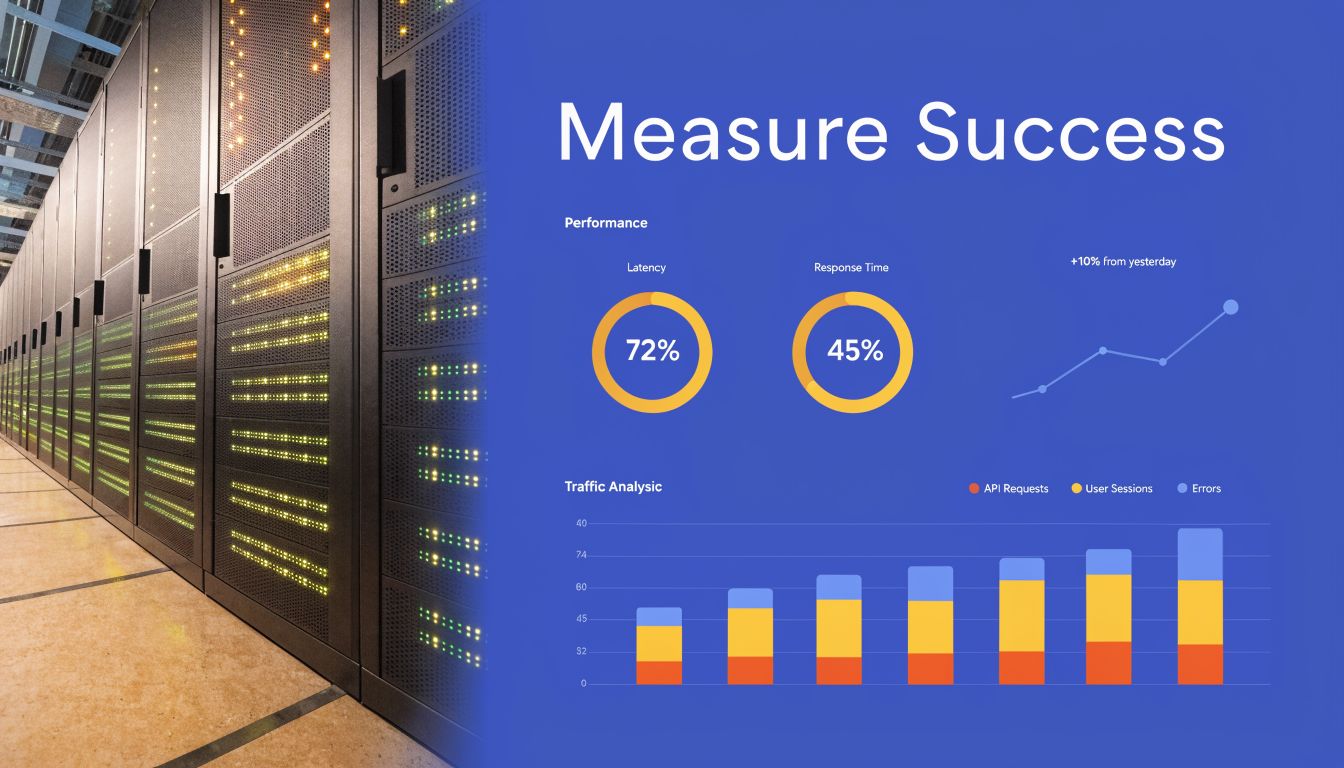
Every capacity conversation eventually returns to telemetry. Opinions about "needing more headroom" don't help much unless the data says what the system is doing. For practical software capacity planning, four metrics tell most of the story: utilization, saturation, latency, and errors.
These are useful because they connect technical behavior to money. They show whether a workload is underused, constrained, unstable, or misconfigured.
Utilization tells you what you're paying for
Utilization is the easiest place to start. It measures how busy a resource is. CPU, memory, storage throughput, and network I/O are the common inputs, usually gathered in AWS CloudWatch, Azure Monitor, or Prometheus.
This metric matters because rightsizing depends on it. According to this cloud cost optimization guide from TBlocks, rightsizing based on historical utilization data can yield 30-70% cost reductions, and overprovisioned instances often run at under 30% average CPU utilization. The same source gives a practical example: downgrading an EC2 m5.large showing less than 20% CPU usage to a t3.medium can reduce costs by about 40% without performance impact.
That doesn't mean "low CPU equals downsize" every time. You have to read utilization in context. A memory-heavy service, a bursty queue worker, or a batch process can look lightly used on one axis while depending on another.
Saturation shows how close you are to pain
Saturation is different from utilization. A resource can show moderate average utilization and still be close to failure if queues are growing, worker pools are exhausted, or disk operations are stacking up. In these scenarios, teams often miss bottlenecks.
Useful saturation signals include:
- Queue depth: Requests or jobs waiting longer over time.
- Connection pool pressure: Databases or downstream services hitting concurrency limits.
- Thread and worker exhaustion: App servers running out of execution slots.
- Disk contention: I/O wait increasing even when CPU appears reasonable.
A service with healthy average CPU but rising queue depth isn't overbuilt. It's constrained somewhere else.
When utilization tells you "how busy," saturation tells you "how close to failure."
Latency reflects the user's experience
Latency is where infrastructure and customer impact finally meet. You can have efficient-looking systems that still feel slow. That's why p50 and p95 response times, query duration, and job completion time belong in every capacity review.
For planning, latency is especially useful during change. If you downsize an instance family, tighten a scaling floor, or change environment schedules, latency tells you whether the decision preserved service quality. Cost optimization without latency monitoring is just blind cutting.
If you're building a KPI layer around this, this guide on cloud ROI metrics and KPIs is a useful companion to the operational view.
Errors tell you when the system has crossed the line
Errors matter last in the list, but first in severity. Capacity issues often appear as increased error rates only after the earlier warning signs were missed. HTTP failures, database timeouts, throttling, and failed jobs are all late signals that the system is beyond a safe operating point.
The practical mistake is treating errors only as reliability data. They are also planning data. A spike in errors during known business events usually means your forecast, scaling thresholds, or dependency limits were wrong.
Read the metrics together
No single metric makes the decision. The value comes from the pattern:
| Metric | What it answers | Capacity signal |
|---|---|---|
| Utilization | Are we paying for idle resources? | Rightsize or schedule down if persistently low |
| Saturation | Are components nearing their operational limit? | Add headroom or remove bottlenecks |
| Latency | Are users feeling the impact? | Validate whether performance is still acceptable |
| Errors | Have we exceeded safe capacity? | Immediate sign that the plan failed under load |
Teams that only monitor utilization tend to cut too aggressively. Teams that only monitor latency tend to overprovision forever. Software capacity planning works when all four metrics are reviewed as one system, not four separate charts.
Choosing Your Forecasting Method
Forecasting is where many teams either overcomplicate the problem or avoid it entirely. They assume they need a full data science pipeline, or they stick with rough instinct because it's faster. Neither extreme is necessary for many. What's needed is a forecasting method that matches the stability of the workload and the quality of the data they already have.
The purpose isn't to predict the future perfectly. It's to reduce avoidable mistakes in provisioning, commitments, and scheduling.
Three practical forecasting methods
Different methods fit different workloads. The important thing is to know what each one is good at, and where it starts to fail.
| Method | Description | Best For | Pros | Cons |
|---|---|---|---|---|
| Trend-based forecasting | Projects future demand from historical growth and recent usage patterns | Stable services with gradual change | Simple to build, easy to explain, fast to maintain | Misses seasonality and sudden demand shifts |
| Statistical forecasting | Uses time-series models to account for recurring patterns and variation | Workloads with seasonality or repeatable cycles | Better handling of weekly, monthly, or event-driven patterns | Harder to validate and explain across teams |
| Demand-driven forecasting | Links capacity to business drivers such as launches, onboarding, campaigns, or contracts | SaaS, e-commerce, and product teams with clear business triggers | Connects infrastructure decisions directly to revenue activity | Depends on strong coordination with product, sales, and marketing |
Trend-based forecasting
This is a common entry point, and that's fine. If a service has relatively stable traffic and clean historical usage, a simple projection can be enough to decide whether to adjust instance sizes, change scaling floors, or review a commitment.
Trend-based forecasting works well for internal services, mature APIs, and steady production workloads. It breaks down when demand is heavily seasonal or driven by external events. If your marketing team can double load with one campaign, a straight-line model won't protect you.
Statistical forecasting
For workloads with recognizable patterns, statistical models are far more useful. According to CAST AI's overview of cloud cost management tools, predictive capacity forecasting can achieve 85-95% accuracy in demand projection using time-series analytics on usage trends. The same source says misforecasting can cause 20-40% overprovisioning, while accurate models allow organizations to commit to AWS Savings Plans covering 70-90% of their load and realize 40-60% discounts.
Those numbers matter because they show forecasting isn't only a reliability exercise. Better models improve commitment decisions. If you can identify steady-state demand with confidence, you can stop paying on-demand rates for everything.
Decision filter: If your workload has clear daily, weekly, or seasonal cycles, move beyond straight-line estimates. The billing impact can be as important as the performance impact.
Demand-driven forecasting
This is the method I trust most for growing businesses, because it's closest to how the business changes. Instead of starting with CPU graphs alone, you start with demand signals. Product launches, customer onboarding, regional expansion, contract go-lives, and planned promotions all create infrastructure consequences.
A startup finance lead will recognize the same pattern from broader planning work. This explanation of financial forecasting for startups is useful because it frames forecasting around business assumptions rather than isolated operational data. Capacity planning improves when infrastructure teams adopt that same habit.
How to choose without overthinking it
Use a simple decision path:
- Choose trend-based forecasting when workloads are stable and the team is early in its planning maturity.
- Choose statistical forecasting when historical data shows repeating cycles and the cost of error is climbing.
- Choose demand-driven forecasting when business events shape demand more than historical averages do.
You can also combine them. Many mature teams use statistical models for baseline demand and demand-driven adjustments for launches or campaigns. That's often the most practical setup because it keeps the model grounded in history without pretending history explains everything.
What doesn't work is picking a method once and treating it like doctrine. Forecasting is only useful if teams compare expected demand with actual demand and update the model when they were wrong.
Connect Capacity Planning to Cloud Cost Optimization
A lot of capacity planning software still reflects an older operating model. It helps teams allocate people to projects, estimate workload, or map staffing against deadlines. Useful, but incomplete. In cloud environments, the infrastructure side of capacity often gets left out, and that's where waste hides.

The gap is explicit. Productive's discussion of capacity planning software notes that planning tools often focus on workforce allocation while ignoring cloud infrastructure costs, and that idle servers can consume 20-40% of compute budgets undetected in AWS and Azure environments. That's the operational blind spot many teams are living with right now. They know who is assigned to a release. They don't know whether the related environments should still be running overnight.
Capacity planning is a spending decision
In the cloud, every capacity choice has a billing profile. If you keep broad headroom all month for a peak that only happens occasionally, you've made a cost decision. If you leave dev and staging running continuously, you've made another one. If you commit to reserved capacity without understanding steady-state demand, you've made a purchasing decision disguised as a technical one.
This is why modern software capacity planning has to include cost optimization by design. Not as a follow-up audit. Not as a quarterly clean-up. Inside the planning loop itself.
A practical planning model needs to answer questions like these:
- Which workloads need constant availability?
- Which environments can follow a schedule?
- Where is autoscaling enough, and where is fixed baseline capacity safer?
- Which usage is production demand, and which is convenience?
Idle time is still capacity
Teams sometimes treat scheduled shutdowns as a cost tactic rather than a planning tactic. That's a mistake. If an environment is not needed overnight or on weekends, then turning it off is part of the capacity design. You're not removing value. You're aligning resource availability with actual demand.
This is especially important for non-production estates. Dev, test, training, and sandbox environments often exist for valid reasons, but they rarely need to be online continuously. A team that plans these windows deliberately is doing better capacity management than a team that leaves everything on and calls it resilience.
For organizations building stronger cloud operating habits, Adamant Code's cloud engineering expertise offers useful context on how application design and cloud architecture choices affect operating efficiency over time.
What mature teams actually do
The teams that handle this well don't run one generic optimization script and call it done. They create policy.
They define production versus non-production treatment. They set owner expectations for schedules and exceptions. They connect utilization review to rightsizing. They review whether "temporary" environments are still justified. They make override paths easy enough that engineers don't bypass the system.
A simple policy often includes:
- Always-on production rules for customer-facing or dependency-critical services.
- Scheduled operating windows for dev, QA, and staging.
- Exception handling for release days, incidents, or testing periods.
- Periodic ownership review so abandoned resources don't survive forever.
A good primer on this operating model is this guide to cloud cost optimisation practices, especially if you're trying to connect infrastructure controls with financial accountability.
Here's a short explainer on why this connection matters in practice:
The easiest way to waste money in the cloud is to confuse availability with usefulness.
That line sounds obvious, but it changes planning behavior. Not every workload needs to be available all the time. Capacity planning gets better the moment a team starts treating idle infrastructure as a measurable planning failure rather than an unavoidable side effect.
Capacity Planning in the Real World for SMBs
Small and midsize businesses don't usually struggle because the concepts are too advanced. They struggle because the team is small, priorities move fast, and nobody has time to build a perfect planning framework. The fix isn't a massive process. It's using a lightweight method that fits how the business runs.

A SaaS launch team
A small SaaS company preparing for a product launch usually has one problem above all others. Demand is uncertain, but expectations are high. The team can't afford an outage, and it also can't justify treating every pre-launch assumption as permanent infrastructure.
In that situation, demand-driven forecasting is often the practical choice. Product and sales already have useful inputs such as launch date, onboarding schedule, trial rollout, and expected user actions. DevOps can turn those into capacity questions. Which services will see the first burst? Which databases are sensitive to concurrency? Which background jobs can lag slightly without hurting the customer experience?
The team doesn't need a complex model on day one. It needs a plan that separates customer-facing paths from support systems and defines how quickly extra capacity should appear when activity rises. It also needs a decision on non-production environments. During launch week, some of them may stay available longer. Outside that window, they should return to a controlled schedule.
A mid-sized e-commerce business
An e-commerce team heading toward a high-traffic event has a different problem. Historical data is more useful, but only if the team respects the shape of the event. Average demand isn't the point. Peak windows and downstream dependencies are.
A stronger approach here is statistical forecasting combined with scenario review. The operations team looks at previous event periods, baselines the busiest services, and checks where saturation and latency started to rise. Then it pressure-tests dependencies. Search, checkout, payment retries, inventory sync, and email triggers usually fail in different ways under stress.
A real capacity plan isn't just "add more app servers." It's "know which part breaks first and what you'll do before it happens."
For this kind of business, cost discipline matters too. The team may need extra production headroom for a defined period, but it shouldn't carry event-level capacity forever after the event ends. Good planning includes the rollback path, not just the scale-up path.
What SMB teams should avoid
The most common mistakes aren't technical. They're operational.
- Planning in a silo: If DevOps forecasts without product input, the model misses launches, promotions, and customer-driven change.
- Ignoring cost signals: A plan that protects performance but leaves non-production sprawl untouched is incomplete.
- Treating plans as permanent: Workload behavior changes. Team habits change. Temporary environments become long-lived unless someone reviews them.
- Optimizing only production: Dev, QA, and staging often carry a large share of idle spend and deserve clear operating policies.
A practical SMB pattern
The most effective pattern for SMBs is usually simple:
| Business context | Forecast style | Main operational move |
|---|---|---|
| New product or feature launch | Demand-driven | Add temporary headroom and define rollback timing |
| Seasonal retail or event business | Statistical | Prepare for peaks, then actively reduce post-event capacity |
| Stable internal platform | Trend-based | Rightsize steadily and clean up idle environments |
This is why software capacity planning shouldn't feel abstract. In smaller organizations, it directly shapes daily operating choices. Who keeps what running, when they keep it running, and whether that decision still makes sense next month. That's where reliability and cloud economics finally meet.
How to Build Your Capacity Planning Process
A workable software capacity planning process doesn't need to be elaborate. It needs to be repeatable. The teams that improve fastest usually start with one service, one review rhythm, and one set of decisions they can defend with data.
Start with a minimum viable plan
Pick one important service. Not your entire estate. Choose a workload that matters to the business and has enough usage to reveal patterns.
Then do the basics in order:
Define the service boundary
Identify the application, its key dependencies, and which environments belong to it.Collect a short baseline
Use a fixed observation window and gather utilization, saturation, latency, and error data from the tools you already run.Choose a forecasting method
Start simple. Stable services usually need a trend view first. Event-driven systems may need demand inputs from product or sales.Set one capacity policy
This could be rightsizing a persistently underused workload, revising autoscaling thresholds, or scheduling non-production uptime more tightly.Review the result
Compare expected demand with actual behavior. If the change held performance steady and reduced waste, keep it. If not, adjust.
For teams that want a practical starting point, this capacity planning template is a useful way to structure ownership, assumptions, and review cadence.
Get the right people in the room
Capacity planning goes wrong when one function tries to own it alone. Engineering sees application behavior. FinOps sees spend patterns. Product sees upcoming demand. Operations sees service risk. You need all of them, even if the process stays lean.
A simple ownership model looks like this:
- DevOps or platform team: Own telemetry, scaling behavior, and infrastructure changes
- FinOps or finance partner: Track spend impact, commitment fit, and avoidable waste
- Product or engineering leadership: Provide demand signals such as launches, customer growth, or event timing
Measure whether the process is working
The process itself needs KPIs. Otherwise teams only debate anecdotes.
Useful indicators include:
- Forecast accuracy: Did expected demand match observed demand closely enough to support decisions?
- Cost avoidance: Did the team remove unnecessary runtime or reduce overprovisioning?
- Performance stability: Did latency and errors remain acceptable after the change?
- Policy compliance: Are schedules, ownership reviews, and environment rules being followed?
The best sign your process is working isn't a perfect forecast. It's faster, calmer decisions when demand changes.
Keep the cadence realistic
Monthly is often enough for broader review. Weekly may be better for fast-moving teams or active launches. Daily is only useful when a workload is changing rapidly or a major event is underway.
What matters is consistency. If the team only revisits capacity after an outage or after a bad invoice, the process hasn't taken hold yet. Capacity planning should become part of operating rhythm, not a rescue motion.
A good plan is never final. It gets better because the team keeps comparing assumptions to reality, then tightening the loop.
If you want a practical way to turn capacity decisions into real cloud savings, CLOUD TOGGLE helps teams automatically power off idle AWS and Azure resources, apply schedules safely across teams, and keep non-production uptime aligned with actual demand. It's a straightforward way to make software capacity planning operational instead of theoretical.