The team usually notices the need for auto scaling ec2 in one of two painful moments. Either a traffic spike knocks over a service that looked healthy an hour earlier, or the monthly AWS bill lands and half the EC2 fleet was idle most nights and weekends.
Both problems come from the same mistake. Capacity was sized for a guess instead of actual demand. EC2 Auto Scaling fixes that by treating compute as a fleet that should grow and shrink with real conditions, not as a fixed set of servers someone hopes is enough.
Used well, Auto Scaling gives you elasticity without constant operator intervention. Used poorly, it can just automate waste faster. The difference comes down to architecture, policy choice, monitoring, and a clear understanding of where dynamic scaling ends and where scheduled power control is the simpler answer.
Mastering Elasticity with EC2 Auto Scaling
A common early-stage setup looks familiar. Two or three EC2 instances sit behind a load balancer, everyone knows the names of the servers, and scaling means someone changes desired capacity by hand during a launch or incident. That works until the service becomes important enough that missed traffic and idle cost both matter.
EC2 Auto Scaling changes the operating model. Instead of thinking in terms of individual machines, you define a group, a launch pattern, and rules for when AWS should add or remove instances. That shift sounds simple, but it changes how teams design applications, deploy code, and respond to incidents.
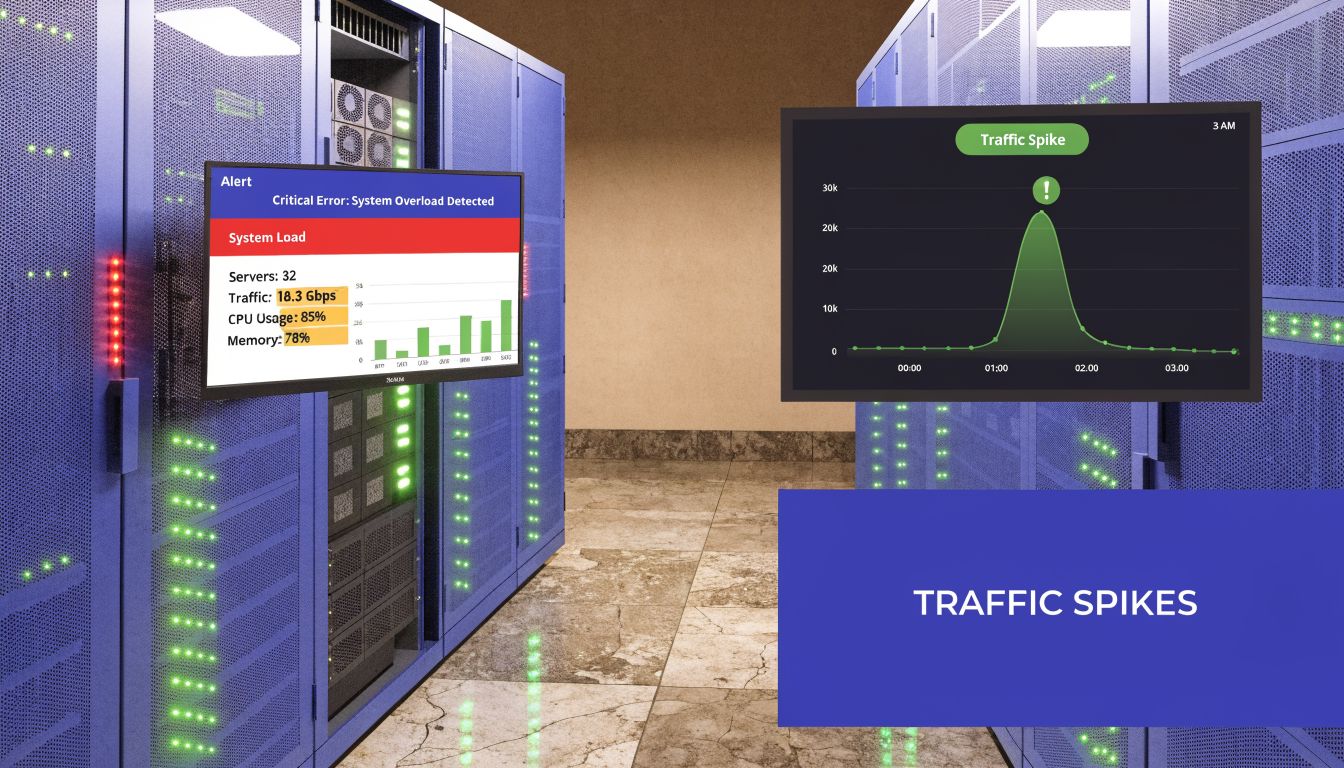
Elasticity isn't just about surviving spikes. It's also about cutting the waste that comes from leaving full production capacity online when demand is predictably low. If your team needs a quick refresher on the core concept, this explanation of elasticity in cloud computing is a useful baseline.
Three habits separate smooth deployments from expensive ones:
- Plan for replacement: Instances must be disposable. If one dies, the group should recreate it without manual repair.
- Scale on the right signal: CPU is common, but it isn't always the bottleneck that matters.
- Watch the money path: Fast scaling improves resilience, but every extra metric, alarm, and instance decision has a cost implication.
Auto Scaling works best when the application is ready to be treated as cattle, not pets.
Teams that need outside help designing that operating model should explore Refact's AWS capabilities. The value isn't the tool list. It's the discipline of building infrastructure that can scale and recover without depending on one fragile server.
Planning Your Auto Scaling Group Architecture
Most Auto Scaling failures start before the group is created. They start when a team copies a working EC2 setup into an Auto Scaling Group and assumes elasticity will happen automatically. It won't. The application has to be designed for repeated launch, health evaluation, and clean termination.
Start with workload behavior
Before you choose a metric, identify what constrains the application.
CPU-bound services often behave well with target tracking because utilization maps reasonably well to load. Queue consumers may scale better on backlog. Memory-heavy applications are where many first deployments go wrong. Existing guides often lean hard on CPU, but real-world tests show memory alarms require custom CloudWatch metrics and step scaling. Flexera's 2024 State of the Cloud Report, cited by Sedai, notes 32% of AWS spend is unattributed waste, with EC2 overprovisioning at 25% due to metric mismatches like ignoring memory utilization in Sedai's analysis of EC2 autoscaling.
That matters because a fleet can look healthy on CPU while still burning money or falling over on memory pressure.
Build the launch template like a product
Your Launch Template is the contract for every instance the group will create. If it's sloppy, scaling becomes chaos.
Focus on these parts:
- AMI choice: Use an image that boots fast and includes only what's required for the workload.
- User data: Keep bootstrap logic deterministic. If instance startup depends on many fragile external calls, warm-up times become unpredictable.
- IAM role and security groups: Give instances only the access they need to register, fetch config, emit logs, and join the application stack.
- Storage layout: Don't store anything on the instance that you can't afford to lose during replacement.
A launch template should produce identical instances every time. If engineers log in and make one-off fixes, the next scale-out event will reintroduce every old problem.
Practical rule: If rebuilding an instance from the launch template feels risky, the template isn't ready for production Auto Scaling.
Design for statelessness and failure
Stateful apps are the hardest fit for auto scaling ec2. Session data, uploaded files, local caches, and singleton processes all create hidden coupling to individual instances.
A healthier design looks like this:
- Put user traffic behind a load balancer.
- Store session or shared state outside the instance.
- Externalize logs, config, and durable data.
- Assume any instance can disappear and be recreated at any time.
For teams refining traffic distribution before scaling behavior, this guide to AWS load balancing patterns helps frame how load balancing and Auto Scaling should complement each other.
Set boundaries before launch
Minimum, maximum, and desired capacity are not afterthoughts. They are safety rails.
Use them to answer practical questions. What's the smallest fleet that can survive an instance failure? What's the highest count you're willing to allow before cost becomes unacceptable? What level gives enough baseline capacity that scale-out doesn't start from zero every morning?
Those decisions don't eliminate tuning later, but they stop early mistakes from becoming expensive incidents.
Choosing the Right EC2 Auto Scaling Policy
The policy is where organizations either get a calm, self-adjusting system or a noisy loop of late reactions and unnecessary scale events. AWS gives you several ways to scale. The right one depends on whether your demand is smooth, spiky, cyclical, or tied to work sitting in a queue.
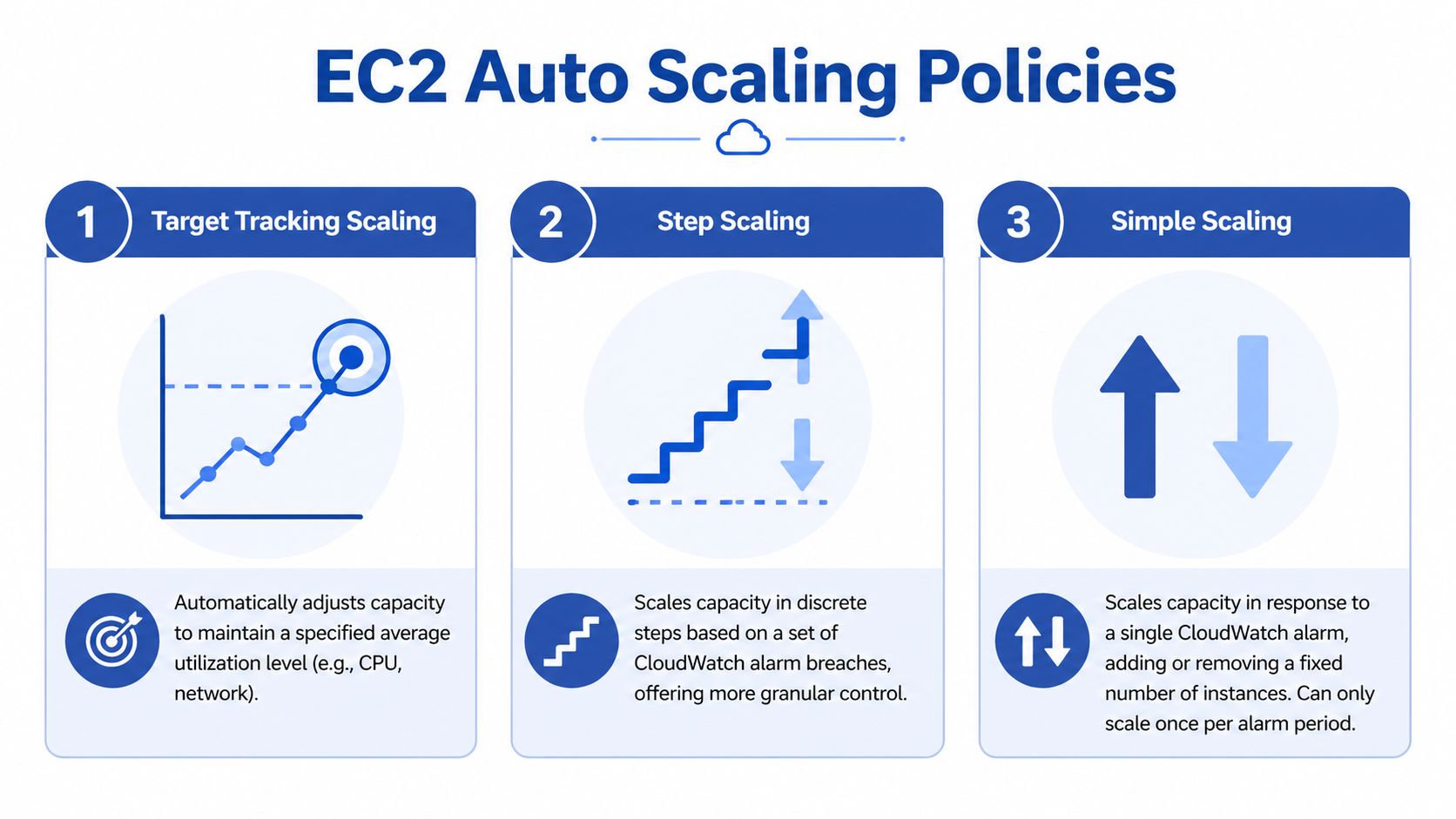
The cleanest mental model is this. Target tracking is cruise control. Step scaling is a rulebook with thresholds. Simple scaling is the older fixed reaction that usually gives you the least control.
AWS EC2 Auto Scaling supports several scaling mechanisms, with target tracking acting as a cruise control for predictable demand, step scaling giving more granular control for varied spikes, and predictive scaling using machine learning to forecast cyclic traffic patterns. For queue-based workloads, you can also scale on SQS queue depth, as described in this overview of AWS EC2 autoscaling approaches.
Target tracking for steady services
Target tracking is a good place to start. You set a target such as average CPU utilization at 60 percent, and AWS adjusts instance count to maintain it.
That works well when demand changes gradually and the metric reflects actual user pressure. Web applications behind an Application Load Balancer are a common fit. APIs with fairly consistent request behavior often are too.
Use target tracking when:
- The metric is trustworthy: CPU, request count, or another signal moves with real demand.
- The workload is smooth: You don't need different responses for mild versus severe spikes.
- You want simpler operations: Fewer thresholds means fewer chances to mis-tune the policy.
Later in the section, if you want a quick visual explainer, this video is a useful companion:
Step scaling for uneven or custom behavior
Step scaling is more hands-on. You define CloudWatch alarms and then decide what happens at each threshold. One threshold might add a small amount of capacity. A higher threshold might add more.
That approach is stronger when the workload doesn't behave linearly. Queue processors are the classic example. If backlog rises slightly, you might need a modest increase. If backlog surges, you may need a larger jump to catch up before latency becomes a problem.
Step scaling also matters when your most meaningful metric is custom, especially memory. CPU-based target tracking can miss the actual constraint in memory-sensitive applications.
A practical pattern looks like this:
- Mild pressure triggers a small increase.
- Sustained heavier pressure triggers a larger increase.
- Scale-in is slower and more conservative than scale-out.
This is also the policy family that rewards careful tuning and punishes guesswork.
The more custom your workload signal is, the more likely step scaling is the right answer.
Simple scaling for basic cases
Simple scaling still exists, but it usually isn't where I'd steer a team building a serious production setup. It reacts to a single alarm with a fixed capacity change and can only scale once per alarm period. That makes it easy to understand but less flexible when demand changes quickly or in uneven bursts.
If your team is comparing policies during design review, use a quick matrix rather than debating definitions.
EC2 Scaling Policies Compared
| Policy Type | Best For | How it Works | Complexity |
|---|---|---|---|
| Target Tracking | Predictable or gradually changing workloads | Adjusts capacity automatically to maintain a target metric level | Low |
| Step Scaling | Workloads with distinct spike levels or custom metrics | Uses multiple thresholds and different scaling actions at each step | Medium to high |
| Simple Scaling | Basic environments with straightforward alarm-driven changes | Adds or removes a fixed amount of capacity after an alarm breach | Low |
Where predictive scaling fits
Predictive scaling is useful when traffic follows a recurring pattern and you want instances ready before the spike begins. It uses historical usage to forecast expected demand. This is more compelling for seasonal or cyclic applications than for erratic, event-driven traffic.
Predictive scaling is not a replacement for dynamic scaling. It's a complement. Forecasts are strongest when demand repeats. They are weaker when the biggest spikes come from unexpected marketing campaigns, customer behavior shifts, or application-level memory events that don't follow a clean historical pattern.
If your traffic pattern is repeatable, combine predictive scaling with a dynamic policy rather than choosing one or the other. That gives you capacity ahead of expected peaks and a live response when reality doesn't match the forecast.
Fine-Tuning with Health Checks and Lifecycle Hooks
Auto Scaling only becomes resilient when unhealthy instances are removed quickly and healthy replacements enter service at the right time. Launching more servers is easy. Launching servers that are ready, and terminating old ones without dropping work, is the discipline.
Health checks must reflect reality
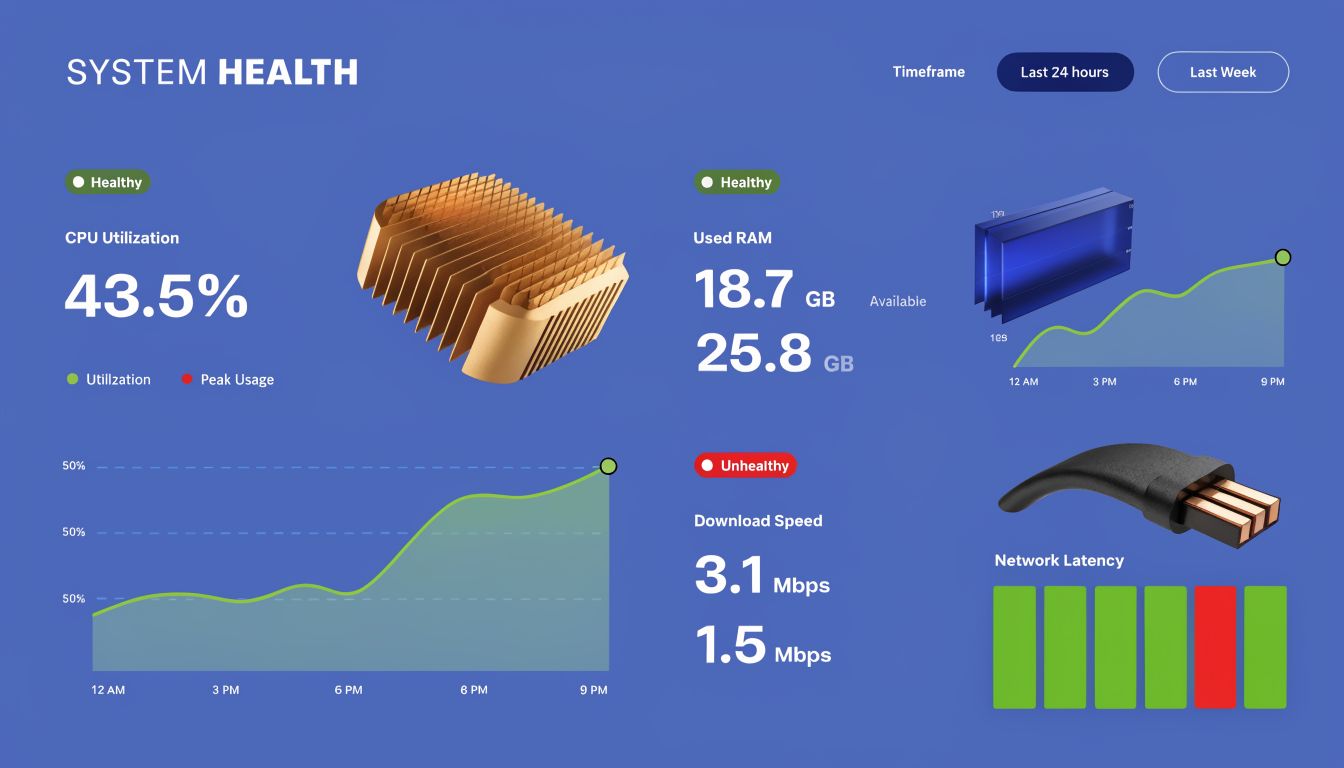
Two checks matter in most EC2 Auto Scaling setups. The instance itself must be healthy, and the application must be ready to serve traffic. Those are not the same thing.
An EC2 status check can pass while the app is stuck during startup, missing dependencies, or failing requests. That is why load balancer health checks are so important. They test whether the instance should receive traffic.
Use health checks that answer a practical question: can this instance handle a real request right now?
- EC2 health checks: Good for detecting infrastructure-level failure.
- ELB health checks: Better for deciding whether the instance belongs in rotation.
- Application endpoint design: Return healthy only after the app is ready, not just after the process starts.
A weak health endpoint creates false confidence. A strong one prevents bad capacity from looking available.
Cooldowns and warm-up stop flapping
Most groups need time after scale-out before the new instances contribute meaningful capacity. If your policy evaluates too fast, AWS can keep adding instances because the metric still looks bad while the new nodes are booting.
That is where warm-up and cooldown settings matter. They stop the group from making repeated decisions based on incomplete information.
The step scaling methodology described by ExamCollection highlights 300s default cooldowns, notes that without cooldowns, 50% of groups experience flapping, and warns that delayed 5-minute metrics reduce success to 65% SLO compliance in fluctuating workloads, according to this comparison of step, simple, and target tracking policies.
Lifecycle hooks make scaling graceful
Lifecycle hooks are one of the most practical features in EC2 Auto Scaling. They let you pause an instance during launch or termination so you can run custom logic.
Use them when termination needs choreography, not just removal.
Examples that matter in production:
- Connection draining: Stop sending new traffic and let in-flight requests finish.
- Log preservation: Push final logs or diagnostics to centralized storage before shutdown.
- Registration tasks: Complete last-mile setup before the instance is marked ready.
A terminated instance should leave cleanly. If it drops active requests or disappears before telemetry is shipped, the scaling event solved one problem and created another.
A simple operating habit helps here. Test termination paths on purpose. Many teams test scale-out under load and never rehearse scale-in. Then the first real downscale interrupts sessions, batch work, or queue consumers because no one validated the exit path.
Managing Costs and Performance with Auto Scaling
Auto Scaling is often sold as a cost-control feature. That's true only when the policies are tied to good metrics and the group reacts fast enough to avoid both over-provisioning and under-provisioning. Otherwise it becomes a very efficient way to add instances after the problem has already started.
Monitoring frequency changes behavior
One of the most important decisions is also one of the easiest to miss. EC2 basic monitoring reports metrics every 5 minutes, while detailed monitoring updates every 1 minute. AWS recommends detailed monitoring for responsive scaling, and Flexera explains why in its write-up on EC2 Auto Scaling best practices.
That difference matters because scaling decisions are only as good as the freshness of the signal. If demand changes quickly, five-minute data can make the group react late or react to a spike that has already passed. Detailed monitoring costs more, but for applications that need fast response, that extra cost is often easier to justify than wasted instances or degraded performance.
Load testing is part of the configuration
A policy that looks correct in the console can still behave badly in production. Teams should test for three things before trusting the setup:
- Scale-out timing: Does capacity arrive early enough to protect latency and availability?
- Scale-in safety: Does the group remove instances without interrupting active traffic or work?
- Metric fidelity: Does the chosen metric track customer-facing pressure, or only part of it?
Watch the full path during testing. Check desired capacity, in-service count, health status, load balancer behavior, and application latency together. If one graph says things are fine while users still experience slowdowns, you're scaling on the wrong signal.
Mixed purchasing models need guardrails
Cost optimization often pushes teams toward mixed-instance policies and Spot usage. That's reasonable, but it adds operational trade-offs. Spot can reduce compute cost, yet interruption handling and rebalancing complexity mean you need firm boundaries on how the group behaves.
For teams evaluating that route, this overview of EC2 Spot Instance trade-offs is a useful companion to Auto Scaling design. It helps frame where Spot belongs and where stable On-Demand capacity should remain your baseline.
If your broader objective is to optimize cloud spending, keep one principle in mind: dynamic scaling handles uncertainty well, but it is not always the most efficient answer for predictable idle time.
Dynamic scaling is not the whole answer
This is the gap many technical tutorials skip. Auto Scaling is excellent for variable demand. It is less elegant when you already know entire environments should be off during nights, weekends, or non-business periods.
In those cases, native scheduled actions can help, but many small teams want a simpler operating model. A scheduled on off tool can complement Auto Scaling by handling predictable downtime while the Auto Scaling Group handles live demand when the environment is active. CLOUD TOGGLE fits that niche by letting teams schedule power states for idle servers without exposing the full cloud account to every person who needs schedule control.
That combination is practical. Use Auto Scaling for real-time elasticity. Use scheduling for known idle windows. One handles uncertainty. The other removes waste you can predict in advance.
Common Auto Scaling Questions Answered
Should I use scheduled scaling or a separate scheduling tool
Use scheduled scaling when the capacity pattern is part of the application's operating design and belongs inside AWS policy management. Use a separate scheduling tool when the goal is to shut down non-critical environments during known idle periods with less console complexity and safer delegated access.
Are Launch Templates still the right default
Yes. Use Launch Templates instead of legacy launch configurations. They fit current AWS workflows better and give you a cleaner foundation for instance versioning and repeatable updates.
Can I auto scale a stateful application
You can, but the application has to be redesigned around externalized state. If sessions, files, or process-local data live on the instance, scaling and replacement will be unreliable. Start by separating state from compute.
What metric should I choose first
Pick the metric that best reflects actual user or workload pressure. CPU is a fine starting point for some services, but it isn't a universal answer. If the application slows down because of memory pressure, queue backlog, or request saturation, use that signal instead.
How low can minimum capacity go
Not as low as many teams first hope. Your minimum should reflect failure tolerance, not just quiet-hour demand. If one instance failing would create an outage, your floor is too low.
What's the most common expensive mistake
Treating Auto Scaling as a set-and-forget feature. Policies drift, workloads change, and metrics that once made sense stop matching reality. Review scaling behavior after major application changes, pricing changes, and traffic pattern changes.
If your AWS bill includes long stretches of predictable idle time, CLOUD TOGGLE is worth evaluating alongside native Auto Scaling. It helps teams schedule server uptime across cloud environments, reduce waste from always-on non-production or off-hours workloads, and give non-engineering stakeholders limited, safe control over schedules without exposing the full cloud account.