You shipped the app. The Pods are healthy. Autoscaling works. Then the production question lands: how does traffic reach the service consistently, and what will that decision do to your cloud bill?
That is where teams usually discover that load balancer in kubernetes is not just a networking topic. It is an availability topic, a latency topic, and a cost control topic. The wrong choice can leave you paying for too many cloud load balancers, pushing traffic across zones unnecessarily, or hiding overloaded Pods behind a setup that looks healthy on paper.
The right choice is usually simpler than people expect. Start with the native primitives. Add Layer 7 routing only when the application needs it. Be deliberate about where traffic flows and how many external entry points you really need. Treat load balancing as part of infrastructure economics, not just packet forwarding.
Why Your Kubernetes App Needs a Load Balancer
A Kubernetes application needs a stable front door. Pods come and go. IPs change. Scaling events and node failures are normal. If clients tried to talk to Pods directly, your application would break the moment Kubernetes did its job and rescheduled a workload.
That is why Services exist. They give your app a fixed address and a traffic distribution layer in front of an ever-changing set of Pods. Kubernetes introduced foundational load balancing capabilities with its first stable release on June 28, 2017 (v1.7), and by 2024 Kubernetes held 92% market share in container orchestration, with over 5.6 million developers relying on these features according to Kubegrade’s overview of Kubernetes load balancing.

Think of the load balancer as the traffic desk for your application. Clients call one known number. Kubernetes decides which healthy backend should answer. That separation matters because production traffic is messy. Pods restart. Some requests run longer than others. One node may have capacity while another is saturated.
From an operations perspective, a load balancer solves two problems at once:
- Availability: It keeps traffic flowing when individual Pods fail or get replaced.
- Efficiency: It spreads demand so one backend does not run hot while others sit mostly idle.
Those two goals are connected to cost. Uneven traffic distribution often pushes teams to add more Pods just to survive spikes on a few unlucky backends. Better balancing lets the same cluster do more useful work.
Practical takeaway: If your service needs to be reachable or resilient, you need a stable abstraction between clients and Pods. In Kubernetes, that starts with Services and often expands into Ingress or cloud load balancers.
The Building Blocks Kubernetes Service Types
Kubernetes gives you three core Service types to expose workloads: ClusterIP, NodePort, and LoadBalancer. If you treat them like interchangeable options, you will end up with awkward networking and unnecessary spend.
A better mental model is a company phone system.
ClusterIP for internal traffic
ClusterIP is the internal extension. It works only inside the cluster. Other services can call it, but external clients cannot.
Use it for APIs, background services, and anything that should stay private behind another gateway.
apiVersion: v1
kind: Service
metadata:
  name: orders-api
spec:
  type: ClusterIP
  selector:
    app: orders
  ports:
    - port: 80
      targetPort: 8080
This is the cleanest default for service-to-service communication. It avoids exposing unnecessary entry points and keeps your architecture easier to control.
What works well:
- Internal service discovery: Frontend to API, API to worker, worker to database proxy.
- Security boundaries: Fewer externally reachable surfaces.
- Lower operational noise: No public endpoint management for every service.
What does not:
- Direct public access: You cannot use it alone for internet-facing traffic.
- Standalone edge routing: You still need Ingress or another external entry point for user traffic.
NodePort for direct node exposure
NodePort is the side door. Kubernetes opens the same port on each node and forwards traffic to the Service.
apiVersion: v1
kind: Service
metadata:
  name: orders-nodeport
spec:
  type: NodePort
  selector:
    app: orders
  ports:
    - port: 80
      targetPort: 8080
      nodePort: 30080
NodePort is functional, but it is rarely the right answer for production internet traffic. It exposes a port on every node, which is useful for labs, quick testing, or as a building block under another system. It is not elegant, and it is not the operational model teams want at scale.
Typical use cases:
- Temporary access: Quick validation in non-production.
- Foundation for external systems: Some on-prem networking setups point external devices at node ports.
- Learning environments: Homelabs and proof-of-concept clusters.
Trade-offs you feel quickly:
- Managing node-level exposure is clumsy.
- It is harder to present a polished public endpoint.
- Security and firewall rules get messier.
LoadBalancer for cloud-managed exposure
LoadBalancer is the main public number. In a managed cloud, creating this Service usually tells the provider to provision an external load balancer for you.
apiVersion: v1
kind: Service
metadata:
  name: orders-public
spec:
  type: LoadBalancer
  selector:
    app: orders
  ports:
    - port: 80
      targetPort: 8080
This is the most direct way to publish a service externally in AWS, Azure, or GCP. It is excellent when one service needs its own external endpoint. It is also where cloud costs can start creeping up if you create one per microservice.
How kube-proxy distributes traffic
Under the hood, Kubernetes uses kube-proxy to implement Service networking. In the default model, traffic distribution happens at Layer 4 using a round-robin approach over TCP connections. The important caveat is that backend selection happens once per connection, not once per HTTP request.
That distinction matters.
If your workload uses short-lived connections, distribution may look reasonably even. If your application uses long-lived connections, especially gRPC, one Pod can end up carrying much more load than its neighbors. The Service still looks healthy. The cluster still has spare capacity. But one backend is overloaded, and you start adding Pods to compensate for imbalance instead of real demand.
Kubernetes Service types at a glance
| Service Type | Accessibility | Primary Use Case | Example |
|---|---|---|---|
| ClusterIP | Internal to the cluster | Service-to-service communication | Internal API used by a frontend |
| NodePort | Exposed on every node | Testing, labs, or integration with external network devices | Temporary external access to a staging app |
| LoadBalancer | External through cloud or supported on-prem implementation | Public applications and APIs | Internet-facing web service |
Rule of thumb: Default to ClusterIP. Add LoadBalancer only where an external entry point is justified. Use NodePort sparingly and intentionally.
Using Ingress for Advanced Application Routing
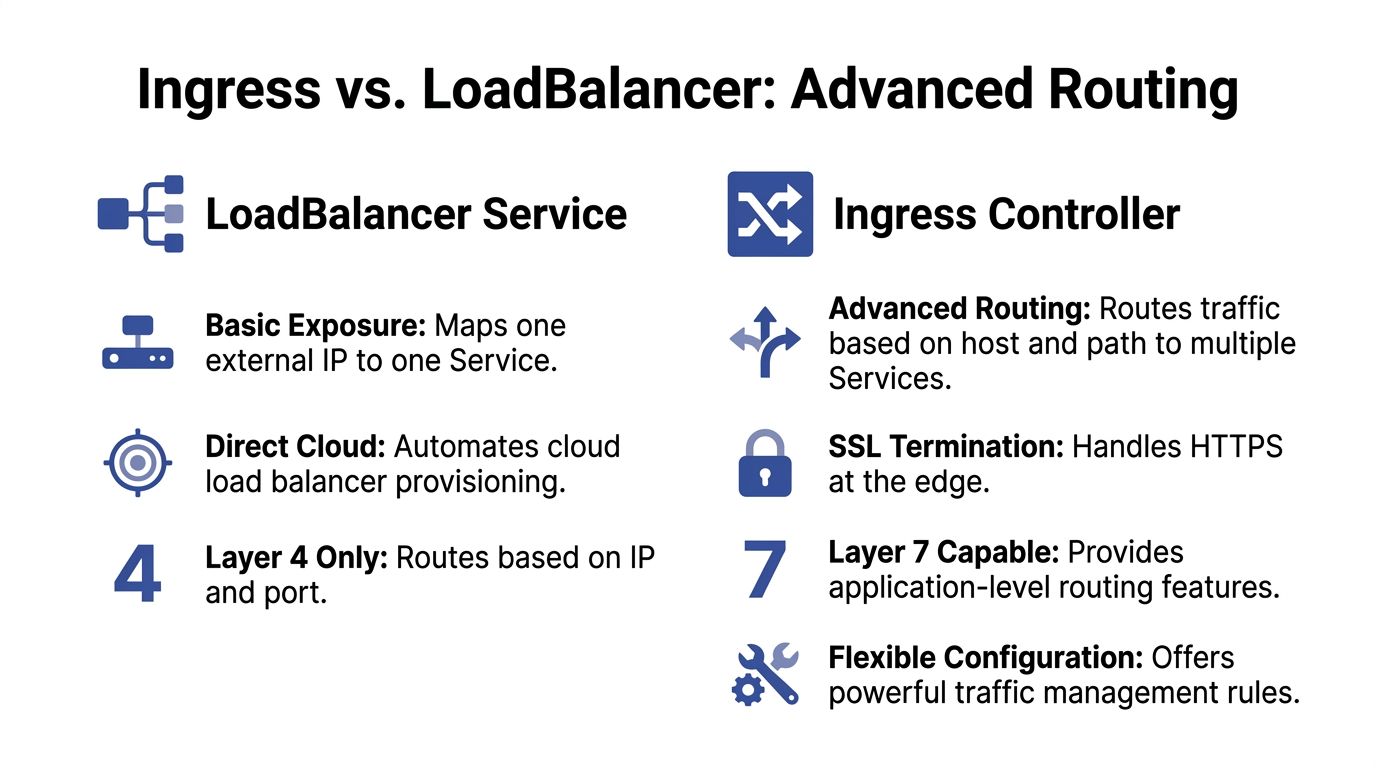
A plain LoadBalancer Service is straightforward, but it scales poorly when every public microservice gets its own external load balancer. That pattern is common in early Kubernetes environments because it is easy to understand. It is also one of the fastest ways to create avoidable recurring spend.
Ingress solves a different problem. It gives you Layer 7 routing, which means traffic can be directed based on hostnames and URL paths rather than only IP and port. One edge entry point can serve many applications.
Ingress resource versus Ingress controller
Teams often blur these together, but they are not the same thing.
- Ingress resource: The Kubernetes object that declares routing rules.
- Ingress controller: The software that reads those rules and enforces them. Common examples include NGINX Ingress Controller and Traefik.
The resource is the policy. The controller is the engine.
Why Ingress usually wins for multi-service apps
If you run a frontend, API, admin panel, and webhook receiver, a separate LoadBalancer Service for each one is often wasteful. Ingress lets you place them behind one edge layer.
Host-based routing example:
app.example.comto frontendapi.example.comto APIadmin.example.comto admin service
Path-based routing example:
example.com/to frontendexample.com/apito APIexample.com/webhooksto event handler
A minimal example looks like this:
apiVersion: networking.k8s.io/v1
kind: Ingress
metadata:
  name: app-ingress
spec:
  ingressClassName: nginx
  rules:
    - host: app.example.com
      http:
        paths:
          - path: /
            pathType: Prefix
            backend:
              service:
                name: frontend
                port:
                  number: 80
    - host: api.example.com
      http:
        paths:
          - path: /
            pathType: Prefix
            backend:
              service:
                name: api
                port:
                  number: 80
Cost and operational upside
Ingress reduces duplication.
Instead of provisioning separate external load balancers across many services, you centralize edge routing. That lowers the number of public entry points your team manages and usually simplifies certificate handling, DNS planning, and traffic policy.
TLS termination is a good example. Without Ingress, teams often repeat HTTPS configuration across multiple service exposures. With Ingress, the controller can terminate TLS at the edge and route clean HTTP or re-encrypted traffic internally according to your policy.
Where a plain LoadBalancer still makes sense
Ingress is not automatically better for every case.
Choose a direct LoadBalancer Service when:
- You need non-HTTP traffic.
- A service needs a dedicated external endpoint.
- You want a simple path with minimal edge logic.
Choose Ingress when:
- You expose multiple HTTP services.
- You want host-based or path-based routing.
- You want centralized TLS and edge policy.
Limits of basic distribution in distributed environments
Basic round-robin can become a real problem when Pods are far apart geographically. Research on Resource Adaptive Proxies notes that round-robin can cause “significant delays” in distributed edge environments, and that routing without considering latency and resource status produces non-optimal results, as described in the RAP research paper on distributed edge load balancing.
That does not mean Ingress magically fixes everything. It means a more capable Layer 7 control point gives you room to apply smarter policies than simple connection-level distribution.
Practical takeaway: If your app has more than one public HTTP service, Ingress is usually the cleaner and cheaper edge model. A separate cloud load balancer for every service should be a deliberate exception, not the default.
Choosing Your Load Balancer Cloud Versus On-Premise
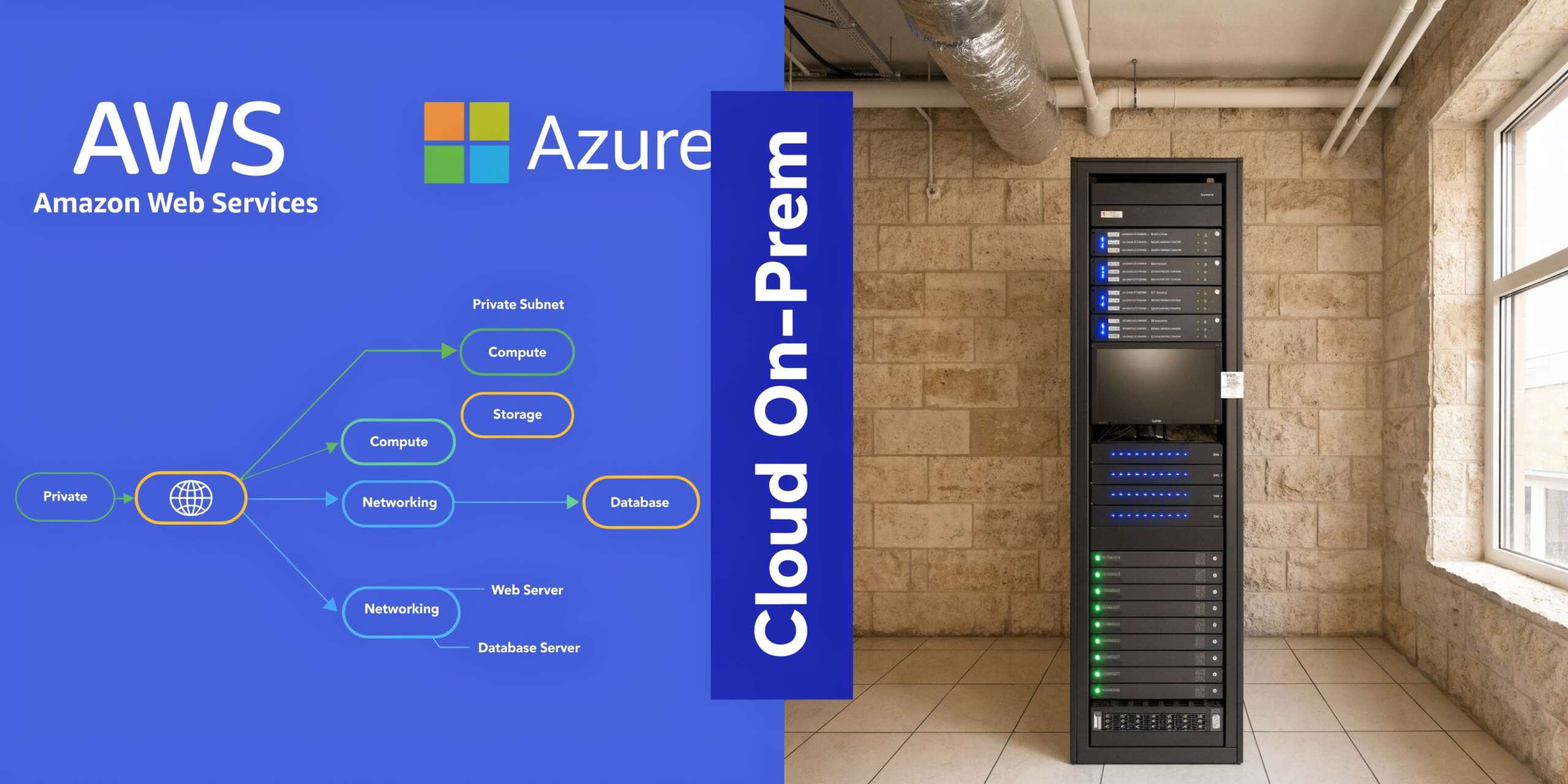
A type: LoadBalancer Service means different things depending on where your cluster runs. In the cloud, it is usually an automation hook. On-premise, it is often a request that no system can fulfill until you install extra components.
In cloud environments the Service triggers provider infrastructure
In AWS, Azure, and GCP, a LoadBalancer Service typically provisions a provider-managed load balancer and associates it with your Kubernetes Service. That is convenient. It reduces manual networking work and gives you a supported path for public access.
The trade-off is that convenience has a billing line.
Every externally provisioned load balancer is infrastructure with its own cost profile. Even before application traffic grows, the architecture choice affects spend. This becomes obvious in microservice fleets where teams casually expose multiple services independently.
That is also why keeping up with broader trends in cloud computing matters. The platform direction across providers keeps moving toward more managed networking, more automation, and more distributed architectures. Those trends improve delivery speed, but they also make it easier to create expensive defaults if teams do not review how edge traffic is exposed.
Mapping Kubernetes choices to provider behavior
At a practical level:
- Service of type LoadBalancer usually maps to a provider-managed network load balancer or equivalent.
- Ingress commonly sits on top of a smaller number of provider-managed edge resources and handles HTTP routing for many services.
The exact product names differ across clouds, but the design question stays the same. Are you buying a dedicated external front door per service, or are you consolidating public traffic through a smaller edge layer?
For teams comparing implementation patterns in AWS specifically, this walkthrough on AWS load balancing approaches for Kubernetes is useful because it frames the operational differences clearly.
On-premise and bare metal need an extra component
If you run Kubernetes on bare metal, a LoadBalancer Service does not automatically conjure up an appliance. There is no cloud control plane waiting to provision one.
That is where tools like MetalLB come in. MetalLB gives bare-metal clusters a way to honor LoadBalancer Services by advertising addresses on your own network. It fills the gap between Kubernetes abstractions and infrastructure that you operate yourself.
This model gives you more control. It also gives you more responsibility.
What usually works well on-premise:
- Network control: You decide how addresses are announced and routed.
- No direct provider lock-in: The cluster behavior stays closer to your own network design.
- Predictable architecture: Useful for regulated or fixed-infrastructure environments.
What tends to hurt:
- Operational ownership: Your team owns more of the networking stack.
- Troubleshooting depth: Problems can span Kubernetes, switching, routing, and firewall rules.
- Feature parity: Managed cloud products often bundle capabilities that take more effort to replicate yourself.
Topology-aware routing matters more than often perceived
In hybrid and multi-cloud setups, where traffic paths are not simple, the placement of backends affects both latency and cost. Topology-aware load balancing can reduce data transfer costs, and cloud providers typically charge $0.02 to $0.05 per GB for inter-region traffic. By routing traffic to the nearest available instances, organizations can also achieve up to 80% infrastructure cost reductions in hybrid or multi-cloud environments, according to CloudFleet’s analysis of topology-aware Kubernetes cost optimization.
That is the part teams often miss. A load balancer is not just selecting a healthy Pod. It is selecting a path through your billing model.
Here is a short explainer before going deeper into trade-offs:
Decision criteria that hold up in production
Use cloud-managed load balancers when:
- You want the fastest supported path to production.
- Your team values provider integration over low-level control.
- You need public exposure without running extra network software.
Lean toward self-hosted options when:
- You run on bare metal or private infrastructure.
- You need control over network behavior.
- Your team can own the operational burden.
Practical takeaway: Managed cloud load balancers save engineering time. Self-hosted options save some provider dependency. Neither is automatically cheaper. The cost depends on how many external entry points you create and how intelligently traffic stays local.
Mastering Performance and High Availability
A Service that accepts traffic is not the same thing as a service that performs well under production load. The default behavior is acceptable for simple workloads, but performance problems in Kubernetes often show up as imbalanced backends, not obvious outages.
Start with health checks that reflect reality
Health checks decide whether a Pod should receive traffic. If they are too shallow, the load balancer continues sending requests to a process that is technically alive but unable to serve users. If they are too strict, healthy Pods get removed during brief warm-up periods or transient spikes.
A workable pattern is:
- Readiness probe: Gate traffic until the app is ready.
- Liveness probe: Restart Pods that are stuck.
- Separate startup concerns: Do not force readiness to fail just because initialization is still in progress.
Readiness matters most for load balancing. It determines whether a Pod enters or leaves rotation.
Tip: Test readiness against the dependencies your application needs for serving traffic. A shallow “process is up” check often creates false confidence.
Session affinity is useful, but expensive if overused
Some applications need a user to keep hitting the same backend for a period of time. Shopping carts, legacy session stores, and stateful admin flows are common examples.
Kubernetes can support session affinity, often called sticky sessions, but use it carefully. It can improve user experience for stateful apps while making distribution less even. That can increase hot spots and push extra scaling.
Good use cases:
- Legacy apps with in-memory session state
- Transitional architectures during modernization
- Workflows where continuity matters more than perfect balance
Bad use cases:
- Stateless APIs that should scale horizontally
- Systems where one overloaded Pod impacts latency quickly
Whenever possible, move state out of the Pod and keep balancing flexible.
Default round-robin is where many teams hit the wall
Kubernetes native Service balancing at Layer 4 makes backend choices per connection. That can be fine for simple HTTP traffic. It breaks down with long-lived connections because one busy connection can pin heavy demand to a specific Pod.
Databricks described this problem clearly in its move to client-side Layer 7 load balancing. Their implementation achieved a 20% reduction in pod count by replacing default L4 skew with per-request decisions, and they stabilized P90 latency with strategies including Power-of-Two-Choices according to the Databricks engineering write-up.
That result matters for operators because it links balancing quality directly to resource usage. If traffic skew forces overprovisioning, you are paying for imbalance.
Pick an algorithm that matches the traffic shape
The default does not fit every workload.
- Round-robin: Fine for simple and relatively uniform traffic.
- Least connections: Better when request duration varies and some backends stay busy longer.
- Per-request Layer 7 balancing: Stronger for gRPC, long-lived connections, and latency-sensitive platforms.
If your team is also tuning scaling policies, connect those efforts. A useful companion read is this guide to autoscaling in Kubernetes, because poor load distribution and poor scaling signals often amplify each other.
High availability is an application behavior, not a checkbox
Pods spread across nodes and zones help, but the service only stays available when the routing layer can stop sending users to the wrong place fast enough. That means probe design, balancing strategy, and traffic policy all need to align.
A cluster can look healthy in dashboards while users experience latency from one overloaded backend. The fix is rarely “add more replicas” first. Usually, it is “make traffic smarter first.”
The Bottom Line Cost Optimization and Security
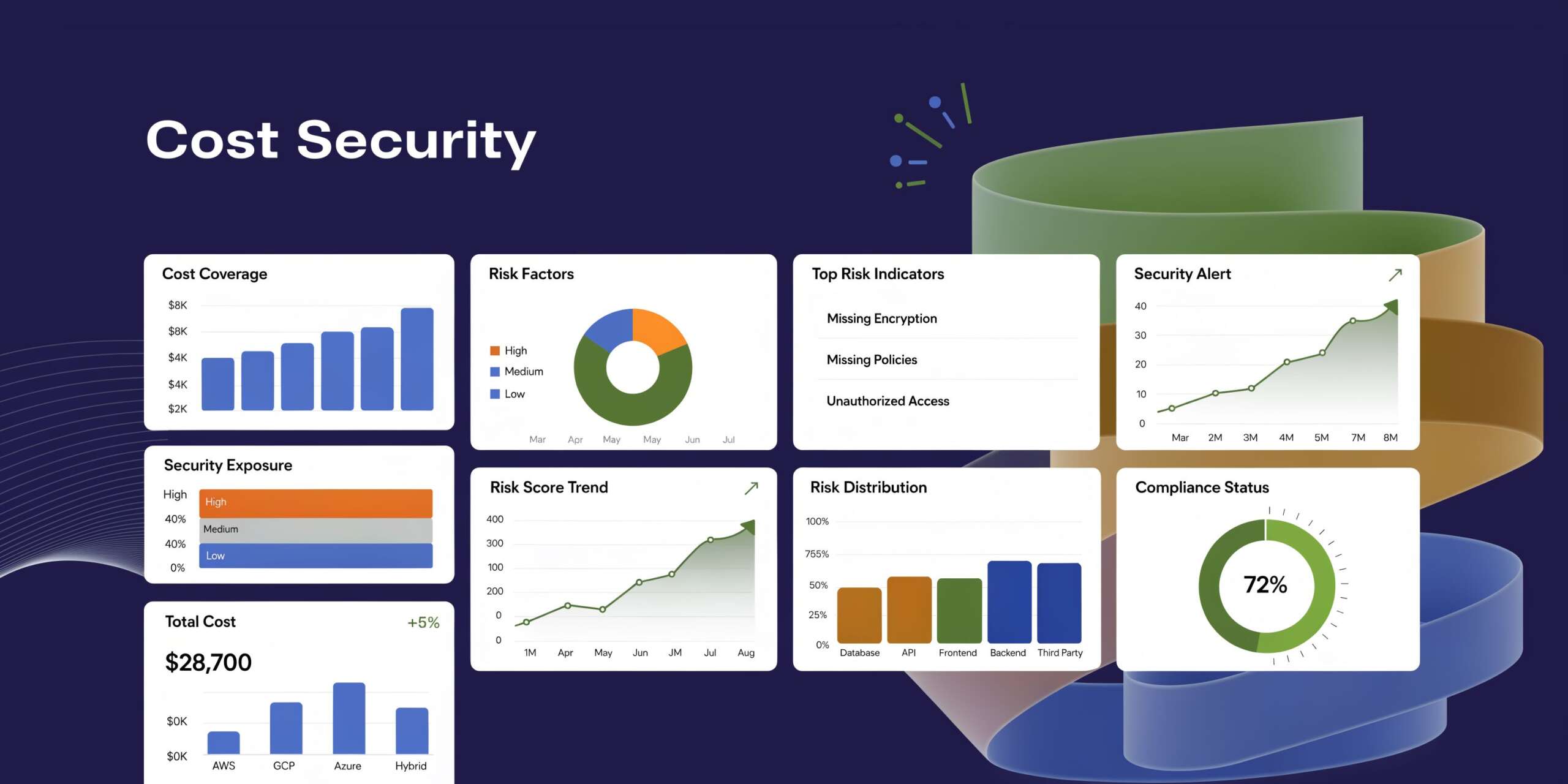
The expensive part of load balancing in Kubernetes is often not obvious in architecture diagrams. Teams notice the app is reachable and move on. Months later, finance asks why networking and platform costs climbed with every new service.
The answer is usually structural. Too many external load balancers. Too much duplicated edge infrastructure. Too little control over where traffic flows.
Consolidation saves real money
One of the cleanest examples comes from a consolidation project that reduced load balancer instances from 140 to 30, a 78.6% reduction, and delivered $3,000 in monthly savings by using Kubernetes ingress annotations and a common load balancer strategy, as described in Halodoc’s write-up on common load balancer consolidation.
That should change how teams think about exposure patterns.
If every microservice gets its own public edge, costs expand linearly with service count. If shared ingress handles the routing, edge cost grows much more slowly. You also simplify certificate management, reduce policy sprawl, and cut the number of internet-facing components security has to review.
Security belongs at the edge and inside the cluster
A cheaper architecture is not a better architecture if it weakens control.
Strong practices usually include:
- TLS everywhere it matters: Terminate cleanly at the edge and define where re-encryption is required.
- Ingress policy discipline: Only publish routes that need public reachability.
- Network Policies: Limit east-west traffic so internal services are not casually reachable from everywhere.
- WAF integration where appropriate: Especially for public web workloads with common attack surface.
For teams reviewing the broader checklist, this guide to Kubernetes security best practices is worth reading because it covers the controls that sit around networking decisions, not just the routing layer itself.
The hidden budget leak is idle non-production infrastructure
Many SMB and mid-market teams incur hidden costs when infrastructure goes unmanaged. A dev or test environment is left running overnight, on weekends, or between release cycles. The compute is idle, but the environment still carries supporting infrastructure around it. If the stack includes externally exposed services, the associated load balancers often continue accruing cost too.
Load balancers are rarely the biggest line item on their own. They become expensive when paired with idle VMs, over-provisioned environments, and duplicated edge patterns.
A practical budgeting mindset looks like this:
- Count external entry points by environment, not just production.
- Consolidate HTTP services behind Ingress wherever that fits.
- Keep internal services internal with ClusterIP.
- Review traffic paths for cross-zone or cross-region waste.
- Shut down idle environments when no one is using them.
Key takeaway: Load balancer cost problems are architecture problems first. The bill is just where they become visible.
Security and cost are usually aligned
This is one of the more useful operational truths. Fewer public endpoints often means lower spend and lower attack surface. Better internal segmentation improves security and also helps teams reason about traffic. Smarter routing reduces cross-region transfer and usually improves user response times.
When a team treats load balancer design as a finance, security, and reliability decision at the same time, the platform tends to improve on all three fronts.
Common Kubernetes Load Balancer Pitfalls
The most common mistakes are not exotic. They are small configuration choices that create confusing symptoms.
Service stuck in pending
Symptom: A LoadBalancer Service never gets an external address.
Cause: The cluster is not connected to a cloud provider integration, or you are on bare metal without a component such as MetalLB.
Fix: Confirm the environment supports LoadBalancer provisioning. In cloud, verify provider integration and permissions. On-premise, install and configure a load balancer implementation for bare metal.
Healthy app but no traffic
Symptom: Pods are running, but requests fail or time out intermittently.
Cause: Readiness checks do not reflect actual application readiness, so the service routes traffic too early or removes backends incorrectly.
Fix: Review readiness logic first. Probe the application path that proves the app can serve requests, not just that the process started.
Too many external load balancers
Symptom: Every microservice has its own public endpoint, and cloud networking costs keep rising.
Cause: Teams exposed each service with type: LoadBalancer instead of using shared Ingress where HTTP routing would work.
Fix: Consolidate public web services behind an Ingress controller. Reserve dedicated load balancers for protocols or applications that need them.
Unexplained latency despite enough replicas
Symptom: CPU looks normal cluster-wide, but users still hit slow responses.
Cause: Connection-level balancing creates skew. One Pod gets hot while others remain underused.
Fix: Inspect connection patterns, especially for long-lived sessions and gRPC. Consider Layer 7 balancing or balancing policies better aligned to the workload. If scaling behavior is also involved, this guide to cluster autoscaler behavior in Kubernetes environments helps frame why adding nodes alone may not resolve a traffic distribution problem.
Cloud quota surprises
Symptom: New Services or routing rules stop provisioning.
Cause: Provider limits on load balancers, listeners, or forwarding resources.
Fix: Audit resource usage before rollout. Consolidation through Ingress often solves both cost and quota pressure.
Kubernetes Load Balancing FAQs
Is a Kubernetes Service itself a load balancer
A Service is the Kubernetes abstraction that gives you stable access to a set of Pods. It includes traffic distribution behavior, but it is not always the same thing as a cloud load balancer appliance. In cloud setups, a LoadBalancer Service often triggers a provider-managed load balancer. A ClusterIP Service does not.
When should I use Ingress instead of LoadBalancer
Use Ingress when you have multiple HTTP services and want host-based or path-based routing, centralized TLS handling, and fewer public entry points. Use LoadBalancer when a service needs direct external exposure or uses protocols outside the typical HTTP routing model.
Why does round-robin still create hot Pods
Because Kubernetes native balancing commonly makes the choice per connection, not per request. If some connections live much longer or carry much heavier workloads, a few Pods can receive disproportionate load even when the service appears balanced overall.
Is NodePort good enough for production
Usually no for internet-facing production applications. It is useful for testing, learning, or specific infrastructure integrations, but teams prefer managed load balancers or Ingress because they are easier to secure, operate, and present cleanly to users.
Does better load balancing really reduce cost
Yes, often indirectly. Better distribution can reduce overprovisioning, lower cross-zone or cross-region transfer, and shrink the number of edge components you run. The savings show up in compute, networking, and operational complexity.
What is the first thing to check when traffic fails after deployment
Check readiness before anything else. If Pods are not ready but still enter rotation, users see errors while the deployment technically looks successful.
What should SMB teams standardize first
Standardize on a small set of patterns:
- Internal services default to ClusterIP
- Public HTTP apps go through a shared Ingress controller
- Dedicated LoadBalancer Services require justification
- Health checks must be reviewed as part of deployment
- Cross-zone and cross-region routing should be monitored for budget impact
That baseline removes most of the avoidable complexity in load balancer in kubernetes designs.
If idle dev, staging, and test environments are still running after hours, you are likely paying for compute and supporting infrastructure that nobody is using. CLOUD TOGGLE helps teams cut that waste by scheduling AWS and Azure servers to power off automatically when they are not needed, then bringing them back on time without manual effort or brittle scripts.