Slow applications are more than just a minor annoyance; they frustrate users and can kill a business. More often than not, the root of the problem is the database, where forcing data to travel from traditional disk storage creates a massive performance bottleneck. This is exactly where an in-memory database cache comes in.
Why Your Application Feels Slow
Think of your regular database as a huge, old-fashioned library. When your app needs information, it’s like sending a librarian down to a dusty basement archive to hunt for a specific book. The process works, sure, but it's slow. Now imagine hundreds of requests coming in at once. It's a recipe for a long wait.
An in-memory database cache, on the other hand, is like the "Instant Access" stand right at the front desk. It holds all the most popular, frequently requested books, ready to be handed over in a split second.

This analogy gets right to the heart of the performance gap between RAM (Random Access Memory) and traditional disk storage. Data access from RAM is measured in nanoseconds, while disk access takes milliseconds. That might not sound like much, but it’s a difference of several orders of magnitude, making RAM thousands of times faster. This raw speed is what makes caching so incredibly effective.
To really grasp the difference, let's break down how these storage types stack up against each other.
RAM vs Disk A Performance Showdown
The table below shows why RAM is the undisputed champion for speed-critical operations, leaving even modern SSDs far behind.
| Attribute | RAM (Memory) | SSD (Solid State Drive) | HDD (Hard Disk Drive) |
|---|---|---|---|
| Access Time | 10-100 nanoseconds | 50-150 microseconds | 5-10 milliseconds |
| Throughput | Extremely High | High | Low to Moderate |
| Primary Use | Active application data | OS, applications, fast storage | Bulk data, backups, archives |
| Volatility | Volatile (data lost on power off) | Non-volatile | Non-volatile |
As you can see, when it comes to raw speed, nothing beats RAM. This is the fundamental reason we use it for caching: to bypass the much slower, disk-based layers of our infrastructure.
The Business Cost of Sluggish Performance
In a crowded market, application speed isn't just a nice-to-have technical feature; it's a critical business metric. A slow user experience directly translates to higher bounce rates, poor customer satisfaction, and, ultimately, lost revenue. When users are staring at loading spinners, their patience quickly runs out.
An in-memory database cache attacks this problem directly. It creates a high-speed data layer that sits right between your application and your main database, intercepting requests for frequently accessed information. By serving that data straight from memory, it completely avoids that slow, painful trip to the disk.
This dramatically offloads read-heavy workloads from your primary database, allowing the entire system to handle a much higher volume of requests without breaking a sweat.
The impact is immediate and profound. Your application suddenly feels snappy and responsive, user engagement climbs, and the strain on your backend database plummets. This lets your infrastructure scale far more efficiently, supporting more users without a massive investment in new hardware.
From Technical Bottleneck to Business Opportunity
By putting a solid caching strategy in place, you completely change the performance game. Your data access layer transforms from a bottleneck into a strategic asset that fuels a superior user experience.
The benefits are clear:
- Improved User Retention: A fast, responsive app keeps people happy and coming back. They're far less likely to jump ship to a competitor.
- Enhanced Scalability: Caching lets you serve more traffic with your existing hardware, putting off or even eliminating the need for costly infrastructure upgrades.
- Lower Database Load: By absorbing the majority of read requests, the cache shields your primary database. This keeps it stable and available for the write operations that really matter.
Understanding performance is a deep topic. For a wider perspective on speeding up your applications, diving into strategies for WordPress page optimization offers valuable, related insights. Of course, you can't improve what you don't measure, which is why you should also check out our guide to monitoring in the cloud for peak performance.
Ultimately, adopting an in-memory database cache is one of the most effective ways to turn a technical solution into a real business advantage.
The Tech Revolution That Made Caching Possible
The in-memory database cache didn’t just appear out of thin air. Its rise was a direct result of major shifts in technology and economics that fundamentally changed how we approach data. Just over a decade ago, keeping large datasets in RAM was a luxury only the biggest companies with the deepest pockets could afford.
Then, around the early 2010s, everything changed. Two critical developments came together, making in-memory computing a real option for almost any business. First, the price of RAM dropped dramatically. Second, the hardware itself became far more reliable. Suddenly, what was once out of reach became a practical tool.
This shift opened the door for a new way of thinking. Pioneers started to challenge the old, slow model of disk-based databases. They proved that holding essential data right in memory wasn't just faster, it was a commercially smart move that created the real-time experience users now demand.
This new reality forced everyone to rethink application architecture. The incredible speed of memory made it painfully obvious that traditional hard drives were a massive performance bottleneck.
The Great Latency Divide
The performance gap between memory and disk isn't just big; it's astronomical. Back in the early 2010s, this difference became the driving force for innovation. Accessing data from a disk took about 10 milliseconds, while pulling it from memory took a blistering 100 nanoseconds. That’s a difference of 100,000 times. To get the full picture, you can explore the history of in-memory databases.
This stark contrast made one thing clear: if your application needed instant responses, relying on disk just wasn’t going to cut it anymore.
From Niche Technology to Mainstream Solution
This turning point is what allowed systems like Redis and Memcached to emerge. They were built from the ground up to take full advantage of RAM's speed. They weren't just faster versions of old databases; they were a whole new philosophy where speed was the number one priority.
This history really matters for today's engineering and DevOps teams. Understanding that falling hardware costs made in-memory solutions possible gives you critical context for making cloud cost decisions now. It shows that using an in-memory database cache isn't just a performance tweak; it's a strategic architectural choice that was once impossible.
This foundation helps teams weigh their options in cloud environments like AWS and Azure, finding the right balance between speed and budget.
Of course. Here is the rewritten section, adopting the style and voice of the provided examples.
How Faster Load Times Drive Business Growth
In the digital marketplace, speed isn't just a feature, it's a core business requirement. How well your application performs has a direct line to your revenue and customer loyalty. Slow, clunky experiences send users running to your competitors, while a fast, responsive interface keeps them happy and engaged.
One of the most effective ways to get that speed boost is by implementing an in-memory database cache.
A landmark study revealed a pretty brutal truth for online businesses: 53% of website visitors will leave a page if it takes more than three seconds to load. That number shows just how little patience users have. Strategically using an in-memory cache helps you meet and beat those expectations. You can get a deeper look into the numbers by exploring more about in-memory database performance.
Boosting Throughput and Efficiency
The biggest win from an in-memory database cache is its ability to take the pressure off your primary database, especially for read-heavy tasks. Think of it as an express checkout lane for your most requested data. By serving that information straight from high-speed RAM, the cache lets your application handle a huge number of requests without breaking a sweat.
This change in architecture has a massive impact on throughput. It’s not uncommon for engineering teams to see throughput jump by as much as 10x on the same exact hardware after adding a solid caching layer. That means you can serve more users and process more data without having to pay for a big infrastructure upgrade.
For DevOps and FinOps teams, this is a game-changer. It provides a clear path to meeting strict Service Level Agreements (SLAs) and improving user satisfaction without overspending on cloud resources.
Delivering a Superior User Experience
At the end of the day, it's all about making your application feel instant. When a user clicks a button, they want something to happen immediately. An in-memory cache makes this possible by cutting out the slowest part of the journey: the trip to a disk-based database.
This improvement leads to some very real business results:
- Improved User Retention: A snappy, reliable app keeps people coming back. It just works.
- Increased Conversions: In e-commerce or lead generation, faster load times are directly tied to more sales and sign-ups.
- Enhanced Brand Perception: A high-performance application builds trust and makes your brand look modern and dependable.
By investing in a smart caching strategy, you’re not just tweaking your tech stack. You're making a direct investment in your customer relationships and the financial health of your business. It's about delivering a consistently great experience that keeps users happy and your CFO even happier.
Choosing Your Caching Architecture and Strategy
We've covered the "why" behind an in-memory database cache. Now, let's get our hands dirty with the "how." Choosing the right architecture isn't just a technical box-ticking exercise; it’s a strategic decision that shapes how data flows between your app, the cache, and your primary database.
Getting this right is a constant balancing act between incredible speed and the data consistency your application absolutely requires.
If you're wondering about the real-world impact, this is what it looks like. Speeding up your application isn't just a nice-to-have, it directly drives revenue and keeps users coming back.
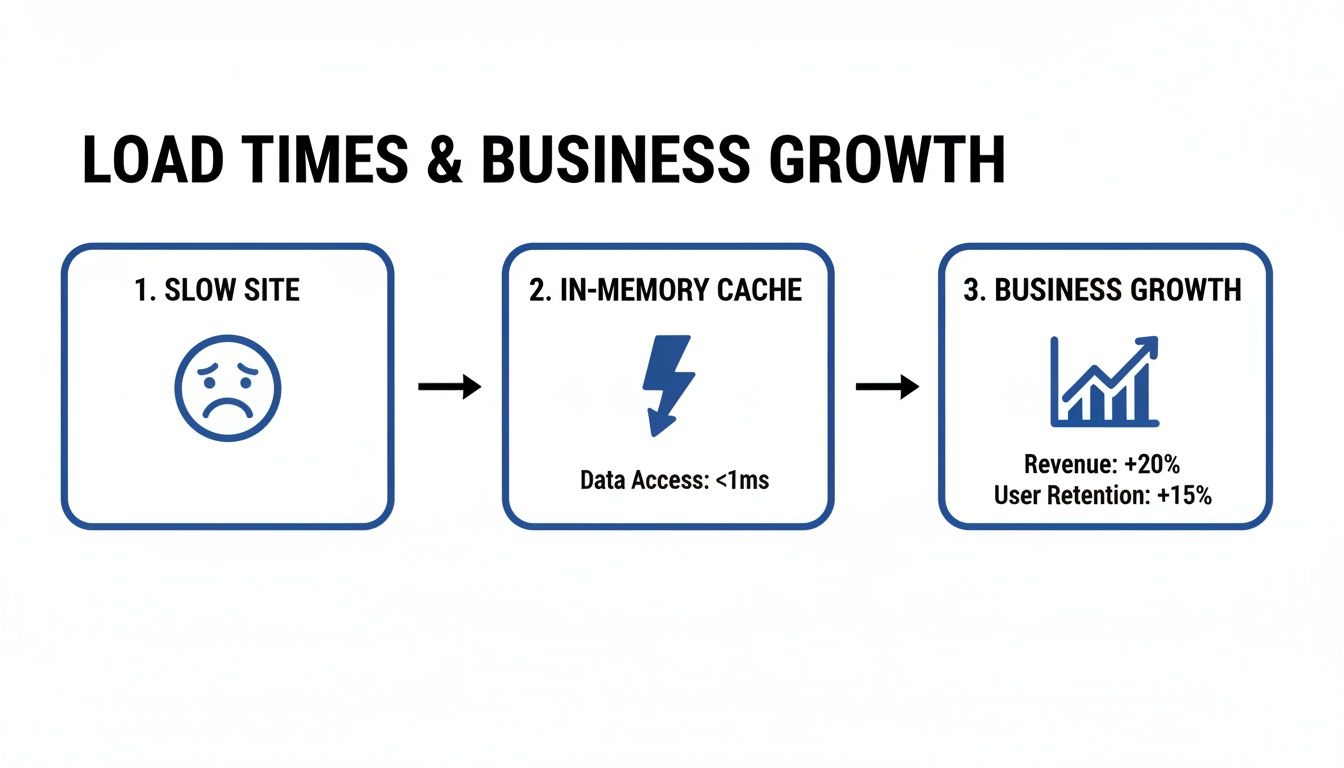
Each caching strategy comes with its own set of trade-offs on performance, operational complexity, and data freshness. Let's break down the most common patterns you'll encounter: cache-aside, read-through, and write-through.
Understanding Common Caching Patterns
The best way to decide which caching pattern to use is to understand how they work and where they shine. This table compares the most common strategies to help you find the right fit for your application's needs, balancing performance, consistency, and complexity.
A Comparison of Caching Strategies
| Strategy | How It Works | Best For | Pros | Cons |
|---|---|---|---|---|
| Cache-Aside | The application code directly manages the cache. It checks the cache first; if data is missing, it fetches it from the database and populates the cache. | Read-heavy workloads where slight data staleness is acceptable. The most common and flexible pattern. | Simple to implement, resilient to cache failures (the app can fall back to the DB). | Adds boilerplate code to the application; can lead to inconsistent data between cache and DB. |
| Read-Through | The application only talks to the cache. The cache itself is responsible for fetching data from the database on a cache miss. | Applications that want to abstract away the caching logic from the application code. | Cleaner application code (no cache management logic); data is loaded into the cache on-demand. | Higher latency on the first read (a cache miss); can be more complex to set up. |
| Write-Through | Data is written to both the cache and the database simultaneously (or in very quick succession). | Applications that require strong data consistency and cannot tolerate stale data (e.g., financial or e-commerce transactions). | Cache is always up-to-date with the database, ensuring high data consistency. | Increased latency on write operations, as you have to write to two places at once. |
While this table gives a great overview, keep in mind that many real-world systems mix and match these patterns. You might use a write-through approach for critical user profile data but a simple cache-aside strategy for less-critical product recommendations.
Handling Data Eviction and Replication
An in-memory cache has finite space, so it can't hold on to data forever. It needs a smart way to decide what gets kicked out when it's full. This is where eviction policies come in.
Common eviction policies include:
- Least Recently Used (LRU): This is the most popular one. It boots out the data that hasn't been touched in the longest time.
- Time To Live (TTL): This approach sets an expiration date on data. It's perfect for data that naturally becomes stale, like session information or a daily leaderboard.
For any serious application, you also need to plan for failure. That's what replication is for. It's the process of keeping copies of your cache on different servers or in different data centers. If one cache instance goes down, traffic automatically fails over to a replica, and your users never notice a thing.
This is a critical consideration whether you're managing your own hardware or running in the cloud. As you map out your infrastructure, understanding the pros and cons of Cloud Computing vs. On-Premise is a foundational decision that will directly influence your replication and high-availability strategy.
And for teams operating at scale, the next logical step is to think about how you grow your cache capacity, which is a topic we dive into in our article on horizontal vs vertical scaling.
Real World Caching Examples and Key Technologies
Theory is great, but seeing an in-memory database cache in action is where things get interesting. These high-speed data layers aren’t just for giant tech companies; they’re practical tools that solve common performance bottlenecks in all kinds of industries.
From e-commerce sites struggling with holiday traffic to gaming platforms with real-time leaderboards, caching is often the secret ingredient for a snappy, reliable user experience.

The most common win is slashing infrastructure costs. By buffering frequently accessed ("hot") data in RAM, you create a shield in front of your slower, disk-based databases. This simple move can drop response times from seconds to microseconds and cut primary database load by up to 80% in real-world setups. You can discover more about high-performance applications and how they pull this off.
Common Caching Use Cases
An in-memory database cache is incredibly versatile. Engineering teams use them to speed up all sorts of application functions, making a huge difference where performance matters most.
Here are a few real-world examples:
- User Session Storage: Think about login tokens or shopping cart contents. Caching this data gives users instant access without hammering the main database on every single click. It's what makes an app feel seamless and fast.
- Product Catalogs: For any e-commerce site, product details, prices, and images are hit constantly. Storing this information in a cache means product pages load instantly, even during a Black Friday rush.
- Real-Time Leaderboards: In gaming or fitness apps, leaderboards have to update and display in the blink of an eye. Caching scores allows for lightning-fast writes and reads, keeping the experience competitive and engaging.
- API Response Caching: Many apps depend on external or internal APIs. Caching popular API responses cuts down on redundant calls, lowers latency, and helps you avoid hitting rate limits.
The goal in all these scenarios is exactly the same: move the data people want most often closer to the application. This avoids the slow and expensive trip to a disk-based database, which is the whole key to building scalable, high-performance systems.
Key Caching Technologies
When you get down to implementation, two names pop up everywhere: Redis and Memcached. Both are powerful in-memory data stores, but they have different strengths that make them a better fit for different jobs. Picking the right tool is a big decision for any engineering lead.
- Redis: People often call Redis a "data structure server," and for good reason. It’s much more than a simple key-value cache. It supports rich data types like lists, sets, and hashes, making it perfect for complex tasks like managing real-time leaderboards or even acting as a message queue. Its built-in persistence and replication also make it a solid choice for critical apps where you can't afford to lose data.
- Memcached: In contrast, Memcached is a pure, high-performance, distributed memory caching system. It’s simpler than Redis, focusing on one thing and doing it extremely well: storing key-value pairs in RAM. Its straightforward, multithreaded design makes it incredibly fast and efficient for offloading database queries and other direct caching tasks.
So, which one should you choose? It really comes down to what you need. If you just need simple, blazing-fast caching, Memcached is a fantastic choice. But if your application needs more complex data structures, durability, or persistence, Redis is the clear winner.
As teams weigh these options, they also look at managed database services. Our guide on AWS Aurora vs RDS can give you more context on making the right database choice for your stack.
Smart Cache Management to Lower Your Cloud Bill
An in-memory database cache is fantastic for performance, but if left unmanaged, it can quickly become a drain on your cloud budget. The speed boost is real, but leaving cache clusters running 24/7, especially in non-production environments, is just like paying the electricity bill for an empty office.
The trick is to get all the speed you need without the financial drag. This requires a FinOps mindset, where you actively manage your cache resources to make sure every dollar you spend is pulling its weight.
Right-Sizing and Automated Scheduling
The most effective way to tackle this is with a two-part strategy: right-sizing your cache clusters and automating their schedules. Right-sizing is simple: you provision only the memory and CPU your application actually needs, so you stop paying for resources that just sit there.
Automated scheduling is where the real magic happens. Imagine automatically shutting down all your development and staging cache instances overnight and on weekends. Those idle hours add up fast, translating into major savings each month.
With the right tools, this becomes straightforward. Teams can set simple daily or weekly schedules to turn off non-essential caches, cutting waste from their cloud spend without slowing down production or getting in the way of developers.
Extending Cost Savings to Modern Workloads
This cost-conscious approach is even more important for modern workloads, like apps that use generative AI. Many AI applications end up calling expensive Large Language Models (LLMs) over and over for similar questions, which can make your inference costs skyrocket.
A clever technique called semantic caching is designed to fix this. Instead of waiting for an exact match, it uses vector embeddings to find semantically similar queries and reuses the answers it already has. This method has been shown to slash LLM costs by up to 86% and cut response latency by as much as 88%.
By managing both your traditional and semantic caches smartly, you can:
- Reduce Cloud Spend: Stop paying for idle cache resources during off-hours.
- Lower Inference Costs: Reuse AI-generated answers for similar queries instead of hitting the LLM every single time.
- Maintain Performance: Keep your applications lightning-fast while being financially responsible.
Ultimately, smart management turns your in-memory database cache from a potential cost center into a lean, powerful asset. It makes sure you’re only paying for performance when you actually need it.
Frequently Asked Questions
Got questions? We’ve got answers. Here are some of the most common things engineering teams ask about in-memory database caching.
What Is The Difference Between An In-Memory Cache And An In-Memory Database?
It all comes down to purpose and permanence. Think of an in-memory cache as a high-speed accelerator for your primary database. It holds a small, temporary copy of your most frequently accessed data, serving it up lightning-fast to reduce read load on the main system. Its job is speed, not long-term truth.
An in-memory database (IMDB), on the other hand, is the primary database. It’s a complete, standalone system that stores all its data in RAM, acting as the single source of truth for an application. They are designed for both heavy reads and writes and come with more serious features for persistence and transactional integrity.
When Should I Use Redis Versus Memcached?
This is a classic "it depends" question, but the choice is usually pretty clear once you know your goal.
Memcached is pure, simple, and incredibly fast. It's a key-value cache, and that's it. If your only goal is to offload database queries and you don't need complex features, Memcached is a fantastic, no-fuss choice.
Redis is more like a Swiss Army knife. It's often called a data structure server because it supports advanced data types like lists, sets, and hashes. This versatility, along with features like data persistence and replication, makes it perfect for more complex jobs like real-time leaderboards, managing user sessions, or even acting as a lightweight message broker.
How Do I Handle Cache Invalidation To Prevent Stale Data?
Keeping your cache fresh is non-negotiable; stale data can be worse than no data at all. Luckily, there are a couple of well-worn strategies to manage it.
Time-To-Live (TTL): This is the simplest approach. You just set an expiration date on your cached data. It’s perfect for information that becomes outdated on a predictable schedule, like a daily weather forecast or hourly stock prices.
Write-Through Caching: With this method, every time you write new data to your main database, you update the cache at the exact same time. This keeps the cache and database perfectly in sync, but it does add a tiny bit of latency to your write operations.
Can An In-Memory Cache Really Reduce My Cloud Spending?
Yes, and often dramatically. By offloading up to 80% of read traffic from your expensive primary database, a cache lets your existing infrastructure serve far more users without needing a costly upgrade.
But the real secret to major savings comes from tackling idle resources. Using automated scheduling to power down non-production cache instances, like those for development, testing, and staging, during nights and weekends can slash your cloud bill by ensuring you never pay for resources that aren't being used.
Effectively managing cloud resources is the key to unlocking these savings. CLOUD TOGGLE helps you automatically power down idle servers on a schedule, guaranteeing you only pay for what you actually use. Start your free trial and see exactly how much you can save.