Getting a handle on AWS RDS instance sizes is your first real step toward taming cloud costs while keeping your database performance humming. An instance size is just a specific recipe of CPU, memory, and networking power. Picking the right one means your database runs smoothly without you bleeding cash on resources you don't even use.
A Guide to AWS RDS Instance Types
An AWS RDS instance size is basically a pre-packaged set of compute and memory resources that runs your database in the cloud. Think of it like picking an engine for your car: a tiny one is fine for city driving but will choke on a racetrack, while a massive V8 is just a waste of gas on a trip to the grocery store. Nailing this choice is absolutely fundamental for keeping both your performance and your budget in check.
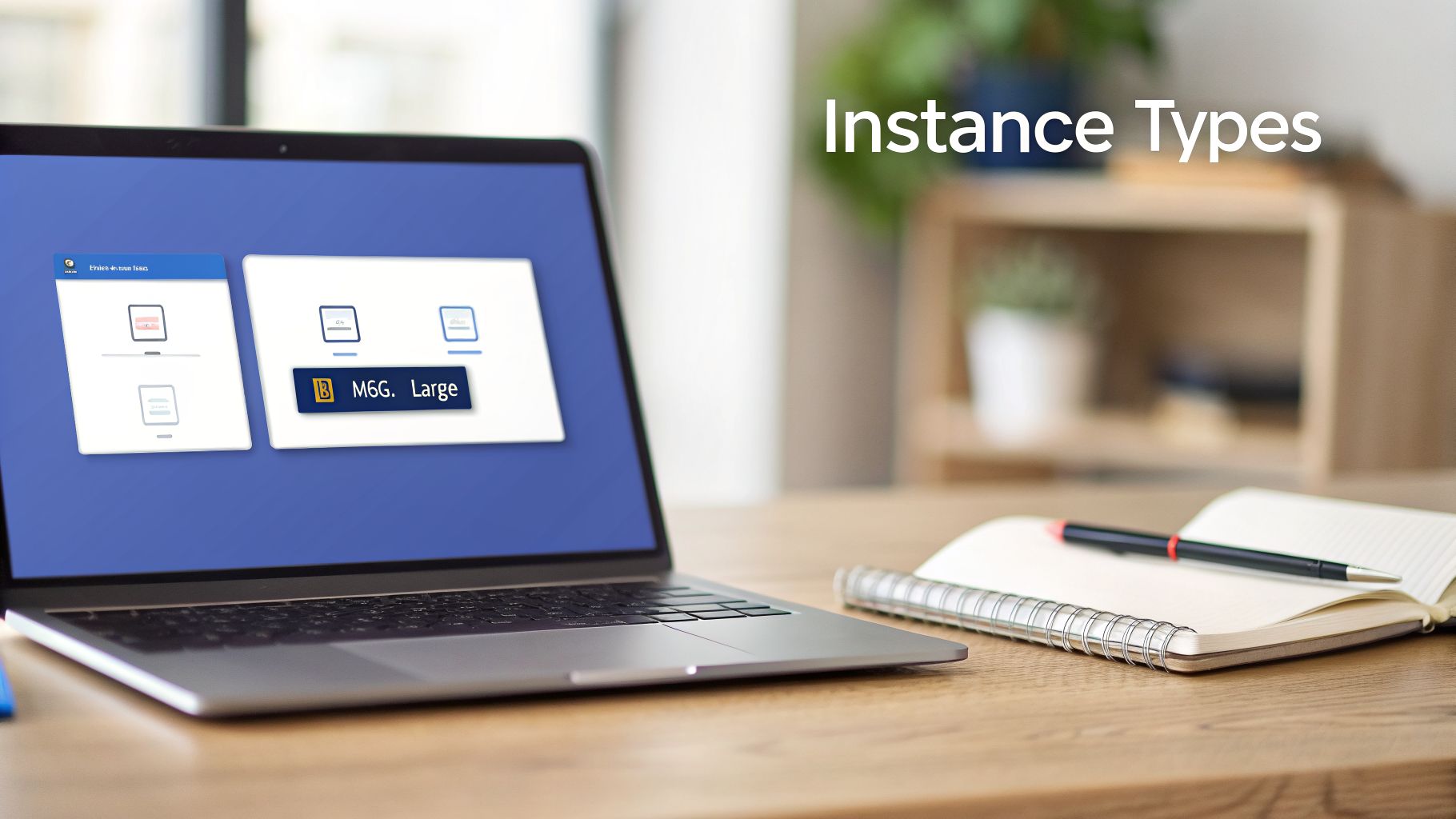
Every instance has a unique name, but it’s not just a random string of characters. It’s a code that tells you everything you need to know about its capabilities, and learning to read it gives you a massive advantage.
Decoding the Instance Naming Convention
The instance name follows a simple, structured format that instantly reveals its purpose and specs. Let's pull apart a common example, db.m6g.large, to see what each piece is telling us.
The naming scheme is designed for quick reference, and once you get it, you can evaluate instances at a glance.
AWS RDS Instance Naming Convention Breakdown
| Component | Example | What It Means |
|---|---|---|
| Instance Class | db |
The db prefix marks this as an instance class built and optimized specifically for databases. |
| Instance Family | m |
The m stands for the "General Purpose" family, which offers a balanced mix of CPU, memory, and network resources. Other common families are r for Memory-Optimized and t for Burstable. |
| Instance Generation | 6 |
The number 6 is the generation. Higher numbers almost always mean better performance and value compared to older ones. |
| Processor Type | g |
The g tells you this instance runs on AWS's own Arm-based Graviton processors, which can offer significant price-performance benefits for many database workloads. |
| Instance Size | large |
Finally, large is the size within the family. These scale up logically, so xlarge will have double the resources of large, and 2xlarge will double that again. |
This simple system is your key to navigating the huge catalog of AWS RDS instance sizes without getting lost.
While RDS is a fantastic managed database service, it's not your only option. For a deep dive into how it stacks up against another popular choice, check out our comparison of AWS Aurora vs RDS. Knowing the landscape helps you make smart decisions that fit your application's exact needs and, just as importantly, your budget.
Picking the right AWS RDS instance size is about more than just numbers. It starts with getting the family right. AWS groups its instances into families, and each one is engineered for a specific kind of job. If you get this first step wrong, you're setting yourself up for either a slow, bottlenecked database or a surprisingly high cloud bill.
You'll run into three main families most of the time: General Purpose (the M-series), Memory-Optimized (the R-series), and Burstable Performance (the T-series). Think of them as offering different recipes of CPU, memory, and networking. Let’s break down what that actually means for your database.
General Purpose M-Series
The M-series instances are the dependable workhorses of the RDS world. They give you a balanced mix of compute, memory, and network resources, which makes them a fantastic, all-around choice for most common applications.
These are your go-to when your workload doesn't have any wild or extreme demands in one particular area. They're a solid starting point for:
- Websites and content management systems (CMS) like WordPress or Drupal.
- Small-to-medium e-commerce sites.
- The backend databases for many standard enterprise apps.
Because they're so well-rounded, M-series instances deliver predictable performance. When in doubt, starting here is often the safest bet.
Memory Optimized R-Series
When your database's speed depends almost entirely on how much data it can cram into memory, you need the R-series. These Memory-Optimized instances are built for one thing: data-intensive applications that need lightning-fast access to large datasets. They pack in way more memory for every vCPU compared to the general-purpose family.
These instances are a game-changer for any workload that runs big, complex queries. By keeping your most active data and indexes in RAM, you slash disk I/O and watch your query times drop.
You'll see the R-series used for:
- High-performance relational databases that are constantly getting hammered with complex queries.
- Real-time analytics and business intelligence (BI) dashboards.
- In-memory databases or large-scale caching layers.
Burstable Performance T-Series
The T-series is your secret weapon for saving money on workloads that are spiky. These Burstable Performance instances run at a low baseline CPU level but have the ability to "burst" to full power for short periods. This is all managed behind the scenes with a CPU credit system.
This design makes T-series instances a no-brainer for applications that spend most of their time doing very little, but occasionally need to handle a sudden rush of activity. Think of scenarios like:
- Development, testing, and staging environments.
- Low-traffic websites, personal blogs, or internal tools.
- Microservices that only see sporadic demand.
By choosing a T-series instance for these kinds of jobs, you stop paying for CPU power that just sits idle most of the day.
Choosing General Purpose Instances for Balanced Workloads
If you're looking for a solid, all-around database instance, the General Purpose family is where you should start. The M-series, which includes the M5, M6g, and M7g families, offers a well-rounded mix of compute, memory, and networking resources. This balance makes them a great fit for a huge range of database workloads that don’t have extreme demands in any one area.
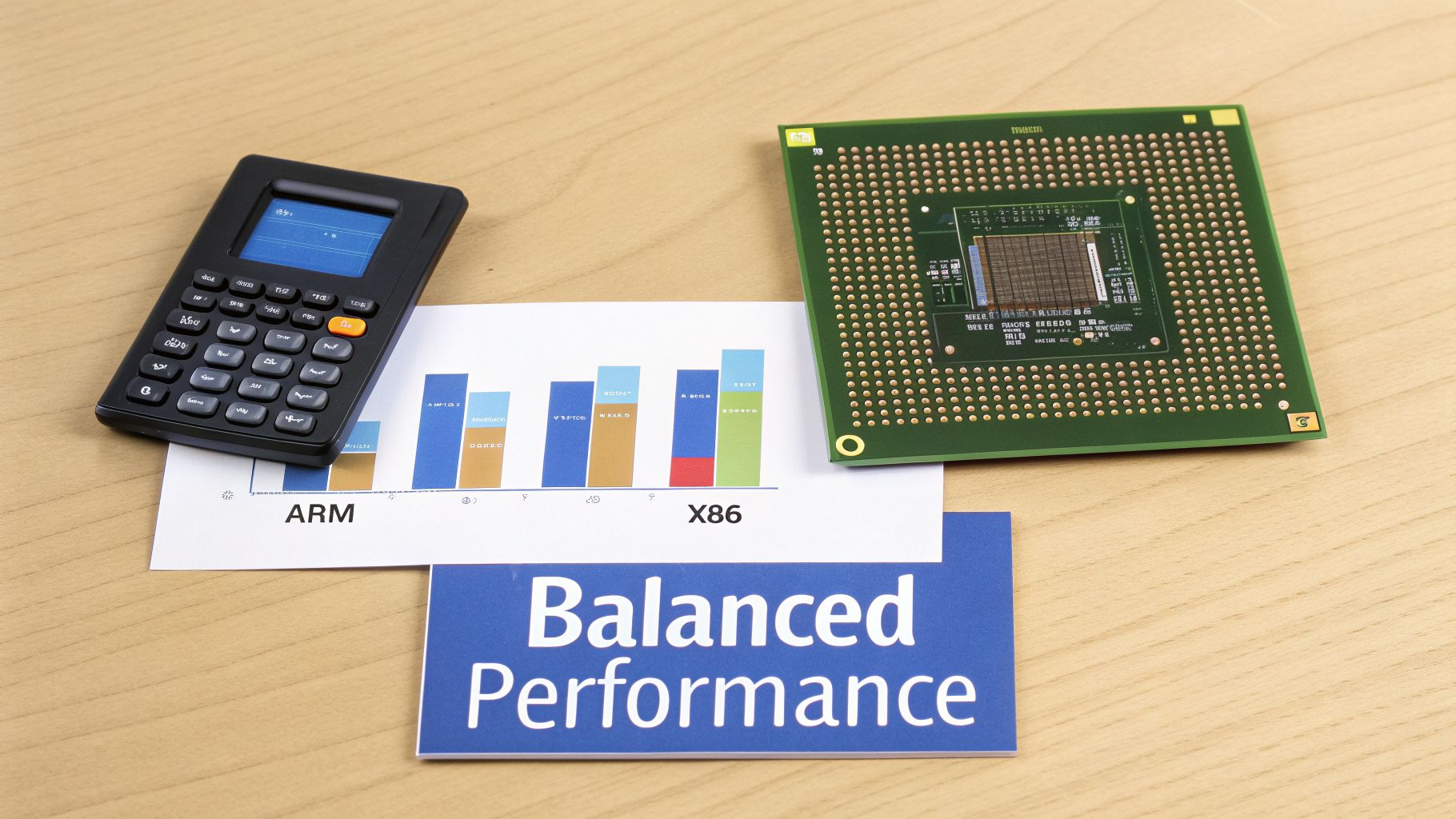
Because they are so versatile, these instances have become the default choice for many common applications. You’ll find General Purpose instances are a perfect match for:
- Content management systems (CMS) and corporate blogs
- Small to medium-sized e-commerce sites
- Backend databases for internal business applications
- Development and testing environments that need to mimic production
Comparing M5, M6g, and M7g Instances
The first big decision you’ll make within the General Purpose family is the processor. M5 instances run on traditional Intel x86 processors, which offer broad compatibility and have a long track record of reliable performance.
On the other hand, the M6g and M7g instances are powered by AWS’s own custom-built ARM-based Graviton processors. For many database workloads, these Graviton instances deliver significantly better price-performance. If you're starting a new project or can validate compatibility, an M6g or M7g is often the smarter financial choice. Of course, the M5 series is still a rock-solid option for any workload with a hard dependency on the x86 architecture.
To see the difference, here’s a direct comparison of some popular sizes in the M5 and M6g families.
Comparison of General Purpose Instance Sizes (M5 vs M6g)
| Instance Size | vCPU (M5) | Memory (M5) | vCPU (M6g) | Memory (M6g) | Network Bandwidth |
|---|---|---|---|---|---|
| .large | 2 | 8 GiB | 2 | 8 GiB | Up to 10 Gbps |
| .xlarge | 4 | 16 GiB | 4 | 16 GiB | Up to 10 Gbps |
| .2xlarge | 8 | 32 GiB | 8 | 32 GiB | Up to 10 Gbps |
| .4xlarge | 16 | 64 GiB | 16 | 64 GiB | Up to 10 Gbps |
As you can see, the core resource specs are identical, which makes testing and migrating between them much simpler. The main difference comes down to the underlying processor and its impact on performance and cost.
Understanding Exponential Scaling for Cost Control
One of the best design features across all AWS RDS instance families is their predictable, exponential scaling. As you move up from one size to the next (e.g., from .large to .xlarge), you get double the resources, including both vCPUs and memory. This simple doubling pattern is key to managing your cloud costs effectively.
This structure allows you to rightsize your database from day one. For instance, the db.m6g family scales all the way from a small instance with 1 vCPU and 4 GiB of RAM to a monster with 64 vCPUs and 256 GiB of RAM. You can start small and only pay for more power when you actually need it. For more details on these tiers, you can review the official documentation on Amazon RDS instance types.
As a rule of thumb, it's wise to keep your CPU utilization below 80% to ensure smooth performance. On the flip side, if your instance is consistently running below 50% utilization, you're likely paying for capacity you don't need and should consider downsizing to save money. This clear growth path lets you avoid overprovisioning and gives you the confidence to start with a smaller instance, knowing an easy upgrade is just a few clicks away.
Using Memory-Optimized Instances for Demanding Databases
When your database has to chew through enormous datasets at high speed, your standard instances just might not cut it. This is exactly where Memory-Optimized instances, like the R5, R6g, and R7g families, really shine. They are built specifically for applications that need to hold a ton of data in active memory, which is the secret sauce for unlocking top-tier database performance.
The defining characteristic here is a high memory-to-vCPU ratio. Unlike General Purpose types that offer a balanced mix of resources, Memory-Optimized instances give you significantly more RAM for every processor core. This design is absolutely crucial for keeping your database’s "working set" (its most frequently hit data and indexes) loaded directly into memory to avoid sluggish disk I/O.
Ideal Use Cases for Memory-Optimized Instances
Given their architecture, Memory-Optimized instances are a perfect fit for a few specific high-demand scenarios. If your database is powering any of the following, the R-series is almost certainly your best bet.
- High-Performance Databases: Think relational databases serving up complex queries or applications with massive traffic. All that extra RAM allows for much larger caches, which dramatically slashes query response times.
- Data Warehousing: When you’re processing and analyzing terabytes of historical data for business reports, you need a massive amount of memory. R-series instances can tackle these intensive analytical jobs without creating frustrating performance bottlenecks.
- Real-Time Analytics: Applications that ingest and analyze streaming data in real time, like business intelligence dashboards or live monitoring systems, depend on the immediate data access that only a healthy amount of RAM can deliver.
These instances are serious workhorses and can scale to incredible heights. Some configurations pack as much as 768 GiB of RAM, making them a solid choice for even the most demanding enterprise workloads.
Performance, Monitoring, and Cost
Choosing the right Memory-Optimized instance isn't just about grabbing the biggest one you can afford. You have to keep a close eye on it to make sure you're not overprovisioning and just burning cash. A fundamental best practice, straight from official guidelines, is to allocate enough RAM so that your working set resides almost entirely in memory.
The R5 family is aimed squarely at these high-performance databases, while R6g instances can deliver up to 25 Gbps of network performance, which is a huge help for data-heavy analytics tools. To dig deeper into balancing these factors, you can check out the best practices for Amazon RDS.
The core strategy is to use monitoring tools like Amazon CloudWatch to track your memory and CPU usage constantly. That data is what helps you find the sweet spot between performance and cost, so you can prevent both slowdowns and unnecessary spending.
Ultimately, using Memory-Optimized instances effectively means you truly understand your application's specific memory appetite. By continuously monitoring and periodically rightsizing, you can provide the high performance your databases demand without letting your cloud bill get out of control. This strategic approach ensures your aws rds instance sizes are always perfectly matched to your workload.
Burstable Instances for Variable Workloads
If you're dealing with workloads that have spiky or inconsistent traffic, Burstable Performance instances like the T3 and T4g families are an incredibly cost-effective option. They're built on a really simple idea: why pay for full CPU power when your database is just sitting idle most of the time? These instances give you a baseline level of CPU performance and can “burst” to a much higher level the moment you need it.
This whole system works on CPU credits. When your instance is humming along below its baseline CPU usage, it earns and banks credits. Then, when a sudden traffic spike hits, it spends those credits to deliver the performance your application demands.
The CPU Credit System Explained
The burstable model is a perfect fit for a lot of common scenarios where paying for consistent, high-end performance is just overkill. It’s designed for things like:
- Development and test environments that are often idle overnight or on weekends.
- Low-traffic websites and blogs that only see occasional bursts of visitors.
- Microservices that are only triggered by specific events or infrequent API calls.
Think about a typical development server. It might sit at nearly 0% CPU usage all night, racking up credits. In the morning, when a developer kicks off a resource-heavy build, the instance can spend those saved credits to power through the spike without a single hiccup.
What Is Unlimited Mode?
So, what happens if you burn through all your credits? In the old days, your instance's performance would get throttled down to its baseline level, which could absolutely cripple your application. To fix this, AWS rolled out Unlimited mode.
With Unlimited mode, your instance can keep running at high CPU performance even after its credit balance hits zero. Instead of throttling you, AWS simply charges a small, additional per-vCPU-hour fee for the extra usage. This gives you the best of both worlds: low costs during idle periods and the guarantee of high performance exactly when you need it.
This feature makes Burstable instances a solid choice for a much wider range of production workloads, not just dev and test. Getting a handle on this dynamic is crucial. If you're new to the whole idea of adjusting cloud resources based on demand, it’s worth taking a moment to understand how scaling works in AWS to really see the benefits.
By picking the right aws rds instance sizes from the T-series, you can perfectly align your costs with your database's actual usage.
How to Rightsize Your RDS Instance for Peak Efficiency
Getting your RDS instance size right is a critical part of controlling your cloud costs. Rightsizing is simply the practice of matching your database's resources to what it actually needs for its workload. Overprovisioning even a single database can lead to a lot of wasted money over time, so the goal here is to trim the fat without hurting performance.
The whole process kicks off by looking at key performance metrics in Amazon CloudWatch. By checking your historical data, you get a clear, honest picture of how your instance is being used in the real world, which is where you'll spot the opportunities to optimize. For businesses that want expert help keeping performance high, exploring AWS managed services can be a huge help when rightsizing an RDS instance.
A good way to approach rightsizing is by looking at your key metrics in CloudWatch. These numbers tell a story about whether your instance is overworked, sitting idle, or just right. Below is a quick-reference table of the metrics you should be watching.
Key CloudWatch Metrics for RDS Rightsizing
| Metric Name | Description | Threshold for Review | Recommended Action |
|---|---|---|---|
| CPUUtilization | The percentage of allocated CPU units in use. | Average is consistently below 20% or above 80%. | Downsize if low; upsize if high. |
| FreeableMemory | The amount of available RAM (in bytes). | Consistently high free memory. | Downsize to an instance with less RAM. |
| DatabaseConnections | The number of active client connections. | Consistently low or high connection counts. | Downsize if low; upsize if nearing the limit. |
| ReadIOPS/WriteIOPS | The average number of disk I/O operations per second. | IOPS consistently much lower than provisioned capacity. | Re-evaluate your storage type (e.g., gp3 to gp2) or provisioned IOPS. |
Watching these metrics isn't a one-time thing; it's a continuous process to make sure you're always running efficiently and not just throwing money away on resources you don't need.
The Rightsizing Process Step by Step
Once you’ve looked at the data and found an instance that’s a good candidate for rightsizing, the actual modification process is pretty straightforward. The key is planning ahead to minimize any disruption.
Analyze and Pick a New Size: Use your CloudWatch data to choose a better-fitting instance. For example, if you see a
db.m6g.xlargeinstance cruising along at just 15% CPU, dropping down to adb.m6g.largeis probably a safe and cost-effective move.Schedule the Change: Modifying an RDS instance usually requires a bit of downtime. You'll want to schedule this change during a planned maintenance window so you don't interrupt your users.
Modify the Instance: In the RDS console, select your database, click "Modify," and choose the new instance class you picked in step one. Apply the changes to run during your next maintenance window.
Remember, rightsizing is a core habit of good cloud financial management. For a deeper dive into other ways you can trim your AWS bill, check out our guide on cost optimization on AWS.
Frequently Asked Questions About AWS RDS Instance Sizes
When you're working with AWS RDS, a few common questions always pop up about instance sizes. Let's tackle the most frequent ones to clear things up and help you manage your databases with confidence.
Can I Change My RDS Instance Size Later?
Absolutely. The short answer is yes, you can change your AWS RDS instance size after you've launched it. AWS designed the process to be pretty simple, allowing you to scale your database up or down by just modifying the instance class.
The catch is that this usually involves a brief period of downtime as the instance reboots with its new resource allocation. To keep things smooth, it's always best to schedule this change during a planned maintenance window. For mission-critical applications where downtime is a non-starter, you can use a read replica, promote it to become the new primary instance, and then point your application's connection strings to it.
What Is an RDS Savings Plan?
An RDS Savings Plan is a pricing model that gives you a steep discount on your database costs. In exchange, you commit to a certain level of usage (measured in $/hour) for either a one-year or three-year term. According to AWS, you can slash your database costs by up to 35% compared to standard on-demand pricing.
The real beauty of Savings Plans is their flexibility. The discount automatically applies across different instance families, sizes, and even AWS Regions. This means you can upgrade your database or shift from a provisioned instance to serverless without losing your discounted rate, making it a fantastic tool for long-term cost optimization.
How Do I Know if My Instance Is the Right Size?
The only way to know for sure if your instance is right-sized is to get familiar with its performance metrics in Amazon CloudWatch. You don't need to watch everything, just focus on the big three: CPUUtilization, FreeableMemory, and your Read/WriteIOPS.
This decision tree gives you a great visual for the rightsizing process.
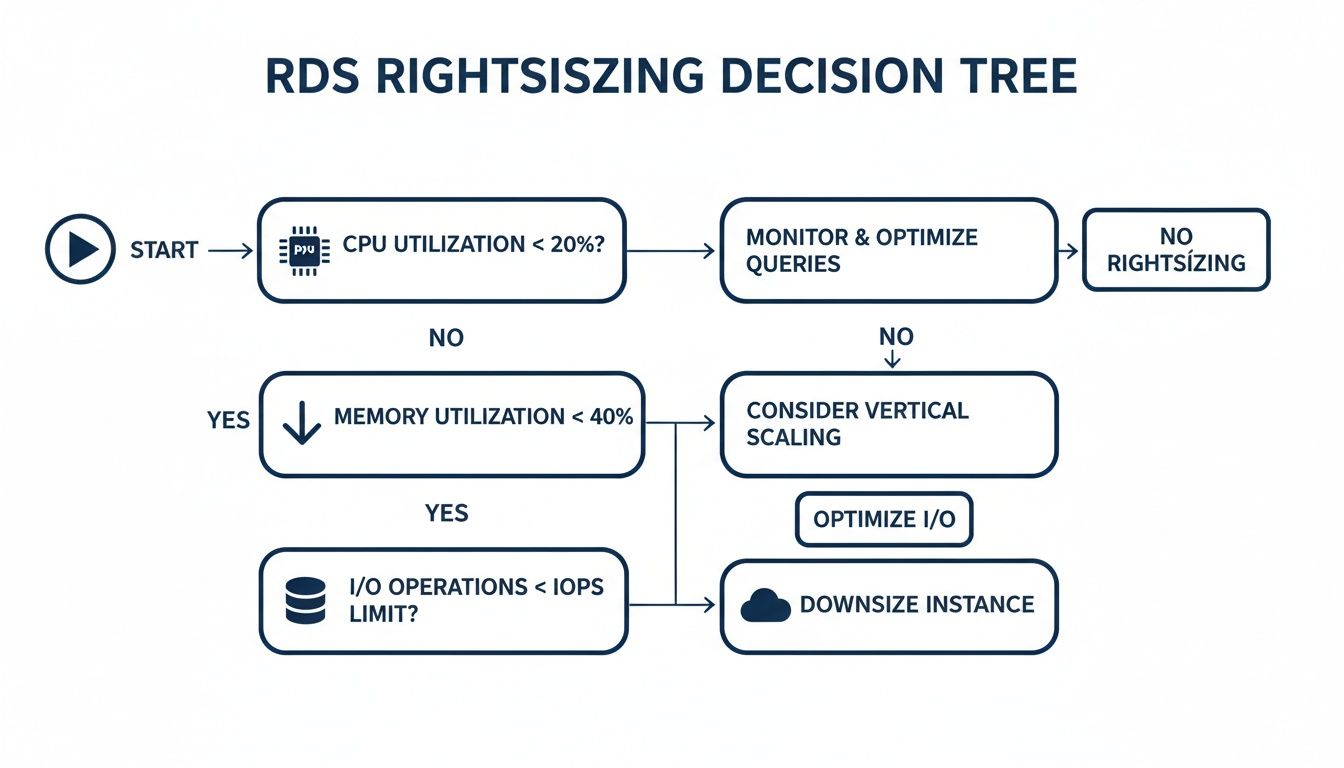
As you can see, the first step is always to check for underutilized resources. If your CPU is consistently low, that's your starting point before you even begin to analyze memory and I/O.
What Is the Difference Between Instance Families like M, R, and T?
AWS groups its instances into families, each tailored for different kinds of workloads. Picking the right family is just as important as picking the right size.
Here's the breakdown:
- M-Series (General Purpose): These are your all-rounders, offering a solid balance of CPU, memory, and network performance. They're a great fit for most typical applications, like web servers or small-to-medium databases.
- R-Series (Memory-Optimized): When your database is hungry for memory, these are the instances to look at. They provide more memory per vCPU, which is perfect for high-performance databases, large caches, and real-time analytics.
- T-Series (Burstable): These instances provide a baseline level of CPU performance but can "burst" to a much higher level when needed. They are ideal for workloads with spiky or unpredictable traffic, like development environments, internal tools, or low-traffic websites.
Remember, optimizing your RDS instance isn't just about hardware. It goes hand-in-hand with solid database design best practices that ensure your queries run efficiently and you aren't wasting resources from the get-go.
For development and test environments that just sit idle after business hours, scheduling shutdowns is one of the easiest cost-cutting wins you can get. With CLOUD TOGGLE, you can automate this across all your AWS and Azure resources, saving money without any manual work. See how much you could save by starting a 30-day free trial on cloudtoggle.com.