When you get down to it, the choice between EC2 and Lambda boils down to one simple trade-off: control versus convenience. EC2 gives you a classic virtual server that you manage from top to bottom. This offers total control over your environment, making it perfect for predictable, long-running applications. On the other side, Lambda is a serverless, event-driven service that just runs your code when it's needed, taking care of all the infrastructure for you automatically.
Understanding the Core Differences
Choosing between Amazon EC2 and AWS Lambda is one of those foundational decisions you make when designing a cloud architecture. It's not just about picking a compute service; it’s about committing to an operational model that has to line up with your application's needs, your team's skillset, and your budget. EC2 is the quintessential Infrastructure as a Service (IaaS) model, while Lambda represents the Function as a Service (FaaS) or serverless world.
This single distinction changes everything about how you build, deploy, and look after your applications. With EC2, you're in the driver's seat. You’re responsible for provisioning servers, patching the operating system, and fine-tuning scaling policies. This gives you a ton of flexibility but also saddles you with significant operational overhead.
Lambda flips that model on its head by abstracting away the entire infrastructure layer. You just upload your code, and AWS handles everything required to run and scale it with high availability. This approach is tailor-made for event-driven microservices, data processing jobs, and backend APIs where you can't predict traffic patterns.
A High Level Comparison
To really make an informed decision in the EC2 vs. Lambda debate, you need to see their core characteristics side-by-side. The table below cuts right to the chase, comparing their most important features from the basic unit of compute to how you're billed and who's responsible for what.
Key Differences Between EC2 and Lambda
This table provides a quick, scannable summary of the fundamental characteristics of AWS EC2 and AWS Lambda. It's designed to help you quickly grasp their core distinctions.
| Feature | EC2 (Elastic Compute Cloud) | Lambda (Serverless Compute) |
|---|---|---|
| Basic Unit | Virtual Server (Instance) | Function (Code Execution) |
| Control Level | High (Full OS and environment control) | Low (Managed by AWS) |
| State Management | Stateful (Data persists on the instance) | Stateless (Execution environments are ephemeral) |
| Pricing Model | Pay-per-hour or pay-per-second for provisioned capacity | Pay-per-request and compute duration (in milliseconds) |
| Scaling | Manual or automatic via Auto Scaling Groups | Automatic and managed by AWS |
| Management | User is responsible for OS, security, patching, and scaling | AWS manages the OS, security, patching, and scaling |
| Execution Time | Continuous (Can run 24/7) | Short-lived (Maximum 15-minute timeout) |
| Best For | Predictable, long-running workloads, monolithic apps, databases | Event-driven tasks, APIs, microservices, unpredictable traffic |
As you can see, the differences are stark. Choosing one over the other is less a technical decision and more a strategic one.
The choice isn't just technical; it's strategic. Opting for EC2 means investing in infrastructure management skills, while choosing Lambda means investing in serverless architecture patterns and event-driven design.
Ultimately, the right service depends entirely on your specific use case. This guide will walk you through the nuances of architecture, performance, cost, and security to help you confidently pick the best compute service for your next project.
Comparing Core Architectural Models
To really get to the heart of the EC2 vs. Lambda debate, you have to look past the marketing and understand their fundamental architectural differences. These services aren't just two tools in a toolbox; they represent completely different philosophies for building and running applications in the cloud. How they handle resources, state, and who's responsible for what dictates everything from your team's workflow to your monthly bill.
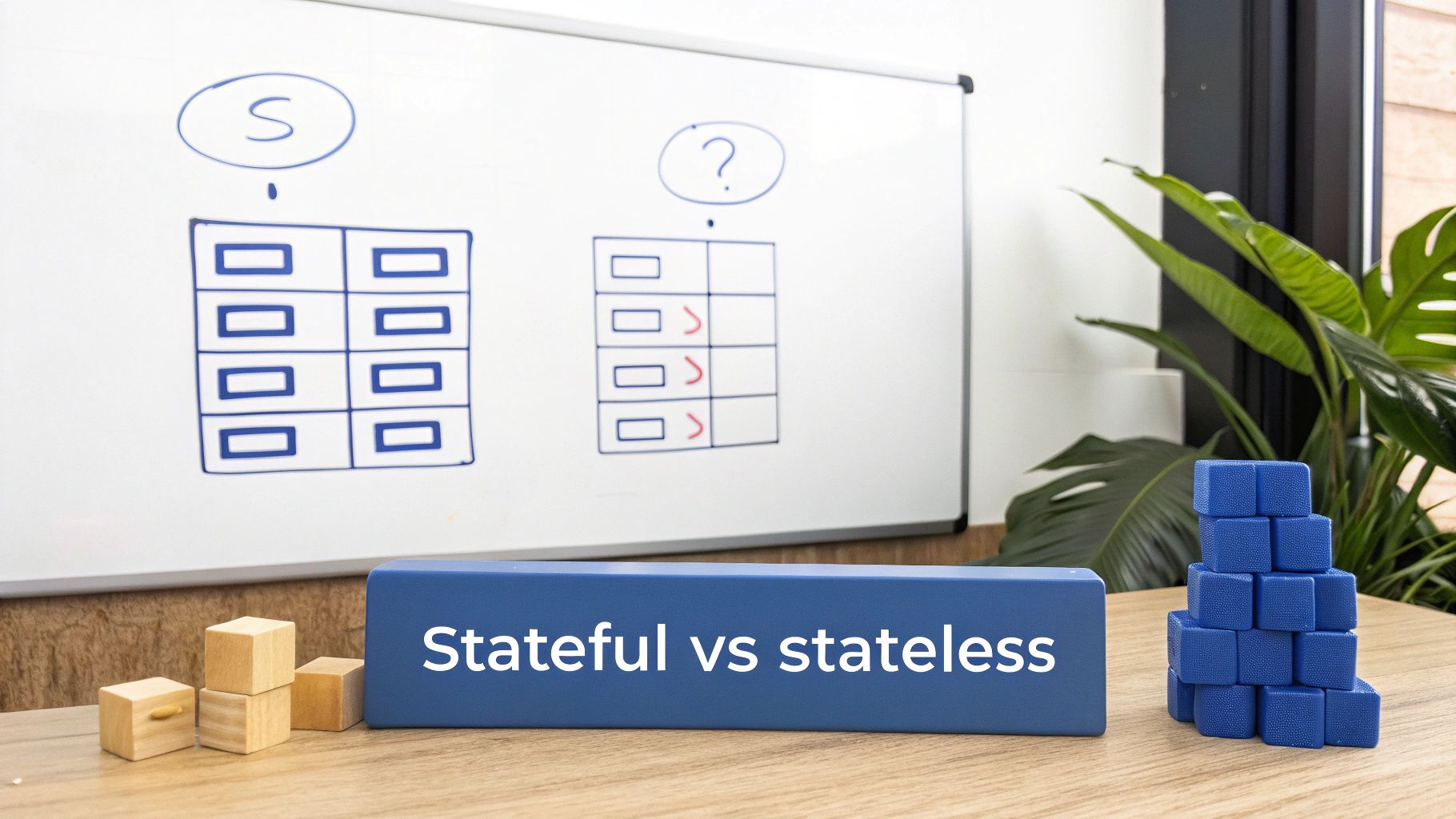
AWS EC2 gives you a classic, server-centric model. Think of it as the cloud version of a physical server, a virtual machine where you have nearly complete control. This architecture is built on familiar, persistent pieces that your team will need to set up, configure, and maintain.
AWS Lambda, on the other hand, is all-in on the serverless, function-centric model. It completely hides the underlying infrastructure, letting your developers focus only on writing and deploying code that fires in response to events. This event-driven architecture is ephemeral by nature, built for quick bursts of computation.
EC2: The Virtual Server Model
At its core, EC2 is all about the instance, that’s just AWS-speak for a virtual server. When you launch one, you pick an Amazon Machine Image (AMI), which is basically a template with an operating system and any software you need pre-installed. This setup gives you fine-grained control over the entire software stack, from the OS kernel right up to your application.
Once it's running, you're the one managing its world. This includes:
- Security Groups: These act like a virtual firewall for your instance, and you have to explicitly define the rules for what traffic gets in and out.
- Persistent Storage: Data lives on Elastic Block Store (EBS) volumes. These are network-attached drives that exist independently of your instance, which is what makes EC2 inherently stateful. It can hold onto data between requests, making it perfect for things like databases or traditional applications.
- Full Responsibility: You’re on the hook for everything: OS patching, security updates, installing software, and figuring out how to scale it.
This model gives you maximum flexibility. You can install whatever you want, run processes that take hours or days, and manage application state directly on the machine.
Lambda: The Event-Driven Function Model
Lambda flips the script entirely. Instead of managing a server, you manage a function, a self-contained piece of code. This function runs inside a managed environment that AWS spins up only when it's needed.
The key pieces of the Lambda architecture are fundamentally different:
- Event-Driven Triggers: Functions don't just sit there running. They are triggered by events from other AWS services, like a file upload to an S3 bucket, an API call through API Gateway, or a new message in an SQS queue.
- Function Handlers: Your code contains a specific "handler" function. This is the entry point that AWS calls when a trigger event occurs.
- Ephemeral Environments: The execution environment is temporary and completely stateless. Any data you write to the local disk is gone once the function finishes. If you need to keep track of state, you have to use an external service like Amazon DynamoDB or S3.
This stateless nature is the most critical architectural trade-off. While it enables massive, automatic scaling, it forces a different approach to application design. You can no longer rely on local memory or disk to store session data or application state.
This event-driven, stateless model is a perfect match for microservices, data processing pipelines, and APIs where every request can be handled on its own. The entire EC2 vs. Lambda comparison really hinges on this core architectural divide: do you need a persistent, stateful server or an ephemeral, stateless function? Nailing that down is the first step toward picking the right tool for the job.
Analyzing Performance and Scalability
When you're comparing EC2 and Lambda, performance and scalability are where the two services really show their differences. How your application handles fluctuating demand from slow, predictable growth to sudden, massive traffic spikes comes down to understanding how each service is built to scale. The right choice here is all about matching the service to your workload's specific needs.
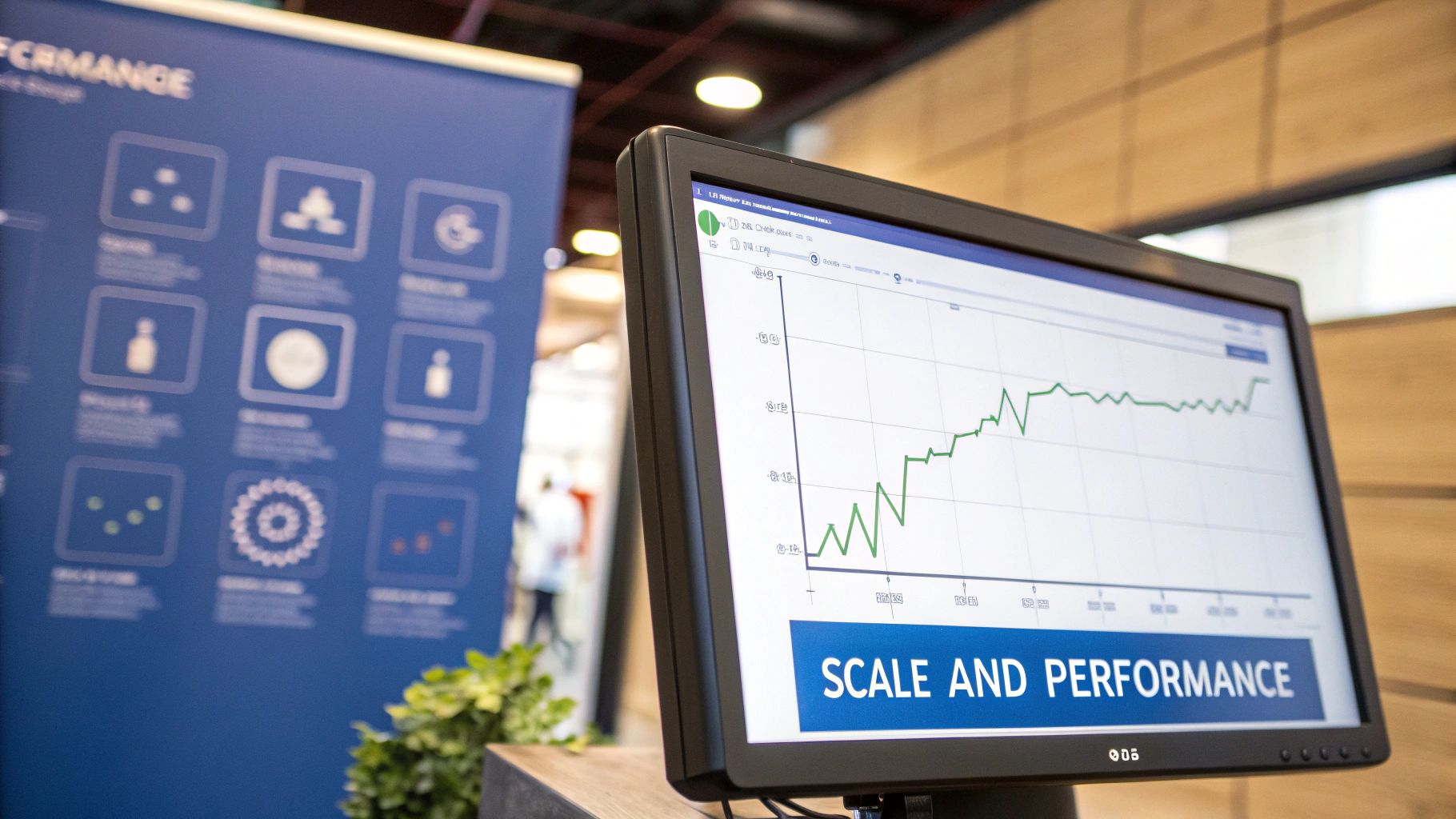
With EC2, you get powerful scaling, but you have to configure it yourself. Using Auto Scaling Groups, you set up rules that add or remove instances based on metrics like CPU usage or network traffic. This is a solid approach for predictable workloads where demand changes gradually.
The catch is that this scaling is reactive, not immediate. It can take several minutes for a new EC2 instance to launch, boot up, and start handling traffic. If you're an e-commerce site running a flash sale, that delay could mean lost sales and frustrated users as your servers scramble to catch up to the initial wave of customers.
EC2 Scaling Characteristics
With EC2, you're in the driver's seat for your scaling strategy. That’s both a strength and a big responsibility. You need to carefully tune your thresholds and policies to walk the line between performance and cost, making sure you have enough capacity without paying for a fleet of idle servers.
Here’s what scaling with EC2 looks like:
- Manual Configuration: You define everything: the minimum and maximum number of instances, and the exact conditions that trigger a scaling event.
- Reaction Time: Scaling out isn't instant. New instances have to boot up and initialize their software, which introduces latency right when you need the extra power most.
- Predictive Scaling: For planned events, you can use predictive scaling policies that analyze historical data to add capacity ahead of time. Of course, this only works if your forecasts are accurate.
- Vertical vs. Horizontal Scaling: EC2 gives you the flexibility to use both scaling methods. You can dive deeper into these strategies in our guide on horizontal vs vertical scaling.
This model is a great fit for applications with steady traffic or predictable growth, like a backend processing system that’s only busy during business hours. But for anything with erratic demand, EC2’s slower reaction time can be a real weak spot.
Lambda’s Instant and Automatic Scaling
Lambda operates on a totally different principle. It scales automatically and almost instantly based on incoming events. When a request hits, AWS finds an available execution environment for your function. If there isn't one ready, it spins one up on the fly.
This event-driven scaling is Lambda's superpower. It was famously put to the test during Prime Day, where it handled over 1.7 trillion invocations per day, proving its muscle for bursty workloads. That kind of explosive volume, where Lambda scales to 500 instances per minute and then drops back to zero when things quiet down, is something EC2 simply can't match without a ton of manual work. You can read more about these impressive AWS Prime Day metrics.
For engineering leaders, this makes Lambda a clear winner for APIs, data processing, and microservices. But it's not without its own quirks. Challenges like cold starts and API Gateway timeouts can add latency under certain conditions.
Despite its power, Lambda's performance model comes with its own trade-offs. The first time a function is called after being idle, it experiences a "cold start." This is the delay while AWS provisions a new environment, and it can add anywhere from a few milliseconds to several seconds of latency. For real-time APIs, that's a dealbreaker.
On top of that, AWS has regional concurrency limits that can throttle your functions if a massive, unexpected spike blows past your account's quota. This means you really need to understand your workload's burstiness before deciding between EC2 and Lambda.
Breaking Down Cost Models and Optimization
Choosing between EC2 and Lambda isn't just a technical decision; it's a financial one. Get it wrong, and you could be looking at serious budget overruns. But get it right, and the savings can be substantial. The two services are built on completely different pricing philosophies, so understanding your workload is everything.
EC2 runs on a pay-for-what-you-provision model. You're billed for the virtual server you've carved out, typically by the second or hour. It doesn't matter if that server is running at 100% CPU or sitting completely idle. You pay for the time it's on. This makes it a great, predictable choice for applications with steady, consistent traffic.
Lambda, on the other hand, is a pay-per-use service. You pay for the number of times your function runs and for the exact duration of its execution, down to the millisecond. This is incredibly efficient for spiky or infrequent workloads because you literally never pay for idle time.
EC2 Cost Structure and Optimization
With EC2, the instance itself is your main cost. The price depends on its size (CPU and memory), the operating system you choose, and the AWS region it's in. Since you're paying for provisioned time, the name of the game is making sure you're using what you pay for.
Fortunately, there are several solid strategies to bring down EC2 costs:
- Savings Plans and Reserved Instances (RIs): If you can commit to one or three years of usage, AWS will give you a steep discount, up to 72% off On-Demand prices. This is perfect for the baseline capacity you know will always be running.
- Spot Instances: For workloads that can handle interruptions, like batch jobs or data analysis, you can bid on spare EC2 capacity. The savings can be massive, up to 90%, but be warned: AWS can reclaim these instances with just a two-minute warning.
- Right-Sizing: Don't just guess your instance size. Keep an eye on performance metrics and shrink instances that are over-provisioned. It’s one of the simplest ways to stop wasting money.
- Scheduling: This is a no-brainer for non-production environments. Why run dev and staging servers 24/7 when they're only used during business hours? Scheduling them to shut down overnight and on weekends is an easy win.
Lambda Cost Structure and Nuances
Lambda's pricing is more fluid. Costs are based on two things: the number of requests and the compute duration (a metric called GB-seconds, which combines memory and execution time). Thanks to a generous free tier, Lambda is often incredibly cheap, or even free, for applications with low traffic.
But as traffic scales, so does the bill. For an application that's consistently busy, the cumulative cost of millions of individual Lambda invocations can eventually start to cost more than just running a dedicated EC2 instance. This is the tipping point every engineer needs to watch for.
Lambda's pay-per-use model is brilliant for eliminating idle waste. But if your traffic is high and constant, it can become unpredictably expensive. If a workload is genuinely busy 24/7, a provisioned EC2 instance is almost always the cheaper option.
Real World Spend and Hybrid Workflows
If you look at where the money actually goes, the provisioned model still rules. An analysis of roughly $3 billion in AWS compute usage found that EC2 made up nearly 90% of all compute spend. Lambda was a small fraction of the remaining 10%. This shows how much EC2 is the backbone for persistent workloads like web servers and databases, where compute alone can be 60% or more of a company's total AWS bill.
For most businesses, the best approach isn't an all-or-nothing decision. It's about using the right tool for the right job. A smart hybrid strategy might use EC2 for the core, always-on application and then offload event-driven tasks like processing a new image upload to Lambda.
This is where tools like CLOUD TOGGLE come in handy, supporting hybrid cost-saving strategies. By automatically shutting down idle EC2 instances used for development and testing, you can slash waste without touching your production environment. You can dig into more techniques in our detailed guide to https://www.cloudtoggle.com/blog-en/aws-cost-optimization/.
Ultimately, the EC2 vs. Lambda debate is just one piece of the puzzle. Applying broader actionable cloud cost optimization strategies across your entire AWS account is key to getting the most out of your cloud investment.
Operational Burden: Who Manages What?
Beyond the architecture and pricing, you have to consider the very real "human cost" of running your application. The choice between EC2 and Lambda fundamentally changes how much time your team spends babysitting infrastructure versus building features that matter. It's a question of where your responsibility begins and ends.
With EC2, you're signing up for a significant operational load. You are responsible for the entire lifecycle of your virtual servers. This gives you immense control, but it also demands constant attention and is a major part of its total cost.
Lambda, on the other hand, is designed to lift nearly all of that operational weight off your shoulders. AWS manages the underlying environment, letting your developers focus almost entirely on the code. This radically cuts down the time spent on routine infrastructure grunt work.
The EC2 Responsibility Checklist
When you go with EC2, your team is on the hook for a long list of tasks that never really end. This isn't just about the initial setup; it's an ongoing commitment to keep things secure and stable.
Your operational duties include:
- OS Patching and Updates: You have to regularly apply security patches to the operating system to fend off the latest vulnerabilities. Miss one, and you could be in trouble.
- Security Hardening: This means configuring firewalls, locking down user access, and implementing security best practices at the OS level.
- Software Installation and Maintenance: Any runtime, library, or monitoring agent your app needs? Your team has to install, configure, and keep it all up to date.
- Infrastructure Monitoring: It's on you to set up and watch agents for logs, metrics, and performance to catch problems before your users do.
This model demands a dedicated operations team or skilled DevOps engineers who know how to manage server fleets. The time and money spent here are a direct cost you can't ignore.
Lambda’s Managed Environment Advantage
The whole point of Lambda's serverless model is to make that operational grind disappear. AWS handles the servers, patching, scaling, and runtime management so your developers can just write business logic.
By abstracting away the server, Lambda frees up your engineering talent to focus on innovation instead of maintenance. For smaller teams especially, this shift can be a massive competitive edge.
In a Lambda world, your only job is to upload your code and configure the function's memory and permissions. That's it. This streamlined process dramatically speeds up development and reduces the chances of a simple misconfiguration taking down your entire environment.
Understanding the Shared Responsibility Model
The AWS Shared Responsibility Model is the official breakdown of who handles what in terms of security. With EC2, AWS secures the physical data centers, but you're responsible for almost everything in the cloud. This includes the guest operating system, your network firewalls (security groups), and the security of your application itself.
With Lambda, that line of responsibility moves way up. AWS manages security of the cloud and the platform itself, the OS, the runtime, all of it. Your job shrinks to securing your own application code and properly managing IAM permissions for your functions.
This is a critical distinction. On EC2, a misconfigured security group or a forgotten OS patch can leave your entire application exposed. On Lambda, the attack surface you have to worry about is drastically smaller, which simplifies compliance and cuts down your security overhead. Choosing between EC2 and Lambda is as much about managing risk as it is about managing servers.
Choosing the Right Service for Your Use Case
All the technical specs are great, but the real EC2 vs. Lambda decision happens when you map these services to your actual workloads. The right choice is all about your application's characteristics, how predictable its traffic is, and what you’re willing to manage. Get this right, and you'll nail both performance and cost.
For anything predictable, consistent, and long-running, EC2 is usually the clear frontrunner. It offers the stability and direct control needed for applications that have to stay on.
When to Choose EC2
EC2 is your workhorse for scenarios where you need total control over the operating system or need a stateful, always-on server. It’s the natural home for legacy applications and beefy, consistent processing jobs.
- Hosting Traditional Monolithic Applications: If you’re running a classic web app or a monolithic backend not built for serverless, EC2 gives it the stable, persistent environment it expects. No refactoring is needed.
- Running Databases: Services like MySQL, PostgreSQL, or any self-managed database demand persistent storage and continuous uptime. This makes EC2 the ideal host.
- Long-Running Batch Processing: For jobs that chew through data for hours or days, think video rendering, scientific simulations, or massive analytics tasks, EC2 instances can be provisioned to run without interruption. For these jobs, you can seriously cut costs with EC2 Spot Instances.
This decision tree gives you a quick visual on how the level of control you want points you toward either EC2 or Lambda.
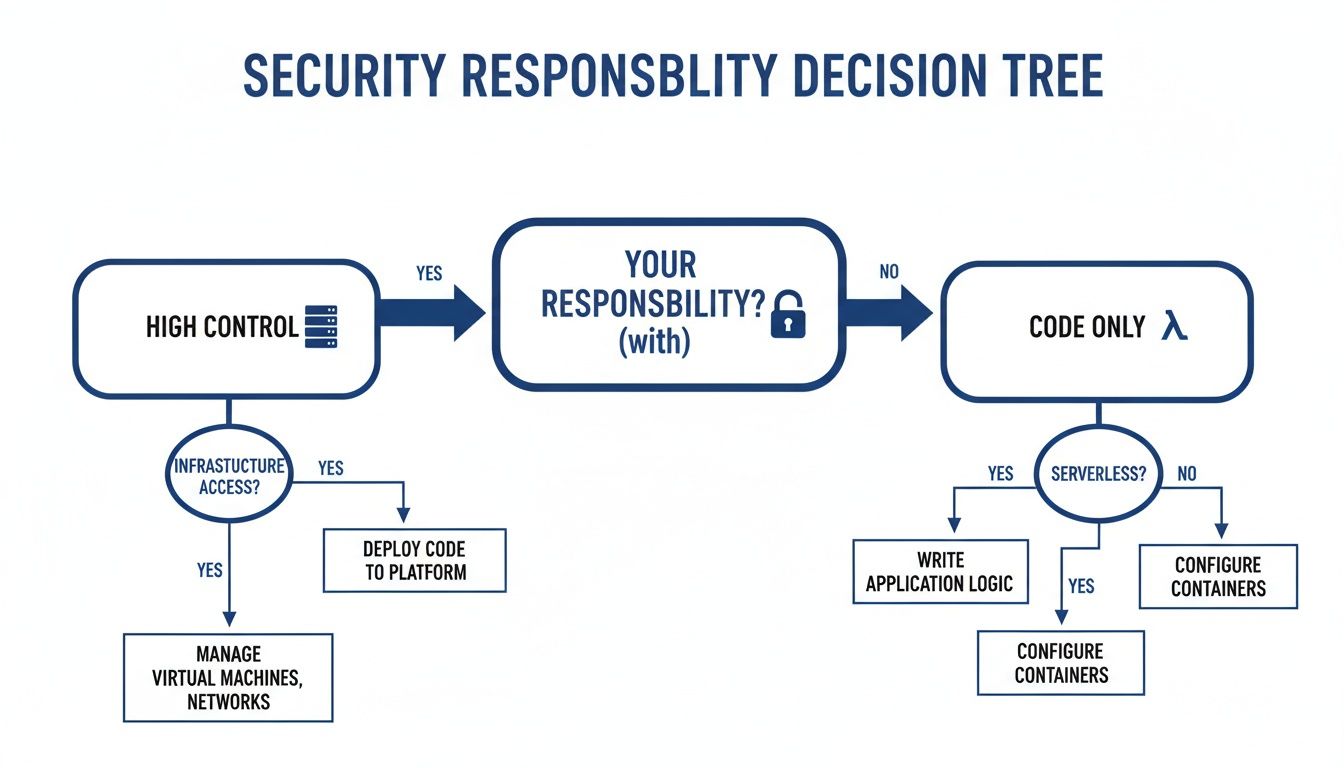
The flowchart really drives home a core trade-off: if you want to get your hands dirty with deep infrastructure management, EC2 is your platform.
When to Choose Lambda
Lambda is the undisputed champ for event-driven, stateless tasks, especially when traffic is spiky, unpredictable, or infrequent. It’s the engine of modern, microservice-based architectures.
By design, Lambda is perfect for short bursts of computation triggered by specific events. This model eliminates idle costs and allows for massive, automatic scaling without any manual intervention.
Here are a few prime examples where Lambda really shines:
- Event-Driven Data Processing: The classic use case is automatically resizing an image the moment it’s uploaded to an S3 bucket. A Lambda function can be triggered by the S3 upload event, process the image in milliseconds, and save the thumbnail right back to another S3 bucket.
- Real-Time Data Streaming: When you pair Lambda with services like Amazon Kinesis, your functions can process and analyze streaming data on the fly. This enables immediate insights for things like real-time dashboards or fraud detection.
- Building Backend APIs: For RESTful APIs with variable traffic, combining Lambda with API Gateway is a game-changer. You get a backend that scales instantly and costs you nothing when no one is making requests.
Many teams are looking to modernize by shifting workloads from virtual machines to event-driven functions. If you're on that path, this guide on EC2 to Serverless migration offers a ton of practical advice.
Ultimately, most organizations land on a hybrid approach. They use EC2 for their stable, core services and lean on Lambda for all the dynamic, event-driven parts of their architecture.
Frequently Asked Questions About EC2 and Lambda
When you're trying to pick between EC2 and Lambda, a few questions always seem to come up. Getting those answered is key to figuring out which compute service really fits your application. Let's tackle some of the most common ones.
Can I Run a Database on AWS Lambda?
The short answer is no, you can't run something like MySQL or PostgreSQL directly on AWS Lambda. Lambda functions are designed to be stateless and have a maximum runtime of 15 minutes. That design is fundamentally at odds with a long-running, persistent service like a traditional database.
What you do instead is connect your Lambda function to a managed database service. The standard serverless pattern is to have a Lambda function read from or write to Amazon RDS, Aurora Serverless, or DynamoDB. This architecture cleanly separates your compute from your storage, letting each part scale on its own while your data stays safe and sound in a proper database.
Think of it as a separation of duties. Lambda is for the brief, event-driven work, while a dedicated database service is for managing your persistent data. Trying to force one to do the other's job is a recipe for disaster.
When Does EC2 Become More Cost-Effective Than Lambda?
EC2 starts winning on cost when your workload is steady, predictable, and runs around the clock. Lambda’s pay-per-use model is unbeatable for workloads that are infrequent or have wild spikes in traffic, but that cost adds up quickly if you're running at high volume constantly.
If you have an application with consistent CPU and memory needs running 24/7, a well-chosen EC2 instance will almost always be cheaper. This is especially true if you commit to using it long-term with cost-saving tools like Savings Plans or Reserved Instances, which can slash your bill significantly. Lambda’s magic is in eliminating idle costs; if your workload is never idle, the provisioned model of EC2 makes more financial sense.
How Do I Manage Long-Running Tasks in a Serverless Way?
If a task is going to take longer than Lambda's 15-minute timeout, you have to look beyond a single function. The traditional route is to run the job on a dedicated EC2 instance or a container managed by a service like AWS Fargate.
But if you want to stick with a serverless approach, AWS Step Functions is the perfect tool for the job. It's a workflow orchestrator that lets you break down a long process into a chain of smaller steps. Each of those steps can be a Lambda function that completes its piece of the puzzle well within the time limit. This way, you can build incredibly complex and long-duration workflows while still keeping everything serverless.
Stop wasting money on idle cloud resources. CLOUD TOGGLE makes it easy to automate server schedules, cutting your AWS and Azure bills without complex configurations. Start your free 30-day trial and see how much you can save at https://cloudtoggle.com.