Automation in DevOps is all about using technology to handle the repetitive, manual chores of software development, freeing up your team to focus on what really matters. It's the engine that creates a seamless and efficient pipeline to get code from a developer's laptop into the hands of users, automatically.
By taking the human element out of routine tasks, you slash errors, eliminate bottlenecks, and dramatically speed up how fast you can deliver new features.
What Automation in DevOps Really Means
At its heart, automating your DevOps pipeline is a strategic shift, not just a matter of buying new tools.
Think about a restaurant kitchen. The old way is like a single chef meticulously chopping every vegetable and mixing every sauce from scratch for each individual order. It works, but it’s slow, requires intense focus, and a slightly off day can lead to inconsistent results. Automation is like transforming that kitchen into a modern assembly line with prepped stations, specialized equipment, and a smooth, predictable workflow. That’s the leap we're talking about.
It's a mindset geared toward systematically eliminating tedious, error-prone tasks to boost speed, consistency, and scale. The end goal is a fully uninterrupted pipeline, from the moment a developer commits their first line of code to a successful deployment in a live production environment.
More Than Just Pushing Code
While most people immediately think of deploying code, true DevOps automation goes way deeper. It touches every single stage of the software lifecycle, creating a self-sufficient system where different processes trigger each other automatically.
This is the philosophy that lets your team stop putting out fires and start building valuable, innovative products.
A solid automation strategy covers:
- Infrastructure Provisioning: Spinning up servers and entire environments using code.
- Testing and QA: Automatically running a suite of tests with every code change.
- Security Scans: Embedding security checks directly into the development pipeline.
- Monitoring and Alerts: Keeping an automated eye on application health and performance.
- Cloud Cost Control: Powering down non-essential resources, like test environments, when they're not in use.
To get the full picture, it helps to understand the core principles of workflow automation that underpin these practices.
The market growth reflects this impact. In 2023, the DevOps market was valued at $10.4 billion and is projected to explode to $25.5 billion by 2028. It’s not just hype; organizations that fully embrace automation report spending 33% more time on valuable infrastructure improvements, which directly leads to cost savings, especially on idle cloud resources.
Ultimately, automation is what makes the speed and reliability of DevOps possible. It’s the bridge connecting development and operations, built on a foundation of automated orchestration and repeatable processes. A huge part of this strategy is understanding how orchestration in cloud computing makes it all work together.
Understanding the Core Pillars of DevOps Automation
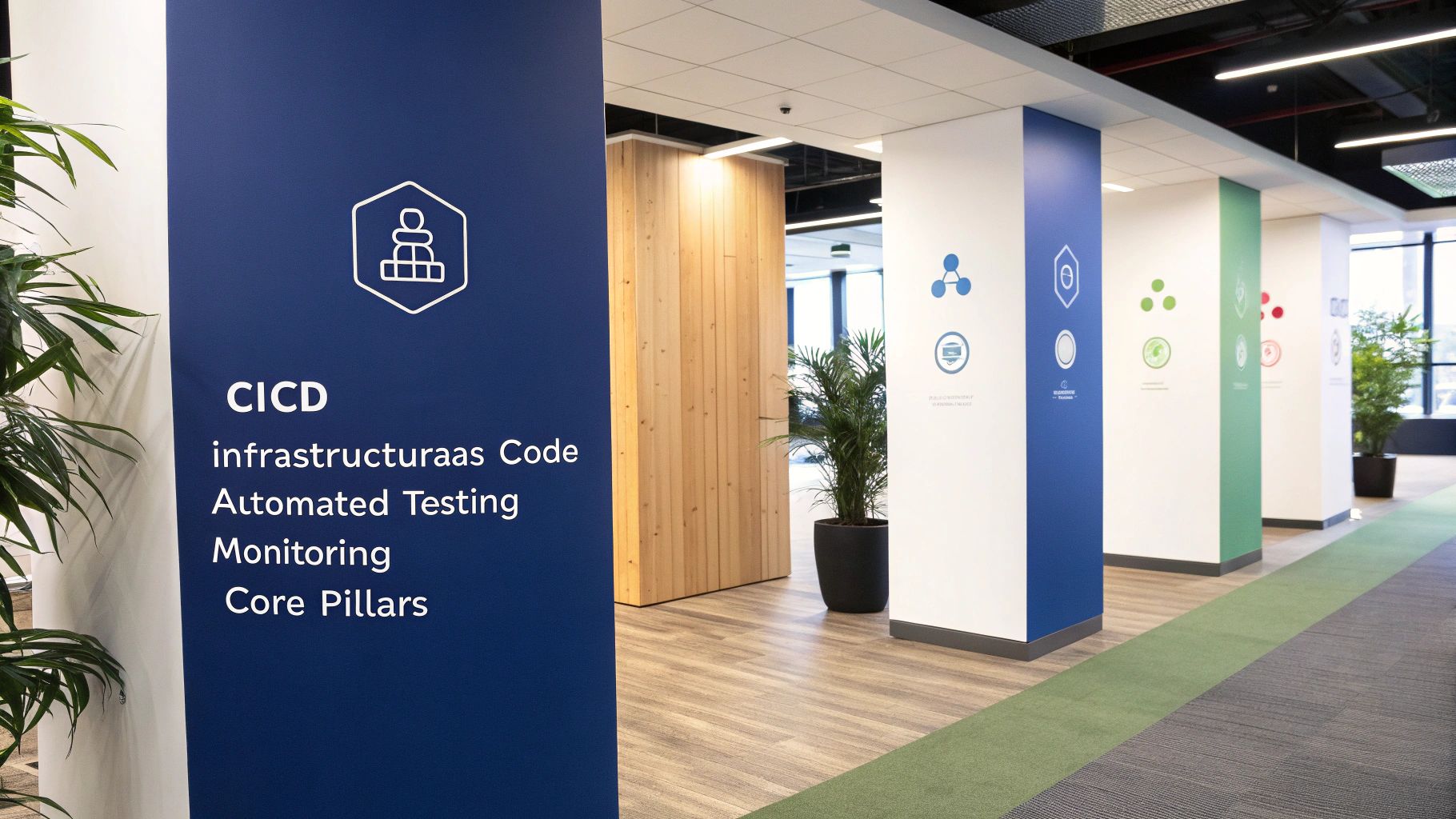
Real automation in DevOps isn’t about flipping a single switch. It’s a system of interconnected practices, much like the foundational pillars holding up a massive structure. Each one is strong on its own, but together, they create a resilient and efficient way to deliver software.
These pillars aren't isolated concepts; they work in concert. One practice feeds into the next, amplifying its impact. Getting a handle on how they fit together is the secret to building a workflow that just plain works, every single time.
Continuous Integration and Continuous Delivery (CI/CD)
The absolute heart of DevOps automation is the CI/CD pipeline. Think of it as the modern "software assembly line," automating the entire journey of code from a developer's keyboard to a live production server. It's the engine that drives everything.
Continuous Integration (CI) is all about developers frequently merging their code changes into a central repository. Every time they do, an automated build and test sequence kicks off. This simple habit catches integration bugs right away before they can snowball into massive headaches.
Continuous Delivery (CD) takes it a step further. It automatically deploys every code change to a testing or even a production environment once the build stage passes. This means you can get new features out to your users quickly and predictably, with the pipeline handling every step of the process.
Infrastructure as Code (IaC)
What if you had a master blueprint for your entire server environment? That’s the magic of Infrastructure as Code (IaC). Instead of manually clicking around to configure servers, networks, and databases, you define everything in configuration files. Your infrastructure is now treated with the same discipline as your application code.
With IaC, you can spin up identical, reproducible environments whenever you need them. This kills the classic "it works on my machine" problem and guarantees consistency from development all the way to production. It’s a cornerstone of automation because it lets you build or tear down entire environments with a single command.
By defining infrastructure in code, teams can version control their environments, review changes through pull requests, and automate provisioning. This dramatically reduces configuration drift and the potential for human error, which are common sources of outages.
There's a whole world of excellent cloud infrastructure automation tools out there, like Terraform and Pulumi, that make this process completely manageable and scalable.
Automated Testing
If the CI/CD pipeline is the assembly line, then automated testing is the sharp-eyed quality control inspector at every single station. It’s the practice of running tests automatically throughout the pipeline to make sure the code is correct and performs as expected.
This part is non-negotiable if you want speed without sacrificing quality. Manually testing every little change is painfully slow and full of human error. Automation, on the other hand, can blaze through thousands of tests in minutes, giving developers immediate feedback.
This isn't just one type of test. It’s a multi-layered defense:
- Unit Tests: Check the smallest pieces of code, like individual functions.
- Integration Tests: Make sure different modules play nicely together.
- End-to-End Tests: Simulate a real user's journey to validate the whole application.
- Security Scans: Automatically hunt for vulnerabilities in your code and its dependencies.
Automated tests are your safety net. They give your teams the confidence to move fast and release often, without the constant fear of breaking something.
Automated Monitoring and Alerting
Once your application is live, the work of automation is far from over. This is where automated monitoring and alerting come in, acting as the central nervous system for your production environment. These systems are constantly watching your app's health, performance, and resource usage.
Instead of waiting for an angry customer to report a problem, automated tools spot anomalies in real-time. They track metrics like CPU usage, error rates, and response times. When a metric crosses a dangerous threshold, an alert is automatically fired off to the right team, letting them jump on the issue before it affects users. This proactive stance is what keeps modern applications highly available and reliable.
The Business Case for Automating Your DevOps Culture
It’s easy to get lost in the technical weeds of DevOps, but let's talk about the business "why." A smart automation strategy isn't just some IT project; it's a powerful engine for real-world business results. When you frame the benefits of automation in DevOps in terms that matter to decision-makers, engineers, and finance teams, its value becomes crystal clear.
Automation creates tangible competitive advantages. This isn't about replacing people, it’s about freeing them up to deliver value faster and more reliably. By cutting out the manual grunt work, you build an environment where innovation takes off, systems become rock-solid, and costs are kept on a tight leash.
Accelerate Speed and Agility
In today's market, speed is the name of the game. Automating your development and deployment pipelines slashes your time-to-market. Instead of plodding through manual release cycles that drag on for weeks or even months, you can push out updates and new features in days or hours.
This kind of velocity means you can react to customer feedback and market shifts almost in real-time. Imagine launching a new feature, seeing how users react, and pushing an improvement the very next day. That's the agility automation unlocks, giving you a serious leg up on slower competitors.
Enhance Reliability and Consistency
Let’s be honest: human error is one of the biggest culprits behind production incidents. A manual deployment with dozens of steps is a minefield of potential slip-ups, a mistyped command here, a forgotten config setting there. Each mistake can snowball into downtime, lost revenue, and a hit to customer trust.
Automation sidesteps this risk entirely by making your processes repeatable and dead-on consistent. Every single deployment follows the exact same script, every single time.
By removing the variability of human intervention, you build more stable and predictable systems. This reliability isn't just about preventing outages; it fosters a culture of confidence, where teams can release changes without the constant fear of breaking things.
This consistency lets your teams focus their energy on building a better product instead of constantly putting out preventable fires.
Strengthen Security and Compliance
Security is no longer a final checkbox; it has to be woven into the entire development lifecycle. This is where DevSecOps, the practice of embedding security into DevOps, makes a huge impact. Automation is the engine that drives this "shift-left" thinking, building security checks right into your CI/CD pipeline.
Automated tools can scan for vulnerabilities, check for compliance with industry rules, and enforce security policies with every single code commit. This proactive approach catches problems early when they are far easier and cheaper to fix. The market sees the value here, too; the DevSecOps sector is projected to explode from $3.73 billion in 2021 to $41.66 billion by 2030. A whopping 96% of organizations say automating security and compliance delivers real business benefits.
Drive Significant Cost Reduction
Perhaps the most compelling argument for any business is simple: cost reduction. Automation cuts operational overhead in a few key ways. It stops expensive mistakes that lead to costly downtime and emergency fixes. Better yet, it frees up your highly-skilled (and highly-paid) engineers from boring, repetitive tasks, letting them focus on high-value work that actually drives innovation and revenue.
For a deeper dive into how streamlining operations helps, resources like this guide on workflow automation for small businesses show just how much it can boost growth and productivity.
A huge area for savings is proactive cloud cost control. Think about all those non-production environments like development, testing, and staging that often sit idle outside of business hours, burning through cash. Smart automation in the cloud can power these resources down automatically when they aren't needed, instantly plugging a major budget leak. This one simple practice can slash infrastructure costs by 30% or more, making a direct and immediate impact on your bottom line.
Your Practical Roadmap to Implementing DevOps Automation
Diving into DevOps automation can feel like a massive undertaking, but a structured approach turns this challenge into a series of achievable wins. The key is a "crawl, walk, run" methodology. It’s not about a huge, disruptive overhaul overnight. Instead, it’s about making smart, incremental changes that deliver immediate value and build momentum.
The whole process kicks off with a simple, honest look at where you are right now. The goal is to build a solid foundation by targeting the right problems first, proving that automation works, and then scaling that success across your organization.
The Crawl Phase: Start Small and Prove Value
First things first: find the biggest manual bottleneck in your workflow. Where does your team burn the most time on repetitive, error-prone tasks? Is it compiling code, running initial tests, or manually spinning up dev environments?
Once you’ve identified that primary pain point, focus all your energy there. For many teams, this means automating the build and unit test process. This is the perfect place to start because it's a self-contained, high-frequency task that gives developers immediate feedback.
The objective here is not perfection but progress. By automating a single, tangible process, you create a quick win. This small victory demonstrates the real-world value of automation to stakeholders and builds the internal support needed for bigger initiatives.
Choosing the right tool is also critical at this stage. Pick something that fits your team's existing skills and your current tech stack. For instance, if your team lives in GitHub, using GitHub Actions for your first CI pipeline is a natural fit. Don't chase the newest, shiniest tool; pick what works for your team now.
The push for better automation is everywhere. Industry data shows that 81% of organizations are actively trying to improve their automation efforts. This trend is moving toward unified solutions, with forecasts predicting 80% of software firms will adopt internal development platforms by 2026 to make workflows smoother.
The business impact is undeniable. According to DevOps statistics from industry reports like those from Bacancy Technology, DevOps automation can slash infrastructure costs by 30% and is 60% less time-intensive than older methods.
This is how automation directly fuels the core business benefits of speed, reliability, and cost control.
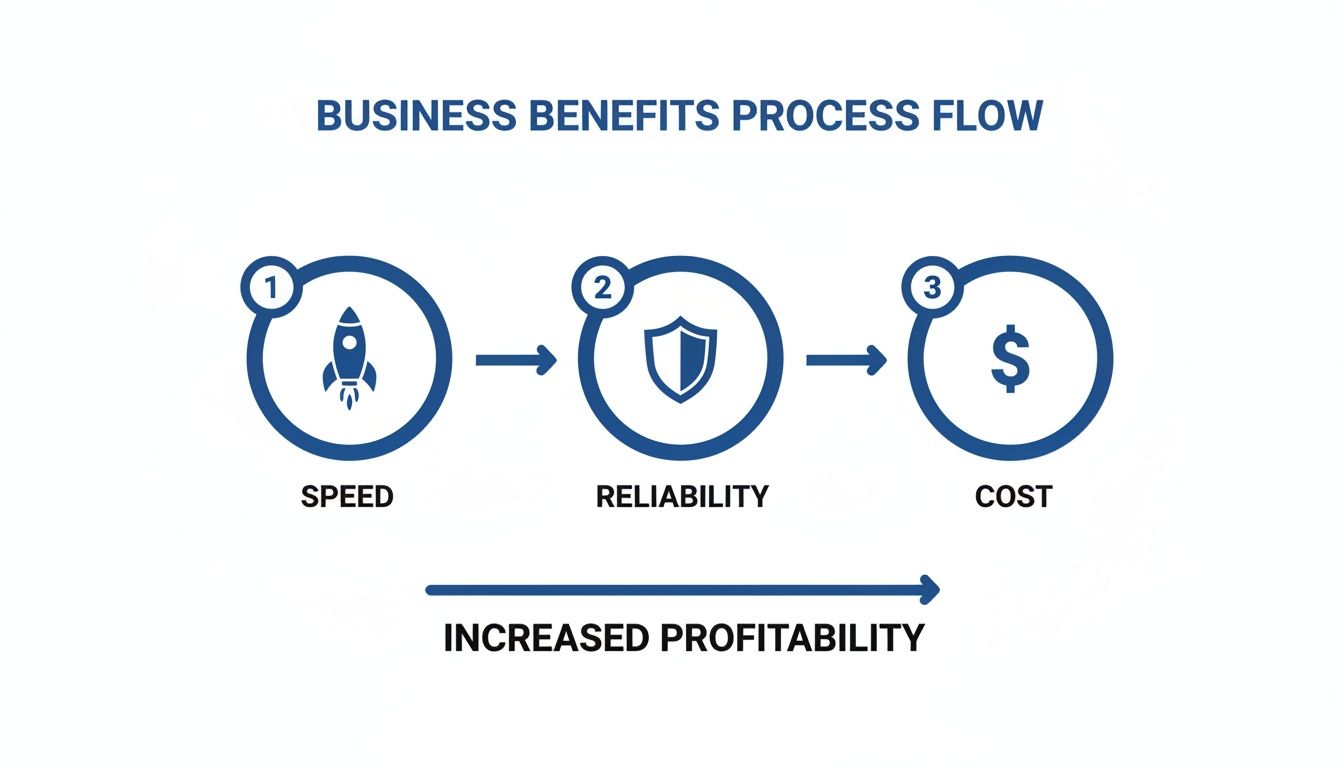
Every automated step you add to your pipeline reinforces these pillars, leading to a much more efficient and stable delivery process.
The Walk Phase: Standardize and Expand
After you’ve successfully automated your first process, it's time to standardize and expand on that success. Document what you did and the tools you used, creating a reusable template or playbook that other teams can easily follow. This stops people from reinventing the wheel and keeps things consistent as automation spreads.
Now, you can start tackling more complex parts of the pipeline. Good next steps often include:
- Automating Integration Testing: Broaden your test suite to make sure different parts of your application play nicely together.
- Creating an Artifact Repository: Set up a central spot to store and version your application builds.
- Basic Infrastructure as Code (IaC): Begin defining your development and testing environments in code. This makes them consistent and reproducible every single time.
The Run Phase: Scale and Optimize
In the "run" phase, your focus shifts from just implementing automations to optimizing the entire system. This is where you connect all the dots into a seamless, end-to-end CI/CD pipeline, from the moment a developer commits code all the way to a production deployment.
This is also where you can introduce more advanced practices like automated security scanning (DevSecOps) and performance testing.
Crucially, this is the perfect time to integrate cost automation directly into your strategy. With environments being spun up and torn down automatically via IaC, you have a golden opportunity to get a handle on cloud spending. Implement automated schedules to power down non-production resources, like development, testing, and staging environments, after business hours and on weekends.
This single practice prevents budget waste from idle resources and delivers significant, measurable savings, solidifying the financial case for your entire automation initiative.
DevOps Automation in Action on AWS and Azure
It’s one thing to talk about concepts, but seeing automation in DevOps come to life in the real world is where you really grasp its power. The two biggest players in the cloud space, Amazon Web Services (AWS) and Microsoft Azure, have built massive ecosystems of tools that let teams assemble incredibly sophisticated, automated workflows from scratch.
Let's walk through what a typical automated pipeline actually looks like on both platforms. We’ll see how their native services handle everything from shipping code to building infrastructure, and then pivot to a crucial and often overlooked area: automating cost control.
Building an Automated Pipeline on AWS
On AWS, a solid DevOps pipeline usually revolves around its suite of developer tools, all designed to snap together perfectly. This creates a smooth, hands-off flow that takes code from a developer's machine and pushes it all the way to a live environment with almost no manual clicks.
A standard AWS automation workflow typically relies on these key pieces:
- AWS CodePipeline: Think of this as the traffic cop for your entire release process. It grabs your source code from a repo like AWS CodeCommit or GitHub and then guides it through a series of stages you define, like build, test, and deploy.
- AWS CodeBuild: Triggered by CodePipeline, this is where the magic happens. It compiles your code, runs all your automated tests, and packages up the software so it's ready to be shipped.
- AWS CloudFormation: This is your Infrastructure as Code (IaC) workhorse. You define your entire cloud environment, including servers, databases, and networks, in a simple template file. CloudFormation then builds that exact environment, perfectly, every single time.
- AWS Lambda: For any kind of reactive, event-driven automation, Lambda is your go-to. It can run a snippet of code in response to just about anything, like automatically resizing an image the moment it's uploaded to an S3 bucket or firing off a Slack notification after a successful deployment.
Constructing a Similar Pipeline on Azure
Microsoft Azure offers a parallel universe of powerful tools under its Azure DevOps umbrella. The philosophy is identical to AWS: forge a fully automated path from code commit to production. The tools are just Azure-flavored.
Here’s how you’d typically build an automated pipeline on Azure:
- Azure Pipelines: This is the core of CI/CD in the Azure world. It connects to your code in Azure Repos or other Git providers and automates the entire build, test, and deploy sequence across your different environments.
- Azure Resource Manager (ARM) Templates: Just like CloudFormation on AWS, ARM templates are Azure's native IaC solution. They let you declare your infrastructure and all its dependencies in a JSON file, guaranteeing that you can spin up consistent, repeatable environments on demand.
The Critical Role of Cost Automation
While CI/CD and IaC are the bedrock of DevOps automation, a truly complete strategy has to tackle operational costs. One of the biggest drains on any cloud budget comes from non-production resources, all those dev, test, and staging environments, left running 24/7.
Both AWS and Azure have native ways to help with this. AWS, for example, offers the Instance Scheduler, a solution that uses Lambda functions to automatically start and stop EC2 instances on a schedule. Azure has a similar tool called Start/Stop VMs v2, which leans on Azure Automation to do the same thing.
But here’s the catch: these native tools often demand a ton of setup, require deep technical knowledge to configure correctly, and can be a real headache to manage, especially if you need to give access to non-technical users or manage a bunch of different accounts. They’re powerful, but they’re not always user-friendly.
This is exactly where specialized scheduling platforms shine. They provide a simple, intuitive layer on top of these powerful but complex native tools, making the whole process of scheduling and cost control incredibly easy.
To see the difference, let’s compare them side-by-side.
Comparing Cloud Scheduling Automation Options
| Feature | Native Cloud Tools (AWS/Azure) | Dedicated Scheduling Platform |
|---|---|---|
| Setup Complexity | High; requires manually configuring scripts, roles, and services. | Low; usually a quick, wizard-driven setup with minimal configuration. |
| User Interface | Managed through the main cloud console, which can be overwhelming. | Provides a simple, clean dashboard built specifically for scheduling. |
| Multi-Cloud Support | Natively supports only its own cloud (AWS or Azure). | Offers a single pane of glass to manage schedules across multiple clouds. |
| Role-Based Access | Requires granting broad, powerful permissions to the cloud account. | Allows granular, role-based access just for scheduling, improving security. |
By using a dedicated platform, you can empower developers, QA testers, or even project managers to safely manage resource schedules themselves without ever touching the complex, high-risk parts of your cloud environment.
This positions these specialized tools not as a replacement for native automation, but as a vital and accessible part of a smarter, more complete automation in DevOps strategy.
Common Questions About Automation in DevOps
As you start exploring DevOps, a few questions always seem to come up. It's totally normal to wonder about budgets, realistic goals, and how your team’s day-to-day work is going to change. Let's tackle some of the most common ones to clear the air.
Think of this as a quick reference guide. It’s here to ground the concepts we've talked about in the real-world decisions and challenges that teams like yours run into every day.
How Do I Start DevOps Automation with a Small Budget?
Starting small isn't a blocker; it’s a creative constraint that forces you to be smart and focused. You absolutely do not need expensive, enterprise-grade software to get started.
The trick is to lean on the incredible power of open-source tools. You can build a solid foundation with tools like Jenkins for CI/CD, Terraform for Infrastructure as Code, and Ansible for configuration management, all without paying a dime in licensing fees. These aren’t just free alternatives; they're industry standards with massive support communities.
Your first move should be to automate the single most time-consuming or error-prone task your team deals with. For many, that’s the build process or the first round of testing. Another quick win? Set up a simple schedule to power down non-production environments after hours. This delivers immediate, tangible cost savings. The goal is to score a quick victory that shows a clear return, building the business case you need for bigger, more ambitious projects.
Is One Hundred Percent Automation the Real Goal?
Not really. The goal isn't total automation; it's strategic automation. While you want to automate as much of the software delivery pipeline as you can, some steps actually benefit from a final human checkpoint.
For example, the final "go" decision for a major production deployment might need a sign-off from a business leader. The principle here is to automate everything that's repetitive, predictable, and based on clear rules.
Aim for a "one-click" or "zero-touch" process that wipes out manual toil. But be wise and build in manual gates where business context or a final risk assessment is absolutely essential. The point is to make the process as hands-off as possible without losing control over the decisions that really matter.
How Does Automation Change Roles on a DevOps Team?
Automation doesn't eliminate jobs; it evolves them. It fundamentally shifts team members from being manual operators to strategic enablers. The focus moves from reactive firefighting to proactive system design.
Instead of deploying code by hand or manually tweaking servers, operations engineers start building and maintaining the automation platforms that developers use. This transition gives developers more ownership over their code's entire journey, from the first commit to running in production. It finally breaks down those old, frustrating walls between "dev" and "ops."
Ultimately, automation frees your best people from tedious, repetitive work. It lets them focus on high-value activities like improving system architecture, beefing up security, and squeezing more performance out of your applications. Everyone gets to level up their contribution to the business.
What Are the Biggest Pitfalls to Avoid in DevOps Automation?
Getting started with automation is exciting, but a few common traps can easily derail your progress if you aren't careful. Just being aware of them from the start is your best defense.
Three major pitfalls can sabotage your efforts:
- Automating a Broken Process: This is the classic mistake. If your current manual workflow is a mess, automating it just helps you make the same mistakes, only faster. Always fix the process first, then automate the better version.
- Leading with Tools Instead of People: It’s so tempting to grab the hottest new tool and try to force your team to use it. This rarely works. You have to start by understanding your team's needs, skills, and culture, and then pick tools that actually help them. The tools serve the team, not the other way around.
- Ignoring the Cultural Shift: DevOps is just as much about culture as it is about tech. If your development and operations teams are still stuck in their silos and not talking, no tool on Earth can fix that. You have to build shared ownership, open communication, and real collaboration right alongside your technical work.
Ready to stop wasting money on idle cloud resources? CLOUD TOGGLE makes it easy to automate on/off schedules for your AWS and Azure environments, cutting costs by 30% or more. Start your free 30-day trial and see the savings for yourself.