CapEx and OpEx, you’ve probably heard these terms tossed around, but what do they really mean for your business? Simply put, they’re two different ways to categorize your spending. Understanding the difference is the first step to smarter financial planning and getting your costs under control.
Think of CapEx (Capital Expenditures) as the big, long-term investments you make, like buying physical servers for a data center. On the other hand, OpEx (Operating Expenditures) covers the daily, ongoing costs needed to run the business, things like cloud service subscriptions and utility bills.
Understanding CapEx And OpEx In The Modern Business
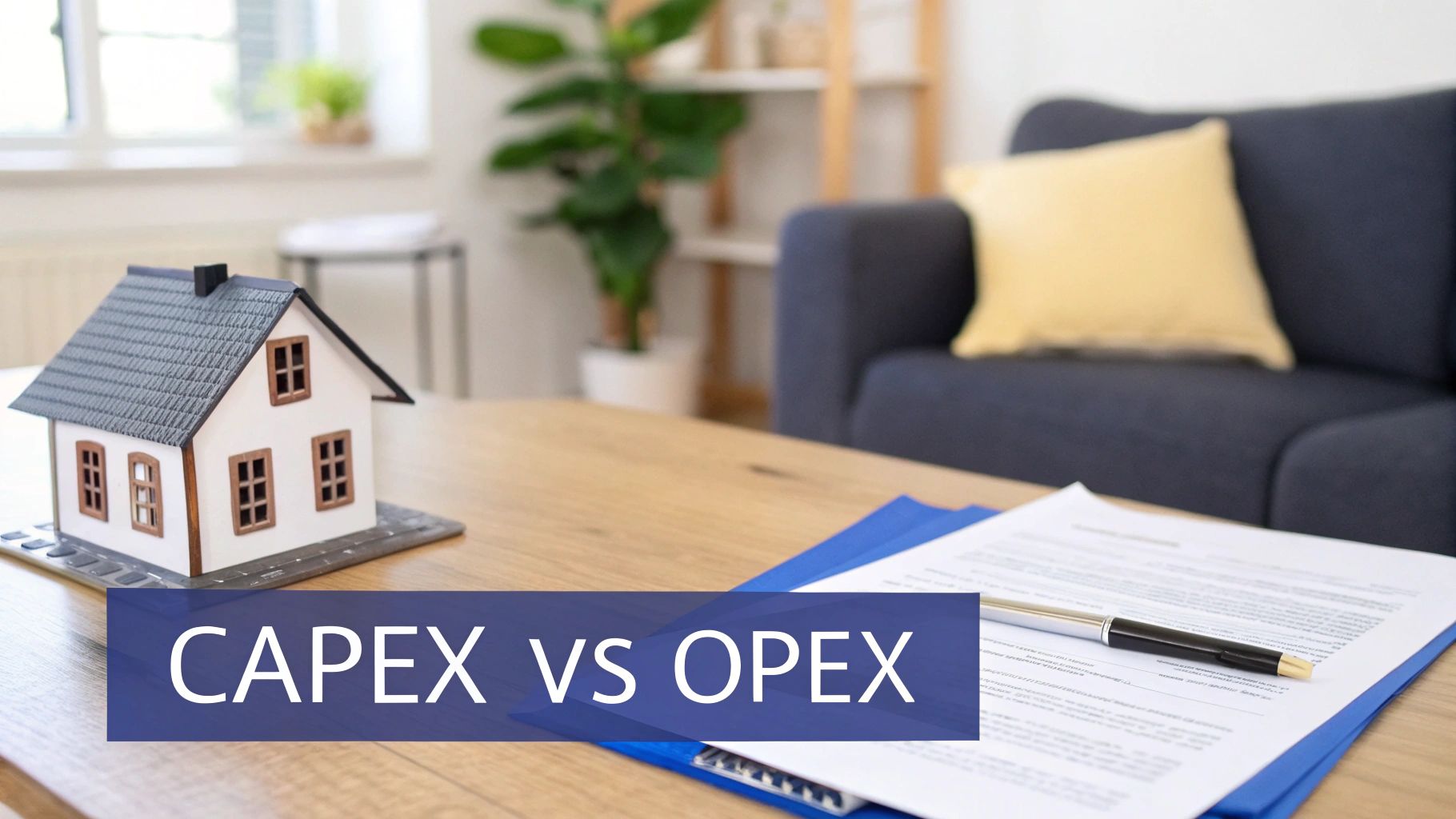
Let's use a simple analogy: buying a house versus renting an apartment.
When you buy a home, you're making a huge upfront investment that builds equity over many years. That's CapEx in a nutshell. You’re purchasing a tangible asset, a server, a data center, or an entire office building, that will deliver value for more than just a single year.
Renting, however, means you pay a monthly fee to use the space. This is a perfect mirror for OpEx. These are the regular, necessary costs that keep the lights on and the business running smoothly, like salaries, rent, and software subscriptions.
To give you a quick cheat sheet, here’s a simple breakdown of the core differences.
CapEx vs OpEx At a Glance
| Characteristic | CapEx (Capital Expenditure) | OpEx (Operating Expenditure) |
|---|---|---|
| Time Horizon | Long-term investment (over one year) | Short-term, ongoing expenses |
| Financial Statement | Recorded on the Balance Sheet as an asset | Recorded on the Income Statement as an expense |
| Tax Impact | Depreciated over the asset's useful life | Deducted in the year they are incurred |
| Cash Flow | Large, upfront cash outlay | Smaller, predictable, recurring payments |
| Example | Buying a physical server or data center | Paying a monthly cloud subscription (e.g., AWS, Azure) |
This table is a great starting point, but the real impact of these models goes much deeper than a simple summary.
The Financial Footprint of Each Model
The way accountants treat these two spending models couldn't be more different. Capital expenditures land on the company’s balance sheet as assets. Since they provide value for multiple years, their cost is spread out over time through a process called depreciation.
Operating expenditures are the complete opposite. They hit the income statement immediately as expenses within the period they happen. This has a direct impact on profitability, which is why OpEx is always a major focus for a company's short-term financial health. The scale here is enormous, in the US market alone, total capital expenditures hit $1,278,422.36 million across thousands of companies, which just goes to show how big these long-term bets can be.
This distinction is not just an accounting detail. The choice between a CapEx or OpEx model influences everything from tax strategy and cash flow management to a company's ability to adapt to market changes.
To really get a handle on this, you need to get good at tracking business expenses. As you read on, you'll see how these ideas connect to both fixed and variable costs, a topic we cover in more detail here: https://www.cloudtoggle.com/blog-en/fixed-and-variable-cost/. This knowledge is absolutely essential for any IT, DevOps, or FinOps pro trying to optimize spending in today's cloud-first world.
How This All Plays Out On Your Financials
The differences between Capital Expenditures (CapEx) and Operating Expenditures (OpEx) go way beyond their dictionary definitions. They fundamentally change how your business is valued, how you’re taxed, and how investors see you. At its core, the difference is all about accounting, but that simple distinction sends ripples across your entire financial strategy.
When your business makes a capital expenditure, like buying a new rack of servers, that cost doesn't just get wiped off the books. Instead, it’s recorded on the balance sheet as a long-term asset. This purchase is treated as an investment that will deliver value for years to come.
Because that asset has a long and useful life, its cost is spread out over time through a process called depreciation. To really get a handle on the impact of CapEx, you need a good grasp on understanding depreciation in accounting and how assets lose value on paper.
The Immediate Hit of OpEx
Operating expenditures take a completely different route. An OpEx purchase, like your monthly cloud subscription, lands directly on the income statement, often called the Profit and Loss (P&L) statement. It’s fully counted as an expense in the same period you pay for it.
This means OpEx has an immediate and direct impact on your company's short-term profitability. A spike in OpEx for a given quarter will instantly lower the net income for that period, which is a number that stakeholders watch like a hawk.
This isn't just an accounting choice; it's a strategic one. A CapEx model signals long-term investment and stability. An OpEx model screams agility and operational efficiency.
This is a huge deal in the world of cloud computing. The shift to OpEx has completely upended IT budgeting. The pay-as-you-go flexibility of the cloud can slash upfront costs to zero compared to the old days of building out a data center. From a tax standpoint, the difference is just as stark. FinOps teams can use OpEx to get immediate tax relief, while CapEx deductions are drip-fed over several years.
Tax Implications And Cash Flow
The way CapEx and OpEx are treated for tax purposes adds another strategic layer to the decision.
-
OpEx Tax Benefit: Operating expenses are fully tax-deductible in the year they happen. This gives you an immediate reduction in your company's taxable income, offering some quick financial relief.
-
CapEx Tax Benefit: Capital expenditures, on the other hand, are deducted slowly through depreciation. For example, a $50,000 server might be depreciated over five years, letting you deduct $10,000 from your taxes each year.
This difference has a profound effect on cash flow. CapEx demands a massive upfront cash payment, which can put a real strain on a company's liquid assets. OpEx, with its predictable, smaller payments, helps you hang onto your cash and gives you far more financial flexibility. It lets your business pivot quickly without being chained to hardware you’ve already paid for.
How The Cloud Flipped IT Spending From CapEx To OpEx
The rise of cloud computing completely changed the game for how businesses think about IT infrastructure. Before the cloud, launching something new or just keeping the lights on was a massive undertaking dominated by Capital Expenditures (CapEx). It was a long, expensive slog of buying physical servers, networking gear, and storage arrays.
This old way of doing things created a huge barrier to entry. Companies had to sink massive upfront investments into hardware and then wait months for it to show up and get installed in a data center. Success meant trying to guess future demand years in advance, a nearly impossible job that usually led to overspending on expensive equipment that just sat there collecting dust.
The Great Shift To Operational Spending
Cloud providers like AWS and Azure came along with a radically different idea. Instead of buying all that hardware, you could just rent computing power, storage, and other services whenever you needed them. This completely flipped the financial model for IT, turning it from CapEx into a flexible, pay-as-you-go Operating Expenditure (OpEx) model.
This was a transformation that leveled the playing field almost overnight. Suddenly, startups could get their hands on the same enterprise-grade infrastructure as the big players, all without needing millions in upfront cash. The benefits were immediate and obvious.
- Move Faster: Teams could spin up new servers in minutes instead of months. This meant they could innovate and react to market changes faster than ever.
- Scale on a Dime: Businesses could instantly scale up to handle a sudden surge in traffic and, just as crucially, scale back down to cut waste. You only paid for what you actually used.
- Lower Financial Risk: The need for those huge capital investments just vanished. This freed up cash that companies could pour into more important things, like building better products and hiring great people.
The Hidden Trap In The OpEx Model
While the OpEx model brought amazing flexibility, it also came with a new, sneaky problem: runaway spending. When there’s no big upfront purchase to approve, it’s easy for small, recurring operational costs to spiral out of control if you’re not paying attention. Every server, database, and service you leave running adds to that monthly bill.
The very thing that makes the cloud so easy, spinning up new resources, also makes it just as easy to forget about them. This creates a constant financial leak, as idle or underused resources quietly bleed your budget dry.
This is where having a solid financial operations discipline becomes absolutely critical. To get a handle on this new reality, you should check out our detailed guide explaining what is FinOps and how it gives you a framework for getting cloud costs under control. Understanding this is the first step in making sure the flexibility of OpEx doesn't turn into a massive financial headache.
Mapping Cloud Services To CapEx And OpEx Models
Knowing the textbook definitions of CapEx and OpEx is one thing. Seeing how they actually show up on your cloud bill, that's where the lightbulbs really go on. In the cloud, the line between these two models can get a little fuzzy, especially since providers offer a few different ways to buy the same resources.
Let's break down how common cloud services and purchasing options really fit into these two financial buckets. The diagram below shows that fundamental shift: moving away from buying physical hardware (CapEx) to renting services as you go (OpEx).
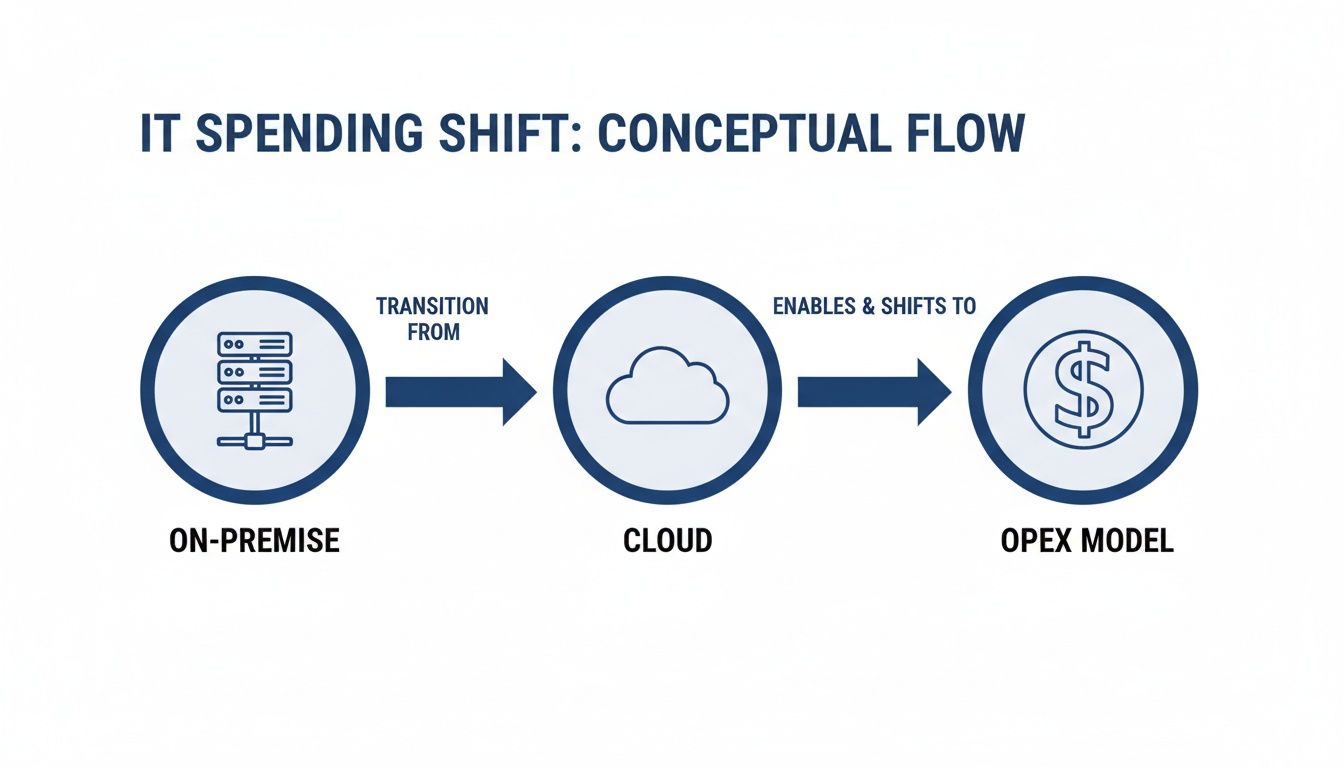
This really just captures the core idea of the cloud's financial power, trading big, upfront investments for a more flexible, operational approach.
The Pure OpEx Plays In The Cloud
Most of the cloud services you spin up day-to-day are pure OpEx. These are the classic pay-as-you-go offerings that give you incredible flexibility. You simply expense them as you use them.
- Standard Virtual Machines (VMs): Firing up an Amazon EC2 instance or an Azure VM on demand is the textbook example of OpEx. You pay for the compute time you use, minute by minute, and you can shut it down anytime to stop the clock.
- Serverless Functions: Services like AWS Lambda or Azure Functions take the OpEx model to the extreme. You only pay for the split-seconds your code is actually running. When it’s idle, you pay nothing. Zero.
- SaaS Subscriptions: Any Software-as-a-Service tool your team uses, from a CRM to a monitoring platform, is a recurring operational cost. Those predictable monthly or annual fees are quintessential OpEx.
These services are wildly popular because they completely eliminate the need for upfront capital and tie costs directly to actual usage. That's a perfect fit for any workload with unpredictable or fluctuating demand. The key is that you’re paying for access, not ownership.
When Cloud Spending Feels Like CapEx
While the cloud is built on an OpEx foundation, some purchasing options start to feel a lot more like a Capital Expenditure. These models ask for an upfront commitment in exchange for some pretty hefty long-term discounts, making them feel more like a strategic investment.
It's important to note that these CapEx-like options aren't technically capital assets that show up on your balance sheet. But they require the same mindset: you’re committing funds upfront to lock in a resource for a future period, usually one to three years.
For example, AWS Reserved Instances (RIs) and Azure Reservations are prime examples. You commit to a specific amount of compute power for a one or three-year term and, in return, can get a discount of up to 72% compared to on-demand pricing. That upfront payment or long-term commitment is treated more like a prepaid expense, a planned, long-term investment rather than a simple operational cost.
This hybrid approach lets you blend the cost-saving benefits of CapEx with the operational agility of the cloud. The table below lays out how different cloud services and purchasing options map to these financial models, making it easier to see where your money is going.
Cloud Spending Models CapEx vs OpEx Examples
| Cloud Service / Purchase Option | Financial Model | Typical Use Case | Pros & Cons |
|---|---|---|---|
| On-Demand VMs | OpEx | Development/test servers, unpredictable workloads, short-term projects. | Pros: Maximum flexibility, no commitment. Cons: Highest per-hour cost. |
| Serverless Functions | OpEx | Event-driven applications, microservices, tasks with spiky traffic. | Pros: Extremely cost-efficient for intermittent work, auto-scaling. Cons: Can be complex to manage, potential for unexpected costs if misconfigured. |
| SaaS Subscriptions | OpEx | Business software (CRM, HR), monitoring tools, security services. | Pros: Predictable monthly/annual cost, no maintenance overhead. Cons: Can lead to "SaaS sprawl," recurring costs add up. |
| Reserved Instances (RIs) | CapEx-like | Stable, predictable production workloads (e.g., core application servers). | Pros: Significant cost savings (up to 72%), guaranteed capacity. Cons: Requires a 1 or 3-year commitment, less flexible if needs change. |
| Savings Plans | CapEx-like | Organizations with consistent overall cloud spend but changing instance types. | Pros: More flexible than RIs, offers significant discounts. Cons: Still requires a long-term financial commitment. |
Ultimately, this blended approach helps businesses find the right balance. You can get the predictability of a CapEx-style investment for your core, stable workloads while retaining the pay-as-you-go flexibility of OpEx for everything else. It’s all about matching the financial model to the specific needs of the workload.
Controlling The Hidden Costs Of Your Cloud OpEx
The whole "pay-as-you-go" promise of the cloud is fantastic for flexibility, but it has a nasty little secret. For too many businesses, it quietly turns into "pay-even-when-you-don't-go." This happens because of a surprisingly common problem: idle cloud resources. This unchecked spending is one of the biggest headaches for any team trying to manage their cloud OpEx.

This kind of waste is rampant in non-production environments. Think about all those servers and virtual machines humming away for development, testing, and staging. They're absolutely essential for building and improving your product, but they rarely need to be running 24/7. Yet, that's exactly what happens, they're left on, silently burning through your budget around the clock.
This is where you need more than just good intentions; you need a dedicated solution. Automated scheduling hits this OpEx waste head-on by making sure resources are only active when your teams actually need them.
Taking Charge of Non-Production Environments
Let's be realistic: asking your team to manually shut down servers every night is not a scalable plan. And while native cloud tools exist, they can be a real pain to set up and often require you to grant overly broad permissions, opening up security risks you don't want. A more focused, smarter approach is what's needed to get these operational costs under control.
This is exactly where a platform like CLOUD TOGGLE makes a real difference. It automates the entire process of powering down idle VMs on a schedule you define, turning wasteful spending directly into savings. It’s not a blunt instrument; it’s about giving you granular control over your cloud OpEx.
By simply shutting down non-production servers during nights and weekends, businesses can slash this part of their cloud bill by 60% or more. This isn't theoretical, it's a direct, measurable cut to your operational spending without slowing down your team.
Smart Scheduling and Secure Access
Effective cost control isn't just about flipping a switch off. It's about giving your teams the right tools to manage their own resources safely and efficiently. This is a common blind spot for native cloud solutions, but it's where specialized tools truly shine.
The rise of TOTEX (a total expenditure model that blends CapEx and OpEx) is pushing companies to think about the entire life-cycle cost of their assets. An OpEx-heavy cloud model is great for staying agile, but when idle servers are eating up over 30% of your budget, it's a clear signal that smarter OpEx management is needed. Tools like CLOUD TOGGLE help by automating shutdowns and letting you share schedules securely without handing over the keys to your entire cloud account.
Here are a few features that directly attack wasted OpEx:
- Role-Based Access: You can grant scheduling permissions to a team lead or project manager without giving them full admin rights to your cloud account. This empowers teams to manage their own costs without creating a security nightmare.
- Easy Schedule Overrides: A developer needs to burn the midnight oil or work on a weekend? No problem. They can easily override the schedule for their specific machines in seconds.
- Centralized Control: Manage schedules for multiple teams and even multiple cloud providers (like AWS and Azure) all from one simple, intuitive dashboard.
By focusing on this one specific area of waste, you can make a huge dent in your monthly cloud bill. Understanding the hidden cost of idle VMs is the crucial first step, and CLOUD TOGGLE provides the tools to turn that understanding into real, consistent savings.
Building A Balanced Cloud Financial Strategy
The real goal isn't choosing between CapEx and OpEx, it's blending them into a smarter financial strategy. The most forward-thinking CTOs and FinOps leaders have moved past seeing them as separate buckets. Instead, they’ve adopted a Total Expenditure (TOTEX) mindset.
This way of thinking forces you to evaluate the entire lifecycle cost of every cloud decision. It’s an admission that the cheapest option today might end up being the most expensive one tomorrow if it doesn't line up with your long-term goals.
Combining Stability and Flexibility
A truly balanced strategy uses CapEx-like commitments to build a stable, cost-effective foundation for your cloud infrastructure. For those predictable, baseline workloads that run day in and day out, this approach is unbeatable. You can lock in some serious discounts and guarantee you have the capacity for your core applications.
- CapEx-Like Commitments: Think AWS Reserved Instances or Azure Reservations. Use these for your steady-state production servers to secure deep discounts on your most predictable compute needs.
- OpEx for Variability: This is where you preserve that pay-as-you-go flexibility for everything else, development environments, short-term projects, and workloads with unpredictable demand spikes.
This hybrid model genuinely gives you the best of both worlds. You get cost predictability for the heart of your operations while keeping the agility you need to innovate and jump on new opportunities without being stuck in rigid contracts.
The ultimate strategy isn't a battle between CapEx and OpEx, but a partnership. You use long-term commitments to lower your baseline costs and targeted OpEx controls to eliminate waste on your variable spend.
Optimizing Your OpEx for Sustainable Growth
Once you’ve got your baseline covered with commitments, the game shifts to aggressively optimizing what's left in your OpEx bucket. This is where tools like CLOUD TOGGLE become absolutely critical to your financial strategy. It allows you to directly attack the most common source of OpEx waste: idle resources in non-production environments.
By automating the shutdown of these servers when they aren't being used, CLOUD TOGGLE makes sure you only pay for the compute hours you actually use. This combination of proactive planning through reservations and real-time control over variable spending is the key to sustainable, long-term cloud cost management.
Frequently Asked Questions About CapEx And OpEx
Let's dig into some of the questions that pop up most often when people are trying to get a handle on CapEx and OpEx. These answers should clear things up and help you apply these ideas to your own cloud strategy.
Can A Purchase Be Both CapEx And OpEx?
Not really, an expense usually falls squarely into one camp or the other. If you buy something that will provide value for more than a year, it's CapEx. If it's used up right away, it's OpEx.
But here’s where it gets interesting: a single project can absolutely have both. Think about setting up a new server rack. Buying the physical servers is a classic CapEx move. But paying a contractor to come in and install everything? That installation service is an OpEx cost because the service is consumed immediately.
Why Do Companies Prefer OpEx Over CapEx?
It's a big trend, and for good reason. Shifting to an OpEx model means companies can avoid massive upfront payments, which keeps cash free for other important things like product development or hiring. This approach also gives you incredible flexibility, you can scale your costs up or down as your needs change, which is a lifesaver for startups or any business with unpredictable revenue.
There's a tax advantage, too. OpEx is fully deductible in the same year you spend it. This gives you a much faster financial kickback compared to slowly depreciating a CapEx asset over many years.
How Does CLOUD TOGGLE Help Manage Cloud OpEx?
CLOUD TOGGLE goes straight for the low-hanging fruit of wasted cloud OpEx: idle compute resources. Think about all those development, testing, and staging environments. Most of them don't need to be running 24/7, but they often are, racking up costs every single hour.
Our platform simply automates shutting these resources down on a schedule you control. You only pay for the compute hours you actually use. It's a straightforward change that can slash your cloud bill by 30% or more, turning that wasteful spending directly into savings without getting in your team's way.
Ready to stop wasting money on idle cloud resources? CLOUD TOGGLE makes it easy to automate server schedules and cut your OpEx. Start your free trial today and see how much you can save.