Capacity planning is all about matching what you have with what you'll need. Think of it as the strategic process of lining up your business resources like servers, staff, or software licenses to meet both current and future demand.
The goal? To have exactly what you need, right when you need it. It's a delicate balancing act that helps you avoid both wasteful overspending and costly shortages that leave customers frustrated. Getting this right is fundamental to running an efficient and financially sound operation.
Defining Your Resource Needs

Ever been in a coffee shop during the morning rush and watched them struggle with just one barista? That's a capacity problem in the real world. At its heart, capacity planning helps you answer one simple but critical question: do we have the right resources to meet demand?
This isn't just about a headcount of servers or people. It’s a forward-looking game plan to align everything you have: IT infrastructure, licenses, skilled teams with what the business is going to ask for next. The entire point is to steer clear of two very expensive mistakes.
The Dangers of Miscalculation
Guessing your capacity needs is a recipe for disaster. Get it wrong, and you'll feel the pain in your budget and your customer satisfaction scores. The risks fall squarely into two camps:
- Underprovisioning: This is when you don’t have enough to go around. For a website, that means painfully slow load times or outright crashes during a traffic spike. For a project team, it means burnout and blown deadlines. Customers don't wait around.
- Overprovisioning: This is the flip side, having too much stuff sitting idle. In the cloud, this is just burning money on servers and services you aren't actually using. It's like paying rent for empty hotel rooms.
To put it simply, here’s a quick look at the core components of capacity planning.
Capacity Planning At A Glance
| Component | Objective | Risk of Failure |
|---|---|---|
| Demand Forecasting | Predict future resource needs based on historical data and business goals. | Inaccurate forecasts lead to either overspending or service disruptions. |
| Resource Allocation | Assign available resources (servers, staff, etc.) to meet predicted demand. | Misallocation results in bottlenecks, underutilized assets, and inefficiency. |
| Performance Monitoring | Track resource utilization and performance to identify capacity gaps or excess. | Without monitoring, you can't react to changing demand, leading to poor user experience. |
| Cost Management | Align capacity with budget to avoid waste and ensure financial efficiency. | Failure to manage costs results in budget overruns and a lower return on investment. |
Getting this right moves you from constantly fighting fires to making smart, proactive decisions about your resources.
Effective capacity planning eliminates reactive scrambles. It provides a data-backed framework for deciding whether you need more resources or simply better processes to handle business demand.
By painting a clear picture of your current capabilities and forecasting what's coming, you can scale with confidence. You ensure your coffee shop always has just enough baristas to serve every customer quickly, without anyone standing around idle. It's about achieving that perfect balance of operational stability and financial discipline.
The Three Horizons of Capacity Planning

Effective capacity planning isn't just one big decision. It's a strategy layered across different timelines, forcing you to look at your needs from three distinct viewpoints. Each "horizon" answers different questions and triggers different actions, making sure your daily firefights align with your long-term business goals.
Think of it like planning a cross-country road trip. You have the ultimate destination in mind (strategic), the plan for the next few days of driving (tactical), and your immediate needs for gas and snacks today (operational). You need all three to make the journey a success.
Strategic Planning: The Long-Term View
Strategic capacity planning is your big-picture roadmap, looking one to five years down the line, sometimes even longer. This is where you make the foundational decisions that will define your company's future. It’s all about syncing your infrastructure strategy with major business goals, like launching into new markets or preparing for massive industry changes.
For example, a fast-growing streaming service might use strategic planning to decide whether to build a new data center in Europe or go all-in with a different cloud provider to handle user growth over the next three years. These aren't small choices; they involve huge capital investments and long implementation times.
Strategic planning answers the question, "What major resources will we need to support our business vision in the future?" It focuses on acquiring and building capacity, not just managing what you already have.
The goal here isn't getting bogged down in the details of a single server. It's about making sure the core building blocks are in place so your growth doesn't hit an infrastructure brick wall.
Tactical Planning: The Medium-Term Adjustment
Tactical planning is the bridge between your grand vision and your daily grind. It usually covers a three to eighteen-month timeframe. This horizon is all about optimizing the resources you have or are about to get. Think hiring staff for new projects, setting department budgets for the next fiscal year, or getting ready for predictable seasonal demand spikes.
Back to our streaming service: tactical planning is figuring out how to handle the launch of a blockbuster new series in six months. This might mean pre-provisioning cloud resources or exploring different scaling models, like choosing between horizontal vs vertical scaling, to manage the expected flood of viewers without breaking the bank.
This layer uses solid forecasts to match resource supply with demand, preventing last-minute scrambles and service disruptions.
Operational Planning: The Immediate Reality
Operational planning is where the rubber meets the road. It deals with the here and now, covering a timeframe from daily to weekly or monthly adjustments. This is all about the day-to-day scheduling and hands-on management that keeps everything running smoothly.
For an IT team, operational planning is their daily reality. It’s about taking immediate action.
- Tweaking auto-scaling rules to handle a sudden traffic spike from a viral marketing campaign.
- Scheduling server maintenance during the quietest overnight hours.
- Prioritizing critical jobs when two workloads are fighting over the same resources.
These decisions are highly detailed and often reactive. They ensure the resources you allocated during tactical planning are being used as efficiently as possible to meet immediate business needs. This constant fine-tuning is what keeps the lights on and the customers happy.
By mastering all three horizons, you can build a cohesive capacity strategy that connects your highest-level ambitions to practical, everyday execution.
Key Metrics for Measuring Your Capacity Needs
If you can't measure your capacity, you can't manage it. It's that simple. Moving from abstract planning to real-world results means you need a solid set of key performance indicators (KPIs). These metrics are like a health check for your resources.
Without good data, capacity planning is just guesswork. That guesswork often leads to two expensive problems: paying for way more than you need, or suffering disruptive outages when you run out of runway. Tracking the right numbers turns your approach from reactive to proactive, giving you the hard evidence needed to justify new hires, invest in better tools, or simply shuffle existing resources for a bigger impact.
Understanding Resource Utilization
The first and most fundamental metric is utilization. It’s simply the percentage of your available resources that are actually being used. Think of it like a hotel's occupancy rate. A 100% full hotel might sound great on paper, but it means there’s zero room for walk-ins and your staff is probably stretched to its breaking point.
In the tech world, utilization could be the average CPU usage across your server fleet or the percentage of time your engineers are clocked in on billable projects. A consistently high utilization rate, say, anything above 85%, is often a flashing red light for bottlenecks, burnout, and breakdowns. On the other hand, a super low rate means you're just burning cash on idle assets.
Utilization isn't just a number; it's a direct signal of your efficiency and potential risk. It tells you if your resources are overworked, underused, or hitting that perfect sweet spot.
Monitoring utilization gives you a baseline. It shows you exactly how much "work" your resources are doing compared to what they could be doing, which is always the first step toward optimization.
Gauging System Performance
Utilization tells you how much your resources are working, but performance metrics tell you how well they're working. High utilization is completely meaningless if your systems are slow, buggy, and failing to keep up with demand. Performance is the true measure of whether your customers and users are having a good experience.
Key performance metrics change depending on what you’re measuring, but they usually include:
- Response Time: How long does a user have to wait after they click something? Laggy response times are a classic sign you're running out of capacity.
- Throughput: How many transactions or requests can your system handle per second? If throughput drops during peak hours, you've hit a capacity ceiling.
- Error Rate: What percentage of requests are failing? When error rates start climbing, it's a strong signal that your infrastructure is overloaded.
Imagine an e-commerce site running at 80% server utilization. That looks pretty healthy. But if the page load time doubles during a flash sale, performance is tanking. The issue isn't that the servers are maxed out, but another bottleneck like database capacity is killing the user experience.
Measuring Cost Efficiency
The final piece of the puzzle is money. At the end of the day, capacity planning is an economic game. The goal is to deliver a reliable service without lighting your budget on fire. Tracking cost-related metrics is how you ensure your technical decisions make financial sense.
Important cost metrics to watch are:
- Cost per Unit: This could be your cost per transaction, cost per active user, or cost per server. It helps you connect your capacity choices directly to financial outcomes.
- Idle Resource Cost: This is the money you're spending on resources that are provisioned but doing absolutely nothing. Studies have shown that companies waste a huge chunk of their cloud budget on idle instances.
- Return on Investment (ROI): When you added more capacity, did you see a proportional jump in revenue or user satisfaction? This metric ties your planning directly to business value.
By keeping an eye on these three buckets of metrics: utilization, performance, and cost, you get a complete, 360-degree view of your capacity. You can see how much you’re using, how well it's all running, and what it’s costing you. That balanced perspective is what you need to make smart, informed decisions that keep things stable and your budget healthy.
The Capacity Planning Process and Forecasting Methods
Good capacity planning isn’t a one-off project you can check off a list; it’s a constant rhythm. Think of it as a discipline that shifts your team from constantly putting out fires to proactively managing your resources. When you have a solid, repeatable process, you build a system that can actually keep up with the business instead of holding it back.
The whole point is to move from guesswork to informed decisions. You gather data, see how things are running now, predict what’s coming next, and model a few different scenarios. It’s about creating a living framework that keeps your resources and business demand in sync, which is the key to both stability and efficiency.
Core Stages of the Planning Cycle
The process really boils down to a continuous loop with a few key stages. First, you measure what’s happening in your environment right now. Then, you analyze that data to spot trends and forecast future needs. Finally, you model what might happen and roll out a plan which, of course, feeds right back into the monitoring stage.
This simple diagram breaks down the fundamental parts of measurement: tracking utilization, performance, and cost.
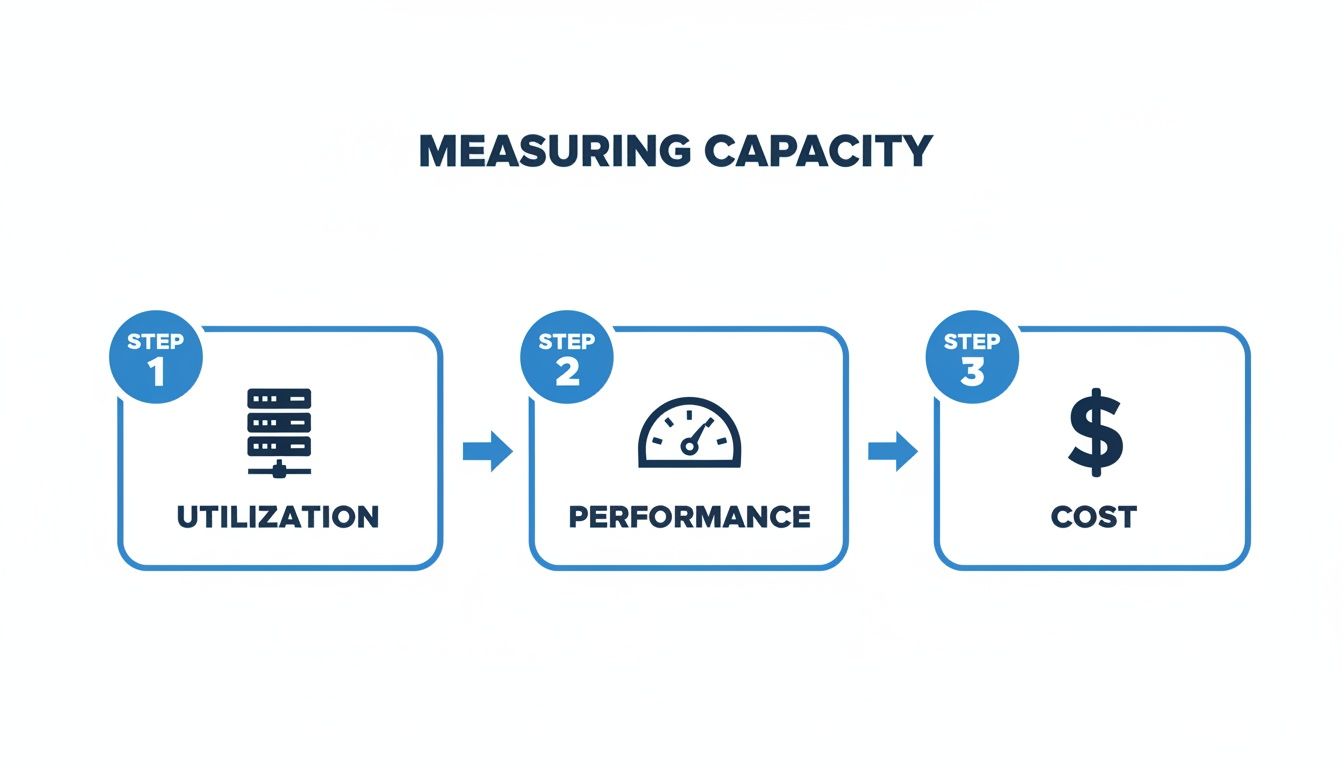
It’s a great reminder that a complete picture isn’t just about how much of a resource you’re using. You have to balance utilization with how well it’s performing and what it’s costing you.
Key Forecasting Methods Explained
Forecasting is where the magic happens. It’s what lets you prepare for the future instead of just reacting to it. But let’s be honest, it’s also where most teams stumble.
A recent resource management survey revealed that about two-thirds of organizations find forecasting to be their single biggest challenge. In fact, only 13% felt their efforts were “extremely effective.” That’s a huge gap, and it’s the reason so many companies either overspend on idle resources or get caught off guard by a sudden spike in demand.
To get it right, teams usually lean on a few trusted methods. Each gives you a different way of looking into the crystal ball.
-
Trend Analysis: This is the most straightforward approach. You’re essentially looking at historical data and assuming past patterns will repeat. A classic example is a retailer using the last five years of holiday sales to predict server load for the next Black Friday. Simple, but it works when your business is relatively stable.
-
Driver-Based Forecasting: This method is a bit more sophisticated because it ties resource needs to specific business metrics, or "drivers." A SaaS company, for instance, might link its server needs directly to its user sign-up rate. If they project 10,000 new users next quarter, they can calculate almost exactly how much more capacity they'll need to support them.
-
Workload Modeling: This is the advanced stuff. Here, you create detailed models of your applications and infrastructure to run simulations. You can test out different scenarios like a big product launch or a viral marketing campaign to see how your systems hold up under stress and find the weak spots before your customers do.
So, which method is best? It really depends on how good your data is and how predictable your business is. Most mature teams end up using a mix, starting with trend analysis for a baseline and layering on driver-based models for specific growth plans.
By making these methods part of your regular planning cycle, you can build a far more accurate and reliable capacity plan. If you want to dive deeper, check out our guide on how to integrate budgets and forecasts.
Modern Tools for Cloud Capacity Planning
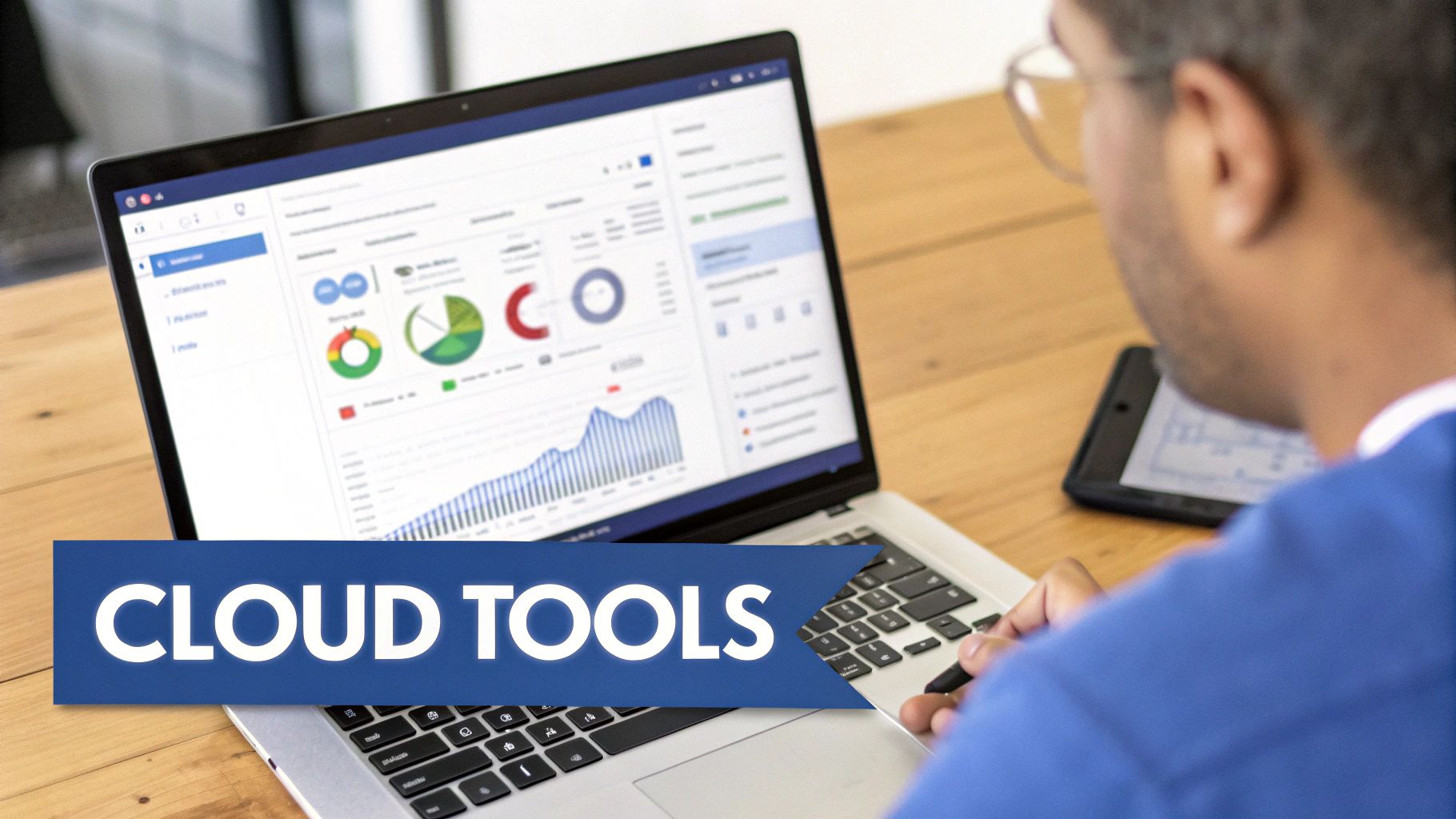
Let's be honest: spreadsheets and gut feelings don't cut it anymore for managing cloud resources. The sheer speed and scale of modern cloud infrastructure demand something better. Today, real capacity planning is driven by a new class of tools built for automation, real-time monitoring, and smart forecasting.
This isn't just a niche trend. The market for intelligent capacity planning is set to grow by about 11% to hit $26.1 billion by 2033. That number tells a clear story: businesses are moving away from reactive firefighting and investing heavily in analytics and automation to keep costs down and systems running smoothly. You can dig into the market drivers in this latest industry analysis.
So, what are your options?
Native Cloud Provider Tools
The first stop for most teams is the toolbox provided by their cloud vendor. Platforms like Amazon Web Services (AWS), Microsoft Azure, and Google Cloud Platform (GCP) all offer built-in services designed to manage capacity inside their own ecosystems. Think of them as the essential, foundational layer of your strategy.
These platforms give you a solid set of capabilities to get started:
- Monitoring and Dashboards: Services like AWS CloudWatch and Azure Monitor are data vacuums, pulling in everything from CPU load to network traffic. They give you a granular, real-time picture of what's happening.
- Auto Scaling Groups: This is the killer feature. Auto scaling adds or removes servers automatically based on rules you set, like traffic volume. It’s what keeps your app from crashing during a sudden spike and saves you money when things are quiet.
- Forecasting Services: The cloud providers are getting smarter, baking machine learning right into their platforms. AWS Forecast, for instance, uses ML to analyze your past usage and predict future demand far more accurately than simple guesswork.
Because these tools are native, they offer the most direct, lowest-latency data about your environment. They're a non-negotiable part of any serious capacity planning effort.
Specialized Third-Party Platforms
Native tools are great, but they keep you locked within a single cloud provider's world. What if you're using more than one? That's where specialized third-party platforms shine. They act as a unifying layer, pulling data from multi-cloud and hybrid environments into one clean dashboard.
The real magic of third-party tools is their ability to give you a single, holistic view across all your infrastructure. This is an absolute game-changer for any company using more than one cloud or still running on-premise servers.
These platforms often go deeper into specific areas like FinOps (Financial Operations) or advanced performance tuning. They’re fantastic at translating dense technical metrics into business insights you can actually use, helping you tie capacity decisions directly to your bottom line. With features that can predict demand spikes before they even happen, these tools help you build systems that are both resilient and remarkably cost-efficient.
Connecting Capacity Planning to Cloud Cost Optimization
Think of effective capacity planning as the engine room for your cloud financial management, or FinOps. It’s the process that transforms abstract ideas about resource management into real, tangible cost savings. When you know exactly what you need, you stop paying for what you don’t. You shift from putting out fires to making smart, proactive investments.
This direct line between planning and financial health is why everyone is paying attention. The global capacity management market shot up from USD 1.74 billion to USD 2.17 billion in just a year, that's a nearly 25% jump. This isn't just a trend; it's a massive push from businesses to get their IT resources and business goals on the same page, especially as cloud costs start to bite. You can find more detail in recent capacity management market reports.
From Planning to Actionable Savings
Knowing your capacity needs is a great first step, but the real magic happens when you act on that knowledge. The biggest savings come from systematically hunting down and eliminating the common sources of waste that quietly drain cloud budgets.
This usually boils down to a few key moves:
- Rightsizing Oversized Instances: Developers, wanting to play it safe, often provision way more power than an application actually needs. Rightsizing is about analyzing the real performance data and trimming those instances down to the right size, cutting costs without ever hurting performance.
- Eliminating Zombie Resources: These are the ghosts in the machine, unattached storage volumes, forgotten servers from old projects, that do nothing but rack up charges month after month. They need to be found and shut down.
- Leveraging Savings Plans and Reserved Instances: If you can commit to a certain level of usage, cloud providers will give you some seriously deep discounts. But this strategy only pays off if your capacity forecasts are rock-solid.
Capacity planning gives you the blueprint for an efficient cloud environment. Cost optimization strategies are the tools you use to build it, turning insights into measurable reductions in your monthly bill.
By combining sharp forecasting with these cleanup activities, you get a lean, cost-effective infrastructure. It's a core principle of good financial hygiene, which you can read more about in our guide on what is cloud cost optimization.
The Power of Automated Scheduling
Rightsizing and reservations are about getting the size of your resources correct, but there's another huge opportunity staring us in the face: controlling when they run. So many business systems, especially development and testing environments, simply don't need to be running 24/7. Leaving them on overnight and on weekends is like leaving the lights on in an empty office, it's just pure waste.
This is where automated scheduling becomes the perfect partner to capacity planning. While planning tells you how many servers you need, automation makes sure you only pay for them when people are actually working. It’s a powerful one-two punch for efficiency.
Let's look at how traditional planning and automated tools work together to get you the best results.
Planning vs Automated Optimization
| Activity | Traditional Capacity Planning | Automated Optimization Tools |
|---|---|---|
| Provisioning | Determines the right instance size and count based on forecasts. | Monitors usage to confirm if the provisioned size is still correct. |
| Idle Time | Identifies resources that are underutilized based on metrics. | Automatically shuts down idle resources based on a preset schedule. |
| Management | Requires manual intervention to stop or start non-production servers. | Allows non-technical users to manage schedules via a simple interface. |
This combination is exactly where a tool like CLOUD TOGGLE comes in. It complements your capacity planning by automating the shutdown of idle instances during off-hours, like nights and weekends. With simple features like daily scheduling and role-based controls, it gives your teams the power to contribute to savings without needing deep technical access. It turns your well-laid plans into automated, predictable cost reductions, every single day.
Common Questions About Capacity Planning
Once teams start wrapping their heads around capacity planning, the practical, real-world questions always follow. Let's tackle some of the most common ones you'll run into. Think of this as your quick-reference FAQ to keep things on track.
How Often Should We Revisit Our Capacity Plan?
There’s no magic number here. The right cadence depends entirely on your planning horizon and how fast your business moves. A one-size-fits-all schedule is a recipe for failure.
Here’s a simple breakdown that works for most teams:
- Strategic (1 to 5 Years): This is your long-term vision. Look at it annually or whenever a major business event happens, think a merger, acquisition, or launching a flagship product line.
- Tactical (3 to 18 Months): A quarterly review is the sweet spot. This lines up perfectly with fiscal budgets, seasonal trends, and hiring plans, allowing you to make meaningful adjustments.
- Operational (Daily to Monthly): This is the front line. It demands constant attention, usually through weekly or even daily check-ins, so you can jump on performance issues or sudden spikes in demand immediately.
What Is the Biggest Mistake in Capacity Planning?
Easy. The single biggest mistake is planning in isolation. When IT or engineering builds a capacity plan in a vacuum without real input from finance, sales, or marketing it's dead on arrival. This siloed approach creates a huge gap between the resources you have and what the business actually needs.
Imagine the marketing team is about to launch a massive campaign that’s projected to triple website traffic. If they don't tell the infrastructure team, the site is going to crash, guaranteed. Or if sales is forecasting 20% growth in a new region, the capacity plan has to account for the servers and support staff needed for those new customers.
Effective capacity planning is a team sport, not a solo mission. It demands constant, open communication across every department to make sure your resources are directly tied to business goals and real-world demand.
Can Small Businesses Benefit from Capacity Planning?
Absolutely. It might sound like a big-company discipline, but the principles are even more critical for small businesses. SMBs run on much tighter margins. The financial hit from overprovisioning (wasted money) or underprovisioning (lost revenue) is felt immediately and painfully.
A small e-commerce shop can't afford for its site to go down during a Black Friday sale. That's a disaster. Likewise, a small agency has to know its team's availability to avoid over-promising to clients, leading to burnout and missed deadlines.
For a small business, this doesn't have to be some complex, software-driven monster. It can be as simple as a spreadsheet and a weekly meeting to align upcoming projects with available people and cloud resources. The discipline itself, even at a small scale, prevents costly mistakes and makes sure every dollar is working for you.
Ready to turn your capacity plans into automated cost savings? While planning ensures you have the right resources, CLOUD TOGGLE makes sure you only pay for them when they are needed. Automate idle instance shutdowns, set simple schedules, and empower your team to reduce waste. Start your free trial and see how much you can save.